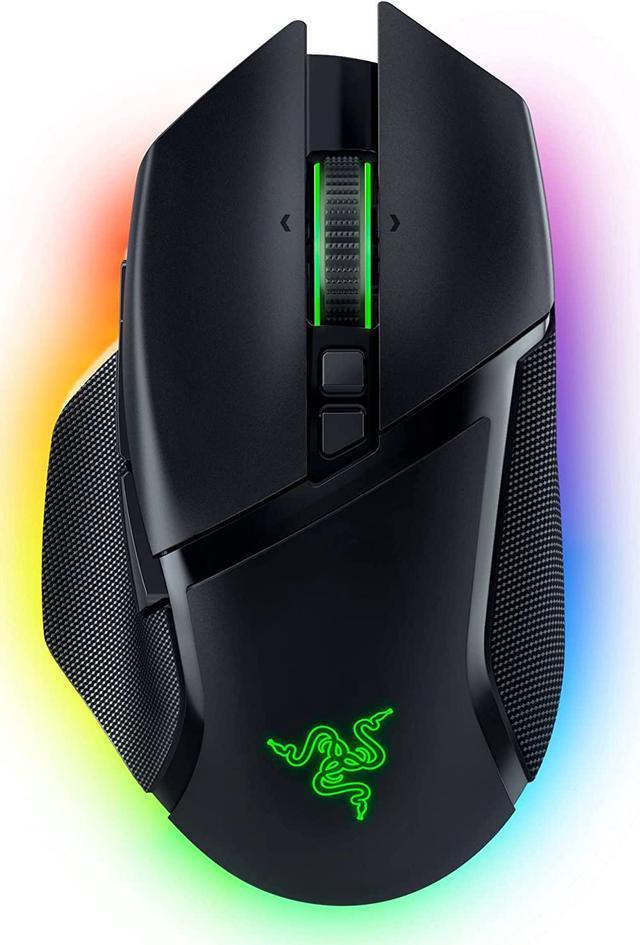
The Razer Basilisk V3 Pro is a right-handed wireless gaming mouse built for PC players who want high-end precision, extensive button customization, and fast switching between HyperSpeed wireless, Bluetooth, and wired USB-C use.
Recommended For
- Right-handed users who prefer a larger, shaped mouse with a thumb rest over low-profile ambidextrous designs, particularly for long gaming or work sessions at a fixed desk setup.
- Users who rely on many quick-access inputs without moving to the keyboard, such as MMO/MOBA players or shortcut-heavy users in editing, streaming, and creative apps.
- PC gamers who want one mouse for both play and desk work, especially if they value a free-spin / tilt scroll wheel for long pages, timelines, or spreadsheets and still want low-latency wireless gaming.
Real-World Use Scenarios
- For work-from-home or long daily sessions, the mouse is often used as a desk-main because the thumb rest, full-size shape, and wireless options reduce cable clutter and support extended use, though battery expectations depend heavily on RGB and polling-rate settings.
- For FPS players who prefer comfort and all-around utility over the lightest possible mouse, the Basilisk V3 Pro is commonly used successfully in competitive shooters, but its heavier multi-genre design means some users still reserve lighter mice for pure aim-focused play.
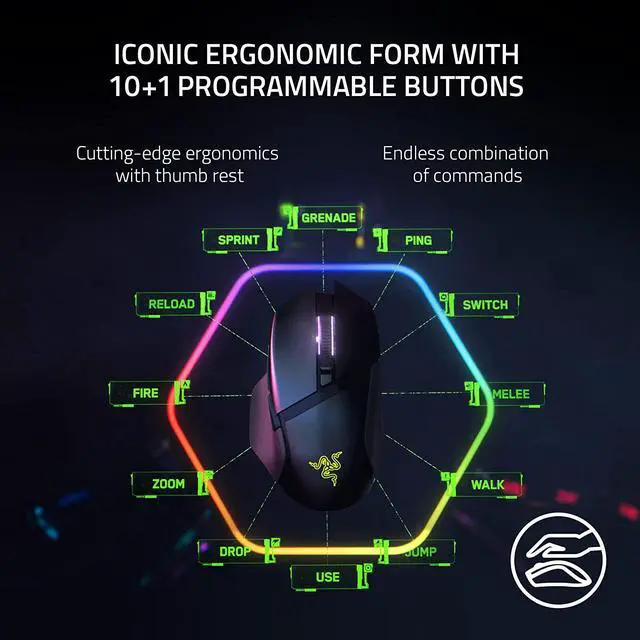
- For MMO, ARPG, or ability-heavy games, the side buttons, tilt wheel inputs, and remapping support give players more actions under one hand, so common skills, pings, or weapon swaps can be moved off the keyboard without needing a full MMO mouse layout.
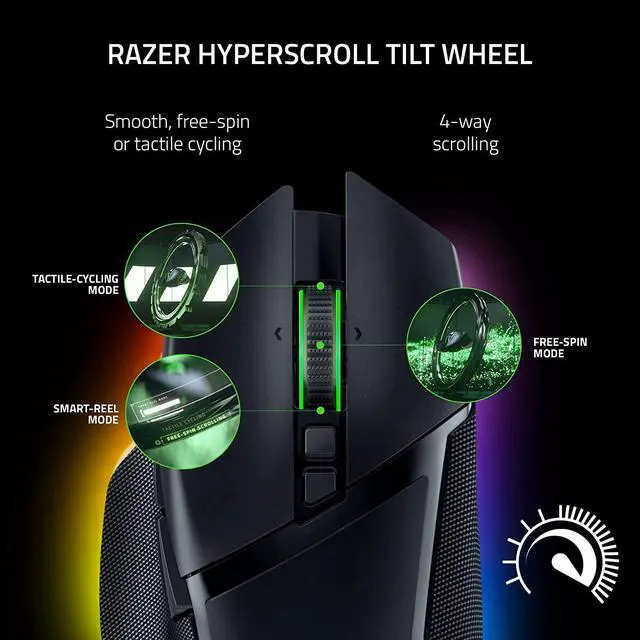
- For browsing large documents, spreadsheets, or long web pages, the scroll wheel is a practical advantage: users can switch from precise notched scrolling to fast free-spin scrolling, which makes jumping through long pages feel quicker than on a standard gaming mouse.
- For mixed gaming and everyday PC use, users can keep one mouse for both tasks: the ergonomic right-handed shape and extra programmable controls suit long desktop sessions, while wireless gaming performance is still competitive enough for fast-paced games.
Spec Summary
| Attribute | Value |
|---|
| Best For | Right-handed PC and Mac gamers and productivity users who need a wireless ergonomic mouse with a high-precision 30K optical sensor, programmable buttons, and customizable RGB lighting |
|---|
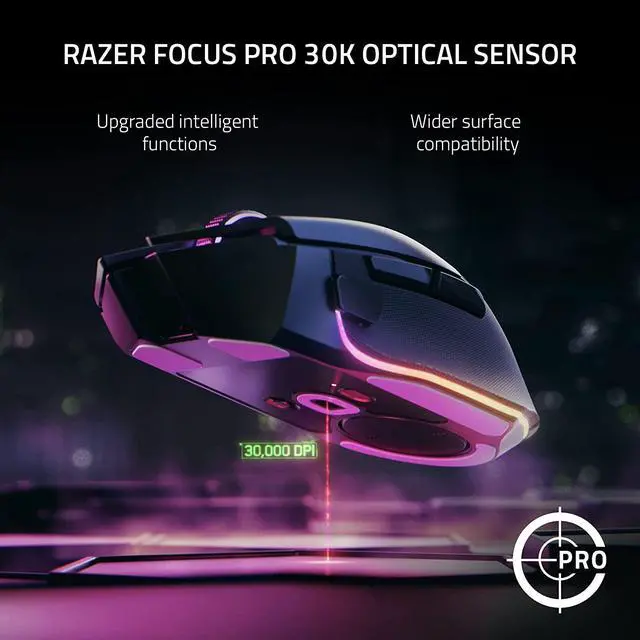
| Sensor And Tracking | Razer Focus Pro 30K optical sensor (optical movement detection) with up to 30,000 DPI sensitivity |
|---|
| Buttons And Controls | 11 total (10+1) programmable buttons with Razer Optical Mouse Switches Gen-3 (fast optical switches) and a 4-way HyperScroll tilt wheel offering electronically actuated notched and free-spinning modes |
|---|
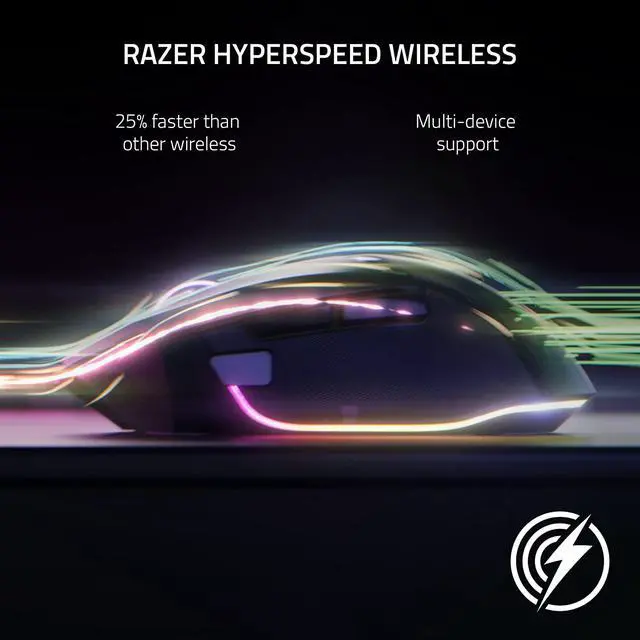
| Connectivity | Multi-mode connectivity: Razer HyperSpeed 2.4GHz wireless, Bluetooth, and wired via Speedflex USB-C cable; includes USB wireless dongle/adapters |
|---|
| Battery And Power | Internal lithium‑ion battery (1 cell, battery included and required) with 2.22 Wh capacity and ~90 hours claimed battery life; battery weight 10.25 grams |
|---|
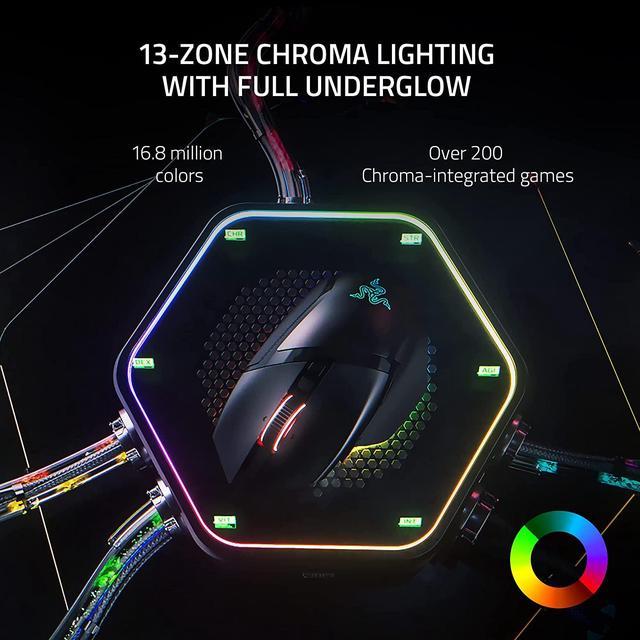
| Lighting And Customization | 13-zone Razer Chroma RGB lighting with full underglow and customizable lighting zones |
|---|
| Physical And Dimensions | Black plastic enclosure; item length 5.12 in, width 2.96 in, weight 0.24 lb; package dimensions 7.6962 L x 11.9126 W x 17.8054 H cm and package weight 0.431 kg |
|---|
| Compatibility And Platform | Compatible with Windows and macOS on PC platforms; listed compatible devices include personal computers and Mac |
|---|
| Included Accessories | Includes Type-C Speedflex cable and USB wireless dongle/adapter plus product information guide |
|---|
| Materials And Design | Ergonomic right‑hand form factor in plastic enclosure with an iconic Razer Basilisk shape |
|---|
| Model Identifiers | Razer Basilisk V3 Pro — part number RZ01-04620100-R3U1 (model/model number listed as RZ01-04620100-R3U1 / Basilisk V3 Pro) |
|---|
Reference Q&A
Q: Is the newer Razer Basilisk V3 Pro 35K a better buy than the Basilisk V3 Pro?
A: The Basilisk V3 Pro 35K is the better pick if the price difference is small and you want the updated sensor generation plus longer advertised battery life. The original Basilisk V3 Pro remains the better value when discounted because the shape, core feature set, and overall use case are very close. Review comparisons describe the 35K model as an iterative update rather than a major redesign.
Q: Should I get the Razer Basilisk V3 Pro or the DeathAdder V3 Pro for gaming?
A: Choose the Basilisk V3 Pro if you want more buttons, a more configurable scroll wheel, and a shape that suits mixed use across gaming and productivity. Choose the DeathAdder V3 Pro if your priority is lighter weight and a simpler design for performance-first play, especially in fast competitive titles. Community discussions and review coverage consistently frame this as a versatility-versus-lightweight decision rather than a raw quality gap.
Q: Is the Razer Basilisk V3 Pro worth buying over the wired Razer Basilisk V3?
A: Buy the Basilisk V3 Pro if you specifically want wireless play, Bluetooth, and optional Razer wireless charging support while keeping the same Basilisk-style shape and control layout. The wired Basilisk V3 is the more practical choice if you want the Basilisk button layout and scroll-wheel features without paying for wireless hardware. This makes the Pro version easier to justify as an upgrade in cable-free setups rather than as a universal replacement.
Q: Should I buy the Razer Basilisk V3 Pro or the Logitech G502 X PLUS?
A: Choose the Razer Basilisk V3 Pro if you want a feature-rich ergonomic wireless mouse with Bluetooth, a free-spin/tactile tilt scroll wheel, and broad customization for both gaming and desktop use. Choose the Logitech G502 X PLUS if lower weight and longer advertised battery life matter more. Across official specs and review comparisons, both target the same multi-genre gaming segment, while the Basilisk V3 Pro is the better fit for users who value scroll-wheel versatility and multi-device flexibility.
Q: Is the Razer Basilisk V3 Pro better than a cheaper wireless gaming mouse?
A: It is better if you specifically want premium features such as a 30K sensor, 4-way HyperScroll wheel, extensive RGB lighting, and more programmable controls. A cheaper wireless gaming mouse may still be the better value if you only need basic wireless performance and standard clicks. The main trade-off is paying more for customization and extra hardware features that casual users may not fully use.
Q: Who is the Razer Basilisk V3 Pro best for?
A: It is best for right-handed users who want an ergonomic wireless gaming mouse with many controls. The Basilisk V3 Pro fits buyers who value programmable buttons, tilt scrolling, and a high-end sensor for PC gaming, while also benefiting users who rely on shortcut-heavy workflows. It is less ideal for buyers who want a lightweight ambidextrous mouse or a minimal travel mouse.
Q: Is the Razer Basilisk V3 Pro suitable for Mac users?
A: Partly. It can function as a mouse on macOS, but repeated retail Q&A indicates the full software experience is limited compared with Windows. That means Mac users can use the basic pointer functions, but advanced customization such as Synapse-based lighting and deeper button setup may require a Windows system.
Q: Does the Razer Basilisk V3 Pro include wireless charging out of the box?
A: No. The mouse supports next-generation wireless charging, but the charging puck or Mouse Dock Pro is sold separately. In the box, buyers should expect the mouse and a USB-C charging cable rather than a bundled wireless charging accessory.
Q: Is the Razer Basilisk V3 Pro a good choice for both gaming and everyday office work?
A: Yes, if you want one mouse for gaming and productivity. Its ergonomic right-handed shape, 11 buttons, and HyperScroll tilt wheel make it useful for both fast gaming inputs and general work such as long scrolling, shortcuts, and multi-button workflows. The trade-off is that it is still a performance-focused gaming mouse, so it is larger and more feature-heavy than a simple office mouse.
Q: Is the wireless charging feature a reason to choose the Basilisk V3 Pro?
A: Usually no, unless you specifically want Razer’s charging ecosystem. The mouse supports next-gen wireless charging, but Reddit discussion repeatedly treats charging accessories as an added-cost extra rather than a core reason to buy the mouse. The stronger buying reasons are the shape, wireless connectivity, sensor, buttons, and HyperScroll wheel.
Q: Is the Basilisk V3 Pro good for FPS games?
A: It can work well for FPS, but it is not the obvious choice if your top priority is low weight. Reddit users discussing long-term use describe it as capable for FPS while also noting that its heavier shape is noticeable compared with lighter competitive mice. It makes more sense for players who want FPS performance without giving up extra buttons, ergonomic support, and productivity features.
Q: What are the main trade-offs of the Razer Basilisk V3 Pro?
A: The biggest trade-offs are weight, price, and feature complexity. Community discussions repeatedly mention that the mouse feels heavy compared with lightweight FPS mice, and some buyers question whether the premium price is justified if they do not need wireless, RGB, tilt scrolling, or charging add-ons. The feature set is broad, but it makes the mouse a less value-focused option than simpler models.
Q: Who is the Basilisk V3 Pro best suited for?
A: It is best suited for right-handed users who want an ergonomic wireless mouse with many inputs and a more substantial shape. Based on the product specs and recurring Reddit discussion, it fits users who value extra buttons, multi-mode scrolling, and versatility more than minimum weight. It is a stronger fit for mixed-use gaming, browsing, and productivity than for buyers specifically chasing the lightest competitive mouse.
Q: Is the Razer Basilisk V3 Pro a good buy if I want one mouse for both gaming and work?
A: Yes, if you want a feature-heavy mouse that can cover both gaming and productivity. Reddit discussions repeatedly focus on its programmable buttons, ergonomic right-handed shape, and HyperScroll wheel as the main reasons people use it for both play and desktop work. The main trade-off is weight: it is better suited to users who prefer a fuller, heavier mouse than an ultralight FPS-style mouse.
Q: What unique features does the Razer Basilisk V3 Pro offer for scrolling?
A: The Razer Basilisk V3 Pro features a 4-way HyperScroll tilt wheel that offers electronically actuated notched and free-spinning modes for versatile scrolling.
Q: What is the maximum DPI of the Razer Basilisk V3 Pro gaming mouse?
A: The maximum DPI of the Razer Basilisk V3 Pro gaming mouse is 30000 dpi.
Q: Who is the Basilisk V3 Pro best suited for?
A: It is best suited for right-handed users who want an ergonomic wireless mouse with many inputs and a more substantial shape. Based on the product specs and recurring Reddit discussion, it fits users who value extra buttons, multi-mode scrolling, and versatility more than minimum weight. It is a stronger fit for mixed-use gaming, browsing, and productivity than for buyers specifically chasing the lightest competitive mouse.
Q: Is the Basilisk V3 Pro good for FPS games?
A: It can work well for FPS, but it is not the obvious choice if your top priority is low weight. Reddit users discussing long-term use describe it as capable for FPS while also noting that its heavier shape is noticeable compared with lighter competitive mice. It makes more sense for players who want FPS performance without giving up extra buttons, ergonomic support, and productivity features.
Q: Is the Razer Basilisk V3 Pro a good buy if I want one mouse for both gaming and work?
A: Yes, if you want a feature-heavy mouse that can cover both gaming and productivity. Reddit discussions repeatedly focus on its programmable buttons, ergonomic right-handed shape, and HyperScroll wheel as the main reasons people use it for both play and desktop work. The main trade-off is weight: it is better suited to users who prefer a fuller, heavier mouse than an ultralight FPS-style mouse.
Q: What are the main trade-offs of the Razer Basilisk V3 Pro?
A: The biggest trade-offs are weight, price, and feature complexity. Community discussions repeatedly mention that the mouse feels heavy compared with lightweight FPS mice, and some buyers question whether the premium price is justified if they do not need wireless, RGB, tilt scrolling, or charging add-ons. The feature set is broad, but it makes the mouse a less value-focused option than simpler models.
Q: Is the wireless charging feature a reason to choose the Basilisk V3 Pro?
A: Usually no, unless you specifically want Razer’s charging ecosystem. The mouse supports next-gen wireless charging, but Reddit discussion repeatedly treats charging accessories as an added-cost extra rather than a core reason to buy the mouse. The stronger buying reasons are the shape, wireless connectivity, sensor, buttons, and HyperScroll wheel.
Q: Should I buy the Razer Basilisk V3 Pro or the Logitech G502 X PLUS?
A: Choose the Razer Basilisk V3 Pro if you want a feature-rich ergonomic wireless mouse with Bluetooth, a free-spin/tactile tilt scroll wheel, and broad customization for both gaming and desktop use. Choose the Logitech G502 X PLUS if lower weight and longer advertised battery life matter more. Across official specs and review comparisons, both target the same multi-genre gaming segment, while the Basilisk V3 Pro is the better fit for users who value scroll-wheel versatility and multi-device flexibility.
Q: Is the Razer Basilisk V3 Pro worth buying over the wired Razer Basilisk V3?
A: Buy the Basilisk V3 Pro if you specifically want wireless play, Bluetooth, and optional Razer wireless charging support while keeping the same Basilisk-style shape and control layout. The wired Basilisk V3 is the more practical choice if you want the Basilisk button layout and scroll-wheel features without paying for wireless hardware. This makes the Pro version easier to justify as an upgrade in cable-free setups rather than as a universal replacement.
Q: Should I get the Razer Basilisk V3 Pro or the DeathAdder V3 Pro for gaming?
A: Choose the Basilisk V3 Pro if you want more buttons, a more configurable scroll wheel, and a shape that suits mixed use across gaming and productivity. Choose the DeathAdder V3 Pro if your priority is lighter weight and a simpler design for performance-first play, especially in fast competitive titles. Community discussions and review coverage consistently frame this as a versatility-versus-lightweight decision rather than a raw quality gap.
Q: Is the newer Razer Basilisk V3 Pro 35K a better buy than the Basilisk V3 Pro?
A: The Basilisk V3 Pro 35K is the better pick if the price difference is small and you want the updated sensor generation plus longer advertised battery life. The original Basilisk V3 Pro remains the better value when discounted because the shape, core feature set, and overall use case are very close. Review comparisons describe the 35K model as an iterative update rather than a major redesign.
Q: Is the Razer Basilisk V3 Pro suitable for Mac users?
A: Partly. It can function as a mouse on macOS, but repeated retail Q&A indicates the full software experience is limited compared with Windows. That means Mac users can use the basic pointer functions, but advanced customization such as Synapse-based lighting and deeper button setup may require a Windows system.



 All Categories