


 All CategoriesAll CategoriesAll Categories
Shipped by Newegg




Warranty Notice:
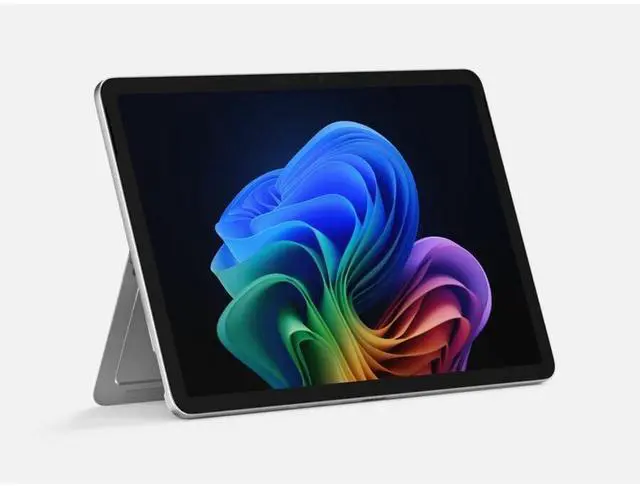
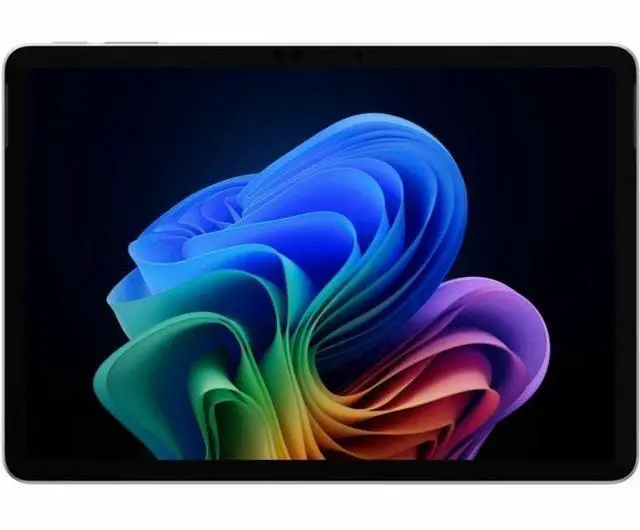
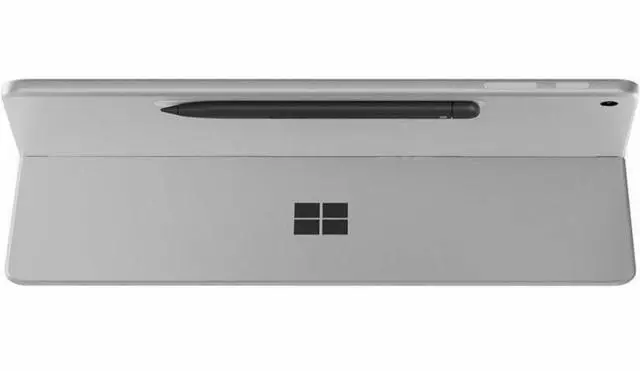
This product does not include manufacturer warranty when purchased or used outside of its designated sales region. By purchasing internationally, you acknowledge that warranty support from the manufacturer will not be available.The Microsoft Surface Pro 12 Copilot+ PC is a 12-inch Windows 11 Pro business tablet with a Snapdragon X Plus processor, 24GB memory, and 1TB storage, suited for professionals who want a highly portable 2-in-1 for productivity, web work, video calls, and AI-assisted everyday tasks.
| Attribute | Value |
|---|---|
| Best For | Business users who need a lightweight 12" Windows 11 Pro Copilot+ tablet for on-the-go productivity with large RAM and storage and support for keyboards and external displays |
| Processor And Clock Speeds | Qualcomm Snapdragon X Plus X1P-42-100 processor, 3.2 GHz |
| GPU And VRAM | Integrated Adreno graphics (graphics coprocessor listed as Adreno); video memory / memory type listed as LPDDR5X |
| Display Spec | 12.0" PixelSense touchscreen, 2196 x 1464 (16:10) native resolution, anti-reflective surface |
| Memory Configuration | 24 GB LPDDR5X system memory |
| Storage And Expansion | 1 TB built-in flash storage (listed as 1000 GB / 1024 GB across sources) |
| High Speed I O | 2 × USB-C (USB 3.2) ports with DisplayPort support (1 port reported); hardware interface also lists displayport and usb_c |
| Battery And Power | 2-cell Lithium Ion battery; capacity reported as 5000 mAh; estimated battery life up to 16 hours (video) / 12 hours (web); includes USB-C charging cable; single battery included |
| Wired And Wireless Networking | 802.11be Wireless LAN, Bluetooth 5.4 and NFC supported (external data also lists compatibility with 802.11 a/b/g/n/ac/ax) |
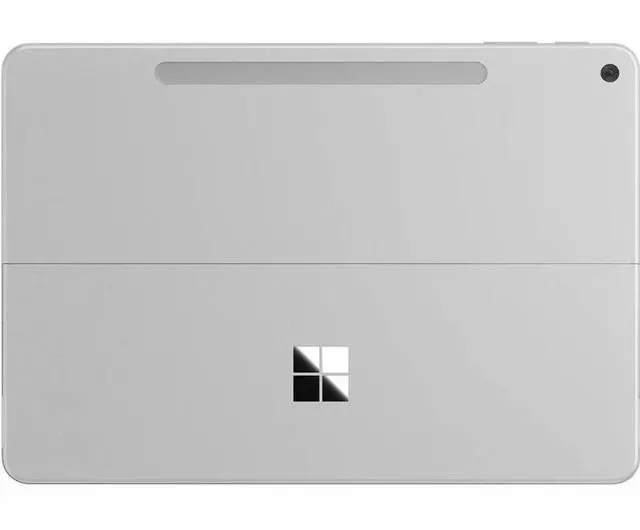
| Webcam And Privacy | Front-facing webcam and rear 10 MP camera (rear sensor 10 MP), FHD 1080p video capture; face recognition biometric and Trusted Platform Module (TPM) listed for device security |
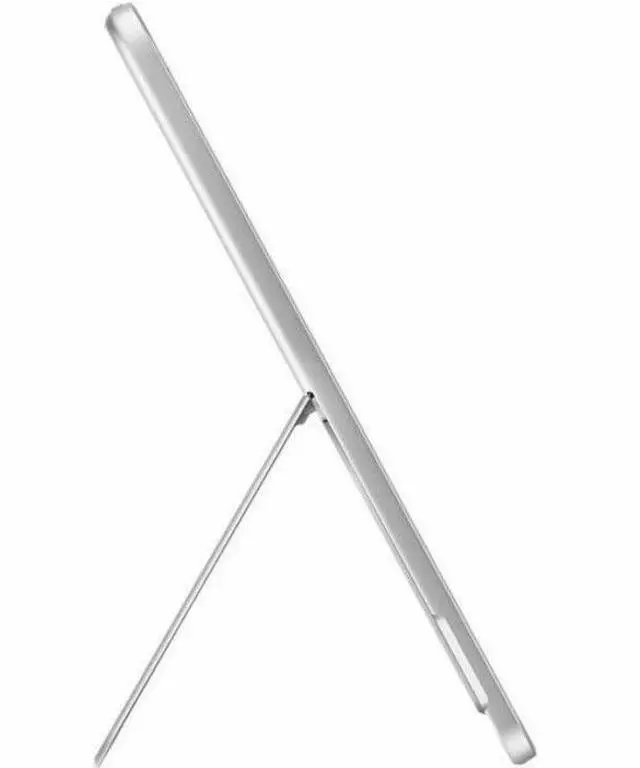
| Keyboard And Control | Touchscreen with handwriting/stylus input support; built-in kickstand and volume control button; pairs with optional keyboard and mouse |
| Special Features & Sensors | Face recognition, Trusted Platform Module (TPM), accelerometer, anti-reflective finish, built-in kickstand and volume control |
| Dimensions And Portability | 10.8 × 7.5 × 0.3 inches; 1.51 lb; color Platinum; release/model year 2025 |
| External Display And Docking Fit | Supports external displays via DisplayPort over USB-C and lists external display compatibility |
| Operating System | Windows 11 Pro |
| Model Identifiers | Microsoft Surface Pro 12 (Series/Set/Sub-brand: Surface Pro 12 / Surface Pro 12 (2025)), model/part EP2-33665 |
| Package Content | Includes Surface Pro for Business, USB-C charging cable, Quick Start Guide, and safety & warranty documents |
Q: Should I choose the 12-inch Surface Pro or an iPad Pro if I want one device for work and tablet use?
A: Choose the 12-inch Surface Pro if you need full Windows applications, desktop-style file handling, and laptop-style productivity in a tablet form factor. Choose an iPad Pro if your priority is a more touch-first tablet experience and your apps already fit well within iPadOS. Reviews commonly describe the trade-off this way: the iPad Pro is stronger as a pure tablet, while the Surface Pro is the better fit when you want one device to cover both tablet tasks and traditional PC work.
Q: Should I upgrade from an older Intel Surface Pro to this 12-inch Snapdragon model?
A: Upgrade if your priority is better battery efficiency, cooler and quieter everyday use, and a more modern mobile setup. Review coverage consistently frames the Snapdragon-based Surface Pro generation as a meaningful shift from older Intel Surface Pro models in efficiency and standby behavior. Keep your older Surface Pro if you depend on specialized legacy Windows apps, drivers, or peripherals that are safer on a long-established x86 setup. For general office, web, media, and mobile productivity, the 12-inch Snapdragon model is the more practical travel-first upgrade.
Q: Is the 12-inch Surface Pro a better fit than the Surface Laptop 13 for travel and tablet use?
A: Yes, if you want a device that will regularly be used as a tablet, for handwriting, reading, or standing use in tight spaces. The 12-inch Surface Pro is the better choice for portability-first use because it is lighter and built as a detachable 2-in-1. The Surface Laptop 13 is the better choice if your workflow is mostly traditional typing on a desk or lap. Reviews and community discussions consistently treat this as a form-factor decision first: Surface Pro for flexibility and pen-friendly tablet use, Surface Laptop for a more conventional laptop setup.
Q: Is the 24GB / 1TB Surface Pro 12 worth it over a lower-memory configuration?
A: The 24GB / 1TB configuration makes sense if you expect to keep the device for several years, work with large files, run many browser tabs and desktop apps at once, or want more local storage without relying on cloud or external drives. A lower-memory version is the better value for lighter use such as web work, note-taking, streaming, and Office tasks. The key trade-off is not the overall design of the device but how much multitasking margin and storage flexibility you want from day one, since memory is not something most buyers treat as an upgrade later.
Q: Should I buy the 12-inch Surface Pro or the 13-inch Surface Pro 11?
A: Choose the 12-inch Surface Pro if portability, silent fanless use, and a lower entry cost matter more than screen size and peak performance. Choose the 13-inch Surface Pro 11 if you want a larger 120Hz display, stronger Snapdragon X Plus or X Elite performance options, and more headroom for heavier multitasking or GPU-leaning work. Across Microsoft’s lineup and multiple reviews, the 12-inch model is positioned as the lighter, simpler travel-first option, while the 13-inch Pro 11 is the more capable productivity-first Surface Pro.
Q: What are the main trade-offs versus a larger Surface Pro or similar 13-inch 2-in-1?
A: The key advantage of this 12-inch model is portability: it is lighter and easier to carry than larger 13-inch detachables. The trade-offs are a smaller screen for split-screen work and likely a more accessory-dependent setup if you plan to use it as your primary laptop. Compared with larger Surface Pro models, this one is the better choice for mobility and quick work sessions, while a 13-inch alternative is usually better for longer typing sessions, multitasking across windows, and desk-first use.
Q: Who is this model most suitable for?
A: This configuration is best for business users, frequent travelers, consultants, and mobile professionals who want a premium Windows tablet with more memory and storage than entry models. With 24GB RAM, 1TB storage, Windows 11 Pro, NFC, and a business-oriented security setup, it fits users who multitask across many tabs and apps and want a compact device for work on the go. It is less ideal for buyers who want the best value, a larger display for long desk sessions, or built-in laptop ergonomics without extra accessories.
Q: Does it come with a keyboard or pen, and does that affect the buying decision?
A: The package includes the tablet and a USB-C charging cable, but not the keyboard or pen. That matters because many retail Q&A threads around Surface Pro models ask this before buying. If you want to use it mainly as a laptop replacement, the keyboard is effectively part of the real cost. If you want a light tablet-first Windows device and only occasional typing, buying the tablet alone makes more sense.
Q: Is it good for note-taking, meetings, and office work?
A: Yes. This model is well suited to note-taking, video meetings, and general office work. It has a touchscreen, front and rear cameras, built-in microphones, Windows 11 Pro, 24GB of memory, and a Snapdragon X Plus platform designed for efficient everyday productivity. It is especially practical for OneNote, Microsoft 365, web apps, and meeting use. The main limitation is that pen and keyboard workflows depend on accessories, so it is best for users who want tablet flexibility more than a traditional clamshell laptop feel.
Q: Is this a good travel work device?
A: Yes, it is a strong fit for travel work if you want a very light Windows 2-in-1 for email, documents, web apps, meetings, and note-taking. The main advantages are its 1.51 lb weight, compact 12-inch size, built-in kickstand, fanless design, Wi-Fi 7, and claimed battery life of up to 16 hours video or 12 hours web use. The trade-off is that laptop-style productivity is best with the optional keyboard, so budget for that if you plan to type heavily.
Q: Is the Surface Pro 12 worth buying if battery life and portability matter more than raw power?
A: Yes, that is one of the clearest cases for buying it. The product specs point to long battery targets, and Reddit discussion repeatedly frames the 12-inch model as a lightweight, battery-friendly option for mobile use. It is a weaker value choice if your priority is maximum performance per dollar or a larger workspace.
Q: Are app compatibility and ARM limitations still a real concern on the Surface Pro 12?
A: Yes, they are still a buying consideration. For common productivity apps, web use, and many ARM-native programs, the device is generally a safe fit. The risk is higher if you depend on specific Adobe apps, older desktop software, hardware drivers, or pro audio tools, because support can vary by app and accessory.
Q: What are the main trade-offs of the Surface Pro 12 versus a larger Surface Pro or traditional laptop?
A: The main advantages are lower weight, tablet flexibility, and quieter operation. The main trade-offs are a smaller 12-inch display, Snapdragon X Plus performance that is below higher-tier Surface Pro models, and the usual Windows on ARM caution for niche apps, drivers, or advanced creative workflows.
Q: Can the Surface Pro 12 replace a laptop for most people?
A: It can replace a laptop for light to moderate workloads such as Microsoft Office, browsing, video calls, media use, and document review. It is less ideal as a full laptop replacement for users who need a larger display, sustained high performance, or broad support for specialized desktop apps and peripherals.
Q: Is the Surface Pro 12 a good fit for work, note-taking, and travel?
A: Yes, if you want a very portable Windows 2-in-1 for Office work, PDF markup, web use, and handwritten notes. Reddit users repeatedly describe the 12-inch model as light, easy to carry, and well suited to student or mobile work. The main trade-off is that the smaller screen is better for portability than for heavy multitasking.
Q: Is the 12-inch Surface Pro a better fit than the Surface Laptop 13 for travel and tablet use?
A: Yes, if you want a device that will regularly be used as a tablet, for handwriting, reading, or standing use in tight spaces. The 12-inch Surface Pro is the better choice for portability-first use because it is lighter and built as a detachable 2-in-1. The Surface Laptop 13 is the better choice if your workflow is mostly traditional typing on a desk or lap. Reviews and community discussions consistently treat this as a form-factor decision first: Surface Pro for flexibility and pen-friendly tablet use, Surface Laptop for a more conventional laptop setup.
Q: Should I choose the 12-inch Surface Pro or an iPad Pro if I want one device for work and tablet use?
A: Choose the 12-inch Surface Pro if you need full Windows applications, desktop-style file handling, and laptop-style productivity in a tablet form factor. Choose an iPad Pro if your priority is a more touch-first tablet experience and your apps already fit well within iPadOS. Reviews commonly describe the trade-off this way: the iPad Pro is stronger as a pure tablet, while the Surface Pro is the better fit when you want one device to cover both tablet tasks and traditional PC work.
Q: Should I buy the 12-inch Surface Pro or the 13-inch Surface Pro 11?
A: Choose the 12-inch Surface Pro if portability, silent fanless use, and a lower entry cost matter more than screen size and peak performance. Choose the 13-inch Surface Pro 11 if you want a larger 120Hz display, stronger Snapdragon X Plus or X Elite performance options, and more headroom for heavier multitasking or GPU-leaning work. Across Microsoft’s lineup and multiple reviews, the 12-inch model is positioned as the lighter, simpler travel-first option, while the 13-inch Pro 11 is the more capable productivity-first Surface Pro.
Q: Should I upgrade from an older Intel Surface Pro to this 12-inch Snapdragon model?
A: Upgrade if your priority is better battery efficiency, cooler and quieter everyday use, and a more modern mobile setup. Review coverage consistently frames the Snapdragon-based Surface Pro generation as a meaningful shift from older Intel Surface Pro models in efficiency and standby behavior. Keep your older Surface Pro if you depend on specialized legacy Windows apps, drivers, or peripherals that are safer on a long-established x86 setup. For general office, web, media, and mobile productivity, the 12-inch Snapdragon model is the more practical travel-first upgrade.
Q: Is the 24GB / 1TB Surface Pro 12 worth it over a lower-memory configuration?
A: The 24GB / 1TB configuration makes sense if you expect to keep the device for several years, work with large files, run many browser tabs and desktop apps at once, or want more local storage without relying on cloud or external drives. A lower-memory version is the better value for lighter use such as web work, note-taking, streaming, and Office tasks. The key trade-off is not the overall design of the device but how much multitasking margin and storage flexibility you want from day one, since memory is not something most buyers treat as an upgrade later.