Best ABS Gaming Desktops for 1080p, 1440p, and 4K Gaming
By Chloe Hart|September 16, 2026|Updated October 7, 2026
The question I get asked most is which graphics card someone should buy. It is almost always the wrong question. The right one is what monitor is already sitting on the desk, because that single fact narrows the parts list faster than any benchmark chart.
A card that wheezes at 4K can be comically overpowered at 1080p. Same silicon, same game, completely different answer. So when someone asks me to help pick a prebuilt, I start there. I have been doing that with ABS machines on Newegg lately, partly because they are easy to reason about: ABS is Newegg's own builder, based in Diamond Bar, and they assemble with ordinary retail components rather than proprietary boards and connectors. You can read the spec sheet and know exactly what you are getting.
Why Resolution Decides Everything Else
Pixel count scales harshly. 1440p is about 1.8 times the pixels of 1080p, and 4K is four times. The graphics card has to draw every one of them, every frame, which is why the same GPU can hold a locked high frame rate at one resolution and fall apart at another.
There is a second effect that people miss. The lower the resolution, the more the processor matters, because the graphics card finishes its work quickly and starts waiting on the CPU to feed it. That flips at 4K, where the GPU is almost always the limit and a mid-range processor is perfectly adequate. This is why a 1080p esports machine and a 4K single-player machine can have very different CPUs and still both be correct.
What I Actually Check on a Spec Sheet
Video memory against the resolution. 8GB is workable at 1080p and gets tight at 1440p with high texture settings. 12GB is the comfortable 1440p number. 16GB is what I want if 4K is the plan, or if I expect to keep the machine through several more release cycles.
Power supply headroom. An RTX 5070 is rated at 250W on its own, and an RTX 5080 at 360W. A 650W unit is fine behind a 5060; a 5080 build wants a 1000W supply and, in my experience, actually gets one in the better prebuilts.
Cooling that matches the chip. A 65W i5 is happy under a tower air cooler. A 120W Ryzen 7 9800X3D or a 125W i9 under sustained load is a different proposition, and a 240mm or 360mm liquid cooler stops being decoration.
The Three Machines, Side by Side
Model
CPU
GPU
Memory
Storage
Target
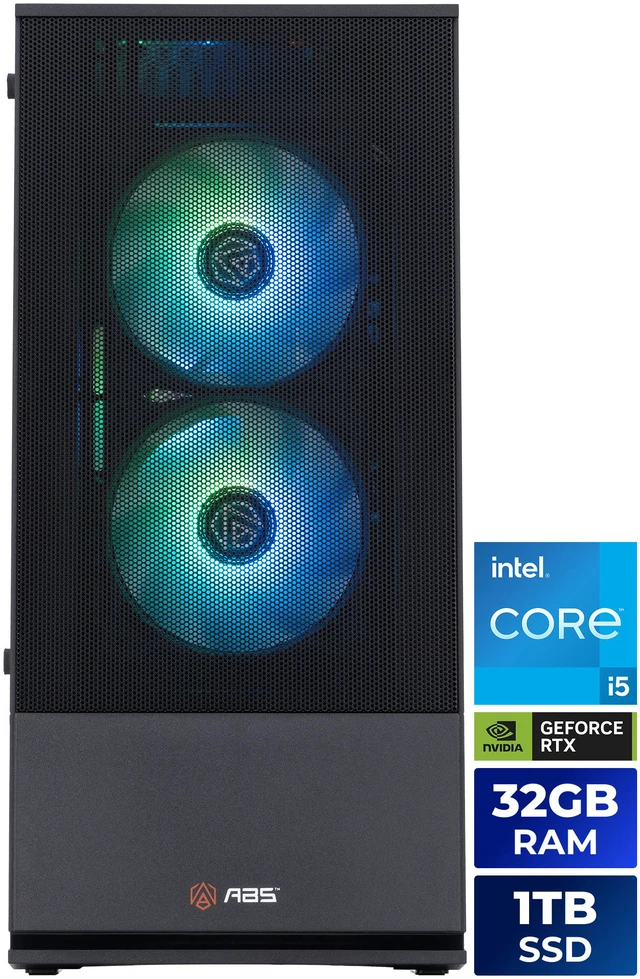
ABS Cyclone Aqua (C1A45N56R3)
Core i5-14400F, 10C/16T
RTX 5060 8GB GDDR7
32GB DDR4-3200
1TB PCIe 4.0 M.2
1080p high refresh
ABS Cyclone Aqua (C1A47N56T1)
Core i7-14700F, 20C/28T
RTX 5060 Ti 16GB GDDR7
16GB DDR5
1TB NVMe
1080p to 1440p
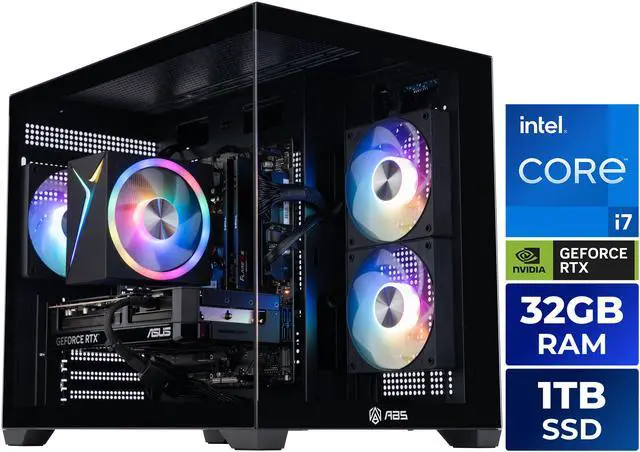
ABS Flux II Aqua (F2A47N57R1)
Core i7-14700F, 20C/28T
RTX 5070 12GB GDDR7
32GB DDR5
1TB NVMe
1440p
ABS Stratos II Ruby (S2R97N57T2)
Ryzen 7 9800X3D, 8C/16T
RTX 5070 Ti 16GB GDDR7
32GB DDR5-6000
2TB M.2
1440p max settings
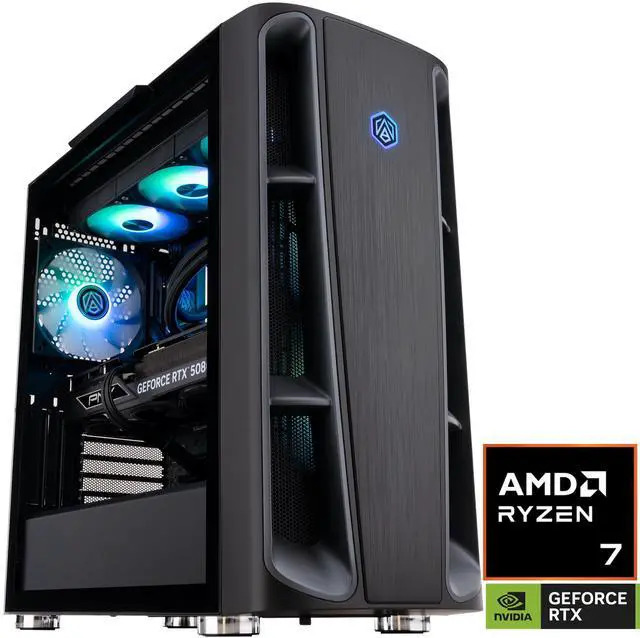
ABS Kaze II Ruby (KIIR9800X3D50802)
Ryzen 7 9800X3D, 8C/16T
RTX 5080 16GB GDDR7
32GB DDR5
2TB NVMe
4K
1080p: Stop Overbuying
An i5, an RTX 5060 and 32GB of memory. At 1080p, that is a finished machine.
The ABS Cyclone Aqua with the Core i5-14400F and RTX 5060 is the one I keep pointing people toward when they tell me they play at 1080p and have no plans to change. Ten cores, sixteen threads, 4.7GHz turbo, paired with a 3,840-CUDA-core RTX 5060 carrying 8GB of GDDR7. It ships with 32GB of DDR4-3200 and a 1TB PCIe 4.0 drive, on a B760M board with a Hyper 212 air cooler and a 650W 80+ Gold supply.
Nothing about that reads as exotic, and that is the appeal. At 1080p the 5060 has enough memory and enough throughput that you spend your time playing rather than shaving settings. The 145W card behind a 650W supply also means the thing is quiet, which matters more than people expect once the machine is actually on your desk.
1440p: Where the Money Starts Doing Something
The RTX 5070's 12GB and 192-bit bus are the reason this sits a tier above the 5060 builds.
The ABS Flux II Aqua with the Core i7-14700F and RTX 5070 is the resolution jump made concrete. The 5070 brings 6,144 CUDA cores, 12GB of GDDR7 on a 192-bit bus and a 250W rating, which is a real step up from the 128-bit 5060 rather than a marketing one. Behind it, the i7-14700F contributes twenty cores in an 8P+12E arrangement with 33MB of L3 and a 5.4GHz ceiling, and there is 32GB of DDR5 and a 1TB NVMe drive.
If you want the same resolution with the settings sliders pushed further, the Stratos II Ruby swaps in a Ryzen 7 9800X3D and an RTX 5070 Ti. That processor's 96MB of L3 cache is unusually good at holding 1% lows steady in open-world and simulation games, which is a different kind of improvement than a higher average frame rate.
4K: One Tier, Honestly
16GB of GDDR7, a 1000W supply and a 360mm radiator. 4K asks for all three.
The ABS Kaze II Ruby with the Ryzen 7 9800X3D and RTX 5080 is the one I would actually put behind a 4K panel. The 5080 is 10,752 CUDA cores and 16GB of GDDR7 on a 256-bit bus at 360W, and the build backs it with a 1000W 80+ Gold supply, a 360mm all-in-one cooler, 32GB of DDR5 and 2TB of NVMe storage.
I would not pretend the 9800X3D is doing heavy lifting at 4K specifically, because at that resolution the graphics card is the bottleneck in nearly every title. What it does is keep the machine from becoming a 4K-only box. Drop the resolution for a competitive game and the CPU is suddenly the thing carrying you to a high refresh rate.
How I Would Pick
Match the tier to the panel you own today, not the one you might buy. If you are on 1080p, the Cyclone Aqua is enough and the leftover budget belongs in a better monitor. At 1440p, the RTX 5070 is the honest entry point and the 5070 Ti builds are the comfortable version of the same answer. At 4K, 16GB of video memory and a genuinely large power supply are not optional, and that puts you at the 5080 tier.
One thing I would push back on: buying a 4K-class machine to run a 1080p monitor "for the future". You will feel the upgrade the day you replace the display, not the day you replace the tower. The rest of the current lineup is on Newegg's ABS gaming desktop listings if you want to compare configurations side by side.
Frequently Asked Questions
Is 8GB of video memory still enough in 2026? At 1080p, yes, in the great majority of games. It gets tight at 1440p once you push texture quality and ray tracing together, and it is the main reason I would not buy an 8GB card for a 1440p or 4K panel. If you are choosing between an 8GB and a 16GB version of the same card, the extra memory is usually the better spend.
Do I need an expensive CPU for 4K gaming? Not really. At 4K the graphics card is the limit in nearly every title, and a mid-range processor keeps up fine. A stronger CPU matters if you also play competitive games at lower resolutions, stream while you play, or expect to keep the machine long enough that a future GPU upgrade would outrun the processor.
What power supply should a gaming desktop have? Size it to the graphics card. The RTX 5060 is rated at 145W and is comfortable behind a quality 650W unit. The RTX 5070 is 250W, the 5070 Ti is 300W and the 5080 is 360W, which is why higher-tier ABS builds move to 850W and 1000W supplies. Headroom also leaves room for a future card.
Can I upgrade an ABS prebuilt later? Generally yes. ABS assembles with standard retail motherboards, power supplies and cases from vendors like ASRock, GIGABYTE, ASUS and MSI, so the graphics card, memory and storage follow ordinary desktop upgrade rules. Check the specific model's motherboard, socket and case dimensions on its Newegg product page before planning anything.
Should I buy for 1440p if I still game at 1080p? Only if you plan to change the monitor soon. A 1440p-class machine on a 1080p panel mostly produces frames the display cannot show. Buying the display first and the tower second is the order that actually changes what you see.
Read More
Tom's Hardware: GPU Hierarchy — Independent ranking of current graphics cards by measured performance across resolutions, updated as new cards launch.
NVIDIA: GeForce RTX 50 Series — The manufacturer's own overview of the Blackwell desktop lineup and its feature set.
RTINGS: Best Gaming Monitors — Lab-tested monitor recommendations, useful if the display is the part you should upgrade first.
Wikipedia: GeForce RTX 50 Series — A consolidated specification table covering CUDA counts, memory configurations and board power for every model.