I have bought four keyboards in the last six years and returned two of them. Both returns were for the same reason, and it had nothing to do with switches: the board was the wrong size for my desk and I never stopped noticing it.
So before anything else, measure the space between your monitor stand and the edge of the desk. That number decides more about whether you will like a keyboard than any spec on the box. Everything below is sorted with that in mind.
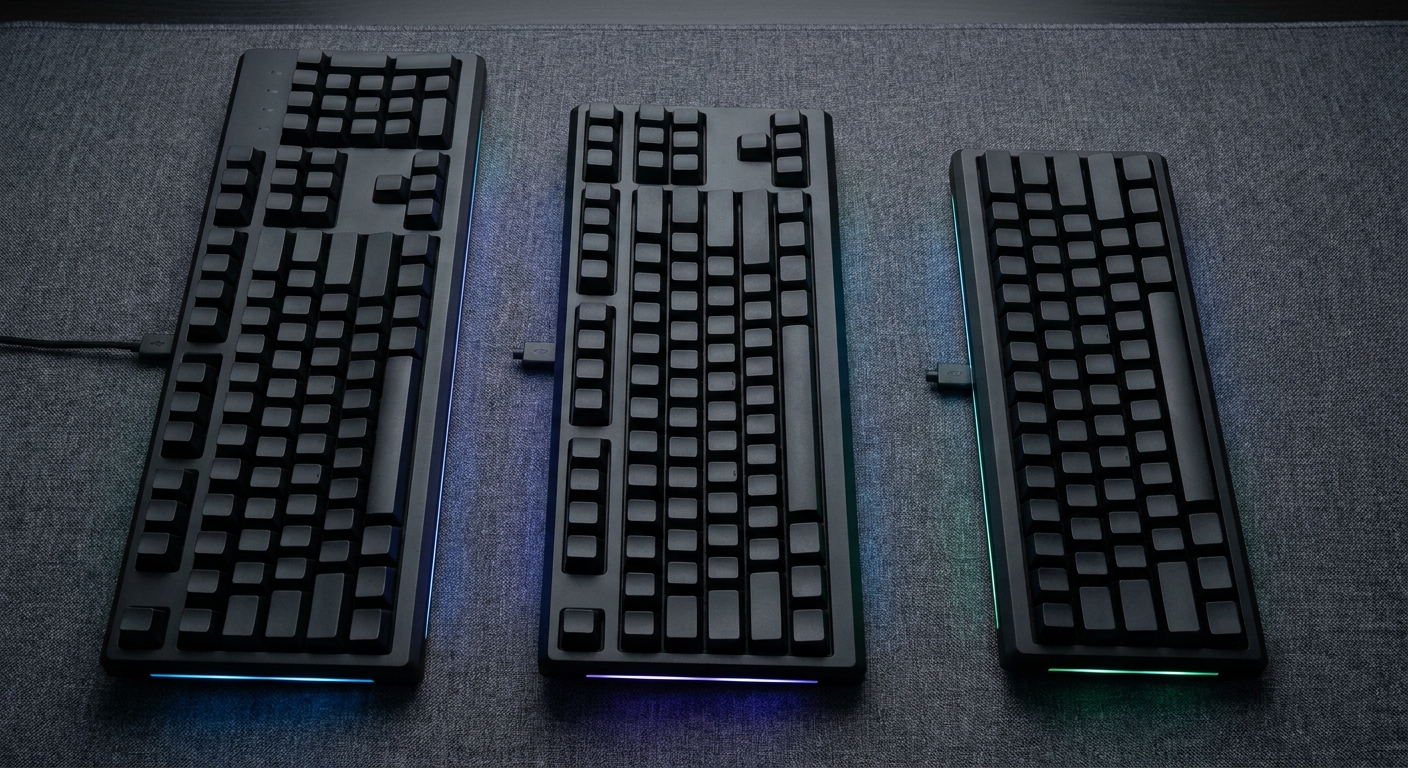
Which Layout Should I Actually Buy?
A 75% board keeps the function row and the arrow keys and throws away the number pad and the gap around the navigation cluster. For most people it is the right answer, because it saves real desk width without asking you to relearn anything.
A 96% layout is the compromise for people who use the number pad. It squeezes everything, number pad included, into roughly the width of a tenkeyless board. Keys sit closer together than you may be used to, which takes a week.
Tenkeyless is the old safe choice: full function row, full arrow and navigation clusters, no number pad, and generous spacing. If you type as much as you game, it is still hard to beat.
Do Hall Effect Switches Matter for Me?
Magnetic switches sense how far a key has travelled rather than just whether it has closed. That buys you adjustable actuation depth and rapid trigger, where the key resets the instant you start lifting instead of waiting for a fixed point. In counter-strafing games this is a real, measurable advantage.
Outside those games it is mostly a novelty, and magnetic boards are not usually hot-swappable with normal mechanical switches. If you play shooters seriously, buy one. If you do not, spend the money on a better case and keycaps instead.
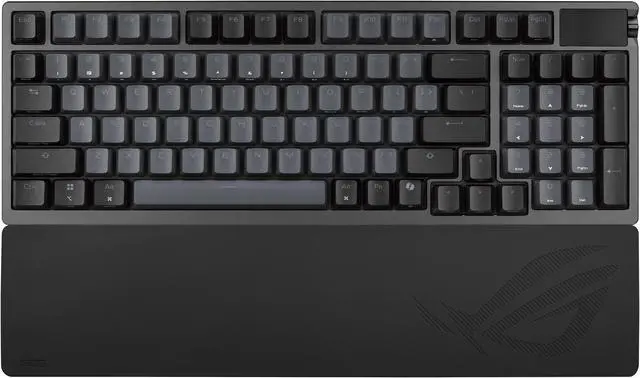
The ASUS ROG Azoth 96 HE is the one I keep pointing people at, because a wireless Hall effect board with a number pad barely exists otherwise. It runs ROG HFX V2 magnetic switches, connects over USB, 2.4GHz or Bluetooth, has per-key RGB and a small OLED panel, is hot-swappable within its own switch family, and measures 382 x 136 x 42mm.
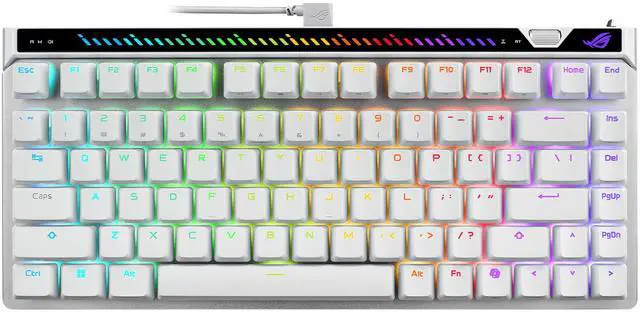
If you want the same switch idea wired and cheaper, the ROG Falchion Ace 75 HE drops to a 75% layout, USB only, with HFX V2X magnetic switches. It is 14.63 x 8.35 x 3.03 inches and about 4.11 pounds, which tells you it is not a board you carry anywhere.
Is Wireless Good Enough Now?
For keyboards, yes, and it has been for a while. The latency argument ended before it ended for mice. What still varies is how the board behaves on Bluetooth versus its own dongle, and my advice is unchanged: use the 2.4GHz receiver for games and keep Bluetooth for the laptop you occasionally pair it with.
The Logitech G915 X LIGHTSPEED TKL is the board I would hand to someone who just wants it to work. Tenkeyless, GL linear switches, RGB, and USB, LIGHTSPEED or Bluetooth. At 14.5 x 5.9 x 0.9 inches it is strikingly thin, which is either the reason you buy it or the reason you do not.
The Logitech G515 LIGHTSPEED TKL takes the same low-profile idea further down the range, with GL Red linear switches, PBT keycaps, the same three connection modes, 368 x 150 x 22mm and 880g without the cable. PBT at that size is not a given, and it is the detail that makes this one age well.
What About the Boards People Build Around?
The ASUS ROG 20th Edition Azoth Extreme is the expensive end of this list and makes no apology for it: a 75% layout with 81 or 82 keys depending on configuration, ROG NX Snow linear switches, an aluminium case, per-key RGB, tri-mode connectivity, 330 x 140 x 39mm, and a matching wrist rest in the box. It is heavy, it sounds good, and you will not be upgrading from it.
The Corsair Vanguard 96 goes the other direction and chases response time: a wired 96% board with MLX Plasma linear switches, 8000Hz polling, a small LCD, and a mix of doubleshot PBT and single-shot ABS keycaps, at 388 x 141 x 43mm and just under a kilogram. Wired-only is a deliberate choice here rather than a cost saving.
The Two I Suggest When Budget Is the Point
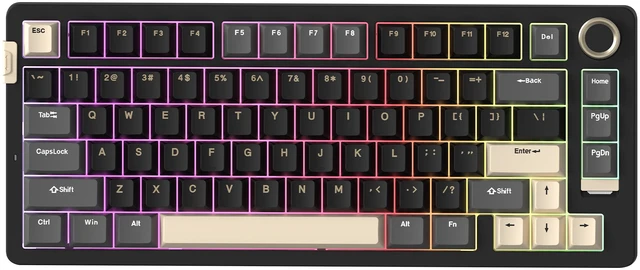
The Rosewill Neon S75 is a 75% board with 80 keys, red linear switches, PBT keycaps, a volume knob, hot-swap sockets, and Bluetooth, 2.4GHz and USB-C. It is 13.11 x 5.43 x 1.7 inches. For a first mechanical keyboard that you might later want to change switches in, this covers an unreasonable amount of ground.
And if you want magnetic switches without the ASUS price, the MCHOSE Jet 75 is a wired 75% board on Kailh magnetic switches with rapid trigger, SOCD, dynamic keystroke, mod tap and toggle modes, PBT keycaps and north-facing RGB, at 32.2 x 13.69 x 4.07cm. The feature list reads like a much more expensive board.
How I Would Choose
Narrow desk, no number pad needed: Neon S75, or the Azoth Extreme if you want the last word. Number pad, wireless: Azoth 96 HE. Number pad, wired, fastest possible: Vanguard 96. Thin and low profile: G515, stepping up to the G915 X if you want the nicer chassis. Shooters above all else: Falchion Ace 75 HE, or the Jet 75 for a lot less.
Whatever you pick, order a keycap puller if one is not included. Half the appeal of these boards is that you can change your mind about them later. Browse the full range in Newegg's 75% mechanical keyboard listings.
Frequently Asked Questions
What does a 75% keyboard leave out? A 75% layout keeps the function row, the alphanumeric block and the arrow keys, and removes the number pad along with most of the empty space around the navigation cluster. Home, End, Page Up and Page Down usually survive as a single column on the right or move onto a function layer. Nothing you use daily disappears, which is why it has become the default compact size.
Are Hall effect keyboards worth it for normal typing? Not especially. Magnetic switches earn their place through adjustable actuation depth and rapid trigger, both of which matter in fast directional movement in competitive shooters. For writing and general use they feel much like a good linear mechanical switch, and they usually cannot be swapped for standard mechanical switches later.
Does an 8000Hz polling rate make a difference? It lowers the delay between a keypress and the system registering it, but the improvement over 1000Hz is small and most people will not notice it in normal use. It can also increase CPU overhead slightly on older systems. Treat it as a bonus on a board you already like rather than a reason to choose one.
Should I get PBT or ABS keycaps? PBT resists the shine that develops on frequently used keys and has a slightly drier texture, so it holds up better over years. ABS is smoother out of the box and is common on thinner low-profile boards where PBT is harder to mould. If a keyboard offers PBT at the size you want, it is generally the longer-lasting choice.
What does hot-swappable actually get me? It lets you pull a switch out with a puller and push a different one in without soldering, so you can change how the board feels without replacing it. It is most useful if you are not yet sure whether you prefer linear, tactile or clicky switches. Magnetic keyboards are generally only swappable within their own magnetic switch family.
Read More
- RTINGS: Best Gaming Keyboards -- Lab-measured latency, switch travel and build quality figures you can compare directly across boards.
- Tom's Hardware: Peripherals -- Ongoing keyboard reviews covering layouts, switch types and wireless implementations.
- ASUS ROG: Keyboards -- Official specifications for the Azoth and Falchion families, including the HFX magnetic switch details.
- Logitech G: Gaming Keyboards -- Manufacturer pages for the LIGHTSPEED low-profile boards, with dimensions and connection modes.
- Newegg: 75% Mechanical Keyboards -- Filter the current lineup by switch type, connectivity and hot-swap support.