My first build went into a case with a solid glass front, because I was twenty-two and I thought it looked sharp. It did look sharp! It also ran about ten degrees hotter than it had any business running, and the fans would spool up every single time something interesting happened on screen, like a small dog reacting to the doorbell.
I swapped it for a mesh case. Changed nothing else. Same parts, same paste, same fans. The machine got quieter and faster, and I have been slightly obnoxious about airflow ever since.
So this is not a ranked list. It is eight cases on Newegg, sorted by the kind of build you are actually making, with the numbers that decide whether the thing fits on your desk and around your GPU.
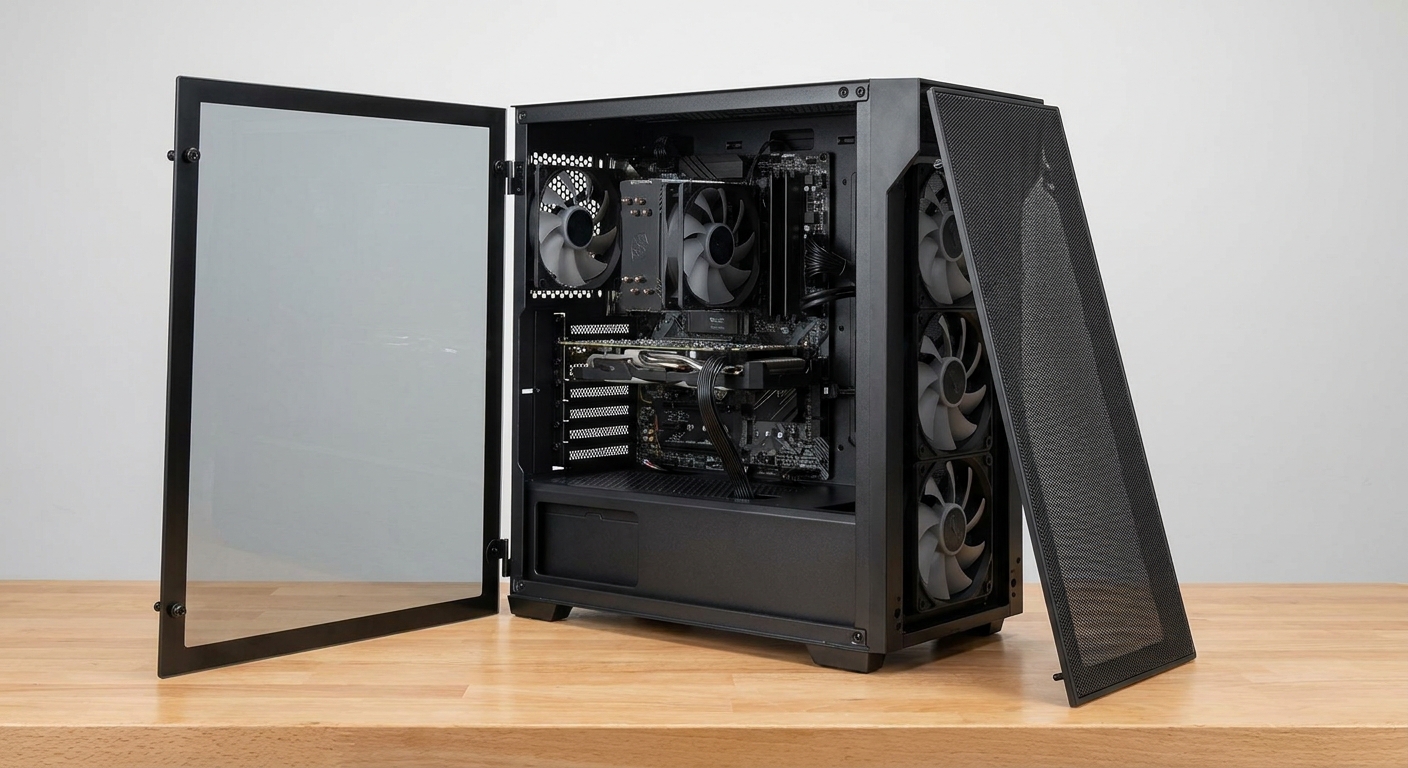
Who Should Care About This
If your build has a modern graphics card and a processor that boosts aggressively, you are in the room. Both components behave the same way now: they take whatever thermal headroom you hand them and convert it straight into clock speed. Good intake does not just drop temperatures, it raises your sustained performance and lowers fan noise at the same time.
Building a light office machine? Then honestly, buy whatever looks nice. This article is not for you and I say that with love.
The Three Things I Look At
Front panel material. Fine mesh moves air. Glass does not move air. Everything else on the spec sheet is a footnote next to this one line.
Included fans. Fans are the biggest hidden cost in a case. A chassis that ships with six decent ones can easily beat a cheaper chassis you then have to populate, and you skip the evening of untangling PWM cables on the living room floor.
Clearance numbers. Max GPU length and max cooler height are the two specs that turn a good case into a returned case. Measure what you own. I have shipped a case back because of four millimetres and I would rather you did not join that club.
Scenario One: Your First Build, on a Budget
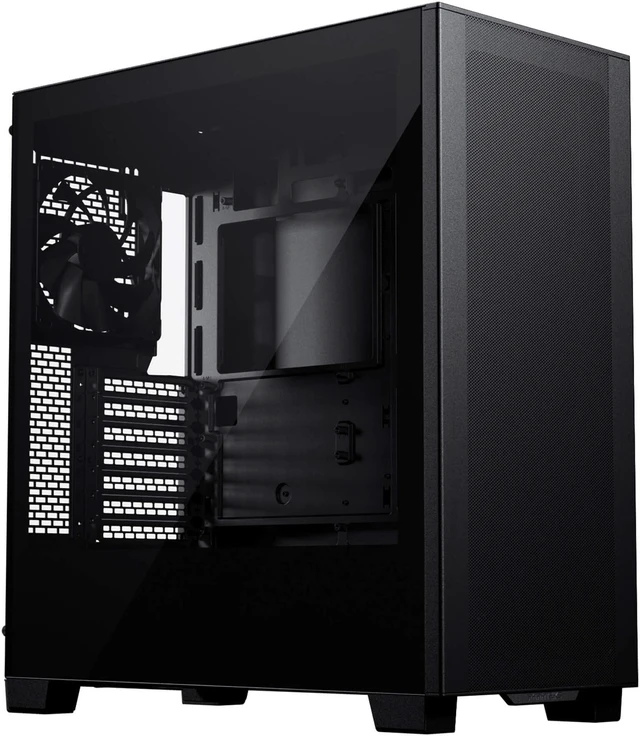
The Phanteks XT Pro is what I hand people who ask what to buy and do not want a lecture. Ultra-fine performance mesh on the front, a top dust filter, support for ATX down to mini-ITX and E-ATX up to 280mm wide, 415mm of graphics card clearance. Front I/O is one USB 3.0, one USB-C 3.0 and audio.
It ships with a single M25-120 rear fan, so budget for intake up front. Front takes a 240mm radiator, top takes a 360mm.
Rather not shop for fans at all? The Zalman S6 turns up with four already fitted -- three 140mm at the front, one 120mm at the rear -- room for up to eight total, a 360mm front radiator mount and USB Type-C 3.2 on the top panel. Its ceiling is graphics card length at 345mm, which rules out some of the longer cards. Measure first. I will keep saying it.
Scenario Two: A Quiet Machine You Live Next To
Airflow and silence are not opposites, which took me embarrassingly long to work out. More intake area means the fans can spin slower for the same temperature, and slower fans are quieter fans. That is the entire trick.
The NZXT H5 Flow 2024 Edition is built around exactly that. Two 120mm Quiet Airflow fans in the box, ultra-fine mesh panels that double as dust filters, and the part I actually like -- a fully perforated PSU shroud, so bottom-mounted fans push air straight up into the underside of the graphics card instead of politely around it. It takes a 360mm front radiator, a 240mm top radiator, and cards up to 410mm.
Scenario Three: A Hot Processor and a Big Air Cooler
When the plan is a large tower cooler rather than a liquid loop, you want 140mm fans and physical height, and you want the case to be boring about it. The Montech AIR 903 MAX is that case. Four 140mm fans -- three ARGB PWM plus one PWM -- behind a mesh front panel with roughly 51 percent open area, clearance for CPU coolers up to 180mm tall and cards up to 400mm, 360mm radiator support front and top, E-ATX board support.
It is the least glamorous chassis in this guide and probably the best pure cooler. Those two facts are related.
Scenario Four: A Showpiece That Still Breathes
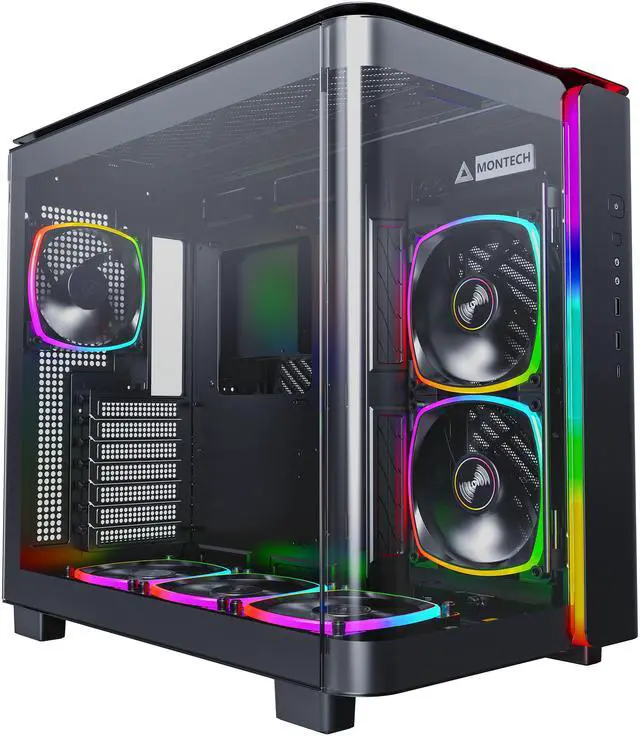
Dual-chamber cases shove the power supply and the cable spaghetti behind the motherboard tray, which is why they photograph so well. It also genuinely helps, because the main chamber has nothing sitting in the airflow path.
The MONTECH KING 95 PRO arrives with six ARGB PWM fans installed and wired into a hub -- two 140mm on the side, three 120mm on top, one 120mm at the rear -- and takes a 280mm side radiator, a 360mm top radiator and cards up to 420mm. Toolless panels, curved tempered glass front. Fair warning, the glass is heavy and the first time you lift the panel off you will definately want two hands.
Want the same priorities with less theatre? The Phanteks Eclipse G500A DRGB brings three 140mm D-RGB fans, mesh on the front and the top, a 420mm front radiator ceiling, USB-C Gen 2 on the front panel, and the most GPU room here at 435mm.
Scenario Five: A Small Desk
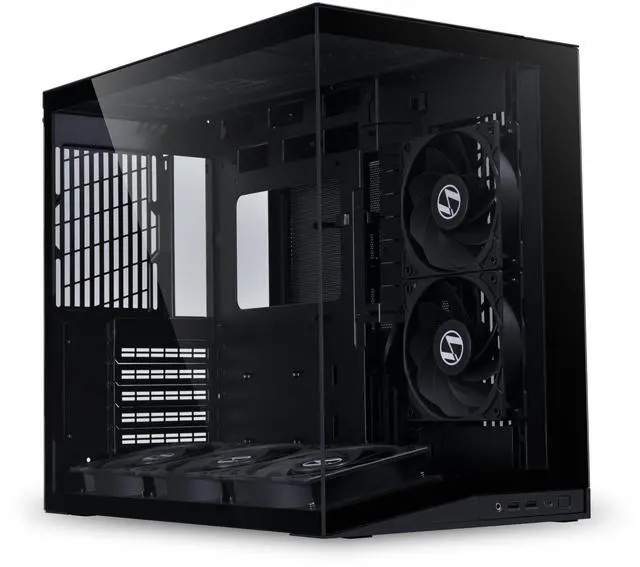
The LIAN LI O11D MINI V2 Flow squeezes a full ATX board into 423.6 x 273.3 x 391.95mm and ships with five 120mm reverse-blade PWM fans -- three in the bottom, two on the side. The base is slanted ten degrees so intake is aimed at the graphics card rather than past it, which is one of those design details you cannot unsee once someone points it out. Motherboard standoffs adjust for thicker radiators and there is an adjustable vertical GPU bracket in the box.
If you want flexibility instead of compactness, the Cooler Master QUBE 540 takes boards from mini-ITX up to 11-inch-wide E-ATX, has a full mesh front, supports 360mm liquid coolers and 415mm cards with the front fans out, and will stand vertically or lie down with a reversible I/O panel.
What I Would Buy
Most people: the Phanteks XT Pro plus a set of intake fans. Or the Montech AIR 903 MAX if you would rather the fans came in the box and the shopping ended there.
NZXT H5 Flow if the machine sits on the desk and quiet matters. KING 95 PRO or Eclipse G500A if you want it to look like something. O11D MINI V2 Flow if space is genuinely tight. Compare current models in Newegg's ATX mid tower case listings.
Frequently Asked Questions
Does a mesh front panel really lower temperatures that much? It is the largest single variable in case thermals. A restrictive front panel starves the intake fans no matter how many you install, so the whole system ends up recycling warm air. Every case in this guide uses a fine mesh front for exactly that reason, and Phanteks and NZXT both design theirs to act as the dust filter as well.
How many fans do I actually need? Three intake and one exhaust covers almost any single-GPU build. Beyond that you get diminishing returns and more noise. What matters more than the count is that intake and exhaust are roughly balanced, with a slight bias toward intake so the case runs under positive pressure and pulls dust through filters rather than through every gap in the chassis.
Should I mount my radiator in the front or the top? Front mounting gives the radiator the coolest air and cools the liquid best, but it warms the air that then reaches the graphics card. Top mounting keeps intake air cool for everything else. For most builds I put the radiator on top and leave the front as clean intake -- and check clearance, because a top radiator plus thick fans can collide with tall memory.
What is a dual-chamber case and is it better? It separates the power supply, drives and cable runs into a second compartment behind the motherboard tray, as the MONTECH KING 95 PRO does. The benefit is a main chamber with an unobstructed path from intake to exhaust, plus far easier cable management. The trade-off is external width, so measure your desk or shelf.
Read More
- GamersNexus: Case Thermal Megacharts -- Standardized thermal and noise testing across dozens of cases, the reference data set for this category.
- Tom's Hardware: PC Cases -- Ongoing reviews and buying advice covering new chassis releases.
- Phanteks: XT Pro Product Page -- Full manufacturer specifications, clearances and fan mounting options.
- -- A tested look at what fan configuration actually changes inside a case.
- Newegg: ATX Mid Tower Cases -- Filter current cases by form factor, included fans and radiator support.