
Every few months someone shows me a parts list with a DDR5-8000 kit on an AM5 board and asks whether it is a good buy. The honest answer is “probably not, and here is the specific reason”, which is more useful than the usual “just get 6000” because it tells you when the rule stops applying.
Let me work through the questions in the order they actually come up.
Why Does Everyone Say DDR5-6000 for Ryzen?
Because of a ratio, not a speed. On Ryzen desktop chips the memory controller runs at its own clock, and the smooth case is when that clock stays locked one-to-one with the memory clock. Push the memory far enough past what the controller will hold in that mode and the board drops to a divided ratio. When that happens you gain raw bandwidth and lose latency, and for most desktop workloads the second thing matters more than the first.
DDR5-6000 has been the comfortable landing spot for that arrangement since AM5 launched. It is not a magic number and it is not a hard limit. It is where most chips sit without arguing.
So Is a DDR5-8000 Kit Just Wasted?
Not wasted, but usually mismatched. Those kits exist, they are real, and on platforms whose controllers are happier at high clocks they make sense.
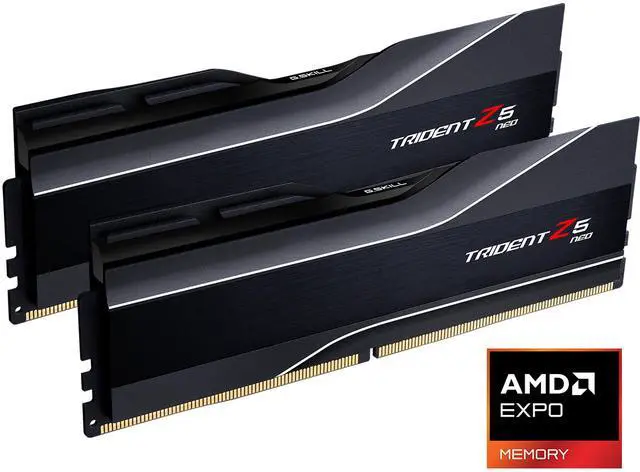
The Trident Z5 Neo 48GB kit at DDR5-8000 is a good example of the trade written in numbers: 2 x 24GB, CL40, 40-48-48-128, 1.40V. Compare that timing string to a DDR5-6000 CL30 kit and you can see what you paid for the extra clocks.
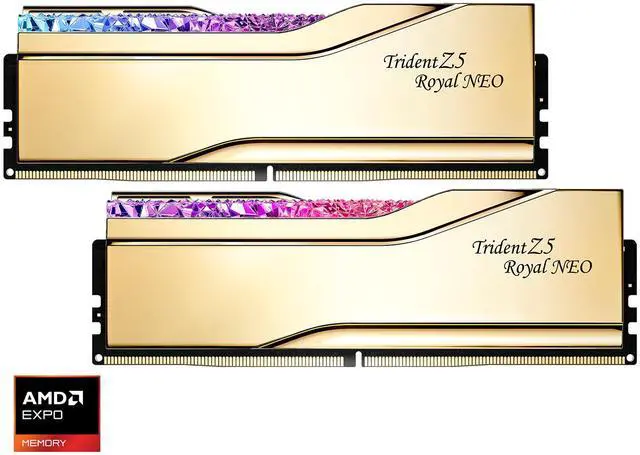
The Trident Z5 Royal Neo 32GB at DDR5-8000 tells the same story a little tighter: CL38, 38-48-48-128, 1.45V. Higher voltage, still a loose primary set, and on an AM5 board it will very likely land on a divided memory controller ratio.
What About DDR5-6400, In Between?
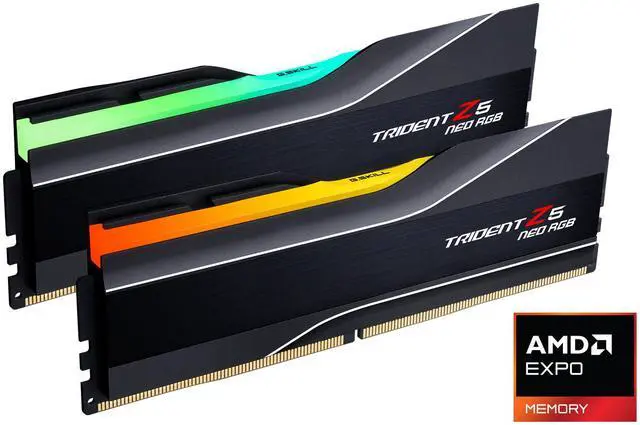
This is the more interesting question, and the answer is less dismissive. The Trident Z5 Neo RGB 32GB at DDR5-6400 runs CL30, 30-39-39-102, at 1.40V with an AMD EXPO profile. Many AM5 chips will hold the one-to-one ratio at 6400. Many will not. It depends on the individual processor, which is unsatisfying but true.
The Trident Z5 Royal 32GB at DDR5-6400 is the same 30-39-39-102 specification at 1.40V in the Royal shell, if the look matters to you.
My rule: if you want to try 6400, buy a 6400 kit and be genuinely fine with dropping it to 6000 if the board is not happy. If that fallback would annoy you, buy a 6000 kit.
What Would I Actually Buy?
A DDR5-6000 kit with a tight profile. The Trident Z5 NeoX RGB CL26 kit is where I would go if the machine is a gaming box: 26-36-36-32 at DDR5-6000, 1.45V, with AMD’s EXPO ULL profile alongside a standard EXPO one. The whole idea of that profile is to buy performance by tightening timings at a speed the controller is already comfortable with, which is exactly the opposite trade to an 8000 kit.
For a build that wants both profiles, the Trident Z5 Neo RGB 32GB CL36 at 36-36-36-96 and 1.35V carries AMD EXPO and Intel XMP 3.0. Less exciting, more portable between platforms.
If you need more than 32GB, the Neo RGB 48GB kit at DDR5-6000 CL40 is the middle step, and notice it stays at 6000 rather than reaching for a headline speed. And for a white build, the Trident Z5 Neo 32GB CL30 in white at 30-36-36-96 and 1.35V does the job with both profiles.
The one thing I would not do is buy the fastest number on the shelf and assume the platform will use it. The full range is in Newegg’s G.SKILL Trident Z5 listings.
Frequently Asked Questions
What actually happens if I put a DDR5-8000 kit in an AM5 board? In most cases it will boot, and either run at a lower speed than the profile asks for or run at 8000 with the memory controller on a divided ratio. The second case gives you more bandwidth and worse latency, which for gaming and general desktop use is usually a net loss. It is not damaging, just not the result the box implies.
Is DDR5-6400 worth trying over DDR5-6000? It can be, and it depends on your specific processor rather than on the model name. Some chips hold the one-to-one controller ratio at 6400 comfortably and some do not. Buying a 6400 kit is a reasonable gamble as long as you would be content running it at 6000 if the board is not stable, since the kit will happily do that.
Does memory speed matter more on X3D processors or non-X3D ones? The large cache on X3D parts absorbs a good deal of memory traffic, so those chips tend to be less sensitive to memory tuning than their non-X3D siblings. That does not mean memory is irrelevant on an X3D build, but it does mean the return on chasing an exotic kit is smaller there than on a standard part.
Why do the fast kits have such loose timings? Because latency and frequency pull against each other. Running the chips at a higher clock leaves less time per cycle for each internal operation to complete, so the cycle counts go up to compensate. That is why a DDR5-8000 kit lands at CL38 or CL40 while a DDR5-6000 kit can reach CL26, and why comparing CL numbers across speeds is misleading.
Do I need four DIMMs to get more capacity? Prefer not to. Two modules in the correct pair of slots, usually the second and fourth counting from the processor, is the configuration AM5 boards are happiest with, and filling all four slots generally costs you attainable speed. If you want more capacity, a two-module kit with larger modules is the better route than adding a second pair.
Read More
- AMD: EXPO Memory Technology — AMD’s documentation on EXPO profiles and supported platforms.
- Tom’s Hardware: RAM Reviews and Buying Guides — Memory testing across speeds and platforms, including AM5 scaling.
- TechPowerUp: Memory Review Database — Indexed DDR5 reviews with measured latency and bandwidth.
- JEDEC: DDR5 SDRAM Standard — The specification behind DDR5 speeds and timing parameters.
- Newegg: G.SKILL Trident Z5 Memory — Compare kits by speed, latency, capacity and profile support.