What’s New with Alder Lake Chips and MOBOs?
First, some background: Intel has released its 12th-gen CPUs, known as Alder Lake, bringing with them a brand-new hybrid architecture of “performance” and “efficiency” cores. The upgrade also brought some changes from the previous generation of processor chipsets, including an upgrade to DDR5 RAM from DDR4, processor PCIe 5 slots versus PCIe 4, and PCH PCIe 4 slots (used for solid-state drive connections, for example) upgraded from PCIe 3. The new processor also uses a new socket, LGA 1700, that has 500 more pins than the LGA 1200 socket it replaces. That means all-new CPU chipsets (and motherboards supporting them) are required to support Alder Lake, and of course there are various levels to choose from. This guide will go over the basics of each new chipset to help you decide which motherboard is the right one for your 12th-gen PC build. The following table outlines the specifications for each chipset but note that motherboard manufacturers can implement different configurations beyond what’s listed here. For the most part, though, you can be assured that a motherboard based on a specific chipset will meet the minimum specifications listed here.| Chipset | H610 | B660 | H670 | Z690 |
| Overclocking | No | RAM only | RAM only | Yes |
| CPU support | Alder Lake | Alder Lake | Alder Lake | Alder Lake |
| RAM capacity | Up to 64GB | Up to 128GB | Up to 128GB | Up to 128GB |
| Maximum DIMM slots | 2 | 4 | 4 | 4 |
| Maximum USB 2.0 ports | 10 | 12 | 14 | 14 |
| Maximum USB 3.2 ports | Up to 2 | Up to 6 | Up to 6 | Up to 14 |
| Maximum SATA 3.0 ports | 4 | 4 | 8 | 8 |
| Processor PCIe 5 config | 1x16 | 1x16 & 1x4 | 1x16 & 1x4 or 2x8 & 1x4 | 1x16 & 1x4 or 2x8 & 1x4 |
| PCH PCIe 4 config | 0 | 6 | 12 | 16 |
| PCH PCIe 3 config | 8 | 8 | 12 | 12 |
| Integrated Wi-Fi 6E | Yes | Yes | Yes | Yes |
| SATA RAID support | No | Yes | Yes | Yes |
| Intel Optane support | No | Yes | Yes | Yes |
| Intel vPro support | No | No | No | No |
Or browse our entire selection of Motherboards
H610 – Up to $150
The H610 chipset is the entry-level version, used in the least expensive motherboards that typically cost $150 or less. As you can see from the table above, the H610 chipset and motherboards built around it have the least capabilities of the four chipset versions.ASRock H610M-HDV - $98.99- Supports DDR4 RAM up to 64GB
- 1 PCIe 4.0 x16, 2 PCIe 3.0 x1 slots
- 1 M.2 Key-E for Wi-Fi
- 4 SATA 3 connections
- 4 USB-A 3.2 Gen 1 ports
- 5 USB-A 2.0 ports
- Intel Gigabit Ethernet
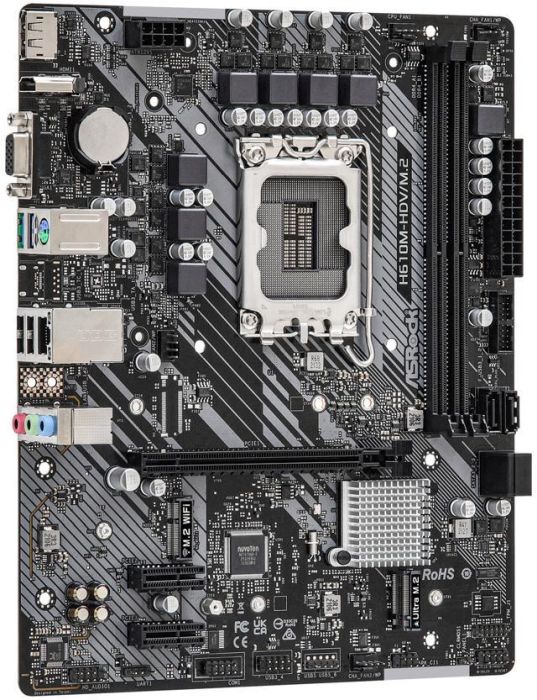 Solid ASRock
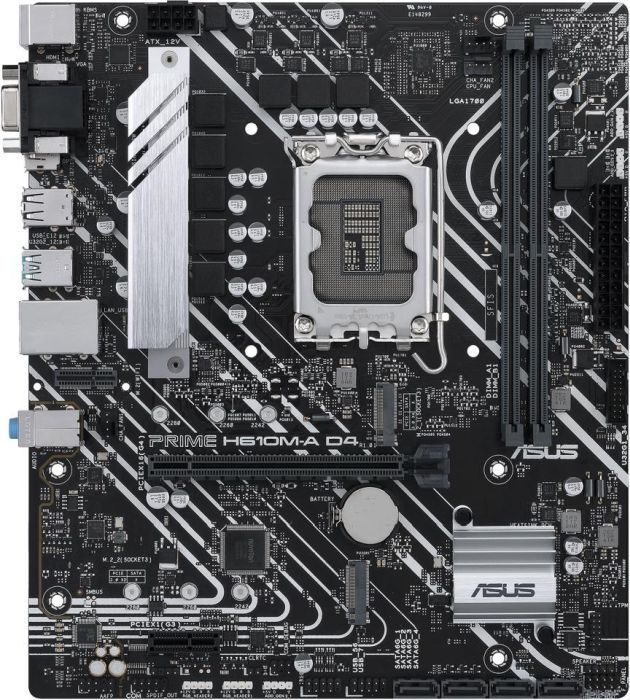 ASUS PRIME Roll out!
ASUS PRIME H610M-A D4-CSM - $140.00
ASUS PRIME Roll out!
ASUS PRIME H610M-A D4-CSM - $140.00
- Supports DDR4 RAM up to 64GB
- 1 PCIe 4.0 x16, 1 PCIe 3.0 x1 slots
- 1 M.2 Key-E for Wi-Fi
- 4 SATA 3 connections
- 2 USB-A 3.2 Gen 2 ports
- 4 USB-A 2.0 ports
- Intel Gigabit Ethernet
We offer everything Intel
B660 - $100 to $350
The B660 chipset supports double the RAM of the H610 along with RAM overclocking, and more ports and storage options. It’s a solid upgrade from the H610 without spending considerably more money and supports all of the Alder Lake features.ASRock B660M-HDV - $109.99- Supports DDR4 RAM up to 64GB
- 1 PCIe 4.0 x16, 2 PCIe 3.0 x1 slots
- 1 M.2 Key-E for Wi-Fi
- 4 SATA 3 connections
- 1 M.2 PCIe Gen4 connection
- 1 M.2 PCIe Gen3 connection
- 6 USB-A 3.2 Gen 1 ports
- 5 USB-A 2.0 ports
- Intel Gigabit Ethernet
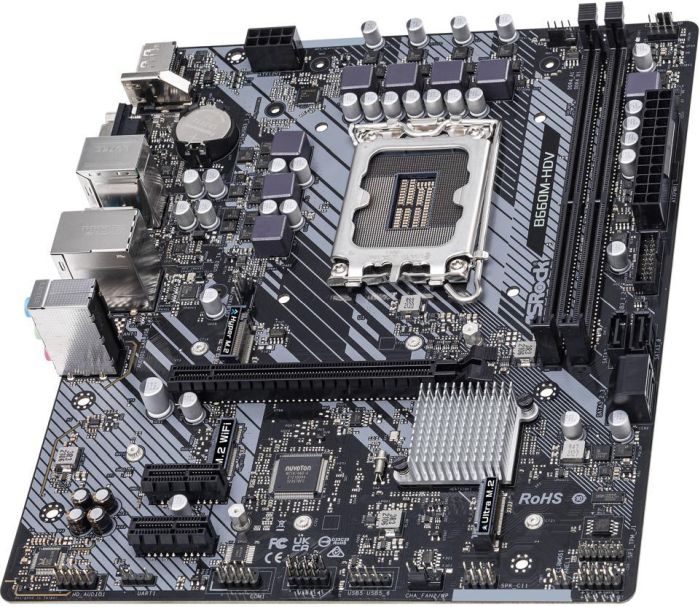 That's an important "660"
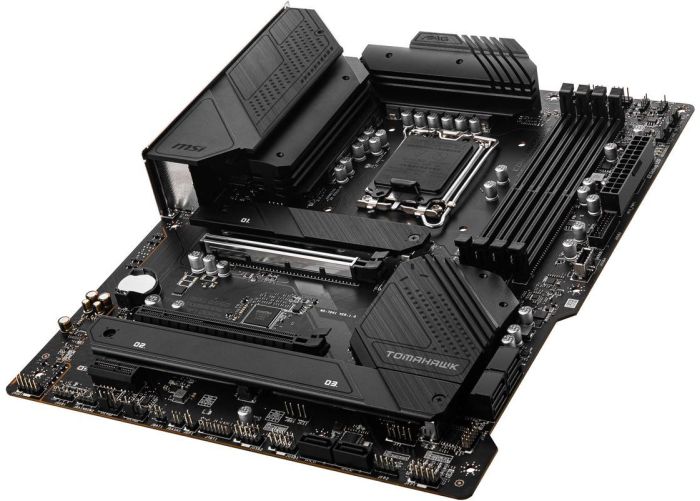 The MAG's neato
MSI MAG B660 TOMAHAWK – 189.99
The MAG's neato
MSI MAG B660 TOMAHAWK – 189.99
- Supports DDR4 RAM up to 128GB
- 1 PCIe 4.0 x16, 1 PCIe 3.0 x16, 1 PCIe 3.0 x1 slots
- 1 M.2 Key-E for Wi-Fi
- Intel Wi-Fi 6 and Bluetooth 5.2 onboard
- 6 SATA 3 connections
- 1 USB-C 3.2 Gen 2 port
- 4 USB-A 3.2 Gen 2 ports
- 4 USB-A 2.0 Ports
- Intel Gigabit Ethernet
- Supports DDR4 RAM up to 128GB
- 1 PCIe 4.0 x16, 1 PCIe 4.0 x4, 1 PCIe 3.0 x1 slots
- 3 M.2 slots
- Wi-Fi 6 and Bluetooth 5.2 onboard
- 4 SATA 3 connections
- 1 USB-C 3.2 Gen 2
- 6 USB-A 3.2 Gen2 ports, 1 USB-A 3.2 Gen 2 port
- 4 USB 2.0 ports
- Intel Gigabit Ethernet
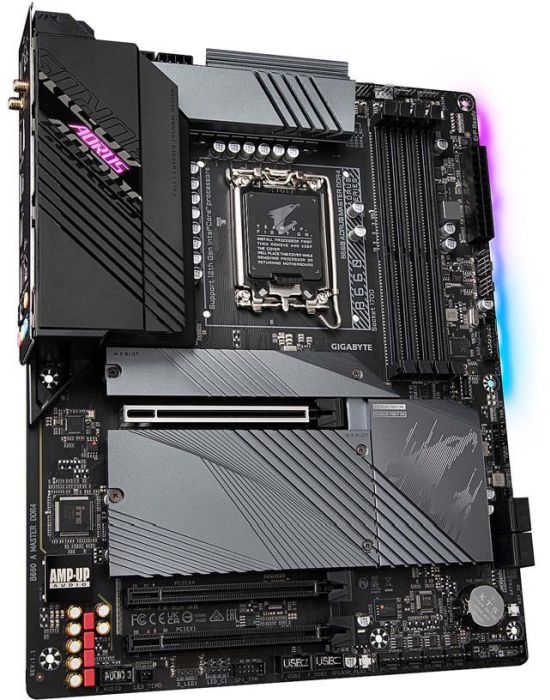 When I say "who's the master," you say "AORUS"
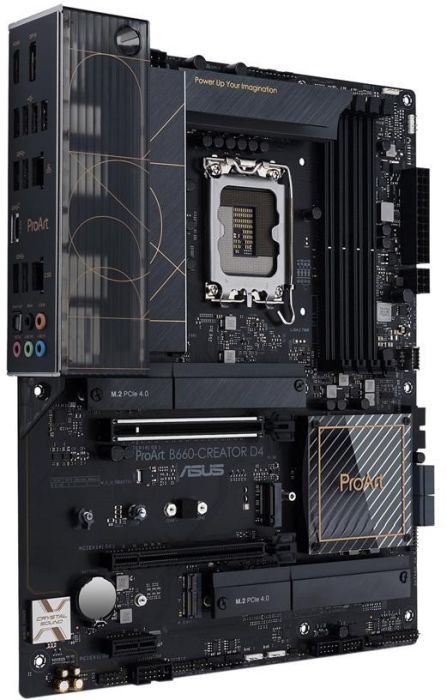 It's full name is "ASUS Professional Arthur"
ASUS ProArt B660-Creator D4 - $239.99
It's full name is "ASUS Professional Arthur"
ASUS ProArt B660-Creator D4 - $239.99
- Supports DDR4 RAM up to 128GB
- 1 PCIe 5.0 x16, 1 PCIe 3.0 x16, 1 PCIe 3.0 x1 slots
- 3 M.2 slots
- 1 M.2 Key-E for Wi-Fi
- 1 USB-C 3.2 Gen 2 port
- 4 USB-A 3.2 Gen 1 ports
- 4 USB-A 2.0 ports
- Realtek 2.5GB Ethernet, Intel Gigabit Ethernet
Upgrade your desktop with better Memory
H670 - $150 to $450
The H670 chipset expands on the B660, offering the same RAM overclocking and support for 128GB of RAM and upping the number of supported ports. If you don’t need to overclock the CPU, then the H670 chipset is the most robust combination of features.ASUS PRIME H670-PLUS D4 - $159.99- Supports DDR5 RAM up to 128GB
- 2 PCIe 4.0 x16, 1 PCIe 3.0 x16, 1 PCIe x1 slots
- 4 SATA 3 connections
- 1 USB-C 3.2 Gen 2 port
- 2 USB-A 3.2 Gen 2 ports, 3 USB 3.2 Gen 1 ports
- 2 USB-A 2.0 ports
- Realtek 2.5GB Ethernet
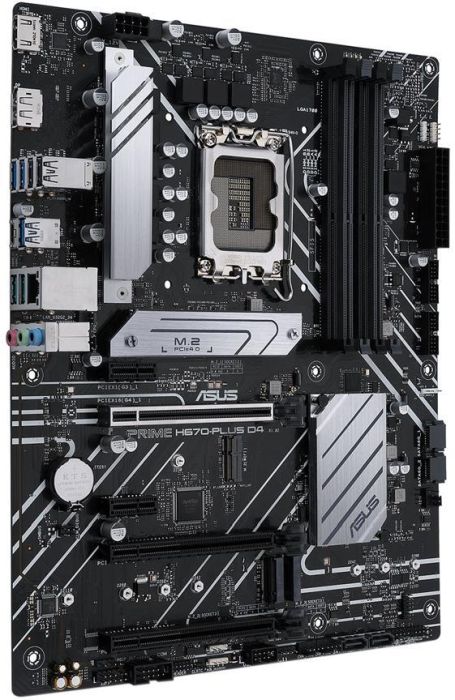 That's one mother of a board
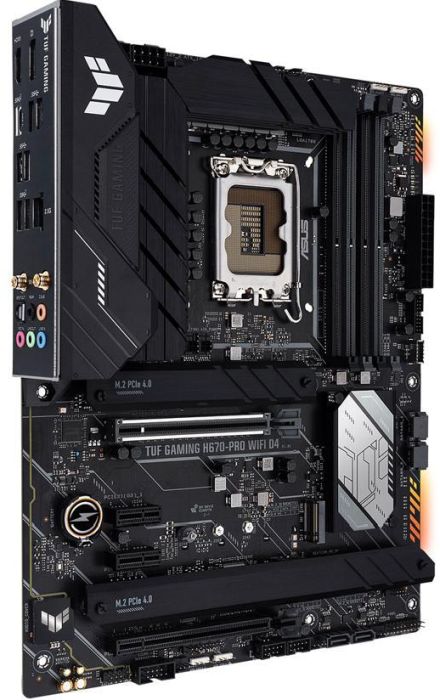 Are you TUF enough?
ASUS TUF GAMING H670-PRO - $229.99
Are you TUF enough?
ASUS TUF GAMING H670-PRO - $229.99
- Supports DDR4 up to 128GB
- 1 PCIe 5.0 x16, 1 PCIe 3.0 x16, 2 PCIe 3.0 x1 slots
- 3 M.2 slots
- Wi-Fi 6 and Bluetooth 5.2 onboard
- 4 SATA 3 connections
- 1 USB-C 3.2 Gen 2 port
- 2 USB-A 3.2 Gen 2 ports
- 4 USB-A 3.2 Gen 1 ports
- Intel 2.5GB Ethernet
Get in the game with a new Gaming PC
Z690 - $180 - $1,400
The Z690 chipset is the highest end available for Intel’s 12th-gen CPUs, offering CPU overclocking and more ports and connections than the previous three offerings. It’s the chipset and motherboard for power users and demanding gamers, and it has a price tag to match.MSI MEG Z690 UNIFY - $489.99- DDR5 RAM up to 128GB
- 2 PCIe 5.0 x16 slots, 1 PCIe 3.0 x4 slot
- 1 M.2 Key-E for Wi-Fi
- Intel Wi-Fi 6E and Bluetooth 5.2 onboard
- 5 M.2 slots
- 6 SATA 3 connections
- 1 USB-C 3.2 Gen 2x2 port
- 7 USB-A 3.2 Gen 2 ports
- 2 USB-A 2.0 ports
- Dual Intel 2.5GB Ethernet connections
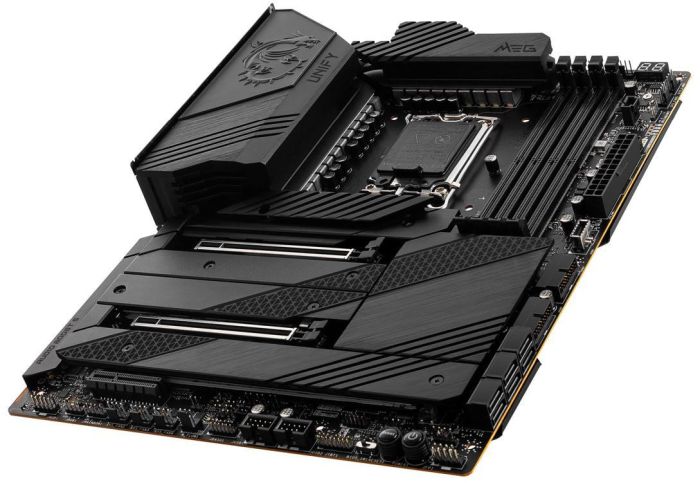 Not to be confused with 2018 Sci-Fi Action classic "The Meg"
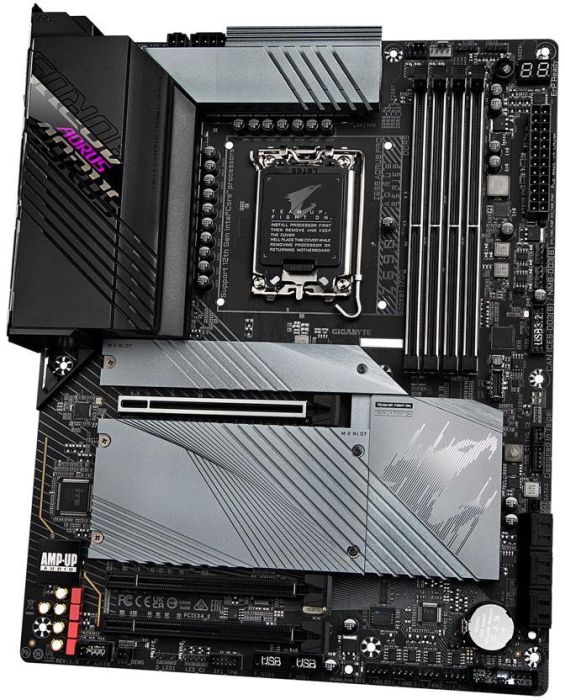 GIGABYTE like a Pro!
GIGABYTE Z690 AORUS PRO - $329.99
GIGABYTE like a Pro!
GIGABYTE Z690 AORUS PRO - $329.99
- DDR5 RAM up to 128GB
- 1 PCIe 5.0 x16 slot, 2 PCIe 4.0 x16 slots
- 1 M.2 Key-E for Wi-Fi
- Intel Wi-Fi 6 and Bluetooth 5.2 onboard
- 3 M.2 slots
- 6 SATA 3 connections
- 1 USB-C 3.2 Gen 2x2 port
- 4 USB-A 3.2 Gen 2 ports
- 4 USB-A 3.2 Gen 1 ports
- 4 USB-A 2.0 ports
- Intel 2.5GB Ethernet
- Supports DDR4 RAM up to 128GB
- 1 PCIe 5.0 x16 slot, 1 PCIe 4.0 x16 slot, 1 PCIe 3.0 x16 slot, 1 PCIe 3.0 x1 slot
- 1 M.2 Key-E for Wi-Fi
- Intel Wi-Fi 6 and Bluetooth 5.2 onboard
- 4 M.2 slots
- 6 SATA 3 connections
- 1 USB-C 3.2 Gen 2x2 port
- 2 USB-C 3.2 Gen 2 port
- 6 USB-A 3.2 Gen 1 ports
- 4 USB-A 2.0 ports
- Intel 2.5GB Ethernet
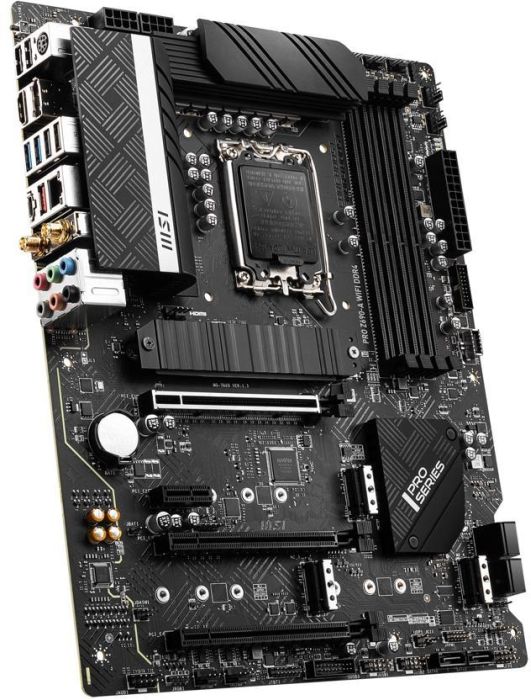 MSI: Mission Super Improbable
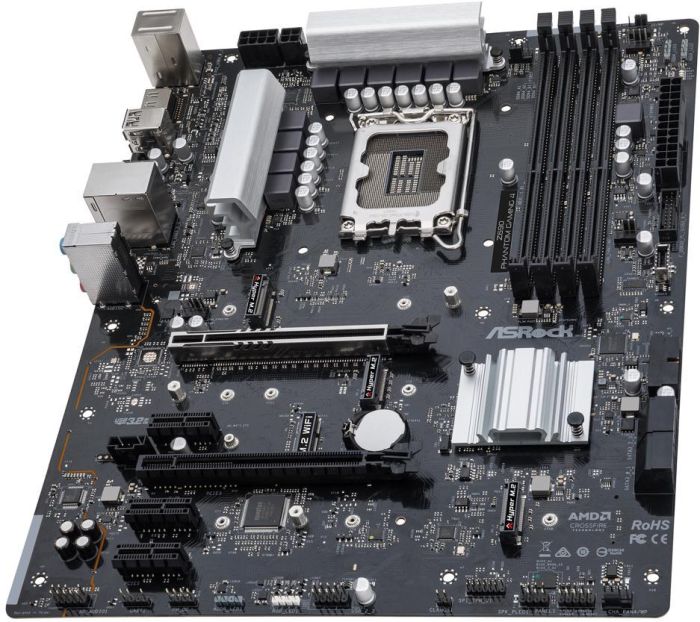 This is no apparition
ASRock Z690 Phantom Gaming 4 - $179.99
This is no apparition
ASRock Z690 Phantom Gaming 4 - $179.99
- Supports DDR4 RAM up to 128GB
- 2 PCIe 5.0 x16, 3 PCIe 3.0 x1 slots
- 1 M.2 Key-E for Wi-Fi
- 3 M.2 slots
- 4 SATA 3 connections
- 1 USB-C 3.2 Gen 2 port
- 1 USB-A 3.2 Gen 2 port, 4 USB-A 3.2 Gen 2 ports
- 2 USB-A 2.0 ports
- Intel Gigabit Ethernet
- DDR5 RAM up to 128GB
- 2 PCIe 5.0 x16 slots, 1 PCIe 3.0 x16 slot
- 1 M.2 Key-E for Wi-Fi
- Intel Wi-Fi 6E and Bluetooth 5.2 onboard
- 4 M.2 slots
- 4 SATA 3 connections
- 2 USB-C with Thunderbolt 4 ports
- 10 USB-A 3.2 Gen 2 ports
- Intel 2.5GB Ethernet
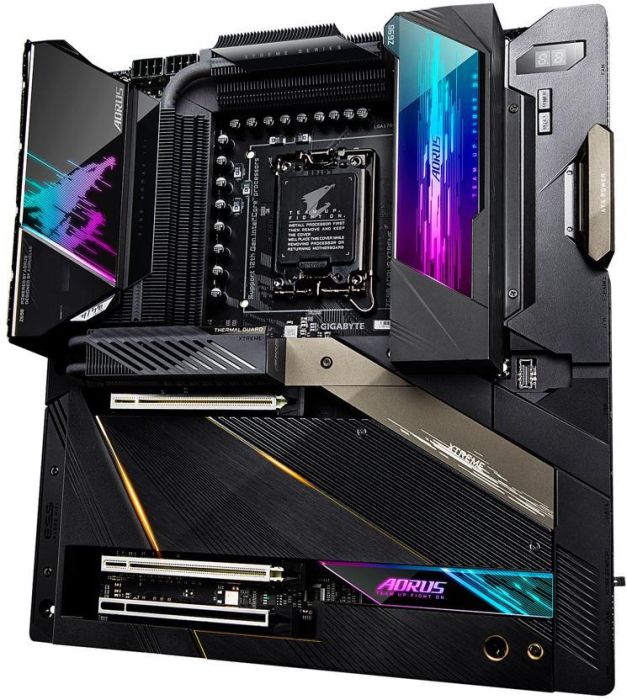 Official motherboard of the X Games
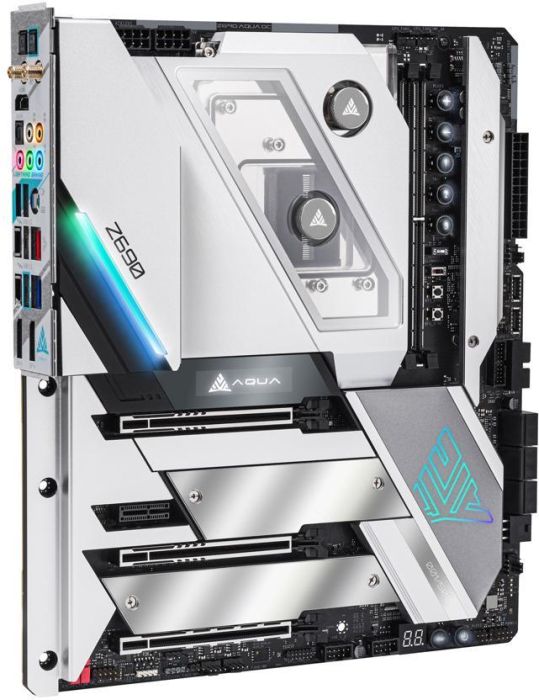 . . . no YOU had the Aqua album!
ASRock Z690 AQUA OC - $1,399.99
. . . no YOU had the Aqua album!
ASRock Z690 AQUA OC - $1,399.99
- DDR5 RAM up to 128GB
- 2 PCIe 5.0 x16 slots, 1 PCIe 4.0 x16 slot, 1 PCIe 3.0 x1 slot
- 1 M.2 Key-E for Wi-Fi
- Killer Wi-Fi 6E and Bluetooth 5.2 onboard
- 3 M.2 slots
- 6 SATA 3 connections
- 2 USB-C with Thunderbolt 4 ports
- 2 USB-A 3.2 Gen 2 ports
- 2 USB-A 3.2 Gen 1 ports
- 10GB and 2.5GB Ethernet connections
Start Building your next gen PC right now
So many choices
If you visit Newegg’s Intel 600 Series motherboard pages, you’ll find a host of options with varying configurations and functionality. Some motherboards are bareboned, while others include more complex updating and recovery tools, RGB lighting, and complicated cooling solutions. It would be difficult to list all of the available functionality in a guide like this one, but you now have an idea where to start. Check out which chipset will best meet your needs, then dig into the details of each supported motherboard to see which has the additional features you need. It’s a herculean task for sure but getting this part right will go a long way toward building a 12th-gen PC that will keep up with your most demanding requirements.Find all the tech you need at Newegg