AI in the Palm of Your Hand
Nvidia has been at the tip of the spear in developing hardware for AI and artificial neural networks, and they’ve scaled down some of that tech onto a really, really tiny piece of kit, all things considered. See, the Nano itself is just the module below that looks like a souped-up version of laptop RAM. The other piece of PCB, the layer with ports and headers soldered on, is just the development board, which exists to expose all of the Nano’s inputs and outputs for testing and prototyping.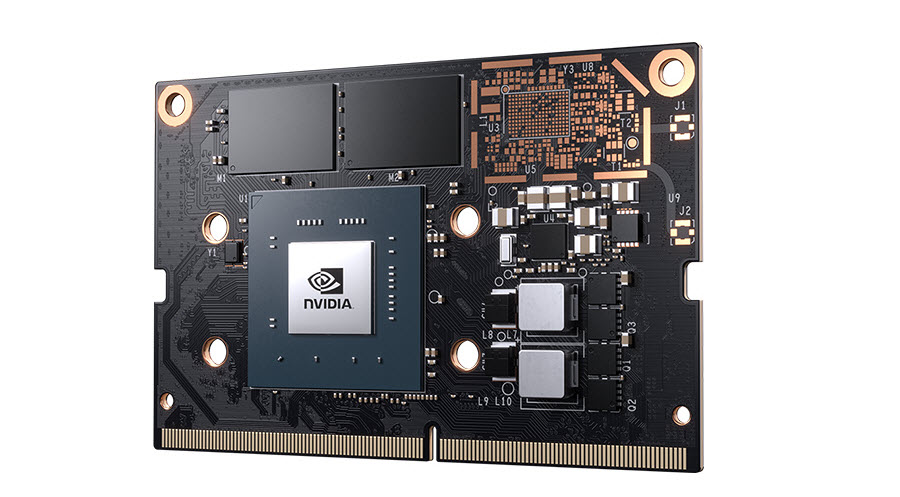
The naked Nano.
On that little chip is a 128 Core GPU using Nvidia’s Maxwell architecture, capable of 472GFLOPS. (Not to mention 4GB of RAM and a quad-core ARM A57 CPU.) FLOPS (or FLoating point OPerations per Second) are a measurement computational power of a processor, and four-hundred seventy two billion of them is pretty good for a computer smaller than your cell phone. If you’re wondering what GPUs have to do with AI, well, the answer really isn’t that simple, but let’s try and explain it anyway: GPUs, unsurprisingly, have processor cores and that are fairly specialized for crunching graphics data, but they typically have a large number of such cores. A long time ago, someone very, very clever at Nvidia figured out that you could take pretty much any type of data, and with the right algorithms (and probably some amount of raw sorcery), make that data look like graphics data to the GPU, so that it could crunch that data efficiently enough to be useful. Thus the concept of General Purpose computing on Graphics Processing Units was born. (GPGPU for short, mercifully.) If you’ve been following along, by now you’ll have realized this includes AI algorithms. This means that, essentially, Skynet will inevitably be a thing because you just had to have a video card that could run Crysis on Ultra settings.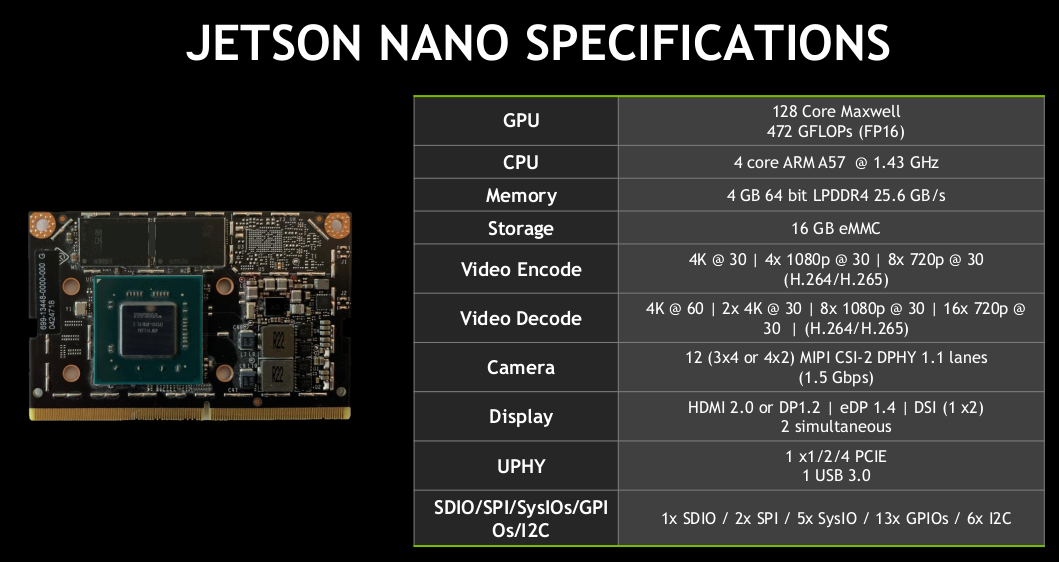
Cool Things to Do With Your Nano
We’ve established that the Nano has plenty of power in its diminutive package, but what does one actually do with all of that artificial brain power? Well, the easiest thing is just to use your Nano as a basic PC. Most other SBCs either have no GUI and can only execute a pre-flashed program, or have a pretty basic, low-resolution GUI. Nano, on the other hand, runs pretty much full Ubuntu Linux, with the exception of the kernel being compiled for the ARM processor, and some extra libraries Nvidia decided were important to have on their install image. Since the kernel is different than x64 or even x86 Linux, many programs don’t work yet. (I really wanted to try and run Kerbal Space Program on it.) Being Linux, I’m sure someone suitably crafty will eventually recompile all the essential programs once Nano gets more widely adopted. It’s still a very light, portable computer (especially if you add an M.2 WiFi module) and at the very least you can browse Chrome on it. Really though, Nano was meant for more than just being your desktop PC. All those GPU cores are meant for fairly specific processes, after all. Jupyter seems to work, as do other popular machine learning platforms, like TensorFlow and TensorRT. So you can certainly use a Nano as a static number crunching machine.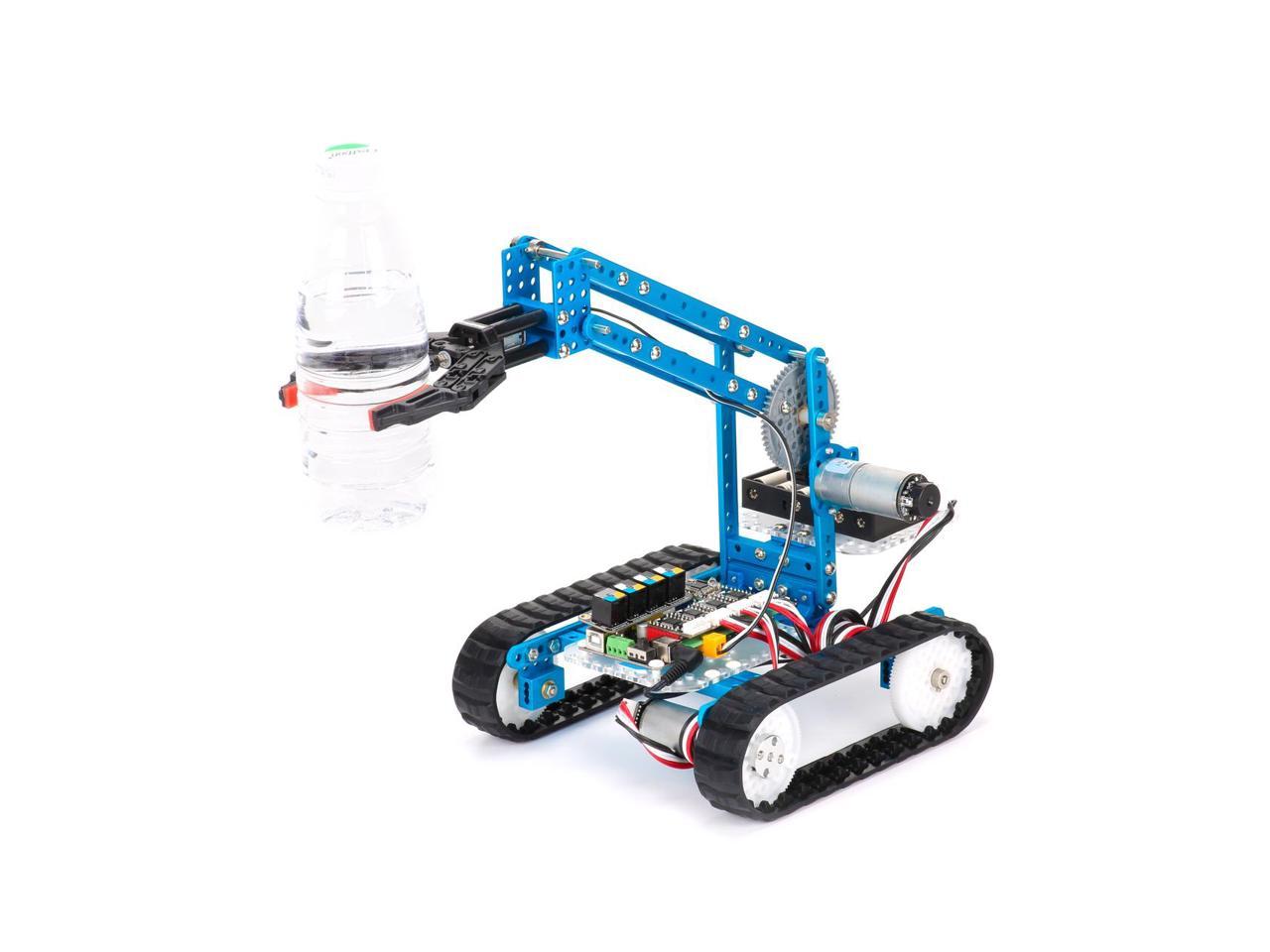 However, probably the coolest thing to do is make a robot, because that’s AI too. The kit we’ve linked says it supports Arduino and RaspberryPi. But in reality, both RPi and Nano can compile and run Python code, and ultimately, GPIO pins are GPIO pins.You can add cameras to your robot, and use its Nano brain for machine vision. Wire in any sensor you can imagine to make your Nano even smarter. One you get the hang of some coding and some electronics, the limit is pretty much your own imagination.
One final note on cooling. Nano modules come with a heat sink for passive cooling, which is sufficient under most circumstances. However, if you want to get the most out of your nano, it makes sense to keep it cool. That same heatsink has fittings for a 40mm fan, and the board has a 4 pin PWM fan header. Get yourself a quality Noctua fan, and never worry about heat crippling your Nano.
However, probably the coolest thing to do is make a robot, because that’s AI too. The kit we’ve linked says it supports Arduino and RaspberryPi. But in reality, both RPi and Nano can compile and run Python code, and ultimately, GPIO pins are GPIO pins.You can add cameras to your robot, and use its Nano brain for machine vision. Wire in any sensor you can imagine to make your Nano even smarter. One you get the hang of some coding and some electronics, the limit is pretty much your own imagination.
One final note on cooling. Nano modules come with a heat sink for passive cooling, which is sufficient under most circumstances. However, if you want to get the most out of your nano, it makes sense to keep it cool. That same heatsink has fittings for a 40mm fan, and the board has a 4 pin PWM fan header. Get yourself a quality Noctua fan, and never worry about heat crippling your Nano.