Someone asked this week whether they should replace a perfectly functional B650 board because they had read its VRMs were "so-so", with a 9800X3D installed and stress tests passing. The honest answer is no, and the interesting part is why that question gets asked so often.
Motherboard marketing is built around things that sound like performance and mostly are not. Meanwhile the specs that will actually annoy you in two years sit further down the page. Here is the order I read a board spec sheet in.
What a Motherboard Does Not Do
It does not make your processor faster. Two boards with the same chipset and the same chip will produce the same frame rate. What a board decides is how much power it can deliver cleanly under sustained load, how many drives and cards you can attach, and how much of the machine you have to replace when you upgrade.
Every board on this page uses the AMD B850 chipset on Socket AM5, supports Ryzen 7000, 8000 and 9000 series processors, and takes four DDR5 DIMMs up to 256GB. That is the common ground.
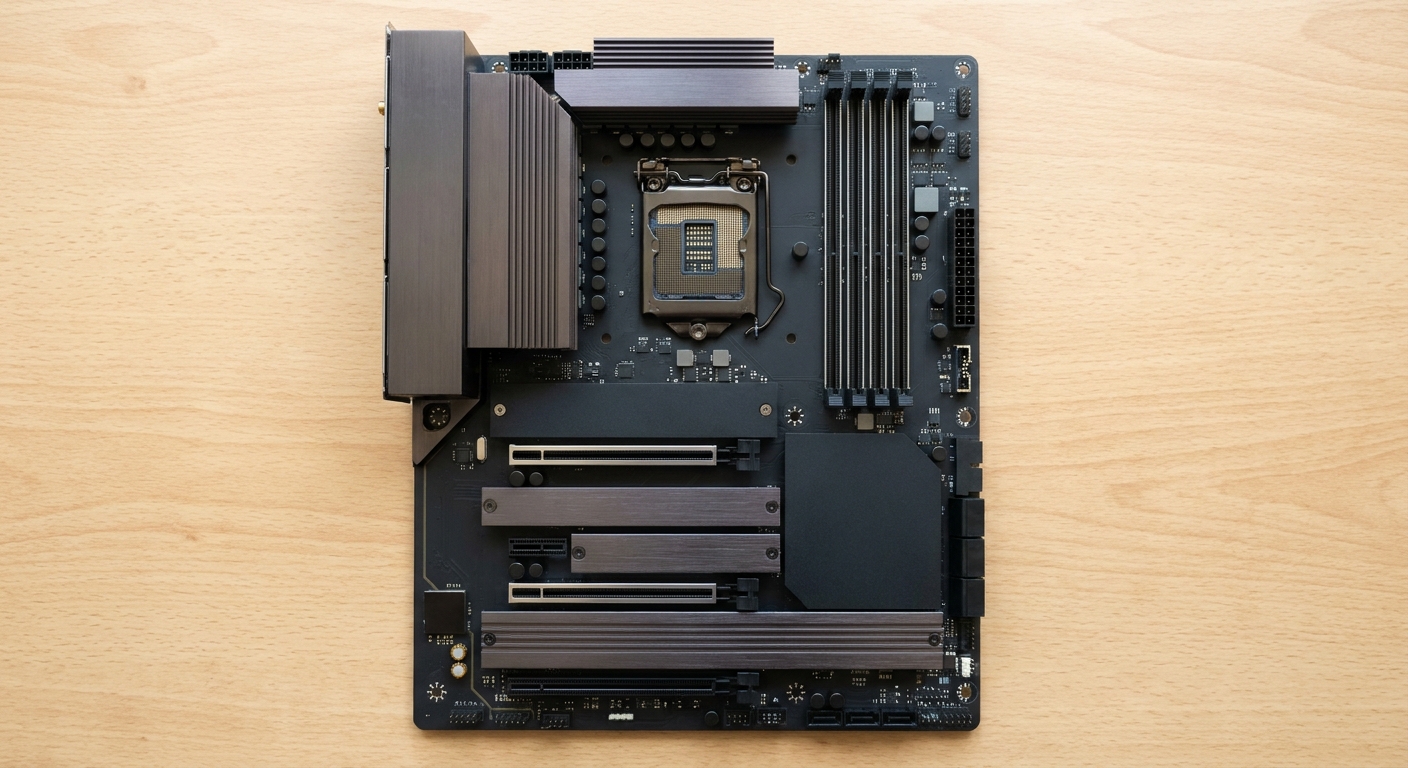
Step 1: Read the VRM Spec, Then Stop Worrying About It
The voltage regulation module is what feeds the processor. A weak one throttles under sustained all-core load, which is a real problem for rendering and compiling and essentially a non-issue for gaming, where the processor is rarely pinned for long.
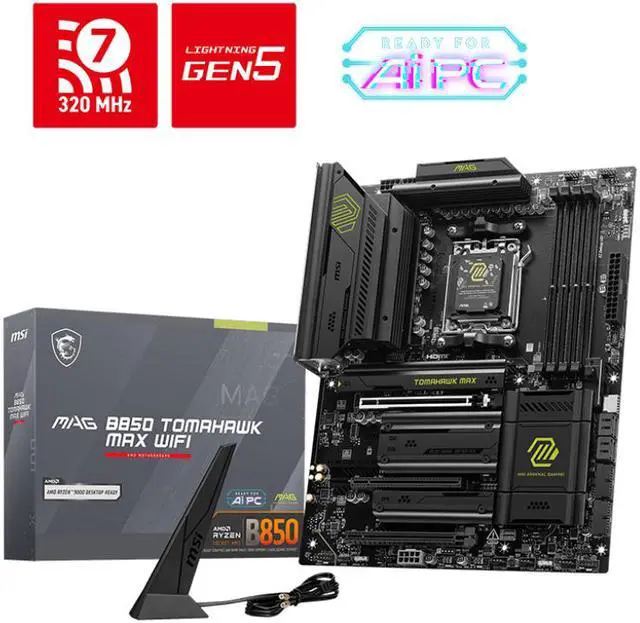
The MSI MAG B850 TOMAHAWK MAX WIFI publishes its figure plainly: 80A SPS power stages. It also carries DDR5 support up to 8400+ MT/s in overclocking, AMD EXPO profiles, a Realtek ALC4080 audio codec, a Realtek 8126VB controller giving 5 Gbps wired networking, and Wi-Fi 7. Its M.2_1 and M.2_2 slots both run from the CPU at up to PCIe 5.0 x4.
The MSI MAG B850 TOMAHAWK MAX WIFI II is the revision, with the same 80A SPS VRM and a clearer storage layout: two M.2 Gen5 x4 slots rated at 128 Gbps, one M.2 Gen4 x4 at 64 Gbps and one M.2 Gen4 x2 at 32 Gbps, plus a 64MB BIOS chip and the same 5 Gbps LAN and Wi-Fi 7.
If a board does not publish its VRM spec at all, that is mild evidence rather than a verdict. Boards in this class are generally sufficient for anything short of a sustained all-core workload on a high-power processor.
Step 2: Count the M.2 Slots and Read Where the Lanes Come From
This is the spec I would actually change my choice over, because it is the one that runs out. A board may have three M.2 slots and only one of them fed by the CPU at PCIe 5.0, with the rest at Gen4 or even Gen4 x2.
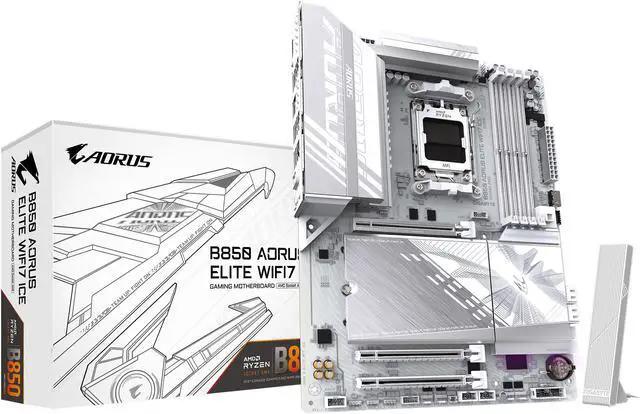
The GIGABYTE B850 AORUS ELITE WIFI7 ICE gives three M.2 slots supporting PCIe 5.0 x4 and PCIe 4.0 x4 or x2, DDR5 to 8200 MT/s in overclocking with EXPO and XMP, Realtek ALC1220 audio, 2.5GbE wired networking, Wi-Fi 7 and a five-year warranty.
The GIGABYTE B850 EAGLE WIFI7 ICE is the same family a step down, with its M2A_CPU slot integrated into the CPU supporting PCIe 5.0 x4 or x2 on Ryzen 9000 and 7000 series chips, 2.5GbE and Wi-Fi 7.
The MSI PRO B850M-P WIFI is the Micro ATX option and the one where the lane split matters most: one M.2 at PCIe 5.0 x4 with SATA support, one at PCIe 4.0 x4 and one at PCIe 4.0 x2. It does carry Realtek 8126 5G LAN and Wi-Fi 7 in a smaller board.
Step 3: Check the Network Chip, Not the Wi-Fi Logo
Wired speed varies more than people notice. Most of these boards run 2.5GbE. The two MSI TOMAHAWK boards and the PRO B850M-P run 5 Gbps controllers, which is only useful if you have a switch that supports it, and free headroom if you ever do.
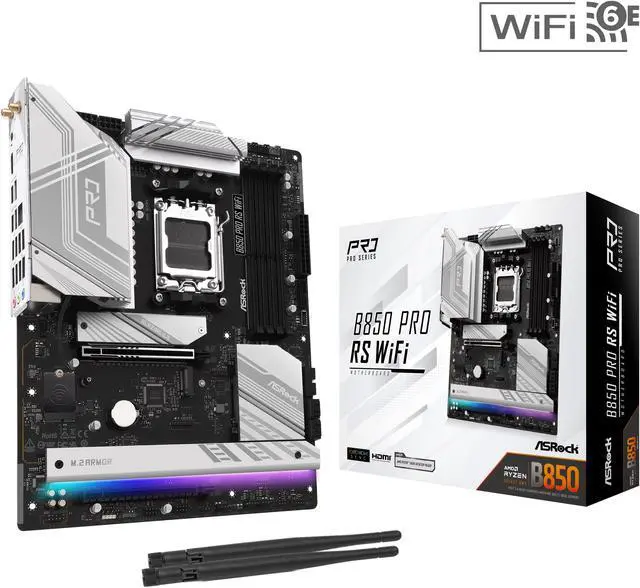
The ASRock B850 PRO RS WIFI is the interesting one here for a different reason: it lists ECC memory support, which is rare at this level and matters if the machine does anything you would hate to lose. DDR5 to 8000+ MT/s in overclocking, EXPO and XMP 3.0, a Blazing M.2 socket at PCIe Gen5 x4 and a Hyper M.2 at Gen4 x4, Realtek ALC897 audio and a Dragon RTL8125BG 2.5GbE controller, with Wi-Fi 6E rather than Wi-Fi 7.
Step 4: Decide What You Can Live Without
Audio codec, Wi-Fi generation and BIOS conveniences are where the cheaper boards save money, and most of it you will not miss.
The MSI PRO B850-S WIFI6E trades down to Realtek ALC897 audio, 2.5G LAN and Wi-Fi 6E, while keeping an M.2_1 slot at PCIe 5.0 x4 supporting 22110 and 2280 drives, DDR5 to 8200 MT/s in overclocking, and support for CUDIMM modules in clock driver bypass mode. Its PCIe x16 slot runs at 4.0 rather than 5.0, which is a genuine difference if you plan to keep the board for several graphics card generations.
The ASUS B850 MAX GAMING WIFI W is the white-PCB option, with DDR5 to 8000+ MT/s in overclocking and EXPO support, an M.2_1 slot at PCIe 5.0 x4 and M.2_2 at PCIe 4.0 x4, 2.5Gb LAN, Wi-Fi 6E, BIOS FlashBack and USB 10Gbps Type-C on the rear.
Summary
Sustained heavy workloads and you want the published VRM figure: either MSI TOMAHAWK MAX, and the WIFI II if you want the clearer storage layout. Three drives and a five-year warranty: AORUS ELITE WIFI7 ICE. ECC memory or a machine doing real work: ASRock B850 PRO RS. Small build: MSI PRO B850M-P WIFI. Budget without giving up Gen5 storage: MSI PRO B850-S, as long as you accept a PCIe 4.0 graphics slot. White build: ASUS B850 MAX GAMING.
And on the question that started this: a board passing stress tests with a 9800X3D installed is a board doing its job. Replace it when you need a feature it does not have, not because a forum post used the word "so-so". The current range is in Newegg's AM5 B850 motherboard listings.
Frequently Asked Questions
Do motherboard VRMs affect gaming performance? Almost never. VRM quality determines how much sustained power the board can deliver cleanly, which matters under long all-core loads like rendering or compiling. Gaming loads the processor in bursts, so a board that passes stress tests with your chip installed is not limiting your frame rate. Published figures like the 80A SPS stages on the MSI TOMAHAWK boards are useful for comparison, not a threshold you must clear.
What is the difference between B850 and the higher chipsets? B850 covers what most builds need, including CPU-attached PCIe 5.0 storage and support for Ryzen 7000, 8000 and 9000 series processors on Socket AM5. Higher-tier chipsets add more chipset-attached lanes and connectivity, which matters if you are filling several expansion slots and many drives at once. For a single graphics card and two or three M.2 drives, B850 is not the constraint.
How many M.2 slots do I need, and does the generation matter? Two is comfortable for most people and three gives room to grow. Generation matters less than people think for games, where the difference between a Gen4 and Gen5 drive is barely visible. What does matter is where the lanes come from: a slot fed directly by the CPU behaves differently from one hanging off the chipset, and some boards disable SATA ports when certain slots are populated.
Is 2.5GbE enough, or should I look for 5 Gbps? For a normal home connection, 2.5GbE is far more than the internet line delivers. Faster wired networking pays off when you move large files to a NAS or between machines on a local network, and only if the switch and the other device support it too. The MSI TOMAHAWK boards and the PRO B850M-P offer 5 Gbps; everything else here is 2.5GbE.
Does the board affect what memory speed I can run? Yes, within limits. These boards list overclocking support from 8000 MT/s to 8400+ MT/s, but on AM5 the practical target remains around DDR5-6000, where the memory controller runs in its 1:1 mode. The board's rated ceiling is mostly a statement about trace layout quality rather than a speed you should aim for.
Read More
- Tom's Hardware: Motherboard Reviews and Buying Guides -- Board reviews with VRM analysis and feature comparisons by chipset.
- TechPowerUp: MSI MAG B850 TOMAHAWK MAX WIFI Review -- Detailed measurements including VRM thermals and storage layout.
- AMD: AM5 Chipset Comparison -- Official documentation of what each AM5 chipset provides in lanes and connectivity.
- GIGABYTE: B850 Motherboards -- Manufacturer specifications for the AORUS ELITE and EAGLE boards, including M.2 lane assignments.
- Newegg: AM5 B850 Motherboards -- Compare current boards by M.2 count, network speed and form factor.