Your Browsing History
Meet Your Seller
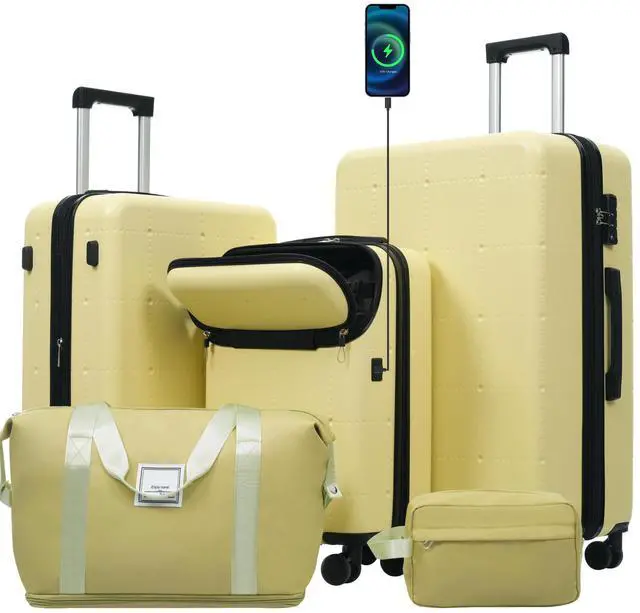
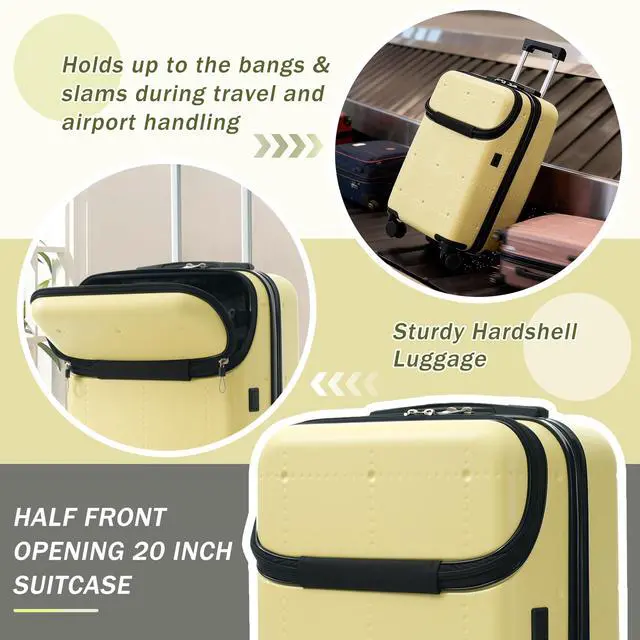
Hardside Luggage Set 5 Piece with Bags,20IN Half-opening Carry on Luggage with USB Port, Expandable 24IN 28IN Luggage with Double Spinner Wheels TSA Lock
- Hardside Luggage Set 5 Piece with Bags,20IN Half-opening Carry on Luggage with USB Port, Expandable 24IN 28IN Luggage with Double Spinner Wheels TSA Lock
+
+
Overview
Specs
Reviews
Any questions? Our AI beta will help you find out quickly.
Try me now
We have perfected our hard case luggage collections, with high quality material molded body coveted.
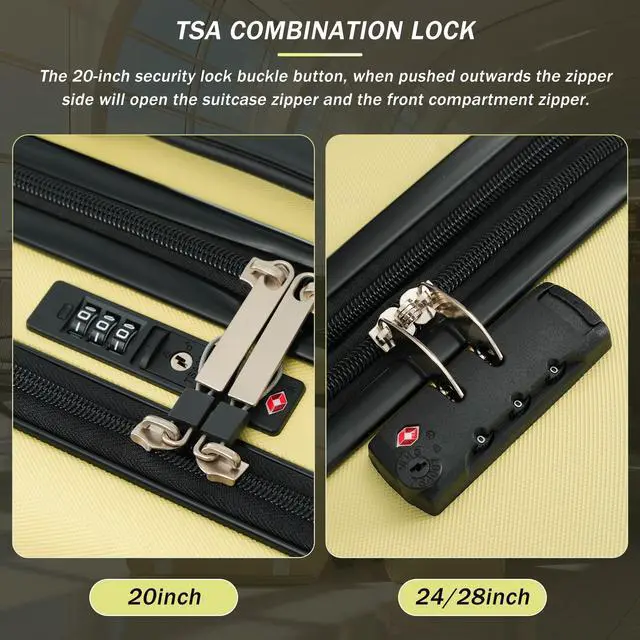
Instructions for Reset the 3 Digit Secure TSA Lock--20 inch
The original combination is 0-0-0. To set your own combination, please
follow these steps:
1) With the lock in the 0-0-0 position.
2) Press down the reset button [A] with a pen or other tool until you hear a "click"sound.
3) Set your own combination by turning the dials [B]. For example, 8-8-8.
4) Push the button [C] in the direction of the arrow until you hear the "click"sound again, confirming that you have set your personal combination.
Instructions for Reset the 3 Digit Secure TSA Lock--24 & 28 inch
1. The initial password of lock is 0-0-0.
2. Press the reset hole with the tip of the pen.
3. Set the new 3-digit code while pressing.
4. Now you can open the lock with the new password.

Instructions for Reset the 3 Digit Secure TSA Lock--20 inch
The original combination is 0-0-0. To set your own combination, please
follow these steps:
1) With the lock in the 0-0-0 position.
2) Press down the reset button [A] with a pen or other tool until you hear a "click"sound.
3) Set your own combination by turning the dials [B]. For example, 8-8-8.
4) Push the button [C] in the direction of the arrow until you hear the "click"sound again, confirming that you have set your personal combination.
Instructions for Reset the 3 Digit Secure TSA Lock--24 & 28 inch
1. The initial password of lock is 0-0-0.
2. Press the reset hole with the tip of the pen.
3. Set the new 3-digit code while pressing.
4. Now you can open the lock with the new password.
Warranty & Returns
Warranty, Returns, And Additional Information
Warranty
- Please contact the Seller directly for warranty information. Warranty information may also be found on the Manufacturer's website.
- CONTACT
Return Policies
- Return for refund within: 30 days
- Return for replacement within: 30 days
- This item is covered by Weimin Technology Return Policy
Manufacturer Contact Info
- For a directory of all our manufacturers, please click below.
- Manufacturers Directory
LOADING...