here!
here!
I’m your shopping assistant for PC builds, upgrades, and everything tech.
Got questions? Ask away!
Start a conversation
here!
I’m your shopping assistant for PC builds, upgrades, and everything tech.
Got questions? Ask away!
Start a conversation



Any questions? Ask CelesteSM will help you find out quickly.


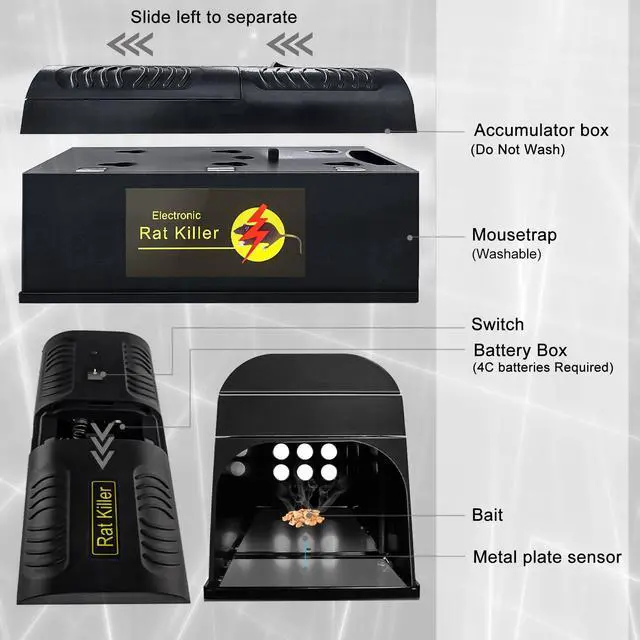
Add a small amount of peanut butter, nutella, or any high-protein food rats love.

Position the trap on the floor, flat against a wall. Align the entrance with rat trails or droppings.

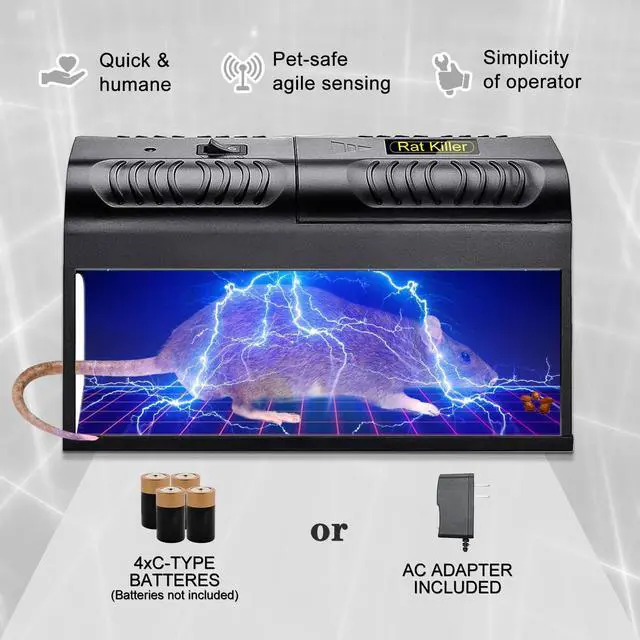
Insert 4 “C” batteries into the battery compartment OR connect the included adapter to a standard outlet. Flip the power switch to the “ON” position.

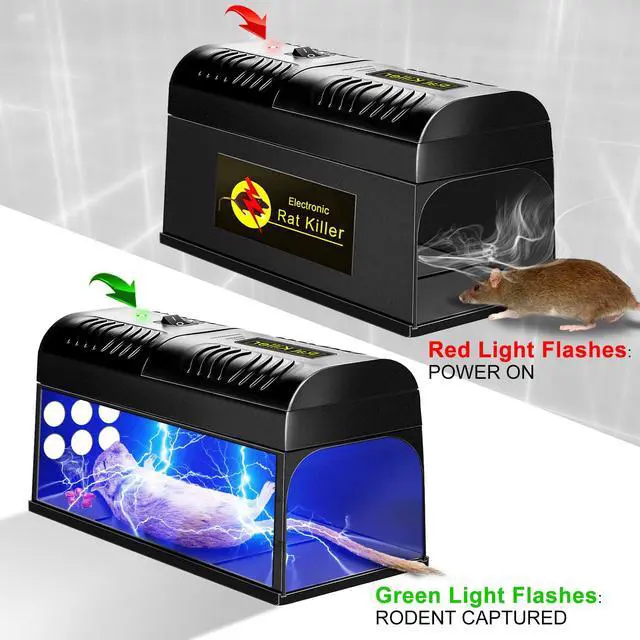
Once powered on, the green indicator light will flash once every 5 seconds. This tells you the trap is armed and ready – no guessing, no extra setup.

Tired of finding rat droppings in your kitchen? Worried about poisonous bait harming your kids or pets? Frustrated with snap traps that snap on nothing?
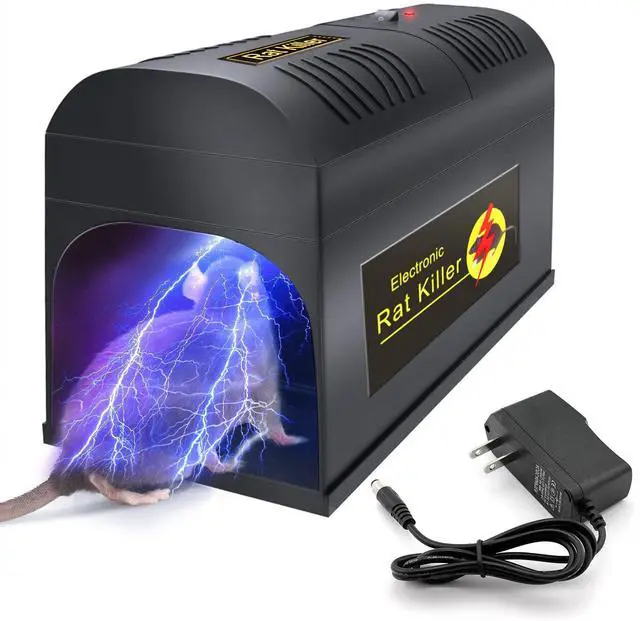
This electric rat trap is the modern solution you've been looking for.
Step 1 – Rodent Enters the Chamber
Inside the high-voltage chamber, there are three metal plates. When a rodent steps onto any two of the three plates, the trap automatically activates.
Step 2 – High-Voltage Shock Begins
Once triggered, the unit immediately emits high voltage for 1 minute – this immobilizes the rodent instantly.
Step 3 – Final Current Delivered
After 1 minute, the trap releases a fatal electric shock for 3 minutes, ensuring the rodent is completely neutralized.
Step 4 – Automatic Shutoff (Safe & Smart)
After 4 minutes total, the device stops all electric current automatically. The indicator light changes from red to green and flashes once every 5 minutes.
Step 5 – Reset & Ready Again
To reuse the trap: empty the chamber, close it properly, and turn the unit off and back on. The system resets and will trigger again when a new rodent enters.

Do not touch the bottom metal plates with bare hands. Do not move or carry the device while it is powered on or working.

Never use this device on wet surfaces or near any liquids. Moisture may cause high-voltage current leakage.

Keep children, household pets, and any combustible materials away from the trap while it is in use.

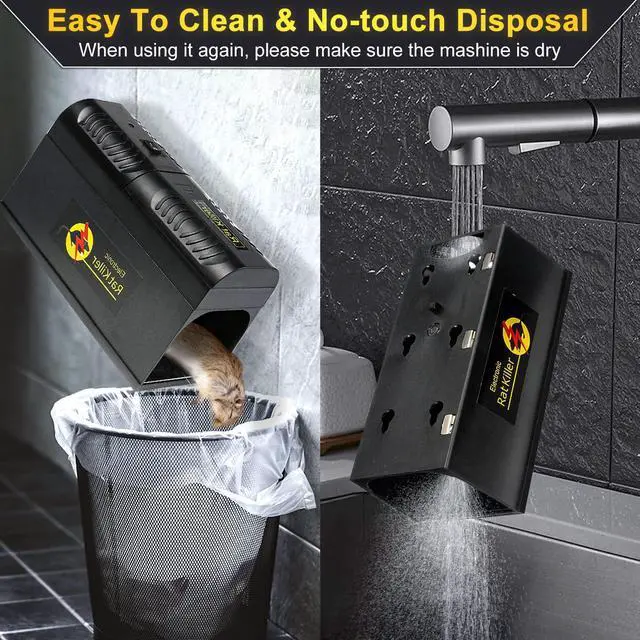
After deratization, press switch to“OFF”position(O). Remove the dead body and clean the chamber with cleaning agent. Dry it in the sun for next use.
If the red light and green light flash alternately every 2 seconds after powering on or after catching a rat, this indicates the batteries are low and need to be replaced. Always turn off the power before changing batteries.
To avoid unnecessary damage caused by battery leakage, remove the batteries if the device will not be used for an extended period of time.

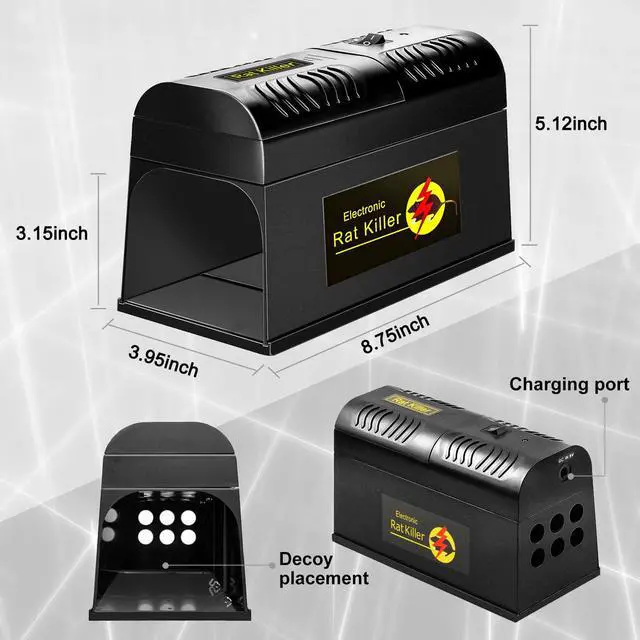
| Power supply | 1 .5V 4*"C" Batteries or socket power |
|---|---|
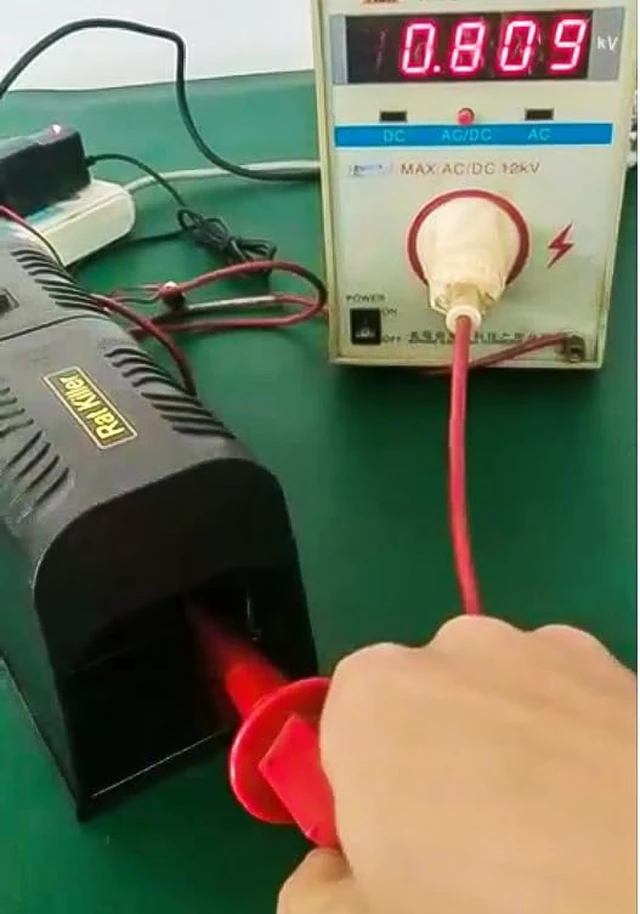
| High voltage | 7000-9000 V |
| High voltage produced time | 4 minutes |
| High voltage working current | =380mA |
| Static working current | =50uA |
Add a small amount of peanut butter, nutella, or any high-protein food rats love.
Position the trap on the floor, flat against a wall. Align the entrance with rat trails or droppings.
Insert 4 “C” batteries into the battery compartment OR connect the included adapter to a standard outlet. Flip the power switch to the “ON” position.
Once powered on, the green indicator light will flash once every 5 seconds. This tells you the trap is armed and ready – no guessing, no extra setup.

Tired of finding rat droppings in your kitchen? Worried about poisonous bait harming your kids or pets? Frustrated with snap traps that snap on nothing?
This electric rat trap is the modern solution you've been looking for.
Step 1 – Rodent Enters the Chamber
Inside the high-voltage chamber, there are three metal plates. When a rodent steps onto any two of the three plates, the trap automatically activates.
Step 2 – High-Voltage Shock Begins
Once triggered, the unit immediately emits high voltage for 1 minute – this immobilizes the rodent instantly.
Step 3 – Final Current Delivered
After 1 minute, the trap releases a fatal electric shock for 3 minutes, ensuring the rodent is completely neutralized.
Step 4 – Automatic Shutoff (Safe & Smart)
After 4 minutes total, the device stops all electric current automatically. The indicator light changes from red to green and flashes once every 5 minutes.
Step 5 – Reset & Ready Again
To reuse the trap: empty the chamber, close it properly, and turn the unit off and back on. The system resets and will trigger again when a new rodent enters.
Do not touch the bottom metal plates with bare hands. Do not move or carry the device while it is powered on or working.
Never use this device on wet surfaces or near any liquids. Moisture may cause high-voltage current leakage.
Keep children, household pets, and any combustible materials away from the trap while it is in use.
After deratization, press switch to“OFF”position(O). Remove the dead body and clean the chamber with cleaning agent. Dry it in the sun for next use.
If the red light and green light flash alternately every 2 seconds after powering on or after catching a rat, this indicates the batteries are low and need to be replaced. Always turn off the power before changing batteries.
To avoid unnecessary damage caused by battery leakage, remove the batteries if the device will not be used for an extended period of time.