• $83.99
  • Free 30-day Returns
  • Price alert
    Shop it at NeweggBusiness.

    Meet Your Seller

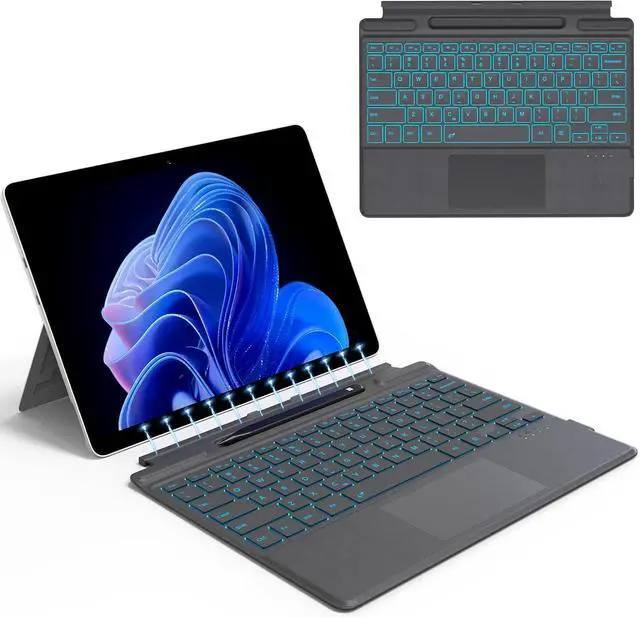
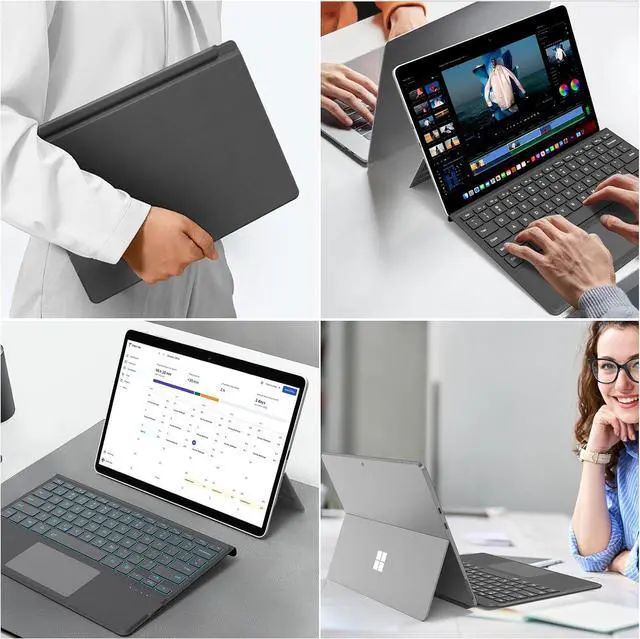
    for Microsoft Surface Pro 11/10/9/8/X Keyboard, Bluetooth Wireless Magnetic Keyboard with Palm Rejection Touchpad, Rechargeable Battery, 7-Color Backlit, Pen Holder for Surface Pro 13inch

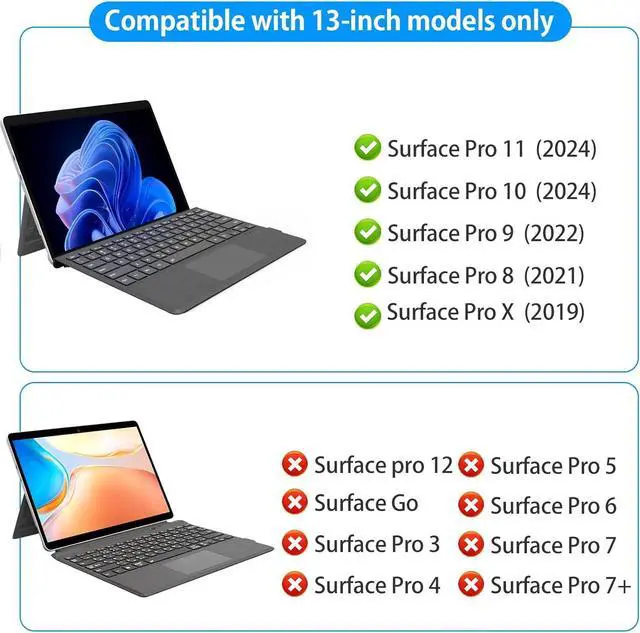
    • [Compatibility]: Designed for Surface Pro 11, 10, 9, 8, and Surface Pro X. Not compatible with Surface Go or non-Pro models. Confirm your model: Go to Settings > System > About > Device Specifications.(Check before purchase)
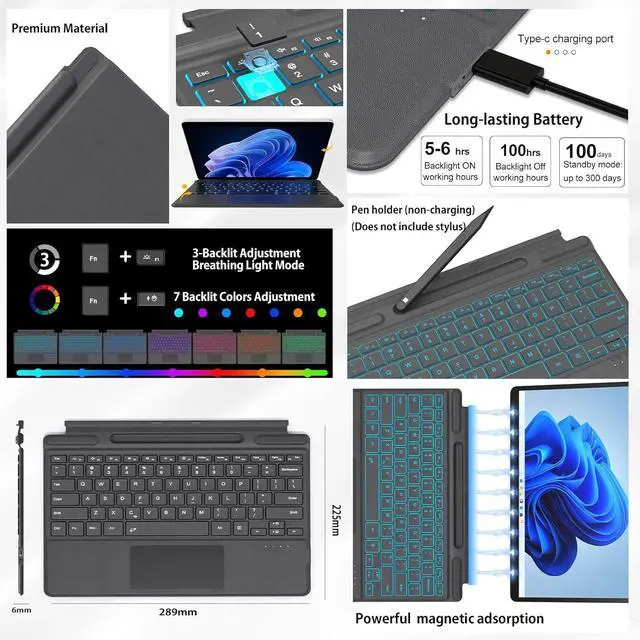
    • [7-Color Backlit & Long-Lasting]: Enjoy 7 colors and 3 brightness levels. Built-in battery working time up to 100 hours (backlit off) or 5-6 hours (backlit on). Type-C charges in <3 hours, 100-day standby. Sleeps after 15min idle; wake via 3s hold.
    • [Surface Pro 9 Keyboard 5.2 Wireless Connection]: Easily pair the keyboard with your Microsoft Surface Pro! Auto reconnects when opened. Stays connected up to 10m even when detachedtype freely anywhere. No interruptions, just seamless productivity!
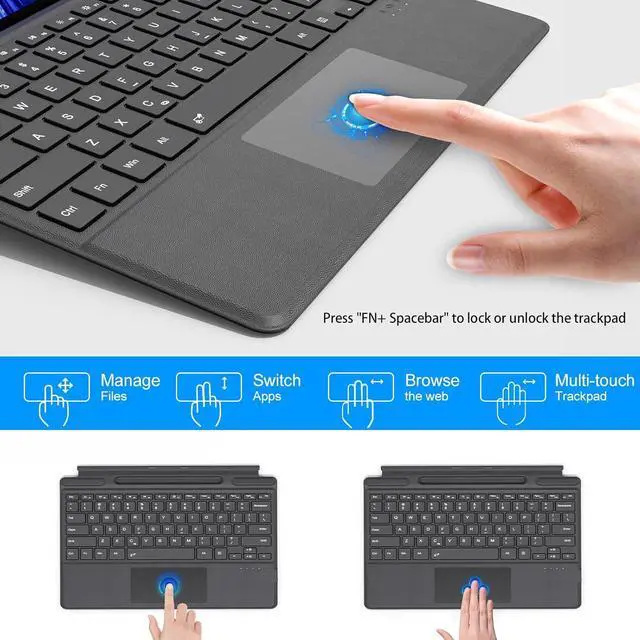
    • [Multi-Touch Trackpad with Palm Rejection]:12 gesturesswipe, tap, pinch, and scroll just like on a laptop! Spacious trackpad lets hands move freely for fast workflows. Top row of shortcut keys (Fn+Caps = Lock Fn keys, tap F1-F12 alone). Toggle trackpad:
    +
    +
    Overview
    Specs
    Reviews
    avatar

    Any questions? Our AI beta will help you find out quickly.

    Q: Can it charge your pen?
    A: No, the pen holder is for storage only.
    Q: Can the keyboard be charged via surface contact?
    Note: unlike OEM, this keyboard will not charge via surface contacts! (must charge separately)
    Q: Can the keyboard charge wirelessly from the computer?
    A: No, the keyboard and computer cannot transfer electricity directly
    Q:Adjust touchpad on/off/sensitivity?
    A: 1. Sensitivity: Settings Devices Touchpad Touchpad Sensitivity Related Settings Other Settings (mouse/pointer options).
    2. Toggle touchpad: Fn + Space.
    3. If touchpad doesnt work: Turn it on in Surface Settings
    Q: What should I do if I can't type?
    A:Go to Settings -- Accessibility -- Keyboard -- Turn off "Sticky keys" -- Turn off "Filter keys"
    Q: Is it easy to pair?
    A: First pairing takes about 10 seconds:
    Go to Settings System About Bluetooth & devices Devices Add device Bluetooth Keyboard.
    1. Sensitivity: Settings Devices Touchpad Touchpad Sensitivity Related Settings Other Settings (mouse/pointer options).
    2. Toggle touchpad: Fn + Space.
    3. If touchpad doesnt work: Turn it on in Surface Settings
    No, the keyboard and computer cannot transfer electricity directly
    Adjust touchpad on/off/sensitivity? Can the keyboard charge wirelessly from the computer?

    Warranty & Returns

    Warranty, Returns, And Additional Information

    Warranty

    • Please contact the Seller directly for warranty information. Warranty information may also be found on the Manufacturer's website.
    • CONTACT

    Return Policies

    • Return for refund within: 30 days
    • Return for replacement within: 30 days
    • This item is covered by POLING Return Policy

    Manufacturer Contact Info

    LOADING...