Your Browsing History
Meet Your Seller
USB 3.0 Switch 2 Computers Sharing USB C & A Devices, 4 Port USB Switcher Sharing Keyboard and Mouse, Printer/Scanner USB Switch Hub for Two Computers with 2 USB3.0 Cables and Controller
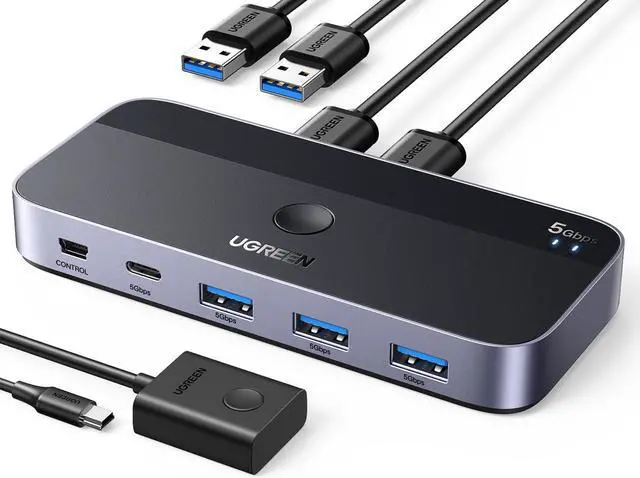
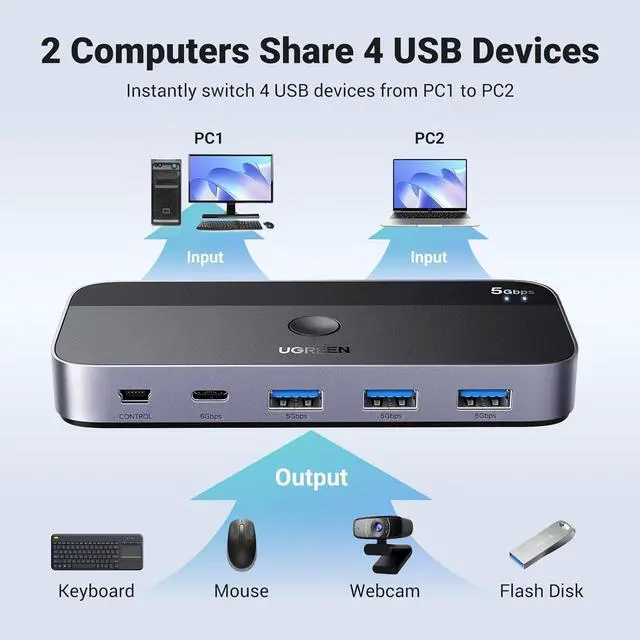
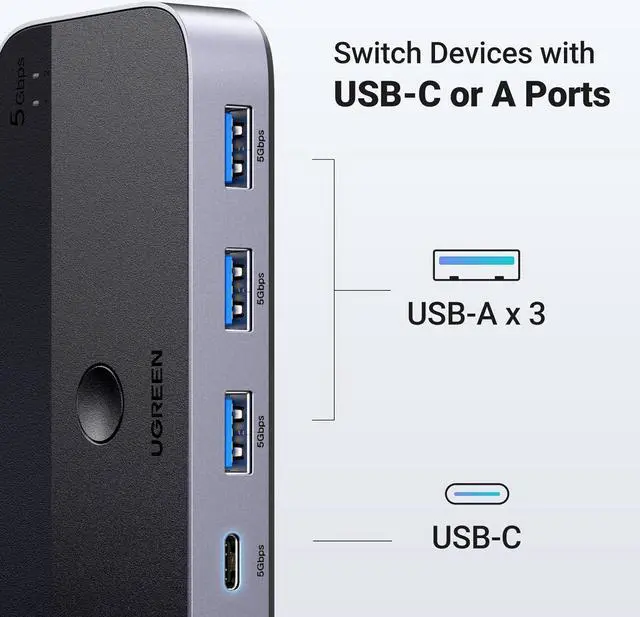
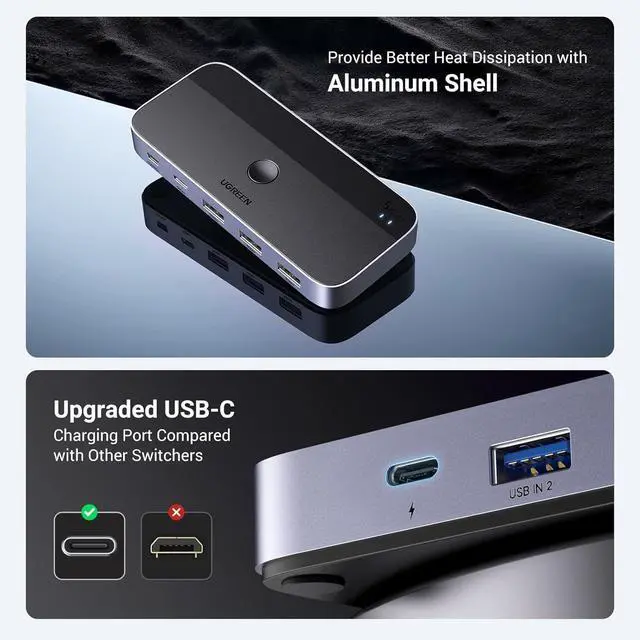
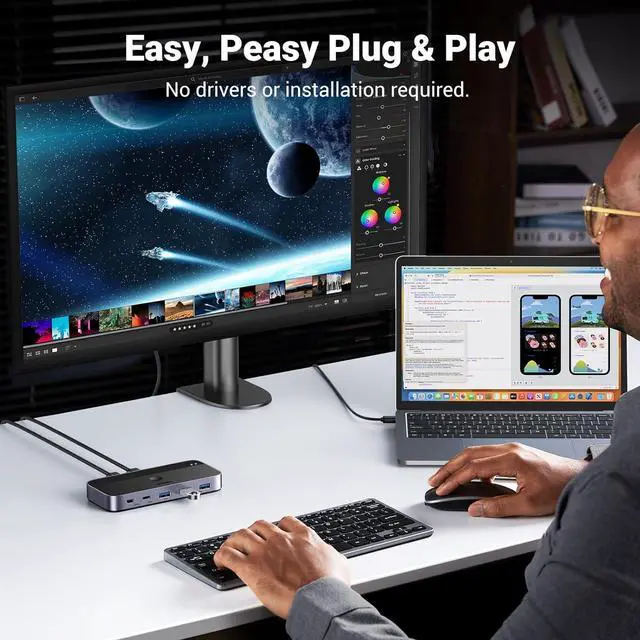
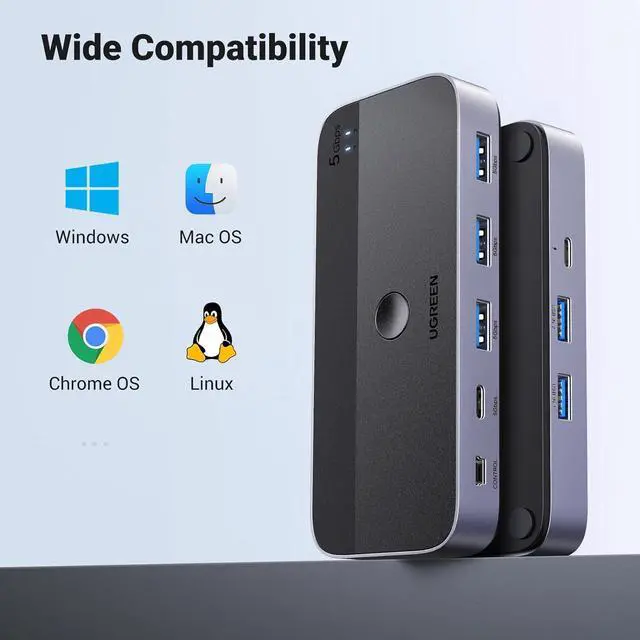
- 2 PCs Share Multiple Devices: 2-In 4-Out USB switcher supports 2 computers sharing 4 USB devices like keyboards, mouses, printers, headphones, and USB cameras. Switch freely between your work computer and personal computer and boost your work efficiency. (NOTE: This USB Switcher is NOT a KVM switch and does not support connecting a monitor or video transmission); Connect USB C & USB A Devices: The USB 3.0 switch provides 1 USB C port and 3 USB A ports to support connecting various USB devices, extending more ports for two computers. (*It is recommended to power supply when using multiple devices simultaneously to avoid disconnection due to insufficient power.*); 5Gbps Data Transfer / Plug & Play: With 4 USB 3.0 ports, the USB 3.0 switcher supports data transfer up to 5Gbps and is backward compatible with USB 2.0; Simple plug and play for any modern operating system: Windows, macOS, Chrome OS, and Linux computers. (*The USB ports are primarily for data transfer and are not recommended for charging devices.*); Note: 1. If your input device uses a USB-C port, please purchase a USB-C to USB adapter before use. 2. When using a camera through the switcher, if your computer has a built-in camera, please select the camera in the camera settings to ensure proper use. 3.The USB-C port on the product does not support video output and cannot be used with a dock to connect a display; USB-C Power Supply: The USB switch is designed with a optional power supply for high-power devices like Ha
+
+
Overview
Specs
Reviews
Any questions? Our AI mode will help you find out quickly.
Try me now
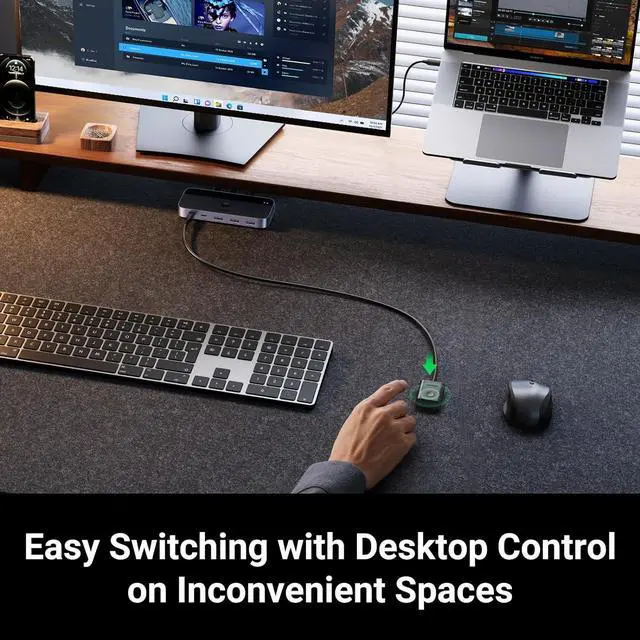
Product description 1 USB C & 3 USB A Port More Stable Transmission Button or Control Switch Connect USB C Laptop What's in The Box Attention For USB C device If you want to connect this switch with a Mac or other host devices that only have usb c port, you need to use a USB C to A adapter with a USB A to A cable. It won't work when using a USB C to A cable directly.
Input Tip: It is a USB switch without an hdmi port and it does not support two computers sharing a single display. The produce is designed for data transmission and does not support video transmission.
Output Tip: It is not suggested to connect the wireless device to the usb 3.0 switch due to 2.4G hz interference. If the wireless network is affected, please set your router from 2.4GH z to 5GHz.
About Power Supply: Not all devices need power supply during use; the power port can only supply power to USB devices and not to computers. USB switch is designed with a USB C power port, the USB C charging cable and power adapter (5V 2A) are not included. Package Content USB 3.0 Switch * 1 ( 4.8 x 2.1 x 0.7 Inches) USB A to A Cable * 2 (5FT/ 1.5M ) Remote Control *1 (5FT/ 1.5M ) Note 1 If your input device uses a USB-C port, please purchase a USB-C to USB adapter before use. Note 2 This USB Switcher is NOT a KVM switch and does not support connecting a monitor or video transmission). Note 3 When using a camera through the switcher, if your computer has a built-in camera, please select the camera in the camera settings to ensure proper use. Note 4 The USB-C port on the product does not support video output and cannot be used with a dock to connect a display.

Input Tip: It is a USB switch without an hdmi port and it does not support two computers sharing a single display. The produce is designed for data transmission and does not support video transmission.
Output Tip: It is not suggested to connect the wireless device to the usb 3.0 switch due to 2.4G hz interference. If the wireless network is affected, please set your router from 2.4GH z to 5GHz.
About Power Supply: Not all devices need power supply during use; the power port can only supply power to USB devices and not to computers. USB switch is designed with a USB C power port, the USB C charging cable and power adapter (5V 2A) are not included. Package Content USB 3.0 Switch * 1 ( 4.8 x 2.1 x 0.7 Inches) USB A to A Cable * 2 (5FT/ 1.5M ) Remote Control *1 (5FT/ 1.5M ) Note 1 If your input device uses a USB-C port, please purchase a USB-C to USB adapter before use. Note 2 This USB Switcher is NOT a KVM switch and does not support connecting a monitor or video transmission). Note 3 When using a camera through the switcher, if your computer has a built-in camera, please select the camera in the camera settings to ensure proper use. Note 4 The USB-C port on the product does not support video output and cannot be used with a dock to connect a display.
Warranty & Returns
Warranty, Returns, And Additional Information
Warranty
- Please contact the Seller directly for warranty information. Warranty information may also be found on the Manufacturer's website.
- CONTACT
Return Policies
- Return for refund within: 30 days
- Return for replacement within: 30 days
- This item is covered by CircuitNest Return Policy
Manufacturer Contact Info
- For a directory of all our manufacturers, please click below.
- Manufacturers Directory
LOADING...