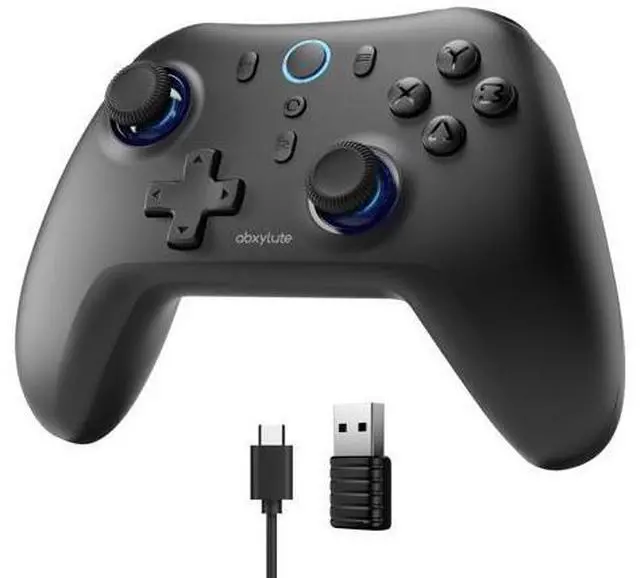
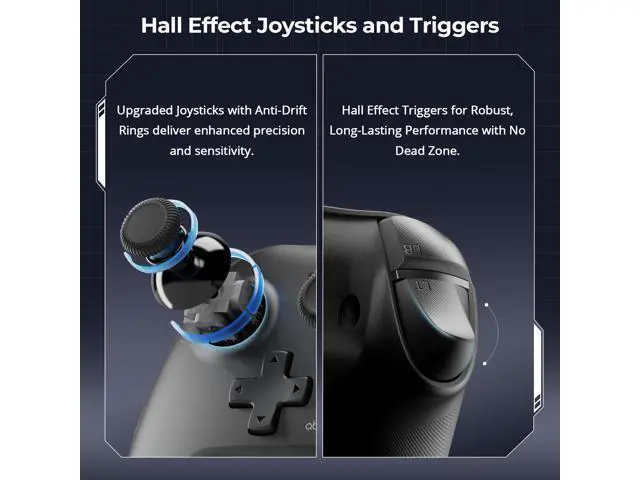
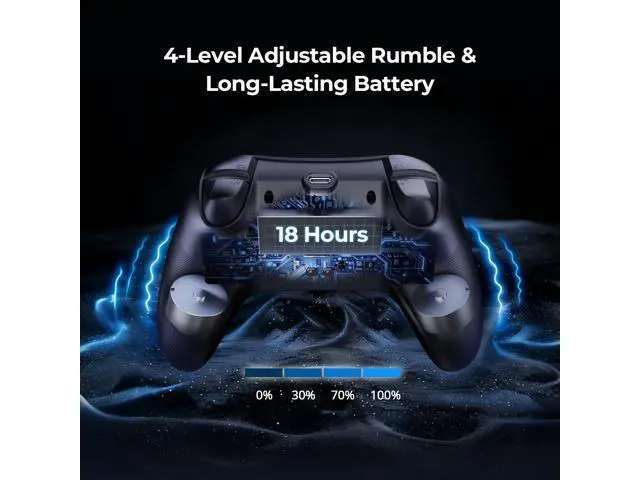
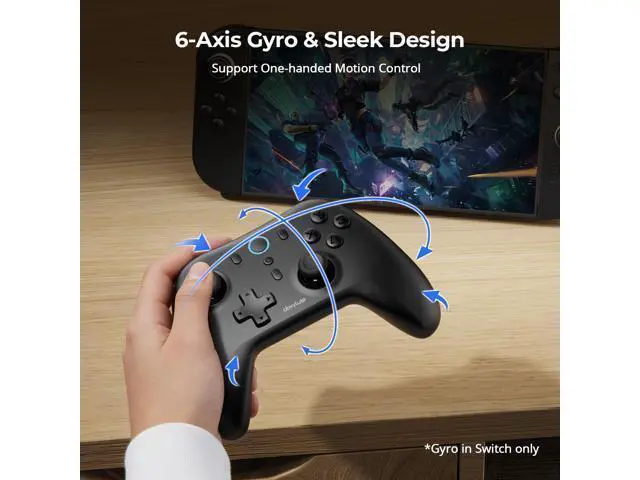
Previous page Next page 1 Dual Hall Effect 2 Conductive Rubber Design 3 4-Level Vibration 4 6-Axis for Switch 5 Battery & Turbos Previous page Next page Troubleshooting 1 Connection Methods 2 How to Calibrate? 3 APP Adjust Latency 4 APP to Custom Button For Better & Stable Connection Which Connection Mode Works Best for Your Device?
Notice: One-year after-sales service. For solid connections, we recommend using Receiver (Dongle) or Wired Mode. Not compatible with Xbox, PlayStation, Luna, or Fire Stick, Fire TV.
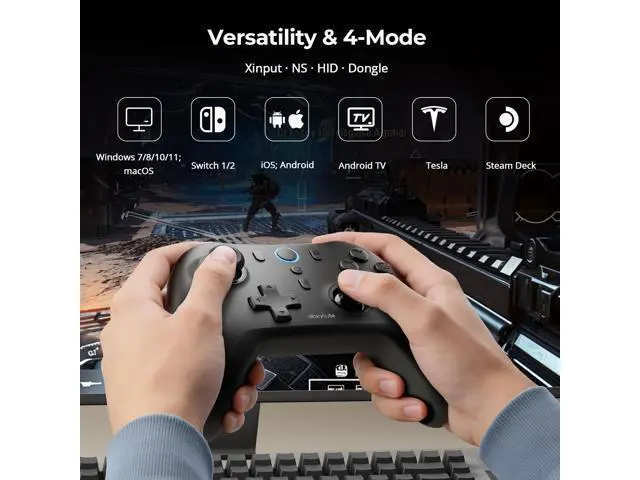
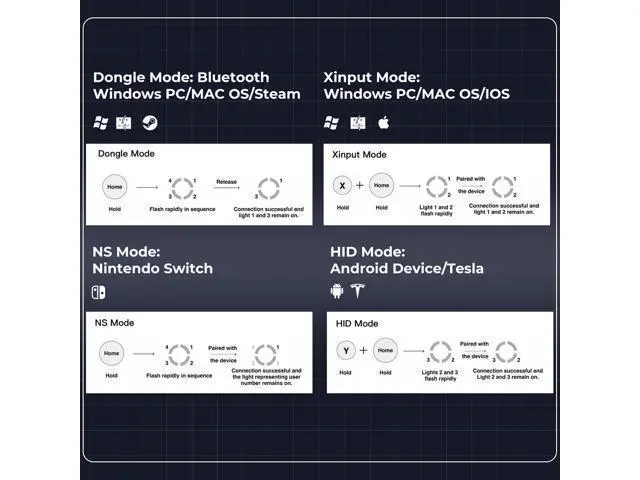
Connection Modes as the followings: Windows PC/Mac OS Xinput Mode Windows PC/Mac OS/Steam Deck Dongle Mode Nintendo Switch (NS) NS Mode Android Device HID Mode iOS Xinput Mode Tesla HID Mode Video Player is loading. Play Video Play Skip Backward Skip Forward Mute Current Time 0:00 /
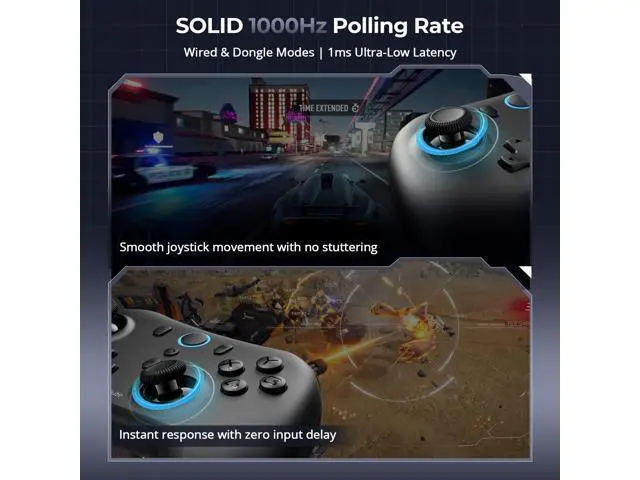
Duration 1:39 Loaded: 12.10 % 0:00 Stream Type LIVE Seek to live, currently behind live LIVE Remaining Time - 1:39 1x Playback Rate Chapters Chapters Descriptions descriptions off, selected Captions captions settings, opens captions settings dialog captions off, selected Audio Track Fullscreen This is a modal window. Beginning of dialog window. Escape will cancel and close the window. Text Color White Black Red Green Blue Yellow Magenta Cyan Opacity Opaque Semi-Transparent Text Background Color Black White Red Green Blue Yellow Magenta Cyan Opacity Opaque Semi-Transparent Transparent Caption Area Background Color Black White Red Green Blue Yellow Magenta Cyan Opacity Transparent Semi-Transparent Opaque Font Size 50% 75% 100% 125% 150% 175% 200% 300% 400% Text Edge Style None Raised Depressed Uniform Drop shadow Font Family Proportional Sans-Serif Monospace Sans-Serif Proportional Serif Monospace Serif Casual Script Small Caps Reset restore all settings to the default values Done Close Modal Dialog End of dialog window. Which connection mode works with your device? Merchant Video abxylute Comparison C6 Game Controller C5P Game Controller C8 Game Controller RGB Pro All-in-One Handheld abxylute Handheld Console Customer Reviews Price Support Platform PC/NS/Steam/IOS/MAC/Tesla PS3/PS4/PC/NS/Steam/IOS/MAC PC/NS/Steam/IOS/MAC/Tesla All-in-One: cloud stream retro Cloud Gaming Platform Not Compatible All XBOX, Playstation All XBOX, Not listed PS, Tesla All XBOX, Playstation / / Connectivity WirelessDongle, Bluetooth, Wired WirelessDongle, Bluetooth, Wired WirelessDongle, Bluetooth, Wired Wi-Fi Wi-Fi Connection Signal Bluetooth, Wired 2.4G hz, Wired Bluetooth, Wired Wi-Fi Wi-Fi Joystick & Trigger Hall Effect Hall Effect Hall Effect Digital Joystick Hall Effect Vibrations Dual Shock Adjustable Dual Shock Adjustable Asymmetric Shocks Adjustable Asymmetric Shocks Adjustable Dual Shocks Programmable Buttons × 2(M1, M2) 2(ML, MR) × × Report Rate Wired/Dongle 1000Hz 125hz Wired/Dongle 1000Hz 1000Hz 1000Hz 6-Axis Gyro v × v v v Turbo Function v v v v v RGB × ×? × × Playing Time 18 Hours 10 Hours 8 Hours 8 Hours 8 Hours abxylute-Gaming Made Easy. We believe that the joy of gaming should never be hindered by anything. abxylute is not a toy, but a key to the new world of gaming. Previous page About US That's why we've created high-performance, lightweight, and portable cloud gaming handhelds, as well as ergonomic professional controllers. They were born with a single mission: to provide you with "absolute" freedom and a sense of control. abxylute this is not a toy, but your key to new dimensions of gaming. Unleash Your Play. Is there a quality service for abxylute products? All our products come with a 1-year service. If you have any issues, please feel free to official channels. What if I don't understand how to use the product or find the operation too complicated? The instruction manual includes video tutorials. Additionally, we have an official forum on Discord where players from around the world can communicate. abxylute M4 Snap-On Controller abxylute Products abxylute Products Cloud Gaming Handheld All-in-one Console