Your Browsing History
Meet Your Seller
DIXSG Oculink SFF-8612 to PCI-E 3.0/4.0 M.2 M-Key to SFF-8611 Host Adapter for eGPU/GPD Win Max2 External Graphics Card & SSD
Limited time offer, ends 07/12 By TechMax Depot
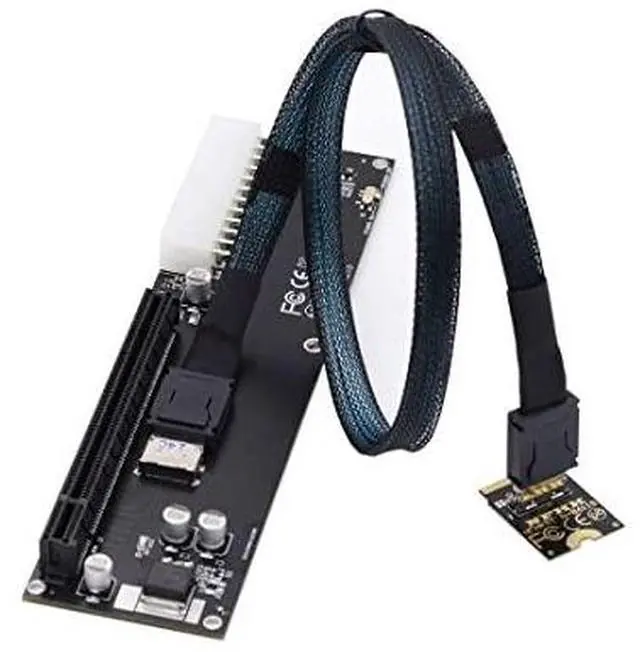
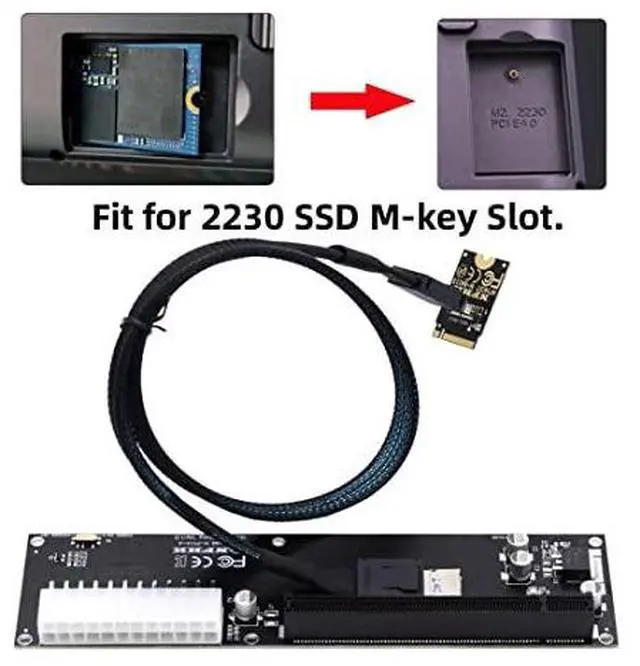
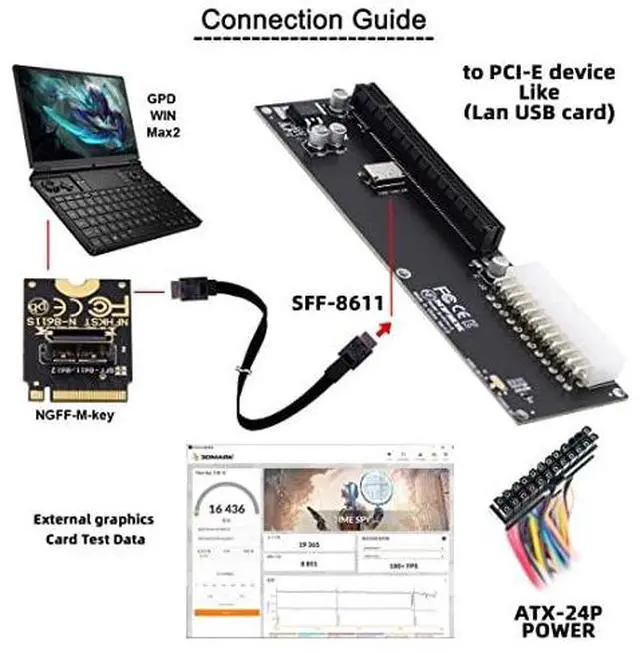
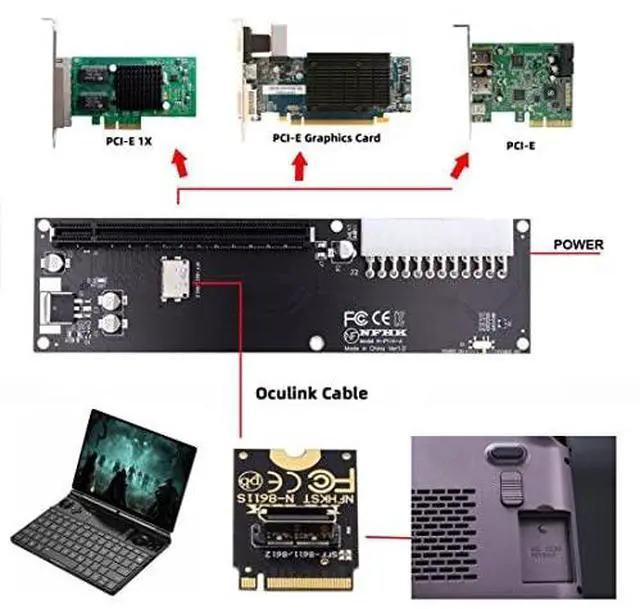
- 1) When your device has an Oculink SFF-8612 interface, you can use this adapter to connect an eGPU and add an external graphics card and SSD to your computer device.
- 2) It offers higher bandwidth, lower cost, and better performance for external graphics cards & SSD.
- 3) The card transmits PCI Express 4x signals using the NVMe protocol.
- 4) Data transfer rate up to 32 Gbps,Supports NVM Express (NVMe) 1.2
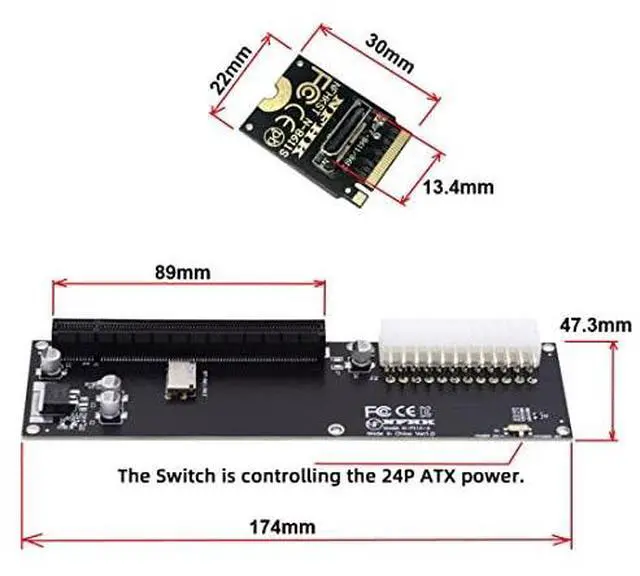
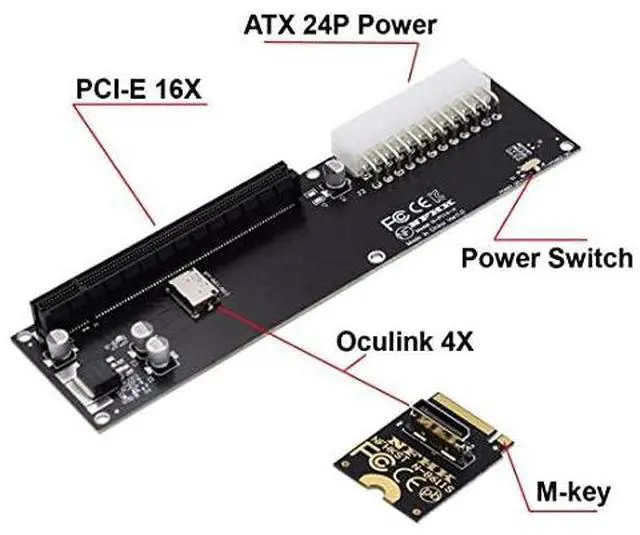
- 5) Package includes: one OCuLink to NVME (M.2 M-Key) adapter, one Oculink cable, one OCuLink to PCI-E X16 adapter.
+
+
Overview
Specs
Reviews
Any questions? Our AI beta will help you find out quickly.
Try me now
Product description
1) When your device has an Oculink SFF-8612 interface, you can use this adapter to connect an eGPU and add an external graphics card and SSD to your computer device.
2) It offers higher bandwidth, lower cost, and better performance for external graphics cards & SSD.
3) The card transmits PCI Express 4x signals using the NVMe protocol.
4) Data transfer rate up to 32 Gbps, Supports NVM Express (NVMe) 1.2
5) Package includes: one OCuLink to NVME (M. 2 M-Key) adapter, one Oculink cable, one OCuLink to PCI-E X16 adapter.
6) System requirements: Linux Kernel 4.3 or above, Windows 8.1 / 8.1 -64/10/10-64.
1) When your device has an Oculink SFF-8612 interface, you can use this adapter to connect an eGPU and add an external graphics card and SSD to your computer device.
2) It offers higher bandwidth, lower cost, and better performance for external graphics cards & SSD.
3) The card transmits PCI Express 4x signals using the NVMe protocol.
4) Data transfer rate up to 32 Gbps, Supports NVM Express (NVMe) 1.2
5) Package includes: one OCuLink to NVME (M. 2 M-Key) adapter, one Oculink cable, one OCuLink to PCI-E X16 adapter.
6) System requirements: Linux Kernel 4.3 or above, Windows 8.1 / 8.1 -64/10/10-64.
Warranty & Returns
Warranty, Returns, And Additional Information
Warranty
- Please contact the Seller directly for warranty information. Warranty information may also be found on the Manufacturer's website.
- CONTACT
Return Policies
- Return for refund within: 30 days
- Return for replacement within: non-replaceable
- This item is covered by TechMax Depot Return Policy
Manufacturer Contact Info
- For a directory of all our manufacturers, please click below.
- Manufacturers Directory
LOADING...