shipping Holiday Shipping Details & Extended Holiday Returns
  • $159.42
  • Free 30-day Returns
  • Price alert
    Sold by yiwangqinqin
    Top Rated
    5 (1 seller ratings)

    Shipped by yiwangqinqin

    Shop it at NeweggBusiness.

    Meet Your Seller

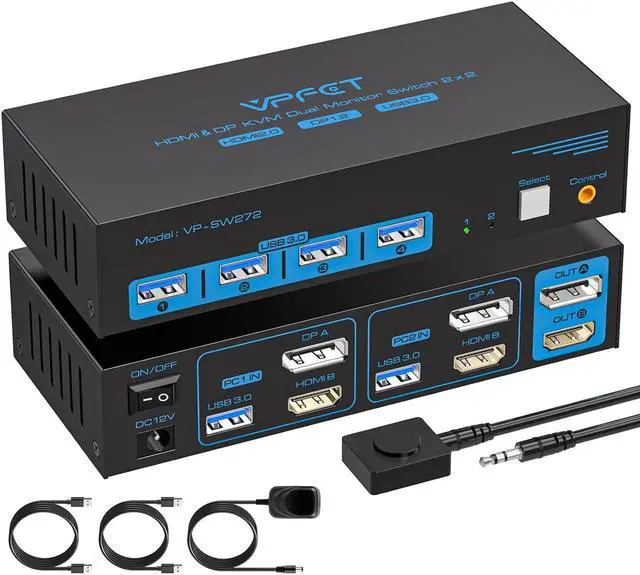
    HDMI Displayport KVM Switch 2 Monitors 2 Computers 4K@60Hz DP KVM Switcher Dual Monitor for 2 Computers Share 2 Screens and 4 USB 3.0 Ports Support Extended/Copy Mode with Desktop Controller

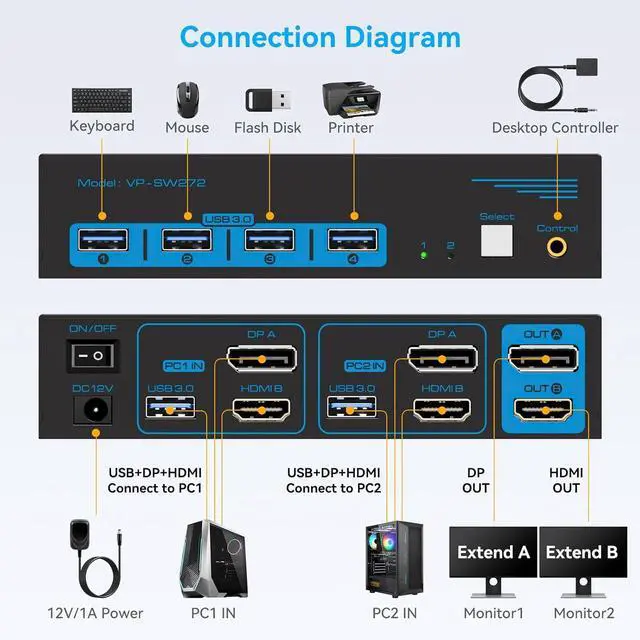
    • Connection StepsStep 1: Connect the supplied 12V/1A power supply unit to ensure stable operation of the KVM switch. Step 2: Connect the DP A + HDMI B and USB-A ports of PC 1/PC 2 to the ports of PC 1 IN/PC 2 IN on the back of the KVM. Step 3: Connect OUT A/B on the back of the KVM to the display device; OUT A displays video from DP A, and OUT B displays video from HDMI B. Step 4: Connect devices such as mouse and keyboards to the front USB ports.
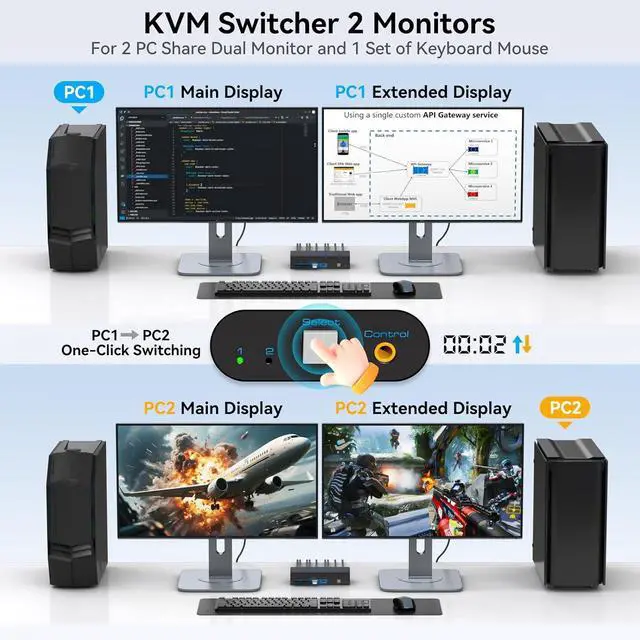
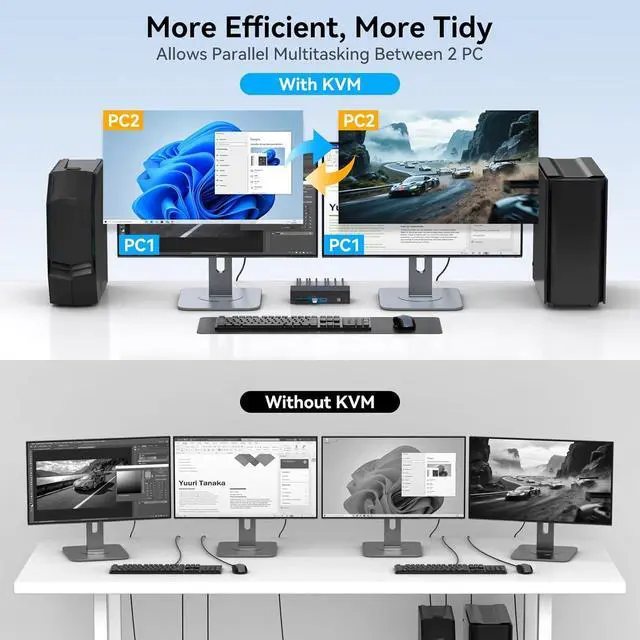
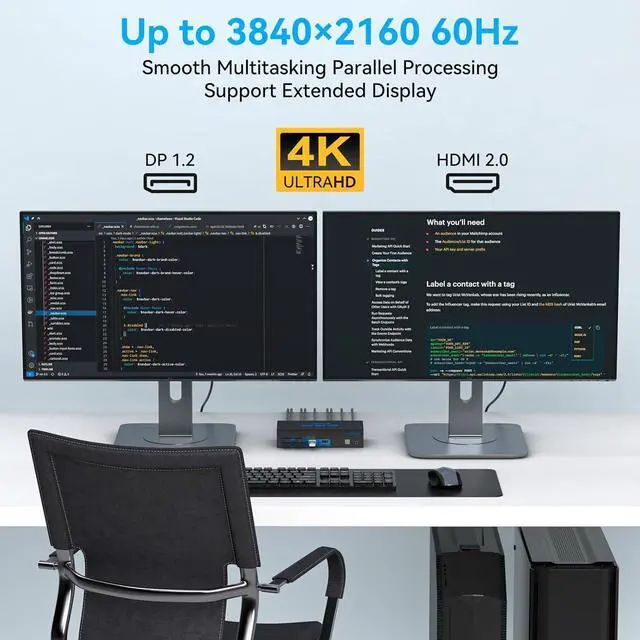
    • Dual MonitorsThe KVM switch 2 monitors 2 computers for DP and HDMI ports device to share keyboard mouse and monitor. KVM switches support Extended&Copy Mode. Note: Please make sure your computers/laptops/docking stations have DP+HDMI port (HDMI input can only be output to a monitor with HDMI, DP input can only be output to a monitor with DP). The DP A and HDMI B ports must be connected to the same computer. For compatibility reasons, it is not recommended to use the KVM switch on Mac devices
    +
    +
    Overview
    Specs
    Reviews
    avatar

    Any questions? Our AI beta will help you find out quickly.

    Ultra HD Visual EffectsThis HDMI + DP KVM switch support resolution up to 3840*2160@60Hz(4K@60hz). Brings you realistic visual enjoyment.
    Note: Please make sure your signal source and monitor as well as cables support 4K60Hz. It is recommended to use a high quality DP 1.2 and HDMI 2.0 standard cable with a length of no more than 3.3 feet for more stable operation and to avoid black screen flicker
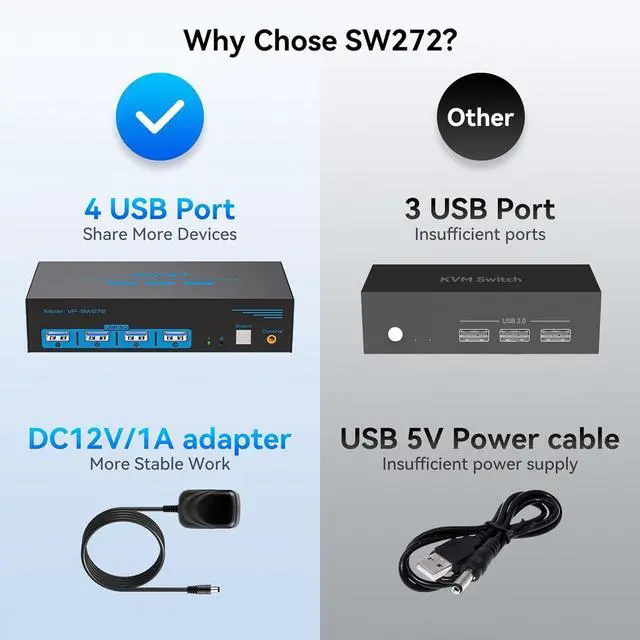
    Support 4 USB PeripheralsThis KVM switches 2 in 2 out has 4 USB 3.0 ports for sharing mouse, keyboard, USB printers, scanners, etc,. And is backwards compatible with USB 2.0 and USB 1.1 devices.
    Note: If the input USB 3.0 ports are not connected or connected incorrectly, the USB device will not be recognized. (Please note: Use with any adapter is not supported. )
    2 Ways to SwitchThe dual monitor KVM switch supports 2 switching mode:
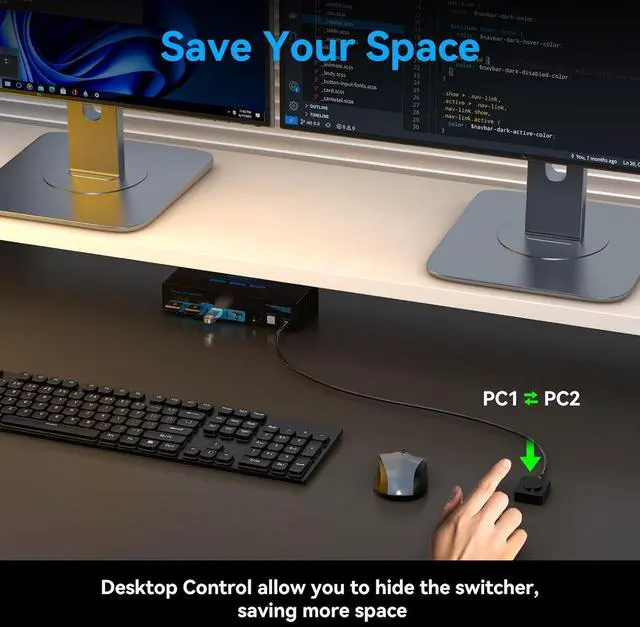
    1. Press the selection button on the switcher to switch the signal source;
    2. Use the desktop controller button to switch the signal source included in the package. The LED light shows the active device, solving the problem of frequent plugging and unplugging. It supports various systems such as Windows/Vista/XP and Mac OS, Linux and Unix.
    NOTE: Keyboard shortcuts (hotkeys) toggles are not supported
    12V DC Power Adapter Please make sure each of your PC has the ability to support dual display before purchasing. We provide 12 months after-sales service. If you encounter any problems during use, please contact us via mail. (Important: must be powered by a DC12V power supply or the item may not work)


    hero- More Convenience
    1
    Features
    2
    Up to 4K@60Hz
    3
    For More USB Devices
    4
    With Desktop Controller


    1
    Local Brand
    2
    Better Service
    3
    More Professional

    Warranty & Returns

    Warranty, Returns, And Additional Information

    Warranty

    • Please contact the Seller directly for warranty information. Warranty information may also be found on the Manufacturer's website.
    • CONTACT

    Return Policies

    Manufacturer Contact Info

    LOADING...