




 here!
here!
I’m your shopping assistant for PC builds, upgrades, and everything tech.
Got questions? Ask away!
Start a conversation
here!
I’m your shopping assistant for PC builds, upgrades, and everything tech.
Got questions? Ask away!
Start a conversation




Any questions? Ask CelesteSM will help you find out quickly.
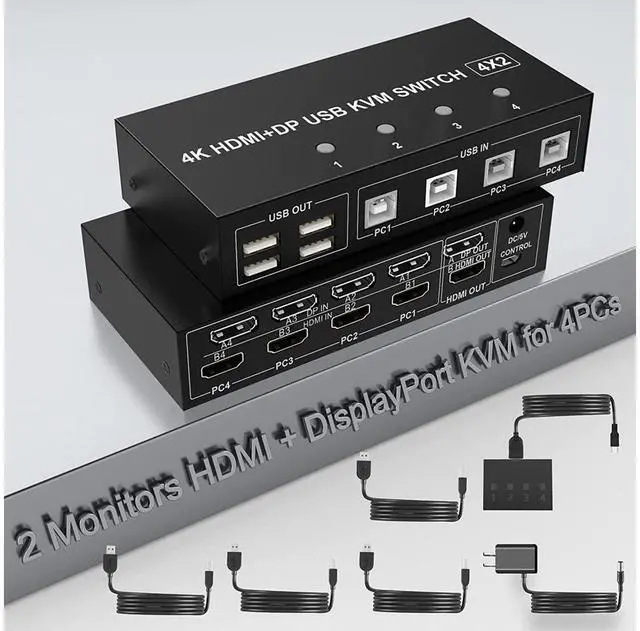
4 Port 4K@60Hz Dual Monitor HDMI & DisplayPort USB KVM Switch
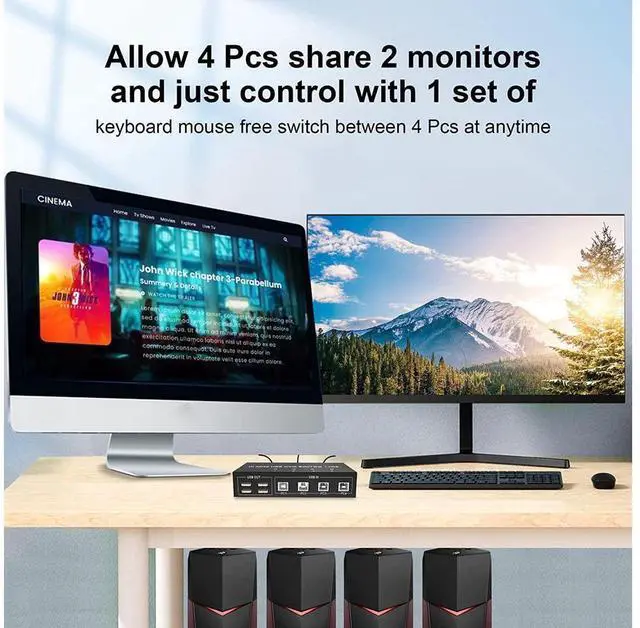
4 computers/laptops share one set of keyboard, mouse and dual monitors, and more USB 2.0 peripherals.
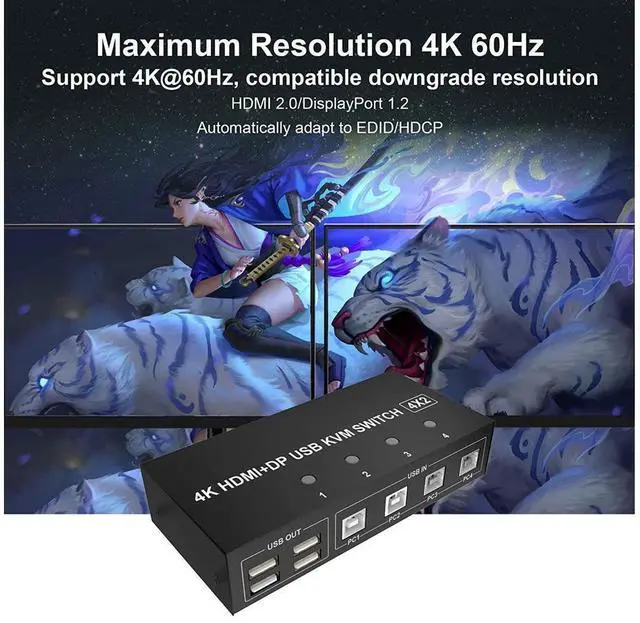
This dual monitor HDMI & DisplayPort KVM switch supports up to 4K @60Hz (HDMI 2.0, DisplayPort 1.2 ); S
upport wired or wireless keyboard and mouse. C
ompatibility with all computers and other devices with HDMI & DisplayPort ports. C
ompatible with Windows 10/7/2000/XP/Vista, Linux, UNIX, Ubuntu, Fedora, and other systems. A
dvanced switching modes: push button and wired remote.
Connection steps:
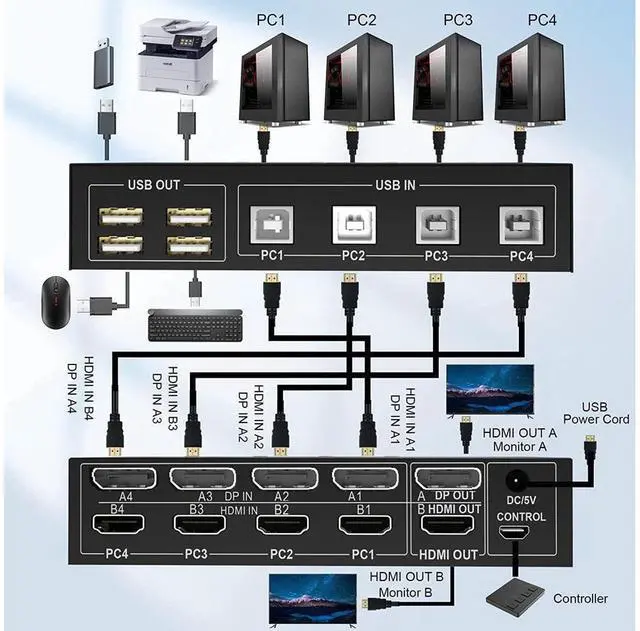
Connect the power adapter into the "DC/5V" to the Dual Monitor KVM Switch, and the KVM to ensure power supply.
Computer 1: Connect DisplayPort outputs from computer 1 to DP-A1 port; Connect HDMI outputs from computer 1 to HDMI-B1 port; Connect USB A-male to USB 3.0 port on computer 1, and USB B-male to USB IN-PC1 port on the KVM switch;
Computer 2: Connect DisplayPort outputs from computer 2 to DP-A2 port; Connect HDMI outputs from computer 2 to HDMI-B2 port; Connect USB A-male to USB 3.0 port on computer 2, and USB B-male to USB IN-PC2 port on the KVM switch;
Repeat the above for connecting Computer 3 and 4;
Connect DisplayPort monitor to A DP OUT port on the KVM switch;
Connect HDMI monitor to B HDMI OUT port on the KVM switch;
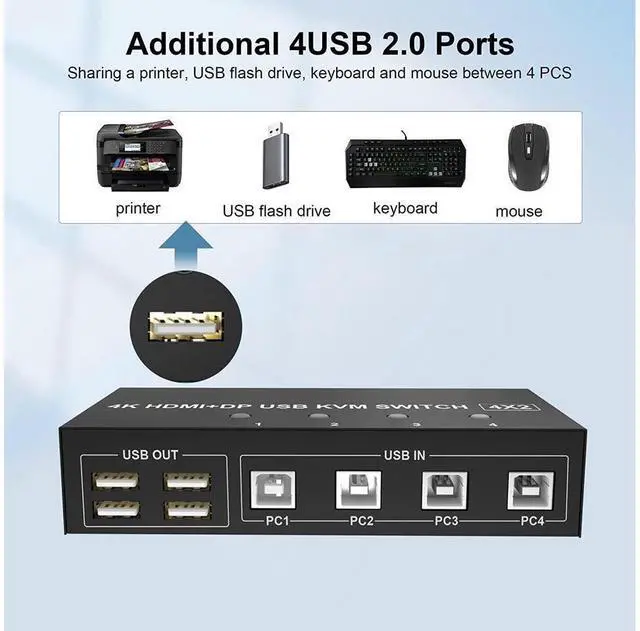
Keyboard and Mouse: Connect keyboard and mouse into USB 2.0 port;
Connect USB peripherals to USB 2.0 ports if needed.
Insert the wired remote into the "CONTROL" port to remotely switch between PC1, PC2, PC3, and PC4. Or press the switch button (1, 2, 3, 4)on the KVM to switch.
After cables being connected, power on the kvm switch first, then monitors, then computers.
Package included:
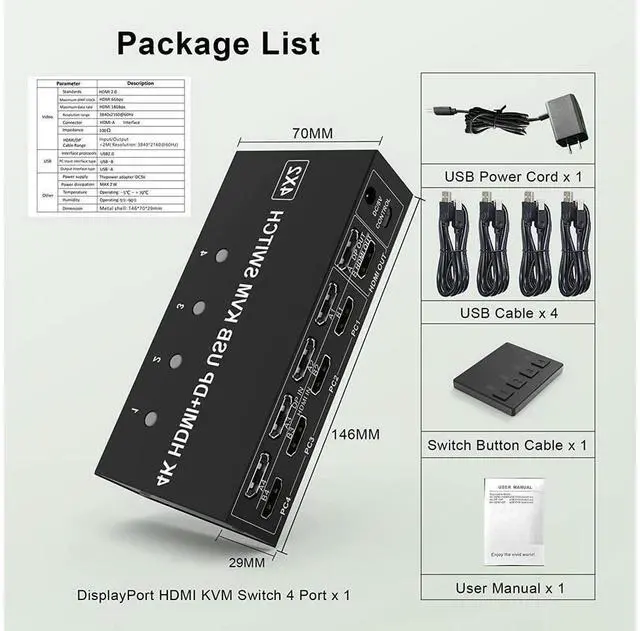
(1) 4 port USB DP+HDMI Dual Monitor KVM Switch
(2) 4x USB A-USB B Cables
(3) 1x Wire remote switch button
(4) 1x Power Adapter
(5) 1x Manual


