




 here!
here!
I’m your shopping assistant for PC builds, upgrades, and everything tech.
Got questions? Ask away!
Start a conversation
here!
I’m your shopping assistant for PC builds, upgrades, and everything tech.
Got questions? Ask away!
Start a conversation




Any questions? Ask CelesteSM will help you find out quickly.
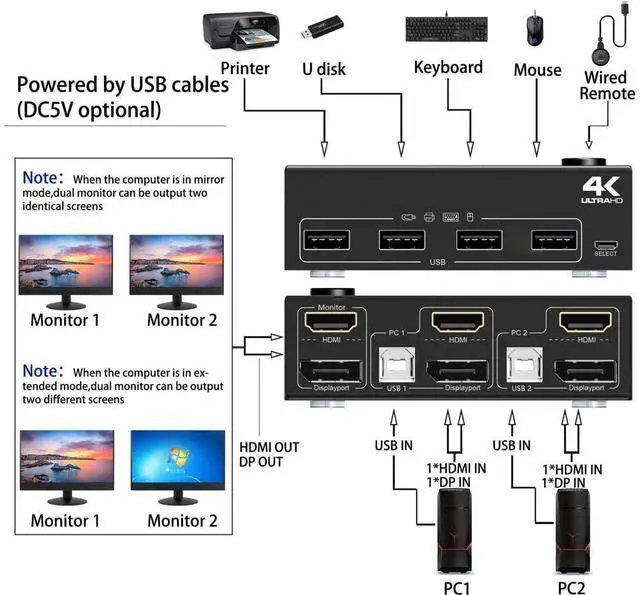
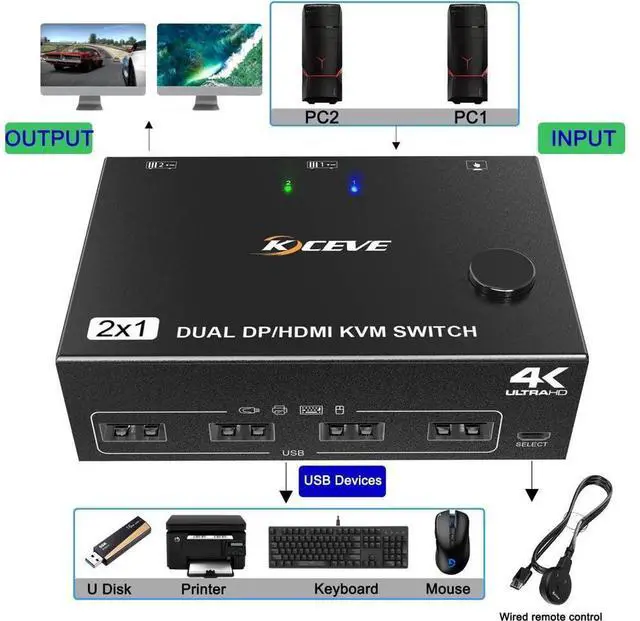
2 Port Dual Monitor KVM Switch (HDMI + displayport), each pc must make 2 video connections for dual monitors
Features:
2 computers share one set of keyboard, mouse and 2 monitors.
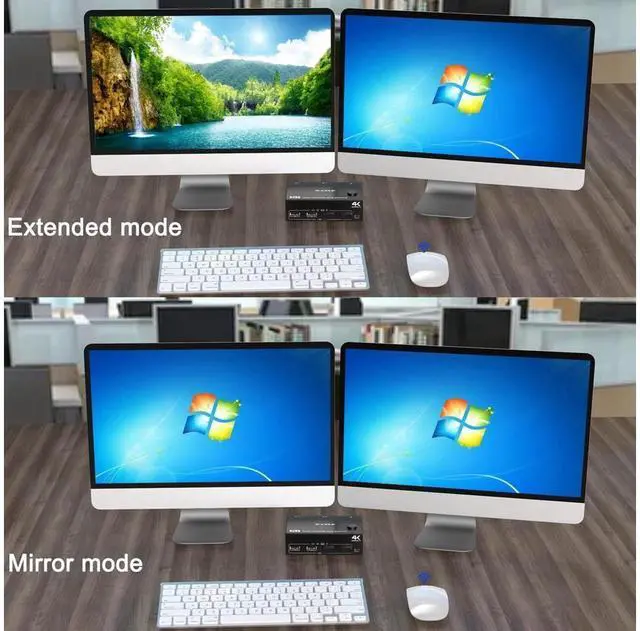
HDMI+DP dual display output, three display modes are optional (extended mode, mirror mode or splicing mode).
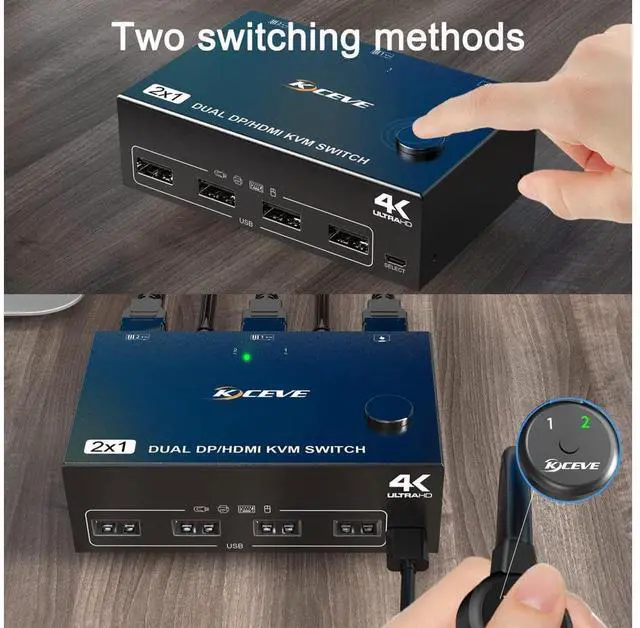
Switching modes: Button switch and wired remote.
Support wired or wireless keyboard and mouse.
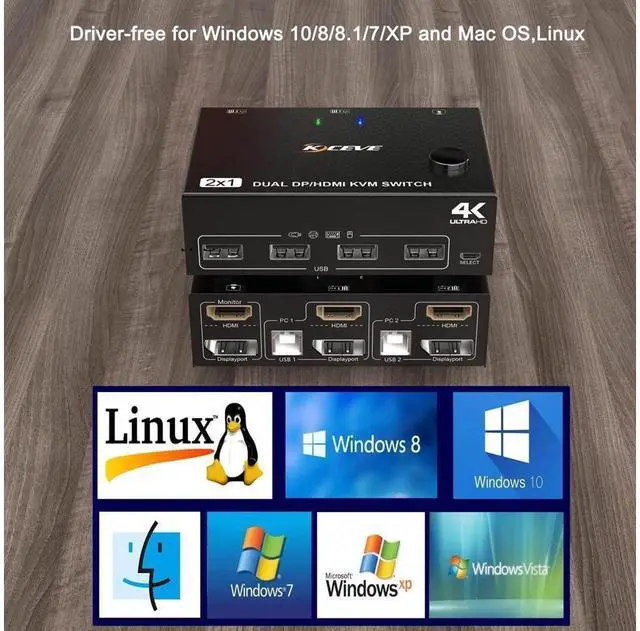
Cross support most major OS including Windows, Linux, Mac
With 4 USB 2.0 ports for USB devices, the DC 5V power supply port, it is convenient for you to use high-power USB devices (such as HDD, digital video camera, SSD, etc. ). Usually this Dual monitor KVM switch powered by USB cables, no need to connect to DC 5V power supply.
HDMI supports maximum resolution 4K@60Hz, 2K@120Hz, DP supports maximum resolution 4K@60Hz, 2K@144Hz, backward compatible.
Support DP 1.2 HDMI 2.0 standard, compatible with HDMI 1.4 standard.
A USB hub can expand the USB 2.0 ports if multiple connections are required.
Suitable for docking station, freely switch back and forth between desktop and laptop + docking station, support DVI/DP to HD-MI converter.
Connection steps:
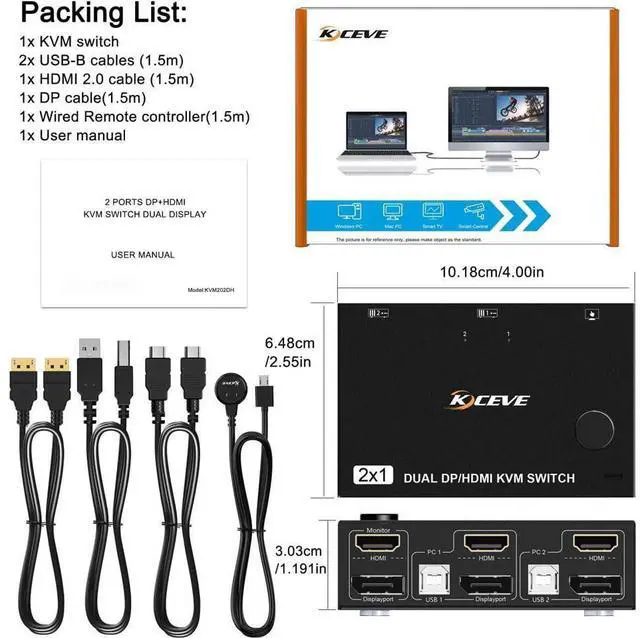
Step 1. Connect 1*HDMI+1*DP cables+1*USB-B cable between computer 1 and KVM (USB 1, HDMI, Displayport).
Step 2. Connect 1*HDMI+1*DP cables+1*USB-B cable between computer 2 and KVM (USB 2, HDMI, Displayport).
Step 3. Connect HDMI and DP cables between KVM and monitor. (Mark "Monitor" HDMI, Displayport)
Step 4. Plug your USB device (keyboard, mouse, printer, USB stick, etc. ) into the USB-A port on the KVM.
Step 5. Insert the desktop controller into the "SELECT" port to remotely switch between PC1 and PC2.
Packing List:
1x HDMI+DP KVM Switch;
2x USB-B Cables ( 1.5 m);
1x HD-MI 2.0 Cable ( 1.5 m);
1x DP Cable ( 1.5 m);
1x Wired Remote Control ( 1.5 m);
1x User Manual


