




 here!
here!
I’m your shopping assistant for PC builds, upgrades, and everything tech.
Got questions? Ask away!
Start a conversation
here!
I’m your shopping assistant for PC builds, upgrades, and everything tech.
Got questions? Ask away!
Start a conversation



Any questions? Ask CelesteSM will help you find out quickly.
Overview:
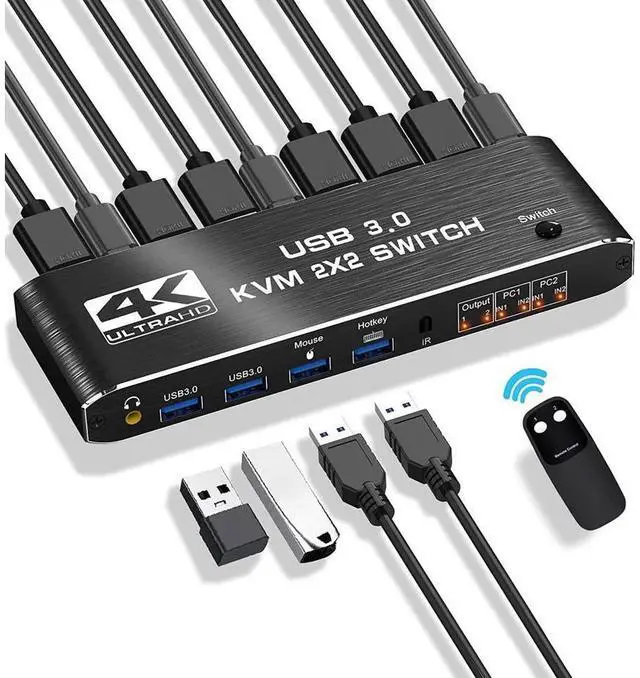
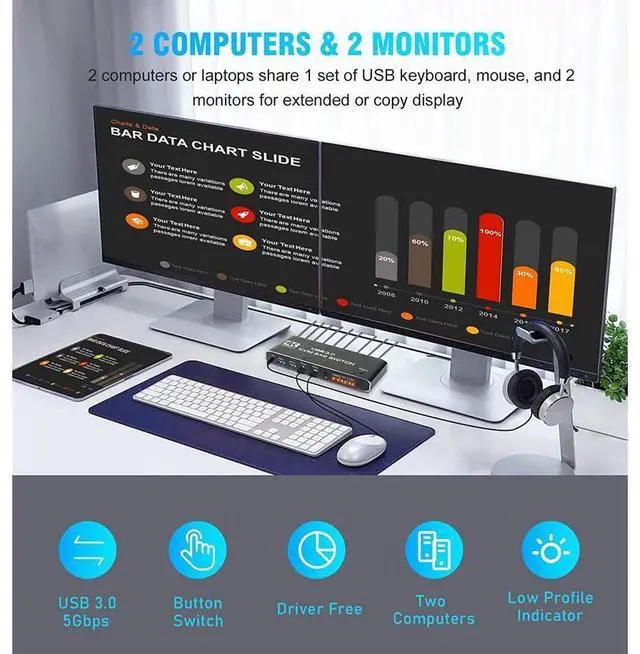
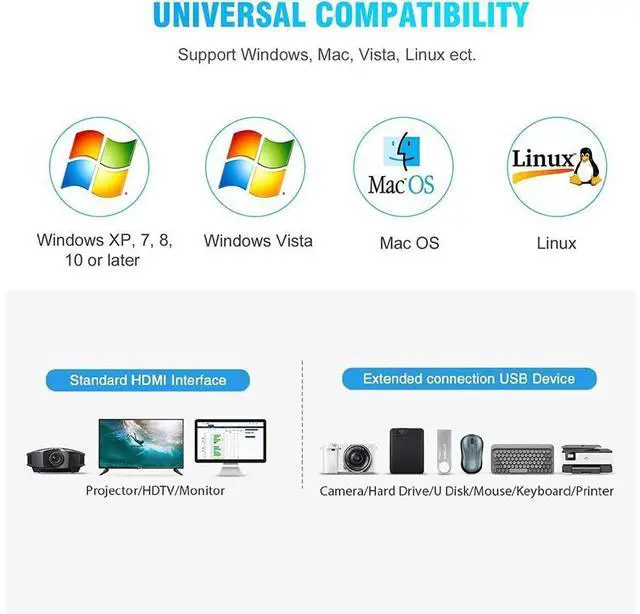
The KVM switches allow you to share 2 monitors and 4 USB peripherals between 2 computers, such as a Mouse, Keyboard, Printer, Scanner, USB stick, etc. No need to constantly swap cables or set up complicated tethering software, making your life simpler and more efficient.
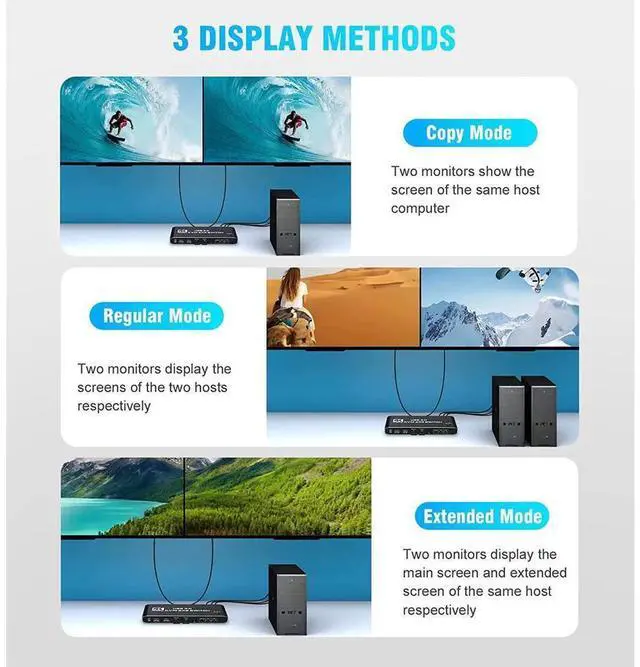
Two display modes:
Copy Mode: Two monitors show the screen of the same host computer;
Extended Mode: Two monitors display the main screen and extended screen of the same
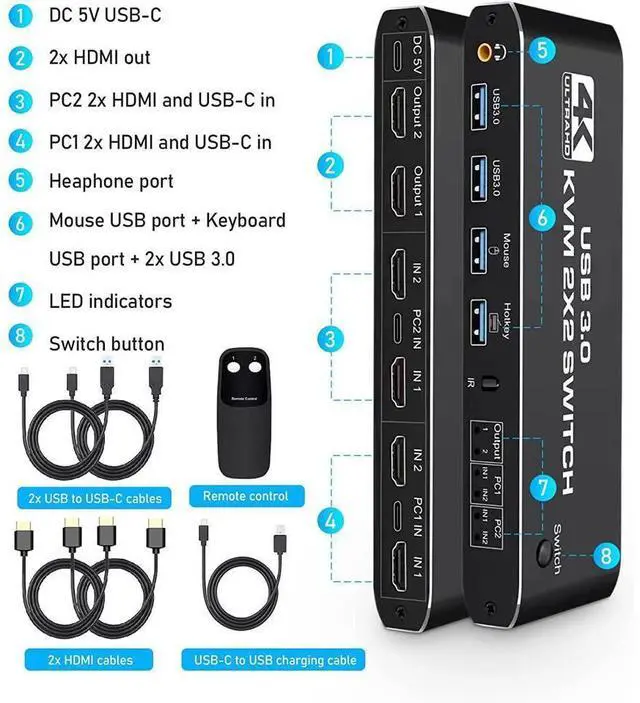
Introduction of ports:
PC1: USB C + HDMI IN 1 + HDMI IN 2
PC1: USB C + HDMI IN 1 + HDMI IN 2
Monitor: HDMI Output 1 + HDMI Output 2
Devices: 2 x USB-A 3.0, Mouse, Keyboard (Hotkey)
Audio: 3.5 mm Jack
Power: USB C 5V1A
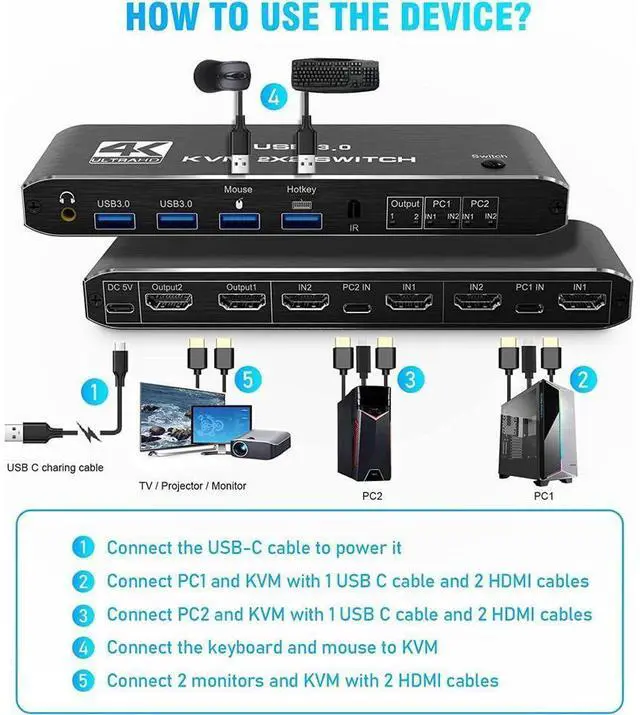
How to quickly master this KVM switch?
Connect the USB-C cable to power it;
Connect PC1 and KVM with 1 USB C cable and 2 HD MI cables;
Connect PC2 and KVM with 1 USB C cable and 2 HD MI cables;
Connect the keyboard and mouse to KVM;
Connect 2 monitors and KVM with 2 HD MI-cables.
Package included:
1 x Dual Monitor HDMI KVM
2 x HD MI-Cable
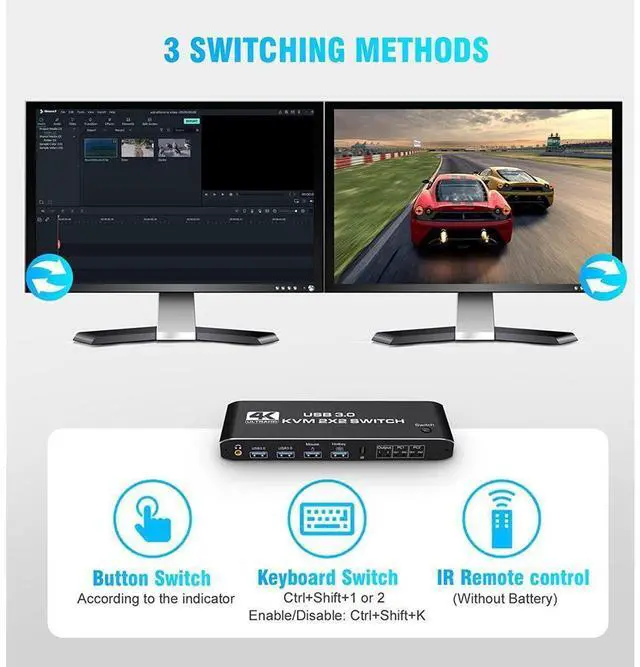
1 x IR Remote Control
2 x Type-c to USB-A Cable
1 x 5V 1A USB C Power Cable
1 x IR Remote Control
1 x User Manual


