- Free 30-day Returns
Meet Your Seller
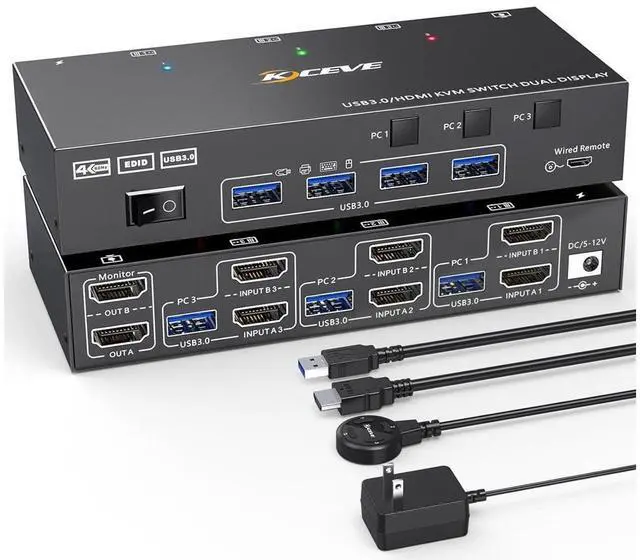
Dual Monitor KVM Switch USB 3.0 HDMI KVM Switch for 2 Monitors 3 Computers 4K@60Hz 2K@144Hz, with EDID Emulator, Dual Monitor KVM Switch with 4 USB 3.0 Ports, Wired Remote and Cables Included eokCXOY
Limited time offer, ends 07/19 By GGnix
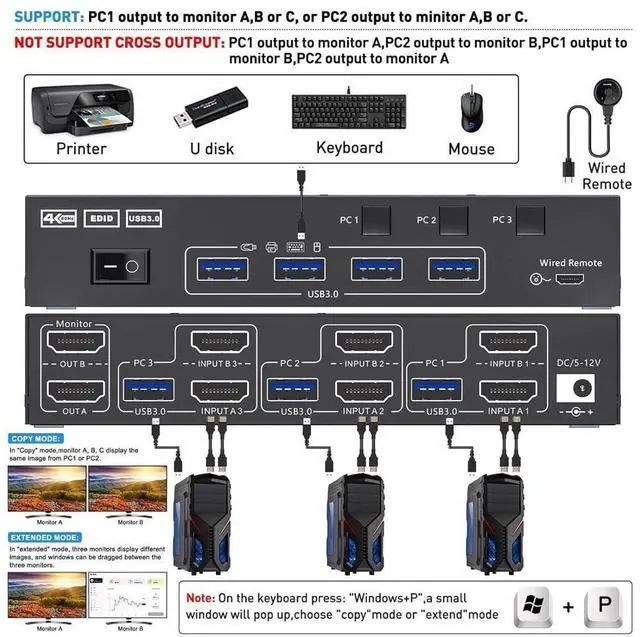
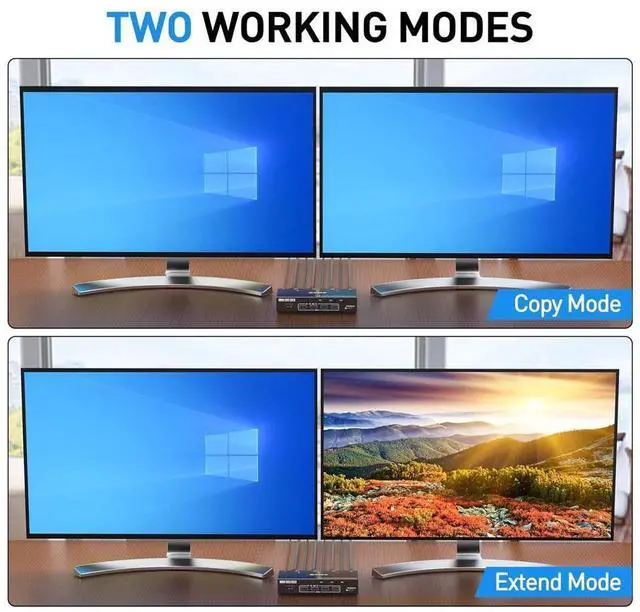
- [Dual Monitor KVM Switch 3 In 2 Out] This KVM Switch allows to control 3 computers/latops by 1 set of keyboard & mouse and 2 monitors(Extend display mode or Copy display mode) Note:Press "Window+P",a small window will pop up, in which to choose "Duplicate" Mode or "Extend" Mode.
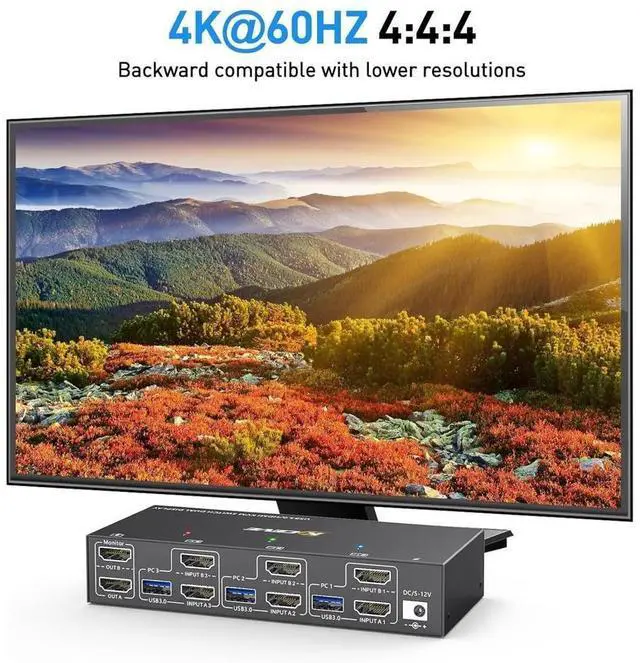
- [Ultra HD 4K@60Hz] Support resolution 4K@60Hz/[email protected] computers 2 monitors switch aslo support input terminal to connect 2 computers with different resolutions, e.g. one is 4K@60Hz, the other is 4K@30Hz, 1440P@60Hz, 3D,1080P@60Hz or lower resolution.
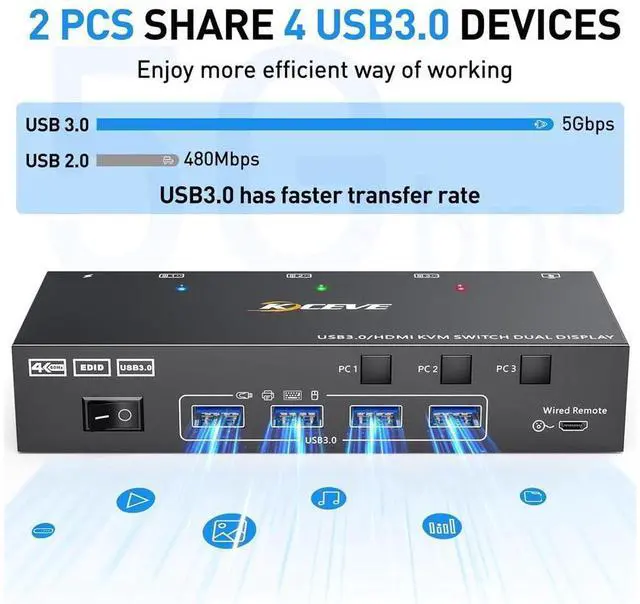
- [with 4 USB 3.0 Ports] with 4 USB 3.0 ports which can recognize keyboard,mouse,printerand other USB devices. USB 3.0 offers data transfer speeds of up to 5Gbps, while USB2.0 offers data transfer speeds of only 480Mbps.
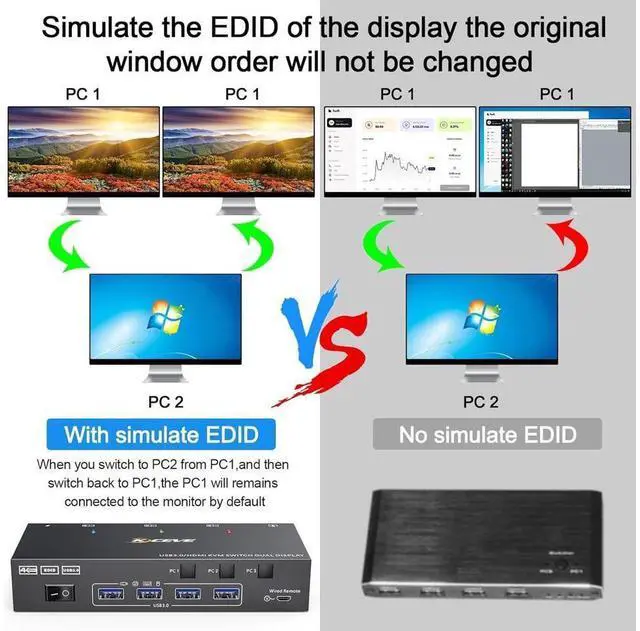
- [EDID Emulator] USB3.0 HDMI KVM switch can simulate the EDID of the monitor, store the resolution and refresh rate of the display.
- [2 Switching Mode] with 2 swtich methdos that are pressing the button on the panel and the wired controller.
Any questions? Our AI beta will help you find out quickly.
Dual Monitor KVM Switch 3 In 2 Out for 3 Computer and 2 Monitors
This Dual Monitor KVM HDMI Switch allows to control 3 computers/latops by 1 set of keyboard & mouse and 2 monitors (Extend display mode or Duplicate display mode)
Note: Press "Window+P", a small window will pop up, in which to choose "Duplicate" Mode or "Extend" Mode.
Dual Monitors KVM for 3 Computer with EDID Emulator
USB 3.0 HDMI KVM switch can simulate the EDID of the monitor, store the resolution and refresh rate of the display.
How EDID works?
1, Lock screen, when you switch from PC1 to PC2, and then switch back to PC1 from PC2, the windows of PC1 will keep the order before switching and will not be disrupted.
2, Automatically identifies and applies the best resolution to the monitor.
Warranty & Returns
Warranty, Returns, And Additional Information
Warranty
- Please contact the Seller directly for warranty information. Warranty information may also be found on the Manufacturer's website.
- CONTACT
Return Policies
- Return for refund within: 30 days
- Return for replacement within: 30 days
- This item is covered by GGnix Return Policy
Manufacturer Contact Info
- For a directory of all our manufacturers, please click below.
- Manufacturers Directory