




 here!
here!
I’m your shopping assistant for PC builds, upgrades, and everything tech.
Got questions? Ask away!
Start a conversation
here!
I’m your shopping assistant for PC builds, upgrades, and everything tech.
Got questions? Ask away!
Start a conversation



Any questions? Ask CelesteSM will help you find out quickly.
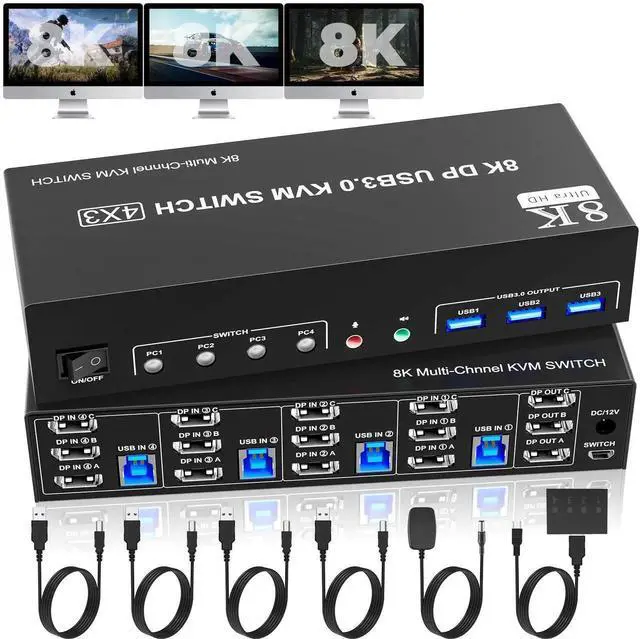
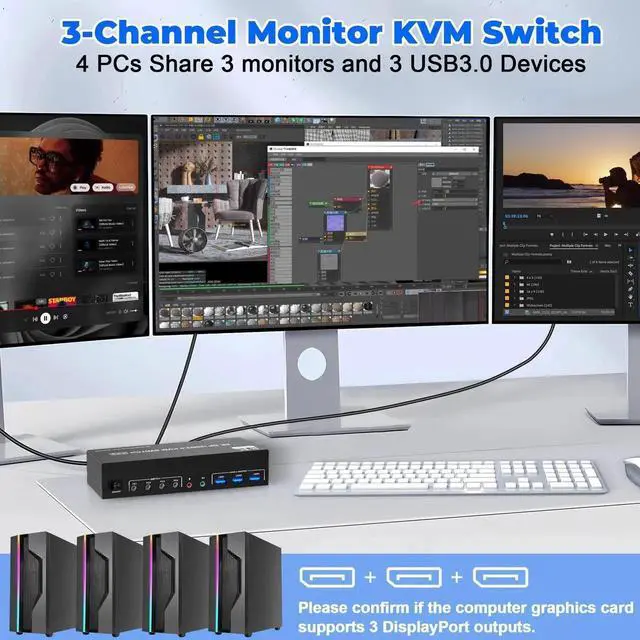
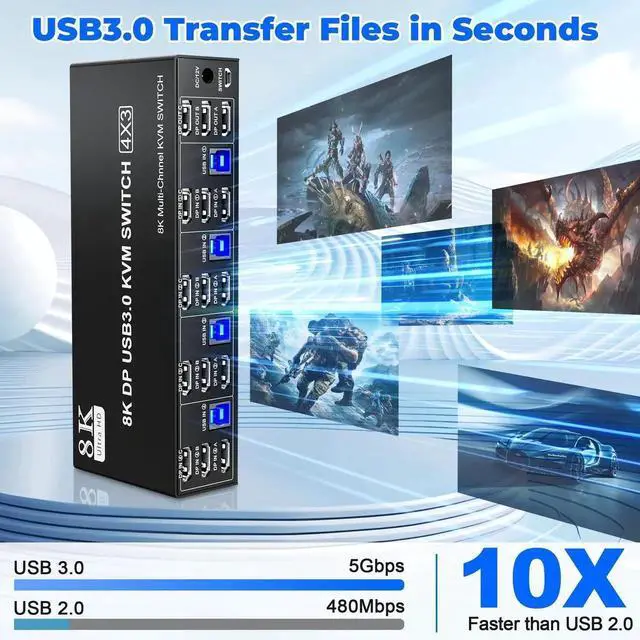
1. 8K Triple Monitor KVM Switch 4-Port allows 4 computers/laptops share one set of keyboard, mouse, and 3 monitors
2. This 3 monitor KVM switch 4 ports does not mean that it can only be connected to 4 computers. You may only have 2 computers now, but you may need to use 3 or 4 computers in the future, then you can choose this switch. Please make sure each of your PC has the ability to support triple display before purchasing.
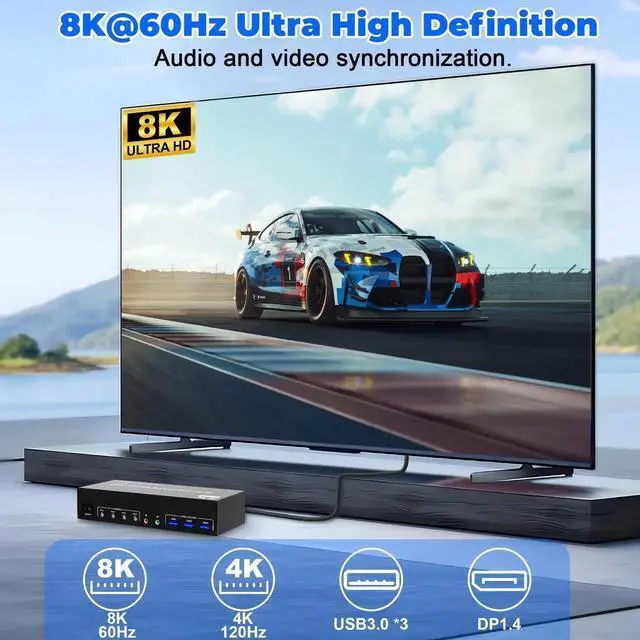
3. Support DP 1.4 standard, backwards compatible with DP 1.2 standard. 3 monitors output support up to 8K@60Hz for extended,mirrored or spliced displayDepends on your computer's graphics card.;
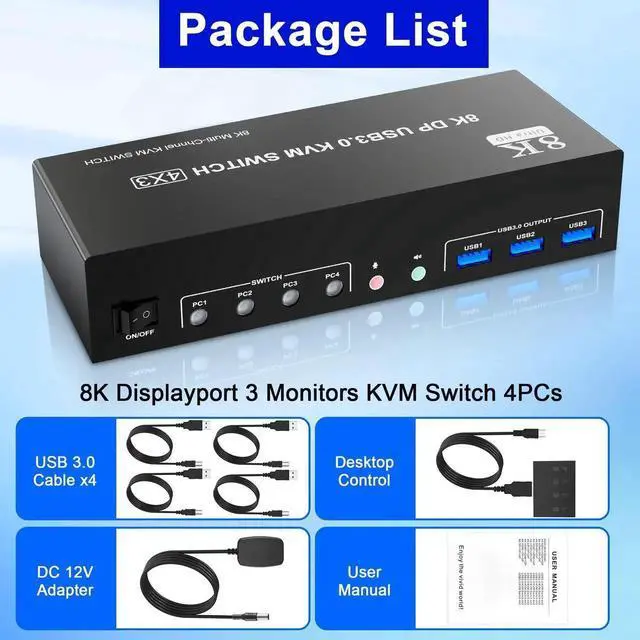
4. 2 Switching modes: Button switch and wired remote.
5. KVM switch with 3 USB 3.0 ports for USB devices, and with extra Audio Microphone output
6. Plug and play, compatible with Windows, Linux, Mac, Unix, Ubuntu, Raspberry and most other major OS
7. The ports that need to plug in ayPort/USB cables are all hidden behind the triple monitor KVM switch, so the desktop doesn't get cluttered, you can enjoy the clean work space.
Installation Guide Tips (incorrect connection will cause malfunction):
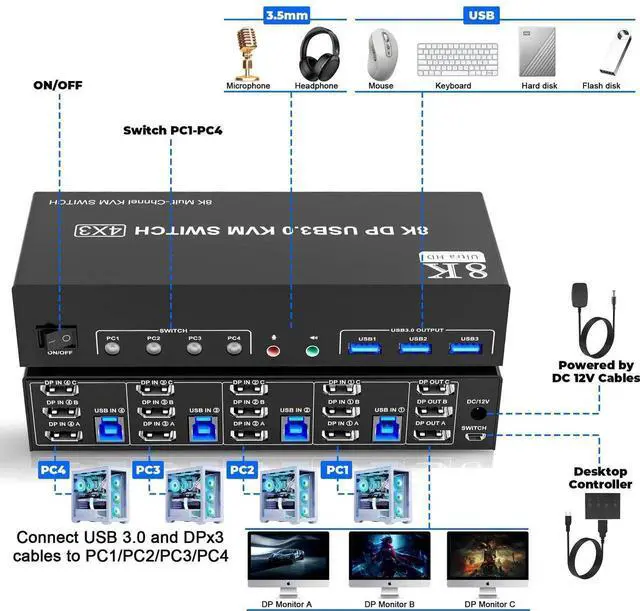
1. Insert the DC/12V adapter into the KVM ;
2. Plug the 3*DisplayPort cable into the KVM switch and monitor;(Output)
3. Plug the 3*DisplayPort cable and 1*USB cable into the KVM switch and your computer/laptop (DP cables are not included)(Input)
DP IN 1A + DP IN 1B + DP IN 1C + USB IN 1=PC1
DP IN 2A + DP IN 2B + DP IN 2C + USB IN 2=PC2
DP IN 3A + DP IN 3B + DP IN 3C + USB IN 3=PC3
DP IN 4A + DP IN 4B + DP IN 4C + USB IN 4=PC4
Please check whether DP IN 1A, DP IN 1B, DP IN 1C, and USB IN 1 corresponding, and whether DP IN 2A,DP IN 2B, DP IN 2C and USB IN 2 are corresponding. Mixed insertion is not supported. The same goes for PC3 and PC4.
4. Insert the mouse and keyboard into the KVM switch
5. If needed, you can connect a microphone and audio port
Note
1. Most of the reasons why only one video output works is because of incorrect connection. Please make sure each PC has(3 DP+ 1 USB cable) connect to the KVM.
2. If the input USB3.0 ports are not connected or connected incorrectly, the output USB device will not be recognized.
3. Note: DP cables are not included
Ultra HD 8K@60Hz Triple Monitor KVM Switch
Confirms to HDMI 2.1 & DP 1.4 protocol, supports a maximum resolution of 8K@60Hz 4K@144Hz, and is compatible downwards.
Only when both your computer Graphics card, monitor and cable support 8K@60Hz then you can get 8K@60Hz effect, so if you want the max resolution you have to check your devices first.
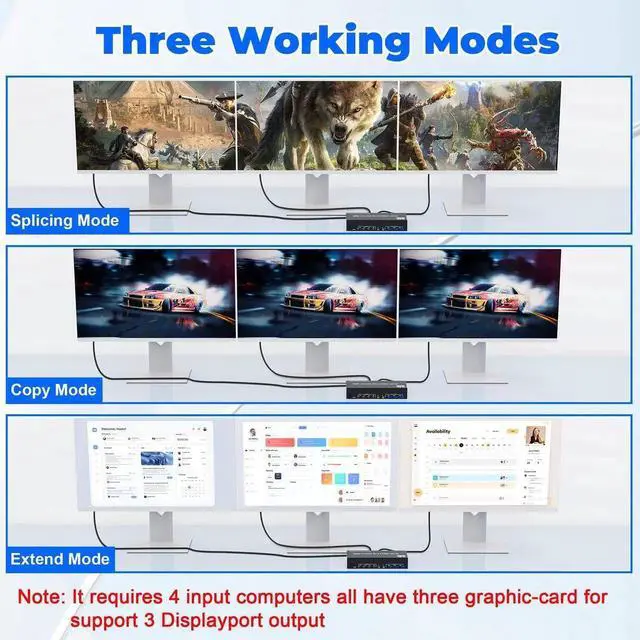
3 Display Modes
Extended Display
Mirrored Display
Spliced Display
1)Extended mode can output 3 different screens and mirror mode can output 3 identical screens. NoteIf your graphics card has a splicing screen function, you can use the splicing screen mode.
2) The requirement f


