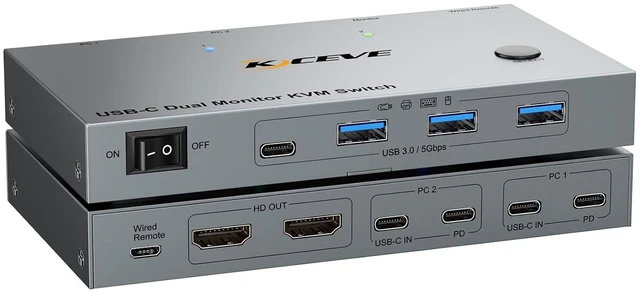
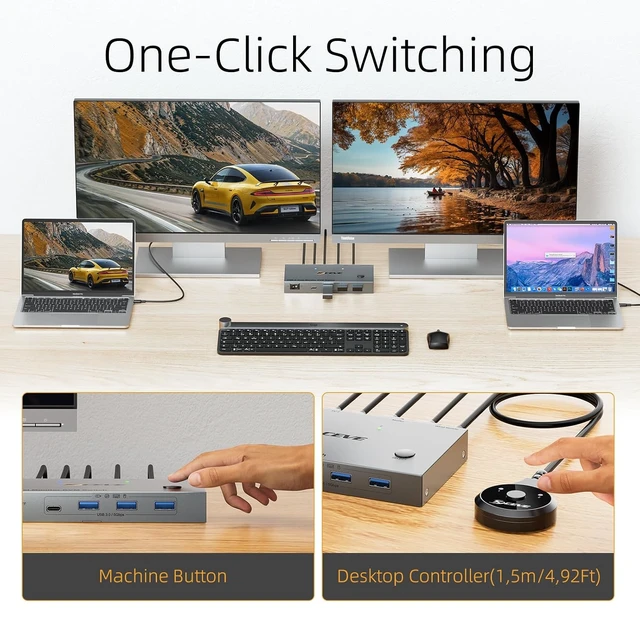
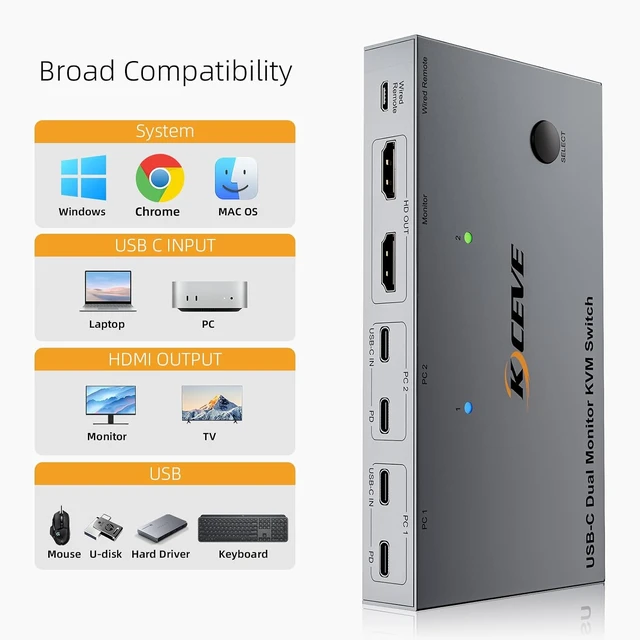
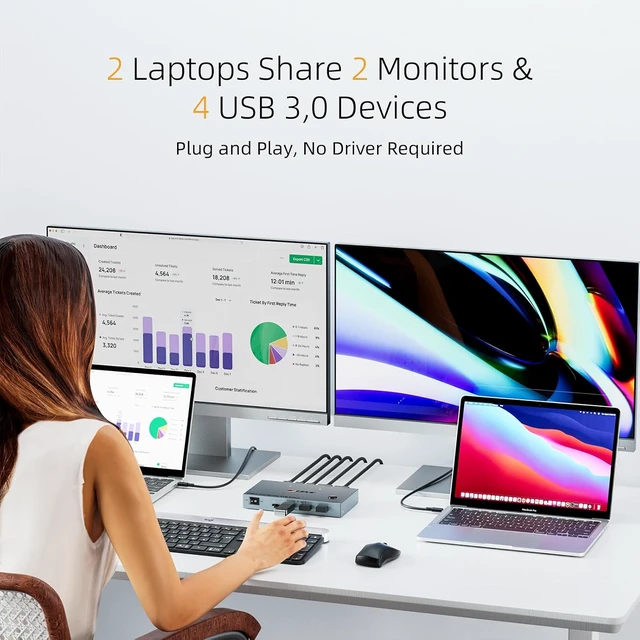
2 Laptops 2 Monitors USB-C Docking KVM SwitchStop juggling cables and swapping peripherals between laptops. The 2 port USB-C dual monitor docking KVM switch expands your USB-C laptop with 2 external HDMI monitors, 4 high-speed USB 3.0 ports (5Gbps), and one-click switching between 2 laptops. Share your monitors, keyboard, mouse, and drives across both computers effortlesslyall while keeping your desk clean and your workflow uninterrupted
Stunning Dual 4K@60Hz Visuals Immerse yourself in crystal-clear clarity on two external monitors simultaneously. Whether you're editing videos, designing graphics, or enjoying multimedia, this dual monitor KVM switch USB-C docking delivers lifelike detail with smooth 60Hz refresh rate. For optimal performance, we recommend using standard USB-C 3.1 Gen2 cables (under 1M) and HDMI 2.0 cables (under 1.5M) to ensure flawless 4K transmission
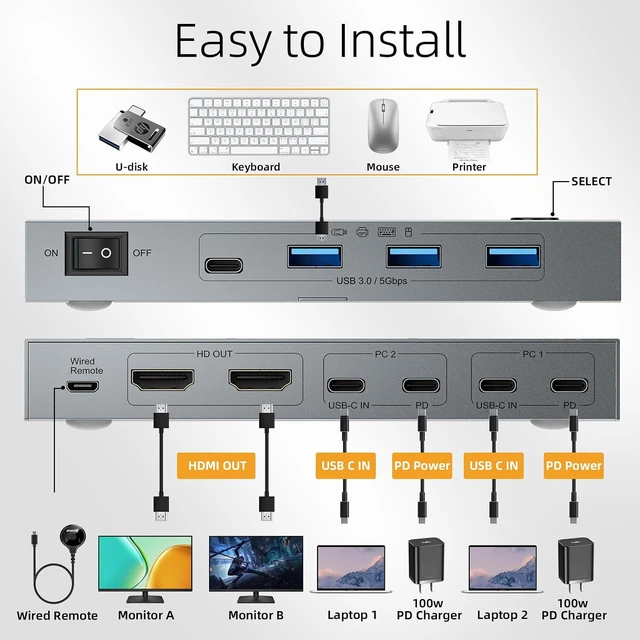
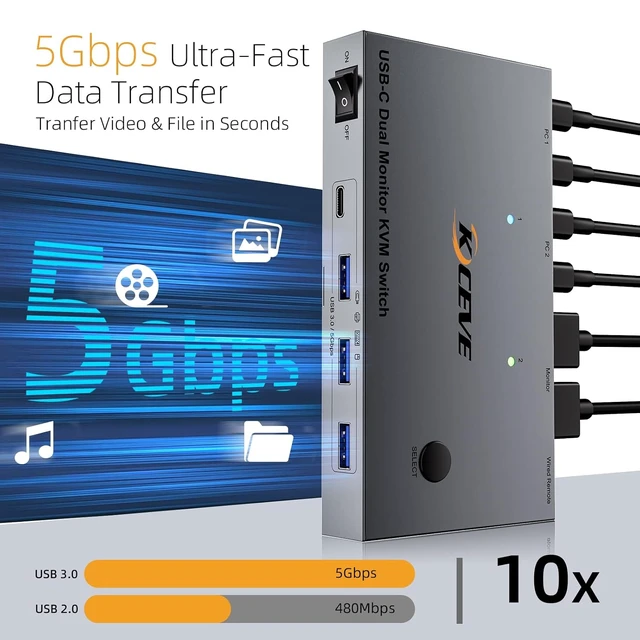
Connect Everything at Once At 5Gbps SpeedsNo more swapping cables between devices. This 2 laptops 2 monitors USB-C KVM switch gives you 4 USB 3.0 ports (3 USB-A + 1 USB-C), so you can keep all your peripherals like keyboard mouse, printer, USB camera plugged in and ready to go. 5Gbps transfer rates handle large video files and photo libraries in secondsoutperforming old-school USB 2.0 in both speed and stability
Reclaim Laptop's USB-C Ports with Dual 100W PDTwo 100W PD ports mean you can charge both connected laptops through the USB-C docking KVM switch, freeing up your device's limited ports for o
+
+
Overview
Specs
Reviews
Any questions? Ask CelesteSM will help you find out quickly.
Try me now
2 Laptops 2 Monitors USB-C Docking KVM SwitchStop juggling cables and swapping peripherals between laptops. The 2 port USB-C dual monitor docking KVM switch expands your USB-C laptop with 2 external HDMI monitors, 4 high-speed USB 3.0 ports (5Gbps), and one-click switching between 2 laptops. Share your monitors, keyboard, mouse, and drives across both computers effortlesslyall while keeping your desk clean and your workflow uninterrupted
Stunning Dual 4K@60Hz Visuals Immerse yourself in crystal-clear clarity on two external monitors simultaneously. Whether you're editing videos, designing graphics, or enjoying multimedia, this dual monitor KVM switch USB-C docking delivers lifelike detail with smooth 60Hz refresh rate. For optimal performance, we recommend using standard USB-C 3.1 Gen2 cables (under 1M) and HDMI 2.0 cables (under 1.5M) to ensure flawless 4K transmission
Connect Everything at Once At 5Gbps SpeedsNo more swapping cables between devices. This 2 laptops 2 monitors USB-C KVM switch gives you 4 USB 3.0 ports (3 USB-A + 1 USB-C), so you can keep all your peripherals like keyboard mouse, printer, USB camera plugged in and ready to go. 5Gbps transfer rates handle large video files and photo libraries in secondsoutperforming old-school USB 2.0 in both speed and stability
Reclaim Laptop's USB-C Ports with Dual 100W PDTwo 100W PD ports mean you can charge both connected laptops through the USB-C docking KVM switch, freeing up your device's limited ports for other uses. Just plug the existing 100W adapter (not included) into the PD input, it will supply stable charging while you work across two screens : 100W actually powers the laptop at 73~80W, because both device and lines will consume power
Universal Compatibility & 2-Way Switching Whether you're on Windows, Mac OS, Linux, or Chrome OS, this 2-port USB-C dual monitor KVM switch works seamlessly with your devices right out of the box. Switch between two laptops anytime through the physical button or the convenient wired remote, so you can place the switch wherever feels most natural on your desk. Bright LED indicators let you know at a glance which computer is active, making multi-device control effortless
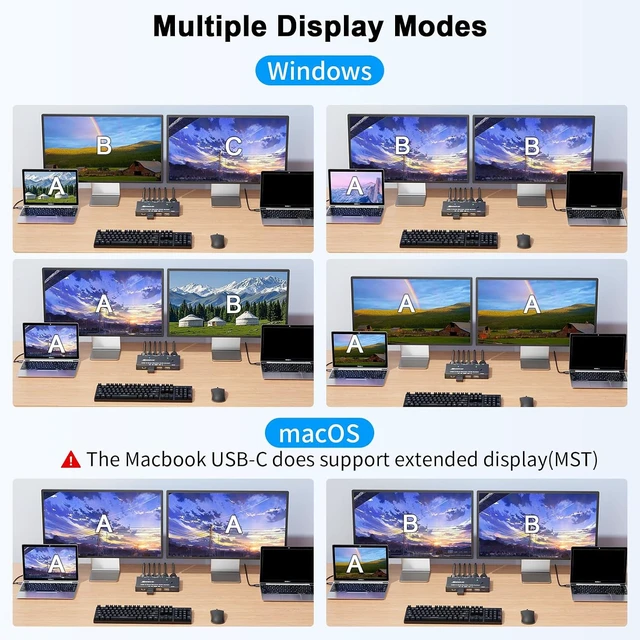
Warm Tips () To get 2 screens output from laptops and make USB peripheral devices work properly, please ensure the USB-C port of the laptop supports DP Alt function(Video&Data&PD Transfer); () To get the 2 computers 2 monitors USB C kvm switch work properly, the computer system must be 11th or above;()Extend mode is Not supported on Mac OS, because MAC M1/M2 doesnt support MST (multi-stream transport)
Learn more about the Detailed Specifications
Additional Information
First Listed on Newegg
November 17, 2026
There are no reviews yet.
Do you own this product?
Warranty & Returns
Warranty, Returns, And Additional Information
Warranty
Please contact the Seller directly for warranty information. Warranty information may also be found on the Manufacturer's website.