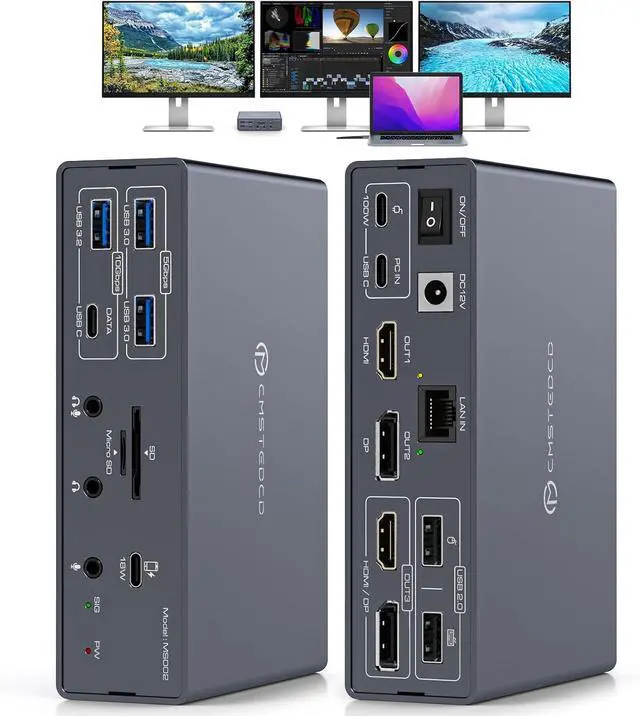
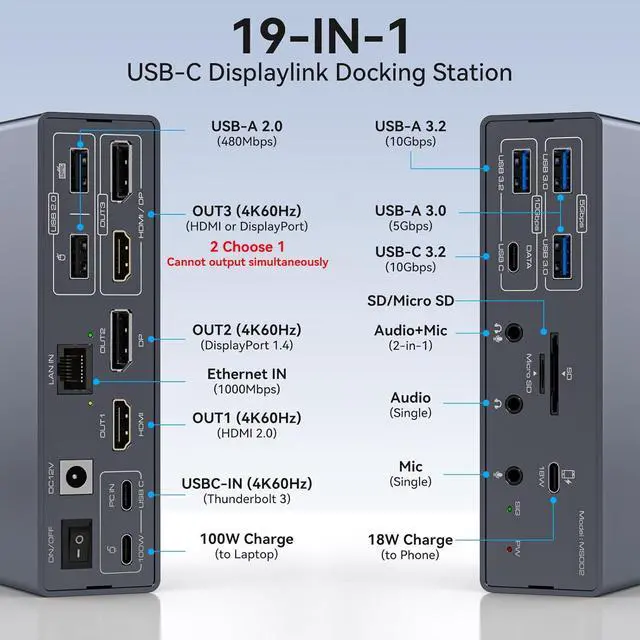
Displaylink Docking Station 3 MonitorsThe Displaylink Docking Station is used to expand your laptop to triple monitors, you only need to connect one USBC cable to the docking station to realize the expansion of 19 ports for your laptop. Say goodbye to the complexity of connecting multiple different peripherals to your laptop. One docking station can be used to expand your laptop with three displays, multiple USB ports, LAN ports, audio+mic ports, SD/Micro SD Card Slot etc.
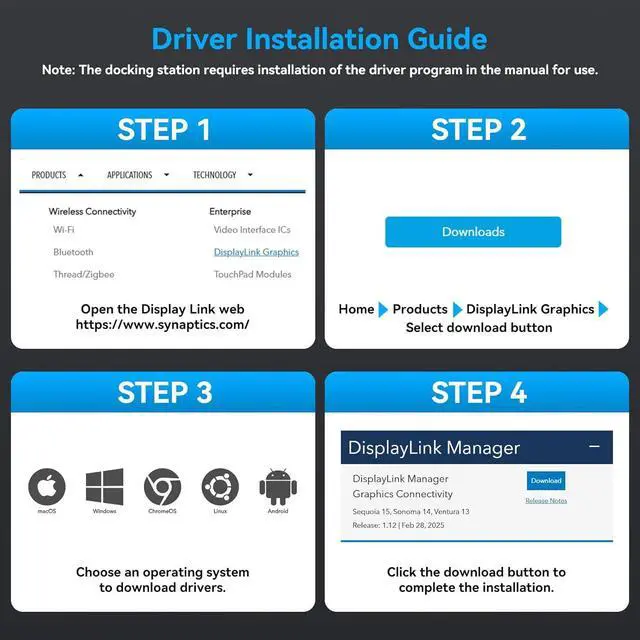
Note: The Displaylink driver must be installed when using the USBC docking station, otherwise OUT2 and OUT3 will not output images properly
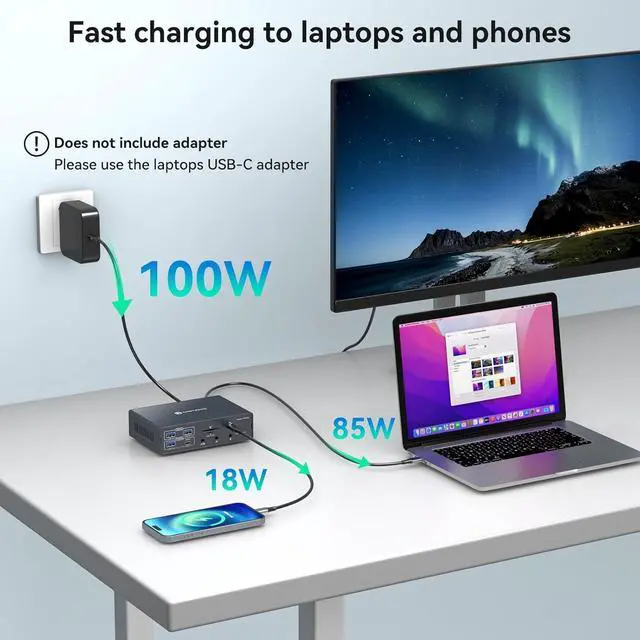
Important Note 1. Make sure your laptop comes with Thunderbolt 3 and above ports, other USB C ports will not work. 2. The power adapter of the docking station does not charge the laptop, If you are charging a laptop, please use a laptop charger to connect the device. 3. The included USBC cable must be used to connect the laptop and the docking station
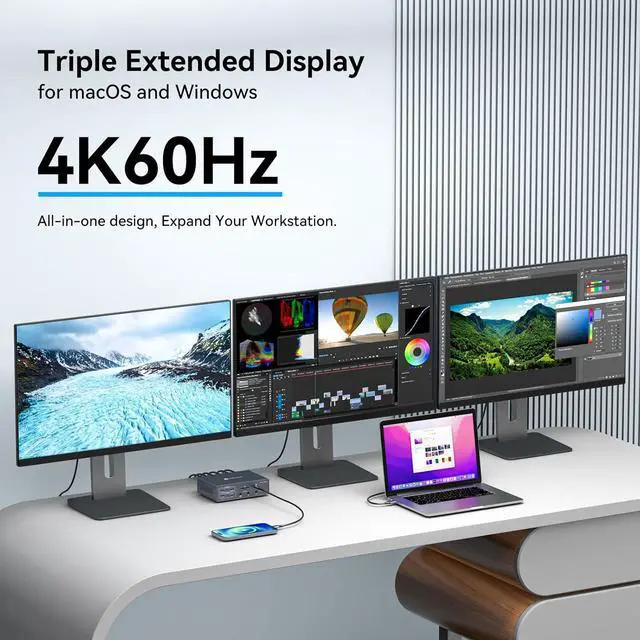
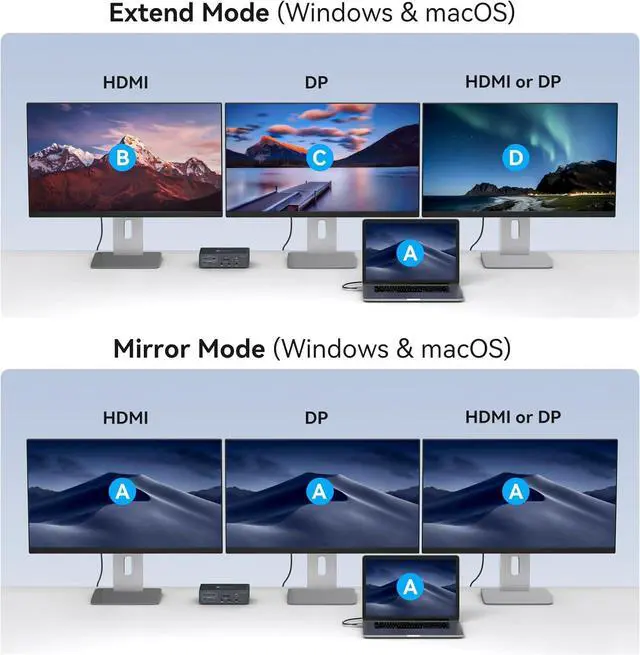
Support Ultra HD 4K@60hz VisualsThe Triple Monitor Docking Station supports resolutions up to 3840*2160@60Hz (4K@60hz). It breaks through Mac OS limitations, enabling three displays to operate in extended mode on both Windows and Mac OS systems, with each screen supporting up to 4K@60Hz resolution. The dock features one HDMI port, one DP port, and and HDMI or DP port (HDMI priority display when connected simultaneously)
Wide compatibility and 100W Charging The USBC power supply of the laptop can be connected to the PD100W (PD charger) port of this device, which can power the laptop during use and avoid the laptop being directly connected to multiple cables. The docking station is equipped with a USB C-type port for fast charging of mobile phones, with a maximum power of 18W. Please note that it does not support any data transmission
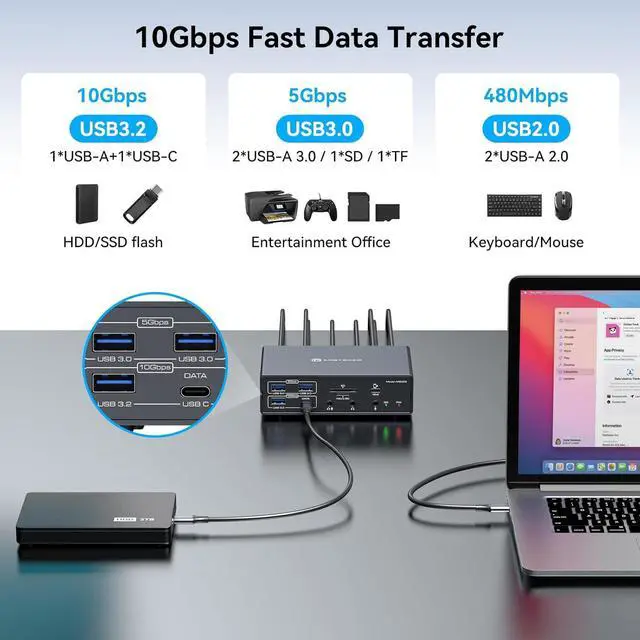
Displaylink Docking Station with Multiple USB PortsThe type c dock has 2*USB 2.0, 2*USB 3.0, USB 3.2, USB C 3.2, Six USB ports offer 480mbps, 5Gbps, 10Gbps transmission speeds. Suitable for connect keyboard, mouse, Printer, Flash Disk and so on. It is equipped with SD/Micro SD Card Slot, 1000Mbps network port and 3.5 mm Audio+Mic 2-in-1 port and 3.5 mm Audio, 3.5 mm Mic provide you with two kinds of audio/mic output methods
Package Contents & After-sales serviceThe package includes one laptop docking stations, one high quality USB C to USB C cable, one 12V/3A charger. If the device is abnormal within the 12-month usage period, we also provide return and exchange services. If you have any questions, please feel free to contact us at any time. We will give the most professional answers and give you a satisfactory shopping experience