Your Browsing History
- Free 30-day Returns
$113.62
Meet Your Seller
Plugable Dual HDMI Monitor Adapter for M1-M5 & Neo macOS, Windows, ChromeOS - USB-C, Thunderbolt, USB 3.0 Compatible, Supports 2 Displays at 1080p 60Hz, SMI Driver Required
Limited time offer, ends 07/25 By Dazan Technology
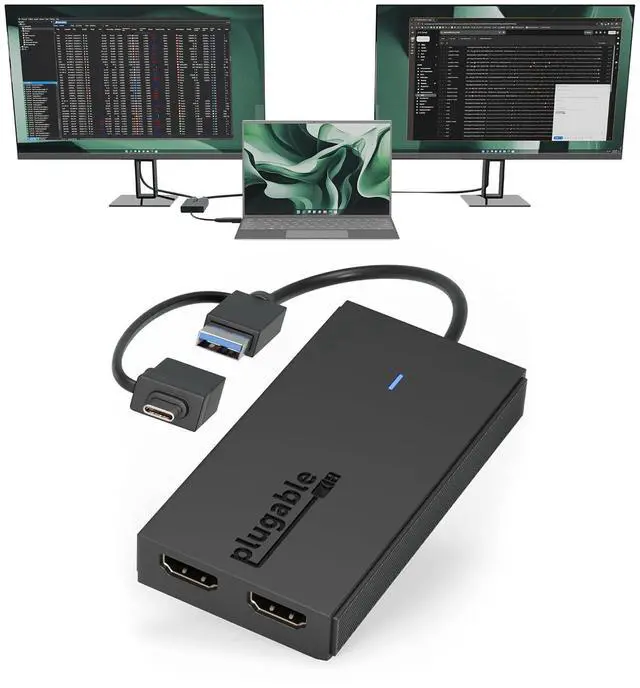
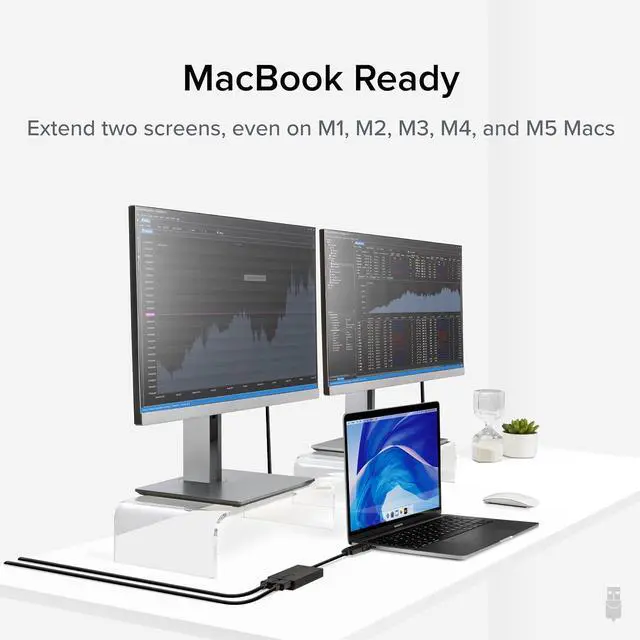
- Product description Software Download Required: macOS users must install the InstantView driver before use. Uses Silicon Motion technology and is not compatible with DisplayLink software. Dual Displays Made Easy Expand Your Setup Maximum Display Setup Extend Your Display the Fast and Simple Way Expanding your computer's screen real estate shouldn't be limited by the number of video ports, as is often the case with base M1/M2/M3/Neo Macs that support only one external display via USB-C. The Plugable Universal Graphics Adapter provides a practical solution, adding two HDMI ports to your computer through a single USB connection. The Plugable UGA-HDMI-2S offers an affordable alternative to a docking station for creating a dual-monitor setup. Windows and ChromeOS users can expand even further by integrating the adapter with an existing docking station, expanding their setup to support up to eight 1920x1080 (HD) displays with multiple adapters (two 1080p displays per adapter, up to 4 on macOS). It also enables users to customize a triple or quad display setup by combining it with a single USB-C dock, enhancing productivity and efficiency. Whether youre adding additional displays to the dock you already have or just need a straightforward way to expand your screen real estate, the HDMI Dual Monitor Adapter for 2 monitors provides a seamless and efficient solution.
+
+
Overview
Specs
Reviews
Any questions? Our AI beta will help you find out quickly.
Try me now
Built for
Productivity: Add two HDMI displays through one USB-C or USB 3.0 connection for spreadsheets, web browsing, Google Docs, Slack, email, and everyday office work. Does not support playback of HDCP-protected content from Netflix, Hulu, Disney+, Amazon Prime Video, and similar streaming services.; USB-C, USB 3.0, and
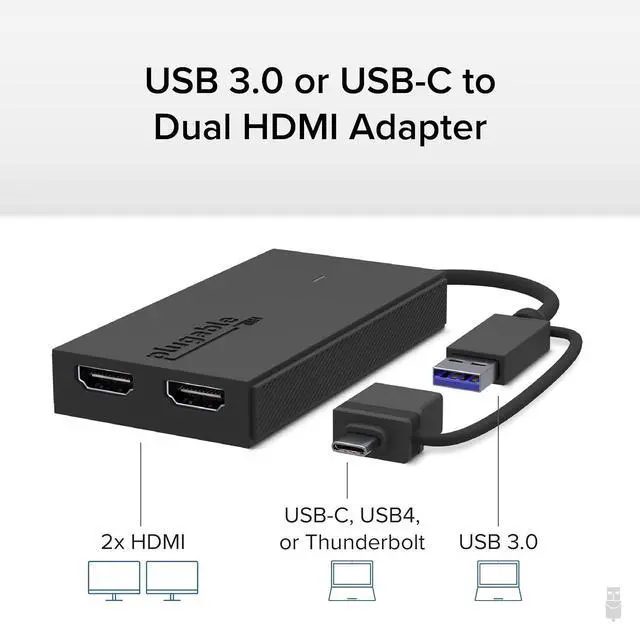
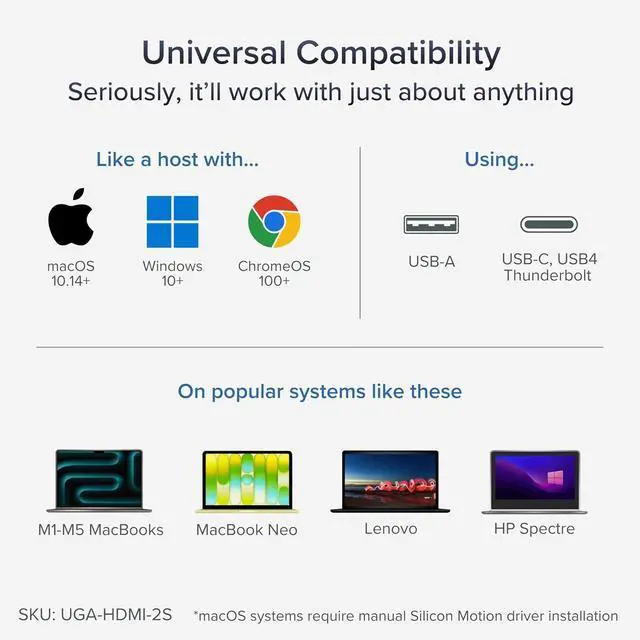
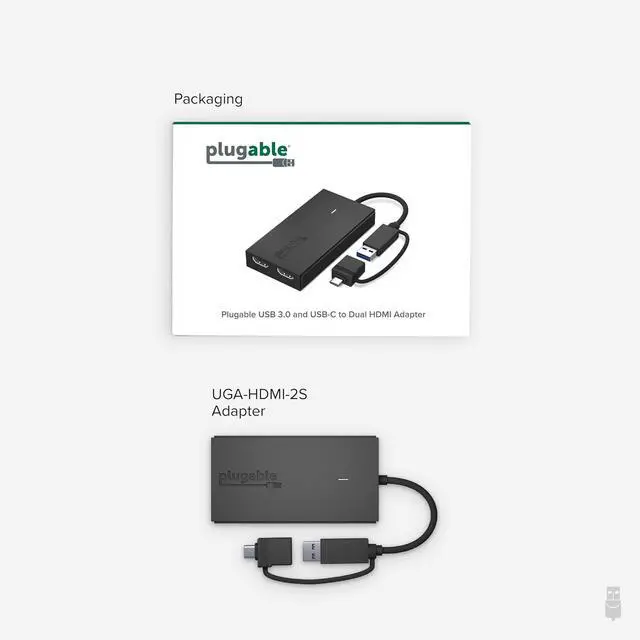
Thunderbolt Compatible: Featuring a hybrid 2-in-1 cable, this dongle connects to USB 3.0, USB-C, USB4, Thunderbolt 3, Thunderbolt 4, and Thunderbolt 5 ports on compatible laptops, desktops, and docks. Designed for Windows 10/11, macOS 10.14 or later including M1/M2/M3/M4/M5/Neo systems, and ChromeOS 100+.; Silicon Motion
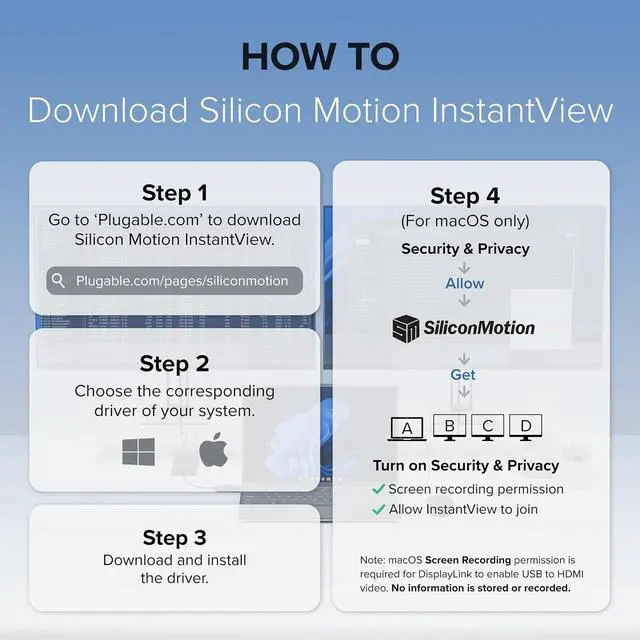
Technology Required: Uses Silicon Motion graphics technology, so driver installation is required. On Windows, drivers typically install through Windows Update. On macOS, the InstantView driver must be installed manually. Not compatible with DisplayLink software, and some corporate IT environments may restrict driver installation.; Dual 1080p
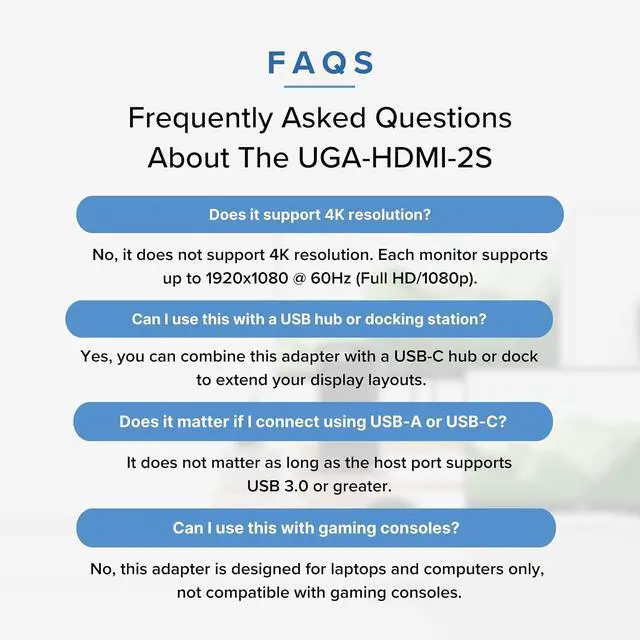
HDMI Displays: Connect up to two HDMI monitors with support for extended or mirrored displays at resolutions up to 1920x1080 @ 60Hz per display. Ideal for productivity workflows and multi-window multitasking. Not recommended for gaming, 4K workflows, or graphics-intensive creative work.;

Productivity: Add two HDMI displays through one USB-C or USB 3.0 connection for spreadsheets, web browsing, Google Docs, Slack, email, and everyday office work. Does not support playback of HDCP-protected content from Netflix, Hulu, Disney+, Amazon Prime Video, and similar streaming services.; USB-C, USB 3.0, and
Thunderbolt Compatible: Featuring a hybrid 2-in-1 cable, this dongle connects to USB 3.0, USB-C, USB4, Thunderbolt 3, Thunderbolt 4, and Thunderbolt 5 ports on compatible laptops, desktops, and docks. Designed for Windows 10/11, macOS 10.14 or later including M1/M2/M3/M4/M5/Neo systems, and ChromeOS 100+.; Silicon Motion
Technology Required: Uses Silicon Motion graphics technology, so driver installation is required. On Windows, drivers typically install through Windows Update. On macOS, the InstantView driver must be installed manually. Not compatible with DisplayLink software, and some corporate IT environments may restrict driver installation.; Dual 1080p
HDMI Displays: Connect up to two HDMI monitors with support for extended or mirrored displays at resolutions up to 1920x1080 @ 60Hz per display. Ideal for productivity workflows and multi-window multitasking. Not recommended for gaming, 4K workflows, or graphics-intensive creative work.;
Warranty & Returns
Warranty, Returns, And Additional Information
Warranty
- Please contact the Seller directly for warranty information. Warranty information may also be found on the Manufacturer's website.
- CONTACT
Return Policies
- Return for refund within: 30 days
- Return for replacement within: 30 days
- This item is covered by Dazan Technology Return Policy
Manufacturer Contact Info
- For a directory of all our manufacturers, please click below.
- Manufacturers Directory
LOADING...