Your Browsing History
- Free 30-day Returns
$298.97
Meet Your Seller
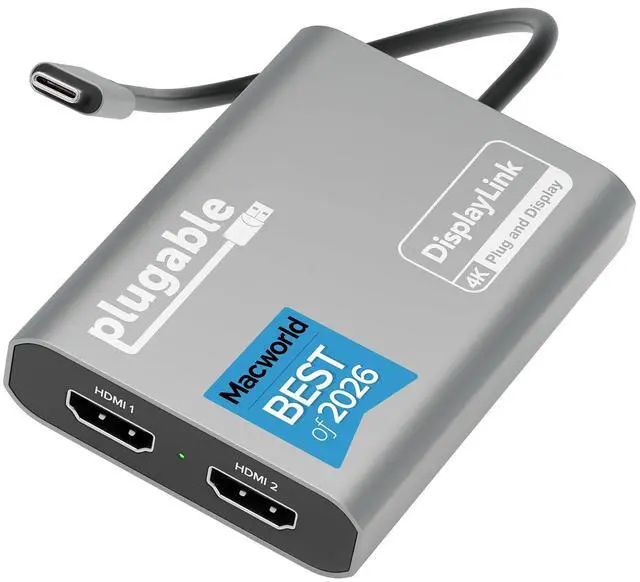
Plugable USB C to HDMI Adapter, Dual Monitor 4K 60Hz for Apple Mac M1/M2/M3/M4/M5/Neo, DisplayLink Multiple Displays for Thunderbolt MacBook or iMac, Driver Required (USBC-6950M)
Limited time offer, ends 07/25 By Dazan Technology
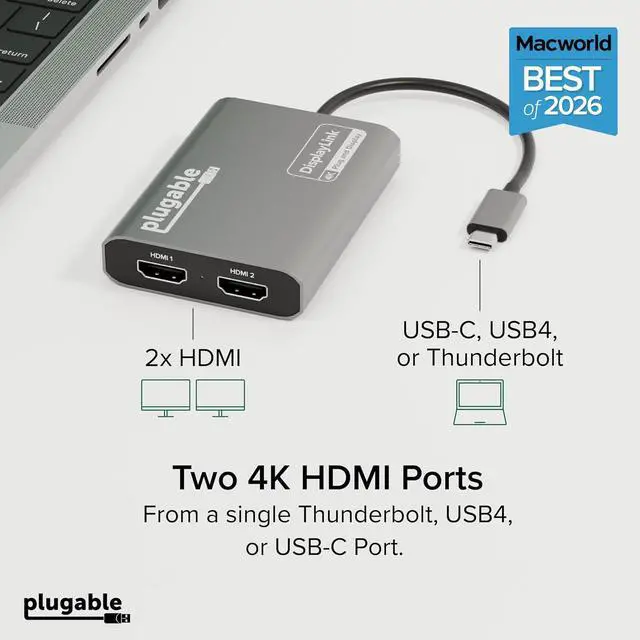
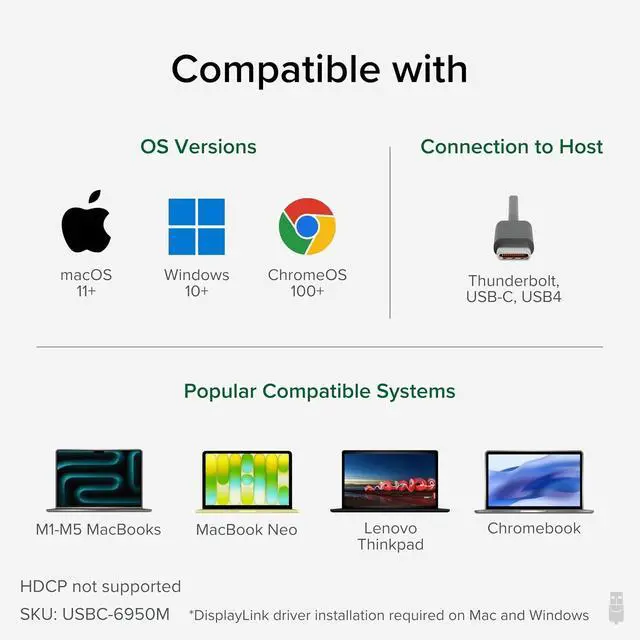
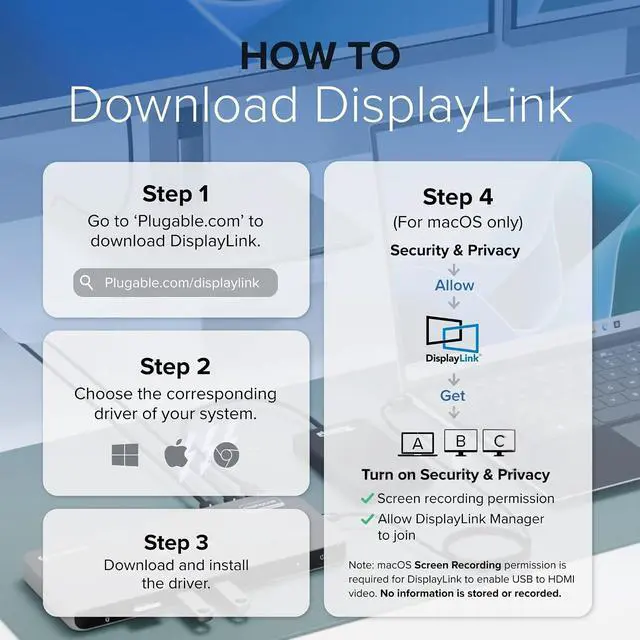
- Product description A Convenient Way to Add Dual 4K Display Boosting productivity is easier with more screen space. The Plugable USB-C Dual 4K HDMI Adapter (USBC-6950M) lets you connect two 4K 60Hz displays - even if your computer doesnt natively support multiple external monitors, like base model M1, M2, M3, M4, and M5 Macs. It also works seamlessly with Windows 10+ and ChromeOS 100+ systems that support Thunderbolt, USB4, or USB-C. Powered by the DisplayLink DL-6950 chipset, this adapter enables dual-display functionality through a single USB-C connection. DisplayLink driver installation is required - on macOS, setup involves downloading the driver and adjusting system settings; on Windows, the driver typically installs automatically through Windows Update. Once connected, youll enjoy a smoother multitasking experience across two extended screens, perfect for spreadsheets, video calls, creative work, and more. Whether you're working from home or in a professional office, the USBC-6950M is a reliable solution for modern, multi-display productivity. Add 2x 4K HDMI ports to a single Thunderbolt, USB4, or USB-C port DisplayLink Technology allows Mac users to add 2x 4K screens Dual 4K 60Hz Support Mac Dual Display Fix Compatibility How to Install the DisplayLink Manager App on Mac Note - macOS requires Screen Recording permission for the DisplayLink software to work.
+
+
Overview
Specs
Reviews
Any questions? Our AI beta will help you find out quickly.
Try me now
Beat The Mac
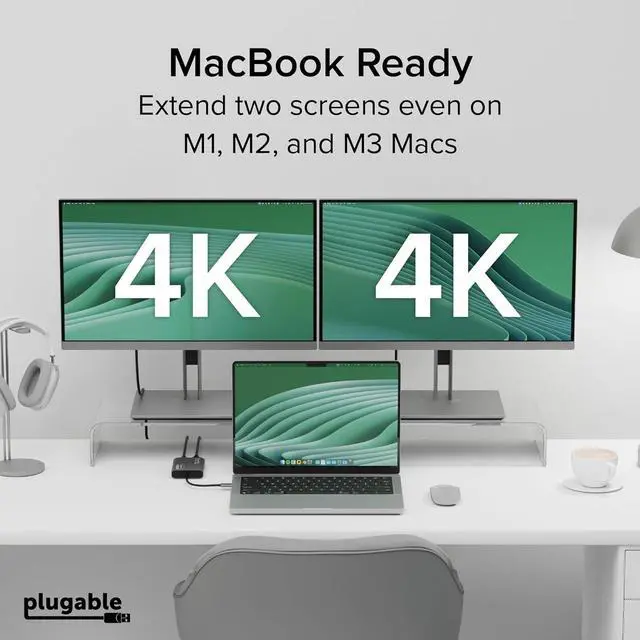
Display Limit: Adds two 4K 60Hz HDMI external displays to MacBook M1 through M5/Neo from a single USB-C port, even base MacBook Air models limited to one external display natively.
Three total screens: laptop + HDMI 1 + HDMI 2, simultaneously.; DisplayLink Driver Required on
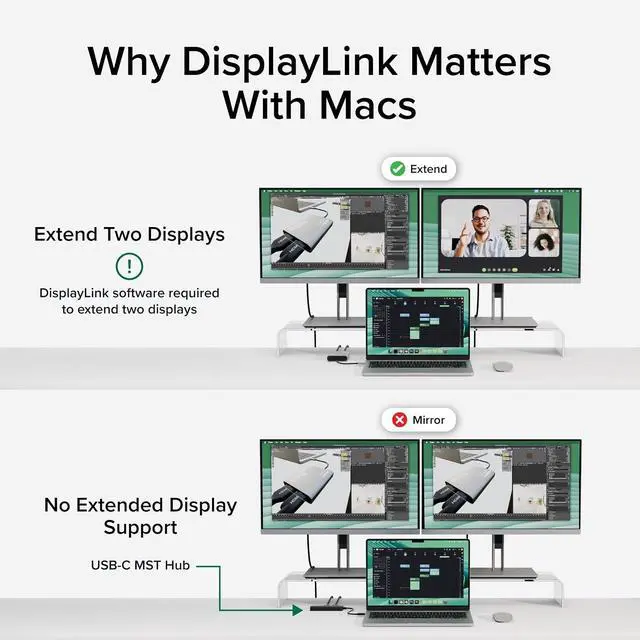
Mac: Works with macOS 11+, Windows 10+, and ChromeOS 100+ systems with Thunderbolt, USB4, or USB-C. Mac users must install DisplayLink Manager and allow the required macOS display permission during setup. Windows 10+ and ChromeOS 100+ are plug-and-play. Built for traditional and hybrid office setups.; Dual 4K 60Hz
HDMI: Supports extended and mirror modes.
Note: HDCP-protected streaming apps (Netflix, Disney+, Hulu, Prime Video) are not compatible with DisplayLink, for entertainment use, a standard display adapter is recommended. Productivity, coding, and office apps work fully.; Designed for macOS
Productivity: Recognized as the Best DisplayLink Adapter for MacBook Neo by MacWorld, this adapter delivers dual 4K 60Hz displays from a single Thunderbolt, USB4, or USB-C port. Designed for seamless compatibility, it adds two extended monitors even on Macs with M1, M2, M3, M4, or M5 chips, which natively only support one external display.;

Display Limit: Adds two 4K 60Hz HDMI external displays to MacBook M1 through M5/Neo from a single USB-C port, even base MacBook Air models limited to one external display natively.
Three total screens: laptop + HDMI 1 + HDMI 2, simultaneously.; DisplayLink Driver Required on
Mac: Works with macOS 11+, Windows 10+, and ChromeOS 100+ systems with Thunderbolt, USB4, or USB-C. Mac users must install DisplayLink Manager and allow the required macOS display permission during setup. Windows 10+ and ChromeOS 100+ are plug-and-play. Built for traditional and hybrid office setups.; Dual 4K 60Hz
HDMI: Supports extended and mirror modes.
Note: HDCP-protected streaming apps (Netflix, Disney+, Hulu, Prime Video) are not compatible with DisplayLink, for entertainment use, a standard display adapter is recommended. Productivity, coding, and office apps work fully.; Designed for macOS
Productivity: Recognized as the Best DisplayLink Adapter for MacBook Neo by MacWorld, this adapter delivers dual 4K 60Hz displays from a single Thunderbolt, USB4, or USB-C port. Designed for seamless compatibility, it adds two extended monitors even on Macs with M1, M2, M3, M4, or M5 chips, which natively only support one external display.;
Warranty & Returns
Warranty, Returns, And Additional Information
Warranty
- Please contact the Seller directly for warranty information. Warranty information may also be found on the Manufacturer's website.
- CONTACT
Return Policies
- Return for refund within: 30 days
- Return for replacement within: 30 days
- This item is covered by Dazan Technology Return Policy
Manufacturer Contact Info
- For a directory of all our manufacturers, please click below.
- Manufacturers Directory
LOADING...