here!
here!
I’m your shopping assistant for PC builds, upgrades, and everything tech.
Got questions? Ask away!
Start a conversation
here!
I’m your shopping assistant for PC builds, upgrades, and everything tech.
Got questions? Ask away!
Start a conversation



Any questions? Ask CelesteSM will help you find out quickly.
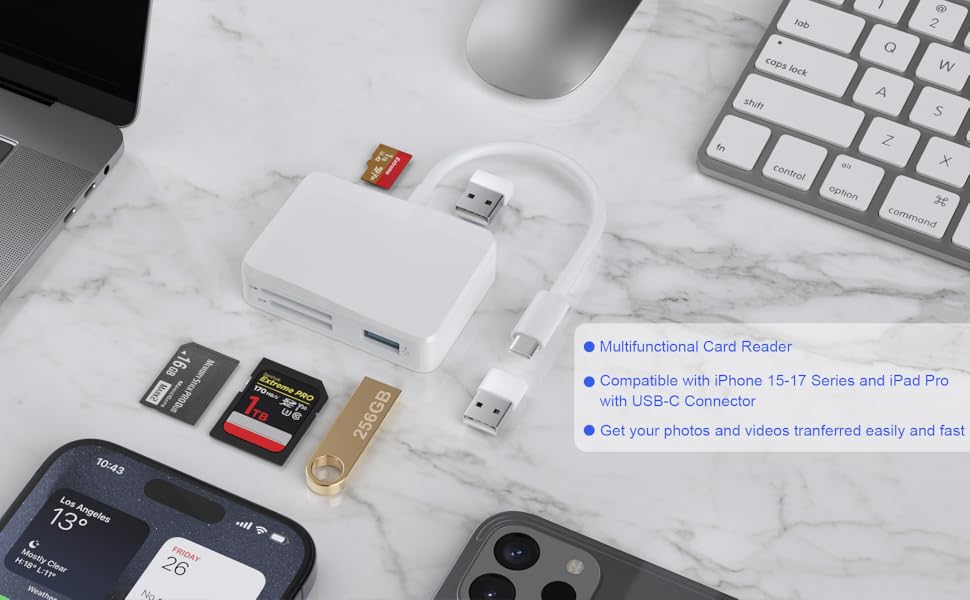
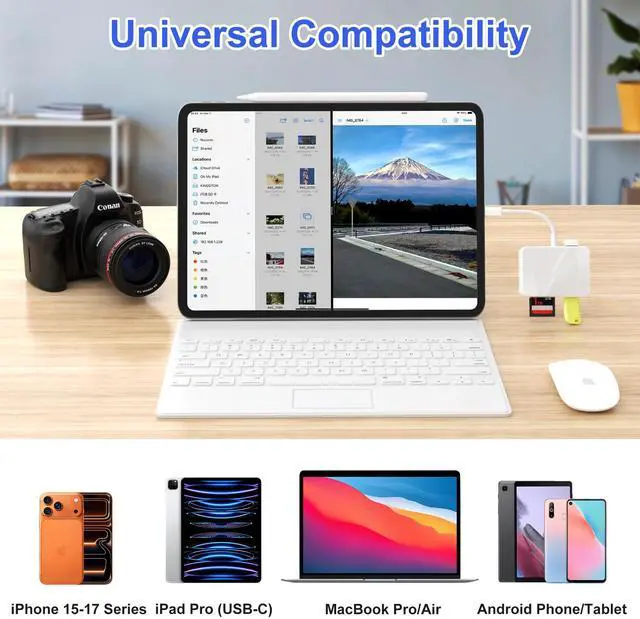
USB Type C Laptop:
USB Type C Tablet:
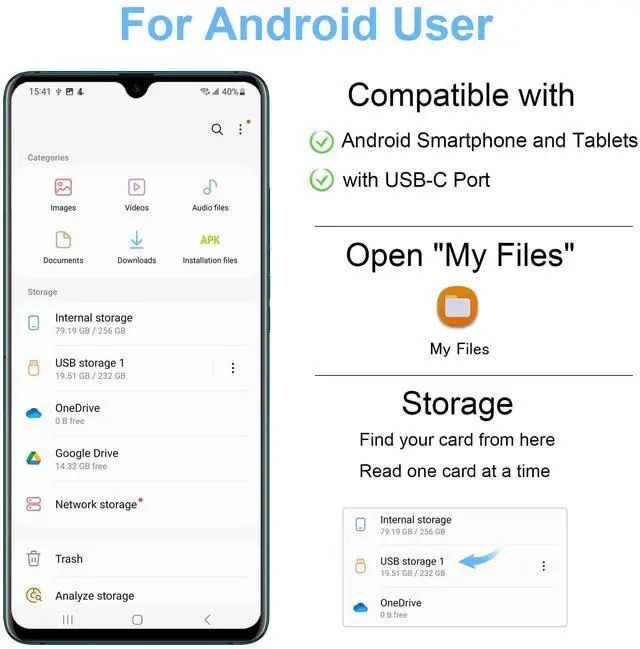
USB Type C Smartphone:
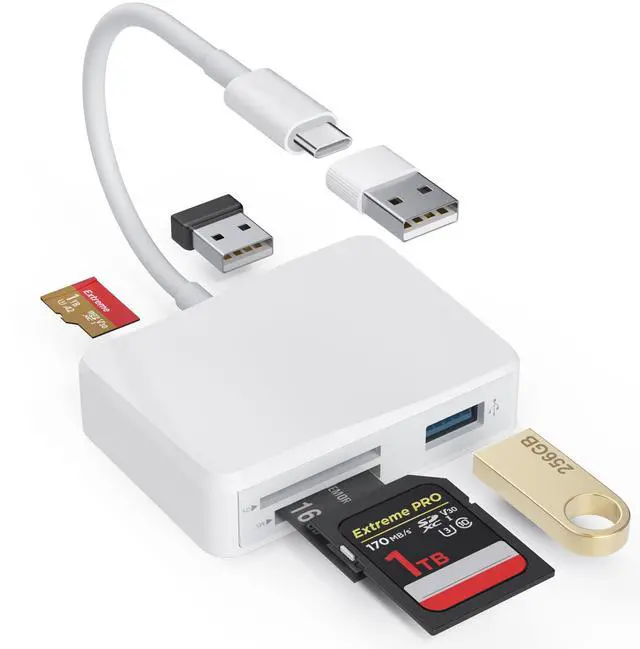
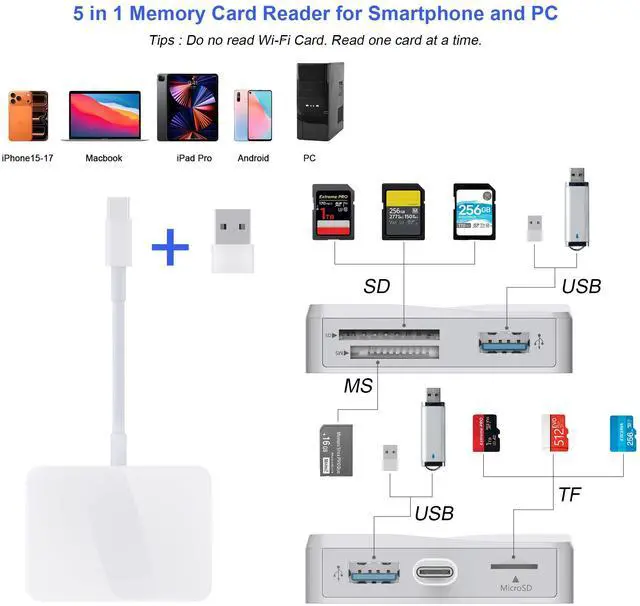
Tips: Not compatible with iPhone 5-14 or iPad, this card reader uses a USB-C connector ( NOT lightning port ).
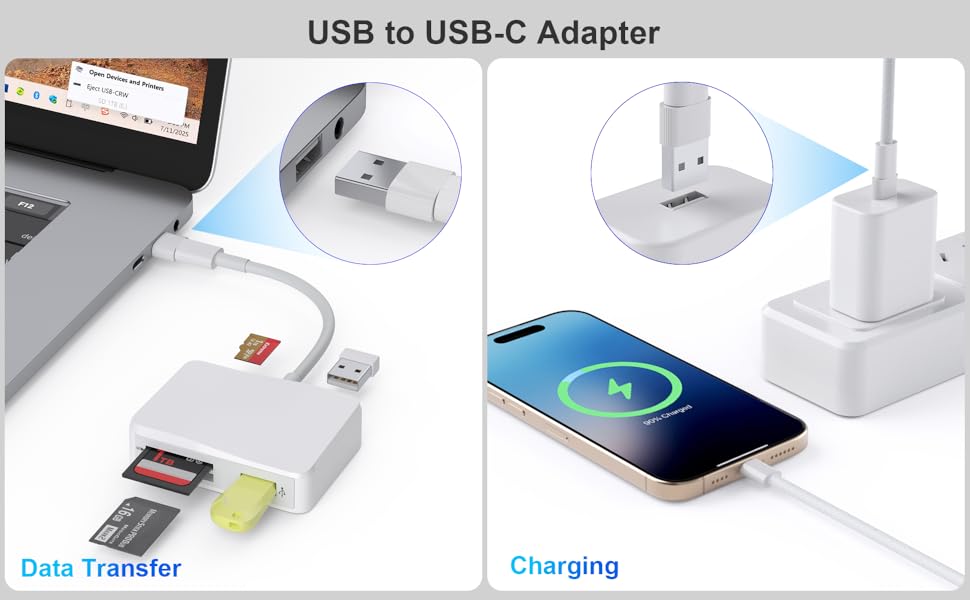
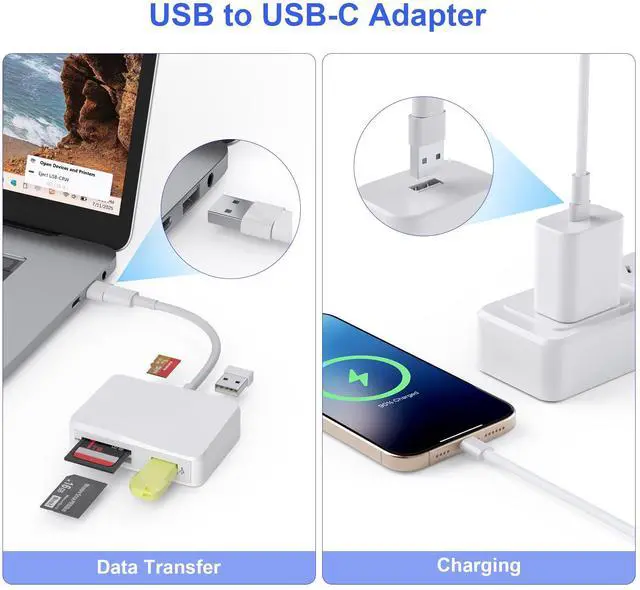
It is relly helpful when your card reader is with USB-C plug and your laptop is USB enabled.
Also when you have a power supply with USB socket, you need it to connect with your USB-C to USB-C cable to charge your phone.
it is really convenient, make sure to bring it with you.
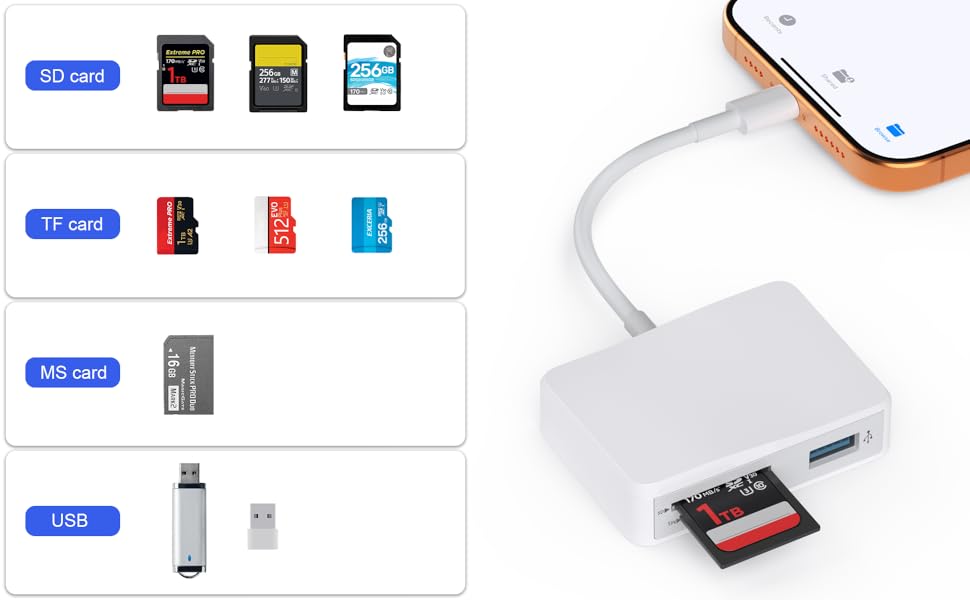
Compatible with four kinds of most popular cards, this card reader can help you to read different cards with only one card reader.
SD card, TF card, CF,MS card.
Which cards do you have?

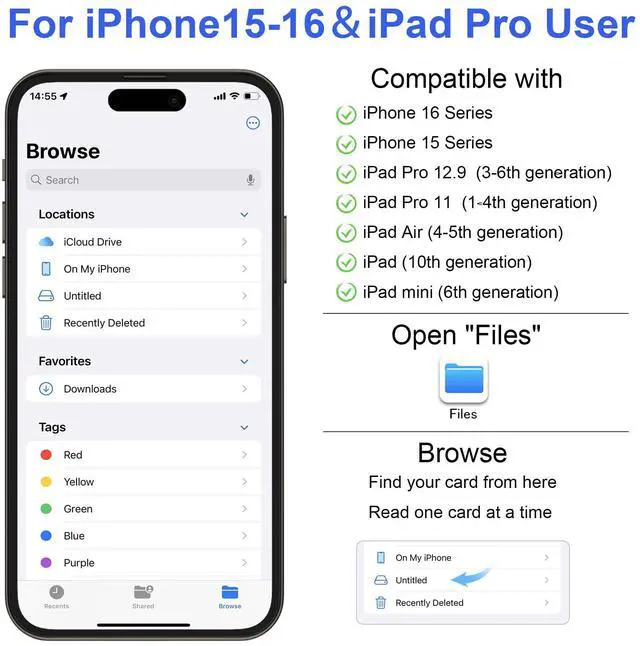
Files App ( iOS 13 or later)
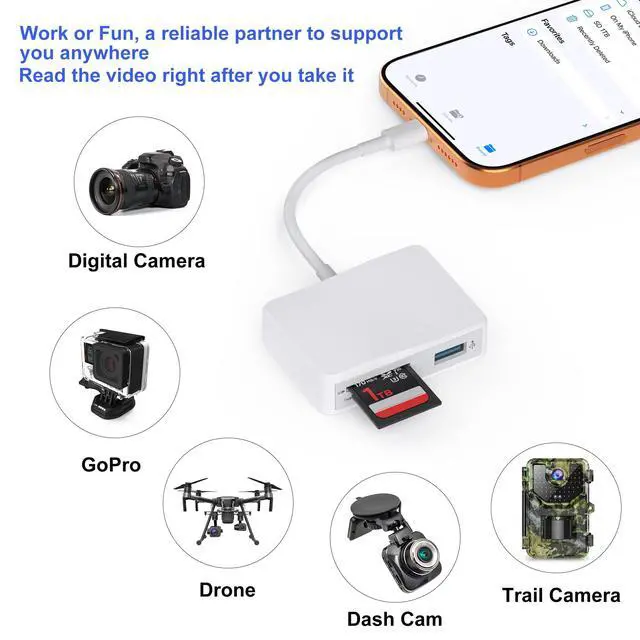
Files app is an important app which can transfer files between your memory card to your iPhone & iPad.
Data from your iPhone is “on my iPhone” and data of memory card is on “Untiled” (or "NONAME", which is the name of your memory card)
You can view data and transfer the data between memory card and iPhone.
Files app not only manager can videos and photos, but also manage music, PDF, word, or Excel, etc.
1. Insert a memory card into the reader. Turn on iPhone & iPad and attach the reader to the Lightning port.
2. On iPhone & iPad, open “Files” app. You can view the files in your memory card. You can view most files like jpg, MP3, word, excel, ppt and so on. If you can view the files but can’t open it, you may need to download a third-party app to read this file.
3. You can delete files or copy and paste files from memory card to your iPhone or iPad. Or coy files from iPhone or iPad to memory card.
4. If you can see the data, but not able to open it, you need to download a third-party App to open it.
USB Type C Laptop:
USB Type C Tablet:
USB Type C Smartphone:
Tips: Not compatible with iPhone 5-14 or iPad, this card reader uses a USB-C connector ( NOT lightning port ).
It is relly helpful when your card reader is with USB-C plug and your laptop is USB enabled.
Also when you have a power supply with USB socket, you need it to connect with your USB-C to USB-C cable to charge your phone.
it is really convenient, make sure to bring it with you.
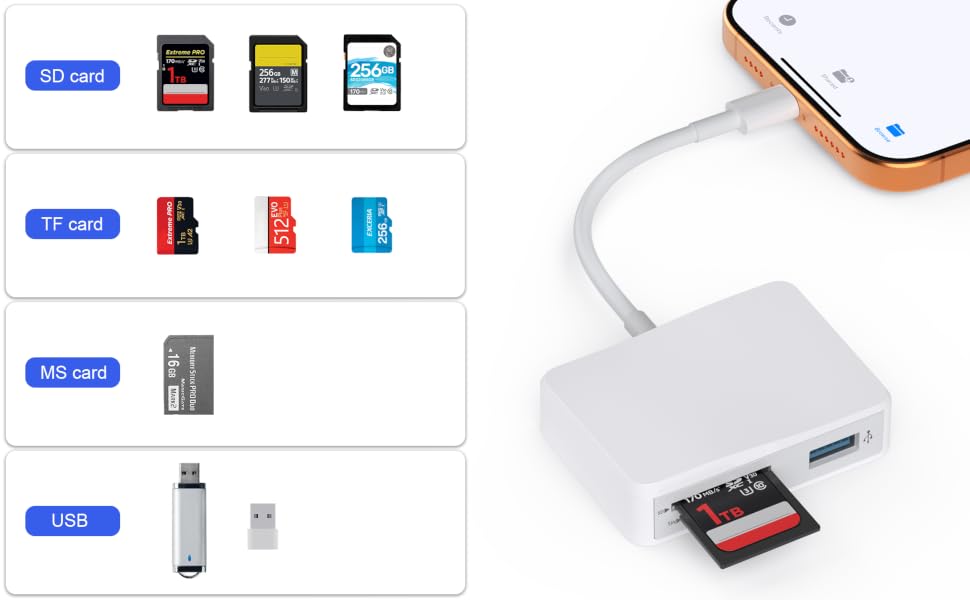
Compatible with four kinds of most popular cards, this card reader can help you to read different cards with only one card reader.
SD card, TF card, CF,MS card.
Which cards do you have?
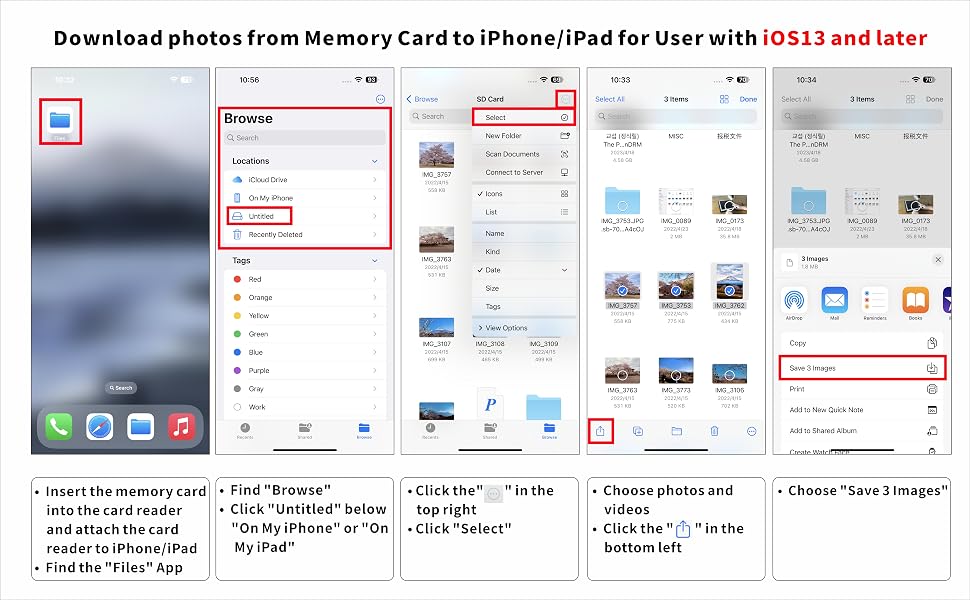
Files App ( iOS 13 or later)
Files app is an important app which can transfer files between your memory card to your iPhone & iPad.
Data from your iPhone is “on my iPhone” and data of memory card is on “Untiled” (or "NONAME", which is the name of your memory card)
You can view data and transfer the data between memory card and iPhone.
Files app not only manager can videos and photos, but also manage music, PDF, word, or Excel, etc.
1. Insert a memory card into the reader. Turn on iPhone & iPad and attach the reader to the Lightning port.
2. On iPhone & iPad, open “Files” app. You can view the files in your memory card. You can view most files like jpg, MP3, word, excel, ppt and so on. If you can view the files but can’t open it, you may need to download a third-party app to read this file.
3. You can delete files or copy and paste files from memory card to your iPhone or iPad. Or coy files from iPhone or iPad to memory card.
4. If you can see the data, but not able to open it, you need to download a third-party App to open it.