




 here!
here!
I’m your shopping assistant for PC builds, upgrades, and everything tech.
Got questions? Ask away!
Start a conversation
here!
I’m your shopping assistant for PC builds, upgrades, and everything tech.
Got questions? Ask away!
Start a conversation



Any questions? Ask CelesteSM will help you find out quickly.

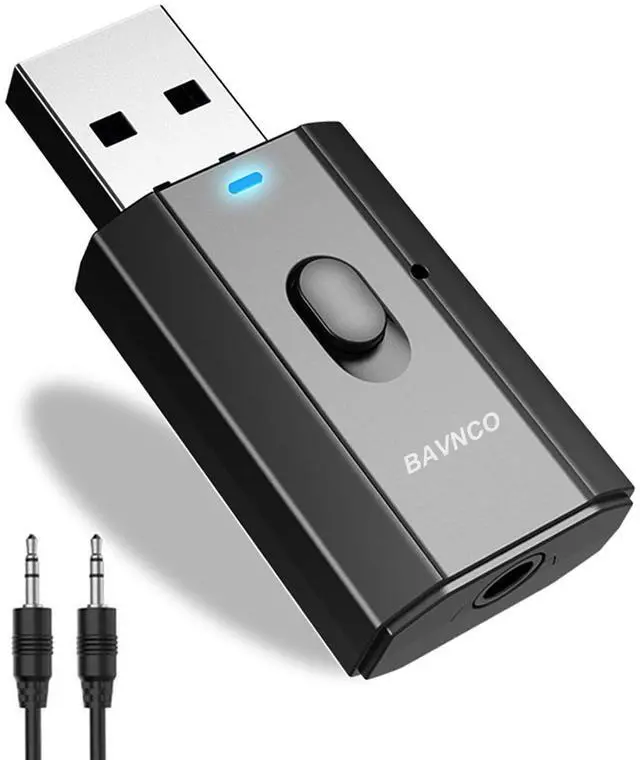
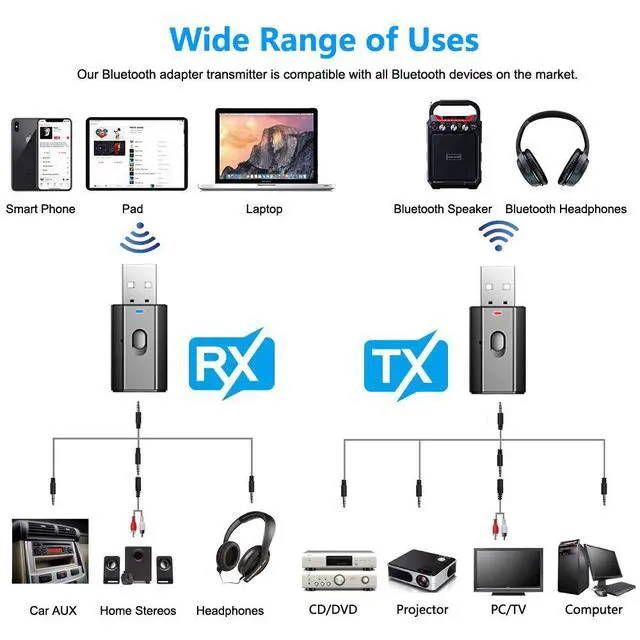
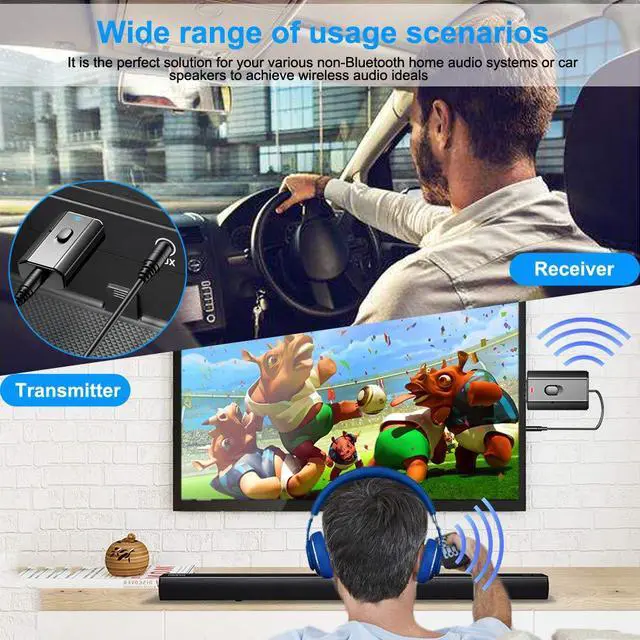
Our Bluetooth AUX audio adapter receiver. Designed for non-Bluetooth audio systems. It is the perfect solution for your various non-Bluetooth home audio systems or car speakers to achieve the ideal wireless audio. One device has two uses, dual mode is not only a receiver or a transmitter, making your life more intelligent. No battery, easy to use, convenient and compact design makes youaudior audio system look smooth and beautiful.


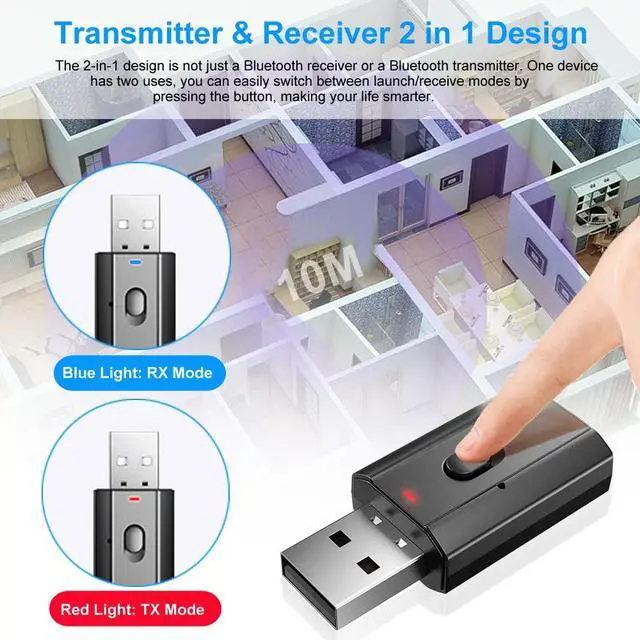
2 in 1 design: Not only a Bluetooth receiver or a Bluetooth transmitter, one device has two uses, making your life more intelligent.

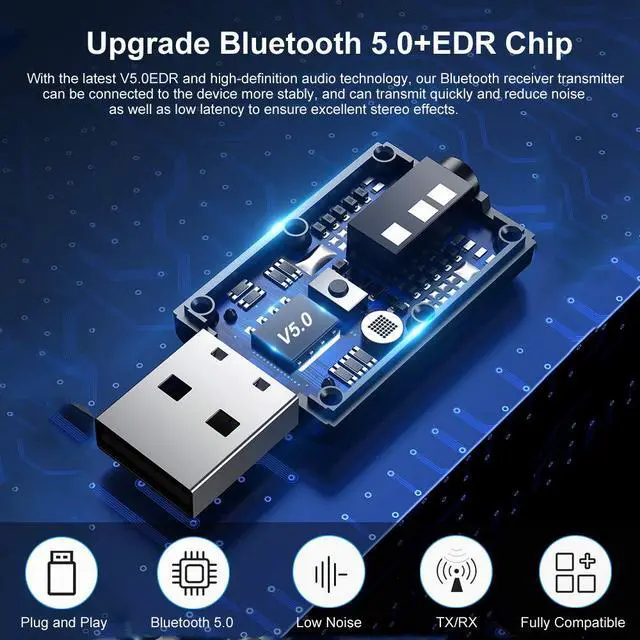
With the latest version of V5.0EDR and high-definition audio technology, our Bluetooth receiver transmitter can be connected to the device more stably.

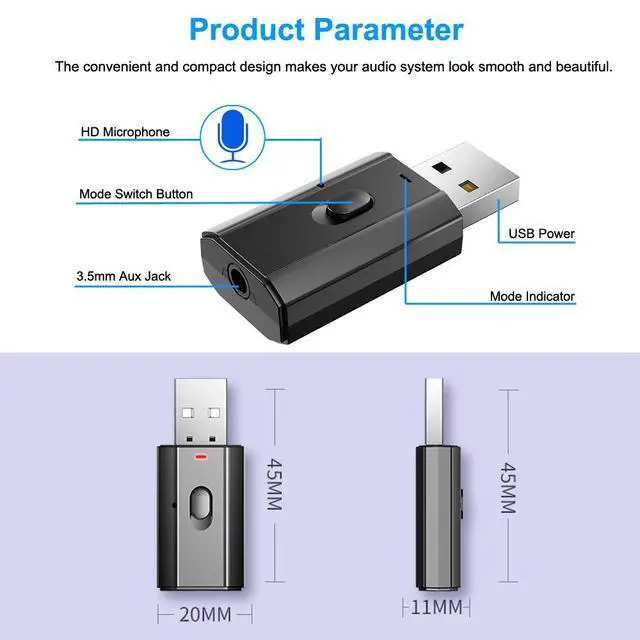
The convenient and compact design makes your audio system look smooth and beautiful. Allows you to get rid of messy cables and experience wireless music.

HIFI sound quality allows you to experience exquisite high school, high range and low frequency sound effects, so that you will not miss all the wonderful sounds

These Steps Can Help You Use The Our Device Better:
Transmitter mode:(Red light flashes)(for Bluetooth headset or headphone and bluetooth speaker)
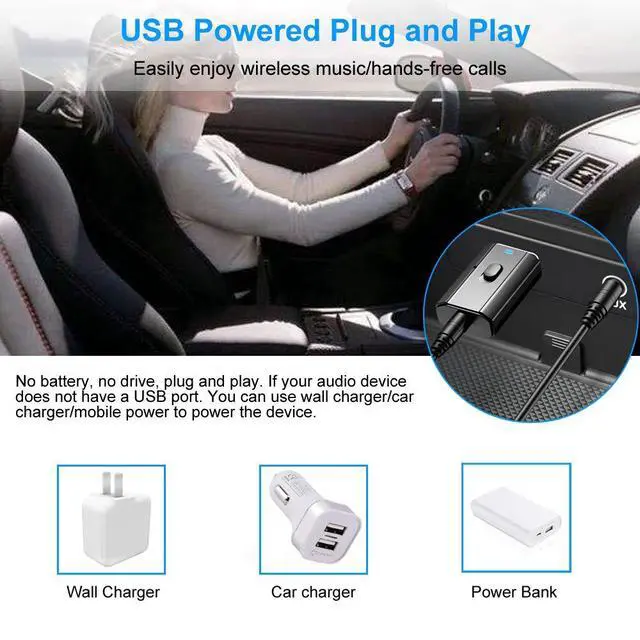
1. Insert the transmitter receiver into the USB port (if your device does not have a USB port. You can use a mobile phone charger or power bank, etc.).
2. Then use 3.5mm audio cable/RCA audio cable to connect the product to TV, PC or other devices.
3. Turn on your Bluetooth device. The transmitter will automatically search for your Bluetooth receiving device (such as Bluetooth headset, Bluetooth speaker, Bluetooth receiver, etc.).
Receiver mode:(Blue light flashes)(for old home/car aux audio system and wired headset)
1. Plug the device into the USB port to supply power (such as car charging, wall charging, power bank, etc.),
2. The device light flashes blue quickly, connect the device with your non-Bluetooth audio device with a 3.5MM audio cable
3. Turn on the mobile phone Bluetooth, search for Bluetooth devices (wireless music adapter), click and connect
4. The pairing is successful and start to enjoy wireless music.
Important Note:

FAQs and Answers:
The following steps make it easier for you to use our receiver adapter.
If your car does not have a USB port, we recommend using a reputable brand 5V car adapter.
How can I improve the sound quality if it seems distorted?
If the sound is muddy, turn down the volume on your phone, and up on the car stereo.If there has noise from engine, please increase the phone volume and lower the car volume to reduce the Hissing noise.
Sometimes the device cannot reconnect to the phone or the connection is unstable. what can I do?
"Forget" all devices in your phone's Bluetooth menu, restart your phone, and pair with the Bluetooth receiver adapter again.
Why does the sound get stuck or disconnected when playing?
Please check whether it is within the effective distance and there is no obstacle between the straight lines of the mobile phone and Bluetooth receiver.
Our Bluetooth AUX audio adapter receiver. Designed for non-Bluetooth audio systems. It is the perfect solution for your various non-Bluetooth home audio systems or car speakers to achieve the ideal wireless audio. One device has two uses, dual mode is not only a receiver or a transmitter, making your life more intelligent. No battery, easy to use, convenient and compact design makes youaudior audio system look smooth and beautiful.
2 in 1 design: Not only a Bluetooth receiver or a Bluetooth transmitter, one device has two uses, making your life more intelligent.
With the latest version of V5.0EDR and high-definition audio technology, our Bluetooth receiver transmitter can be connected to the device more stably.
The convenient and compact design makes your audio system look smooth and beautiful. Allows you to get rid of messy cables and experience wireless music.
HIFI sound quality allows you to experience exquisite high school, high range and low frequency sound effects, so that you will not miss all the wonderful sounds
These Steps Can Help You Use The Our Device Better:
Transmitter mode:(Red light flashes)(for Bluetooth headset or headphone and bluetooth speaker)
1. Insert the transmitter receiver into the USB port (if your device does not have a USB port. You can use a mobile phone charger or power bank, etc.).
2. Then use 3.5mm audio cable/RCA audio cable to connect the product to TV, PC or other devices.
3. Turn on your Bluetooth device. The transmitter will automatically search for your Bluetooth receiving device (such as Bluetooth headset, Bluetooth speaker, Bluetooth receiver, etc.).
Receiver mode:(Blue light flashes)(for old home/car aux audio system and wired headset)
1. Plug the device into the USB port to supply power (such as car charging, wall charging, power bank, etc.),
2. The device light flashes blue quickly, connect the device with your non-Bluetooth audio device with a 3.5MM audio cable
3. Turn on the mobile phone Bluetooth, search for Bluetooth devices (wireless music adapter), click and connect
4. The pairing is successful and start to enjoy wireless music.
Important Note:
FAQs and Answers:
The following steps make it easier for you to use our receiver adapter.
If your car does not have a USB port, we recommend using a reputable brand 5V car adapter.
How can I improve the sound quality if it seems distorted?
If the sound is muddy, turn down the volume on your phone, and up on the car stereo.If there has noise from engine, please increase the phone volume and lower the car volume to reduce the Hissing noise.
Sometimes the device cannot reconnect to the phone or the connection is unstable. what can I do?
"Forget" all devices in your phone's Bluetooth menu, restart your phone, and pair with the Bluetooth receiver adapter again.
Why does the sound get stuck or disconnected when playing?
Please check whether it is within the effective distance and there is no obstacle between the straight lines of the mobile phone and Bluetooth receiver.


