Your Browsing History
Meet Your Seller
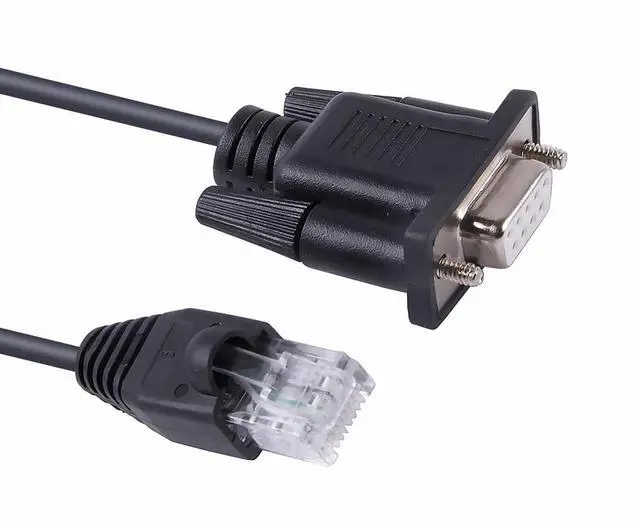
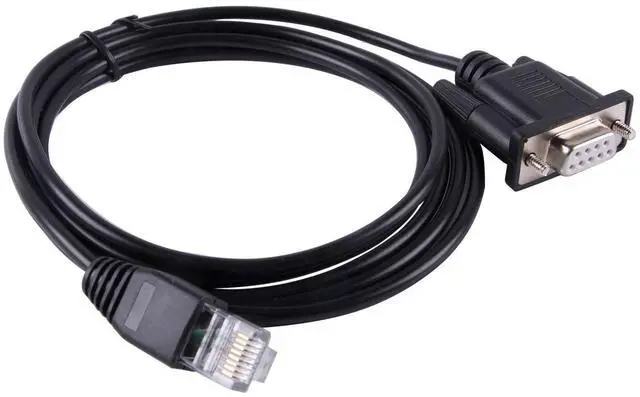
DB9 D Sub 9 Pin COM Port to RJ45 Serial Cable for APC Smart-UPS 5G, Compatible with APC 940-1525A or 940-0625A
- DB9 Connectivity: Compatible with APC Smart-UPS 5G models that require a DB9 serial port connection.
- Serial Cable Design: Features a D Sub 9-pin COM port on one end and an RJ45 connector on the other.
- APC Compatibility: Works with APC 940-1525A or 940-0625A cable models for seamless integration.
- Durable Construction: Robust cable designed for reliable data transmission and extended use.
- Plug-and-Play Setup: Easy to install and configure for hassle-free serial communication.
+
+
Overview
Specs
Reviews
Any questions? Our AI mode will help you find out quickly.
Try me now
This DB9 D Sub 9 Pin COM Port to RJ45 Serial Cable is designed for seamless connectivity with APC Smart-UPS 5G devices. Compatible with APC 940-1525A or 940-0625A models, this cable allows you to effortlessly connect your APC Smart-UPS 5G to a computer or network for monitoring and management purposes. With its durable construction and reliable data transfer capabilities, this cable ensures a stable and efficient connection between your UPS and your system. Whether you need to monitor battery levels, configure settings, or receive real-time alerts, this cable provides the essential link for comprehensive power management.
Simplify your setup and gain complete control over your APC Smart-UPS 5G with this convenient and compatible serial cable.

Warranty & Returns
Warranty, Returns, And Additional Information
Warranty
- Please contact the Seller directly for warranty information. Warranty information may also be found on the Manufacturer's website.
- CONTACT
Return Policies
- Return for refund within: 30 days
- Return for replacement within: 30 days
- This item is covered by Zhiyi Technology Return Policy
Manufacturer Contact Info
- For a directory of all our manufacturers, please click below.
- Manufacturers Directory
LOADING...