


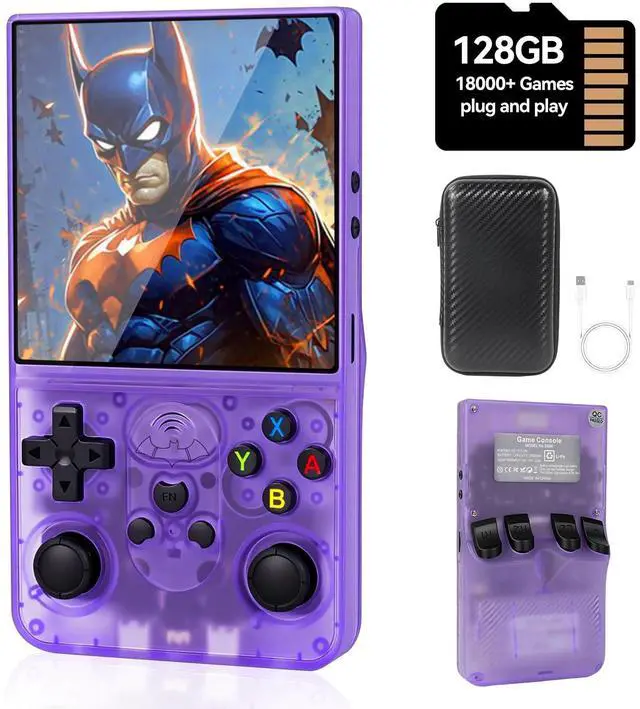




Why not just use a phone emulator instead of buying a retro handheld?
You can, but the experience isn’t the same. Phones rely on touchscreen controls, which can feel awkward for classic games. Notifications, calls, and ads also interrupt gameplay.
A retro handheld is built specifically for gaming—real buttons, no distractions, and thousands of classic games ready to play. It simply feels more natural and enjoyable.
When playing games, the screen sometimes automatically rotates 90°. Is there any way to fix this problem?
Yes, you can solve it by following these steps: In the game interface, press Select + X, then press "B" to return ? Settings ? Select "Video" ? Select "Output" ? Select "Video Rotation" ? Select "Normal".
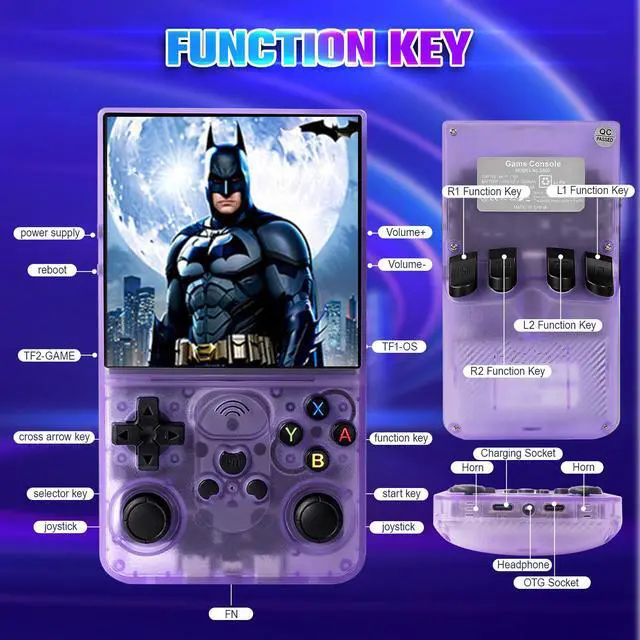
S600 Essential Hotkeys cheal Sheet
1.SELECT + START *2—Exit the game;2.SELECT + X—Switch to RA menu;3.SELECT + A—Pause the game;4.SELECT +Y—Take a screenshot;5.SELECT + B—Display FPS;6.SELECT + L1—Save game status;7.SELECT + L2—Load game status;8.SELECT + R1—Frame-by-frame


Why not just use a phone emulator instead of buying a retro handheld?
You can, but the experience isn’t the same. Phones rely on touchscreen controls, which can feel awkward for classic games. Notifications, calls, and ads also interrupt gameplay.
A retro handheld is built specifically for gaming—real buttons, no distractions, and thousands of classic games ready to play. It simply feels more natural and enjoyable.
When playing games, the screen sometimes automatically rotates 90°. Is there any way to fix this problem?
Yes, you can solve it by following these steps: In the game interface, press Select + X, then press "B" to return ? Settings ? Select "Video" ? Select "Output" ? Select "Video Rotation" ? Select "Normal".
S600 Essential Hotkeys cheal Sheet
1.SELECT + START *2—Exit the game;2.SELECT + X—Switch to RA menu;3.SELECT + A—Pause the game;4.SELECT +Y—Take a screenshot;5.SELECT + B—Display FPS;6.SELECT + L1—Save game status;7.SELECT + L2—Load game status;8.SELECT + R1—Frame-by-frame