




 here!
here!
I’m your shopping assistant for PC builds, upgrades, and everything tech.
Got questions? Ask away!
Start a conversation
here!
I’m your shopping assistant for PC builds, upgrades, and everything tech.
Got questions? Ask away!
Start a conversation
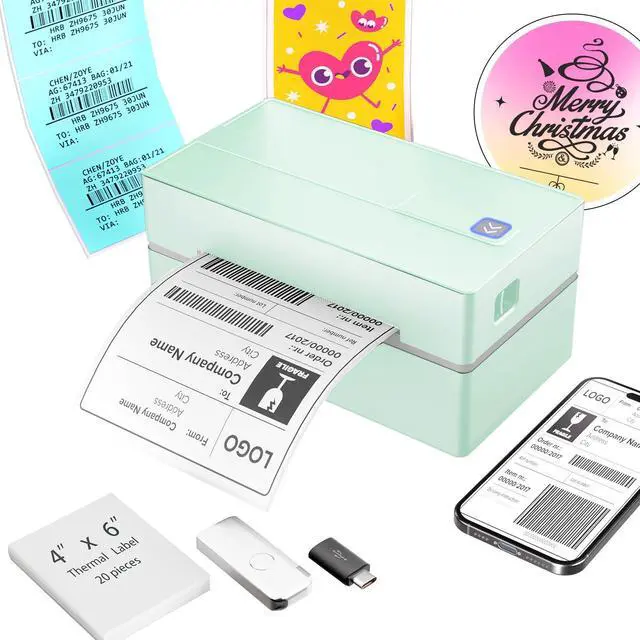



Any questions? Ask CelesteSM will help you find out quickly.


Why am I printing blank labels?
"1.Use thermal labels.
2.Ensure labels are placed with the printed side facing"
Why is the label print faint/unscannable?
"For light barcodes: Print as PDF (avoid PNG/JPG).
If text is unclear: Increase density and reduce speed.
If issues persist Clean the printhead with alcohol wipes."
Why isn't the printer working after I installed the driver?
For US priting Make sue he priters uned on and Ccornected toyou computer before nstallg he drver If vant y uninslingthe drer nd installng with the prite propery comected
Why can't I connect via Bluetooth?
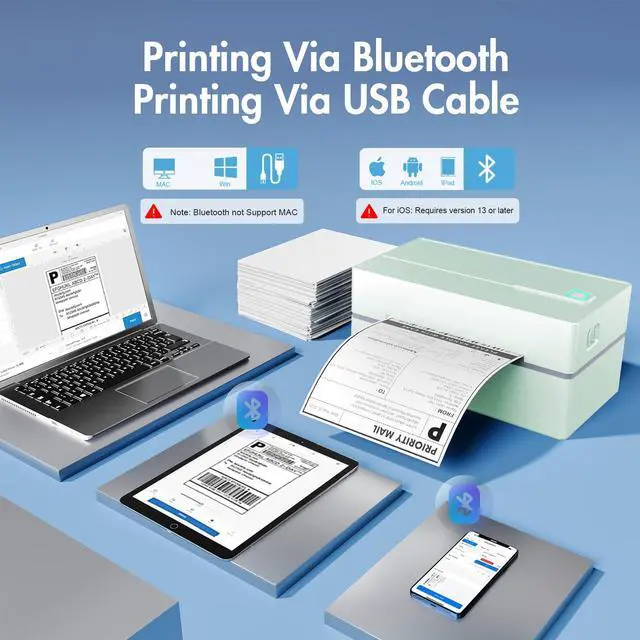
For mobile phones: Download the latest Flashlabel Pro application from the app store and connect to Bluetooth. For PC: Connect to Bluetooth through downloaded drivers.Note:Bluetooth must be connected through an app or application!
Why does Bluetooth show "Driver Unavailable" on Windows?
This normal notification occurs because USB/Bluetooth handle print jobs differently. No action required.
 Shipping Label Printer |  Shipping Label Printer |  Shipping Label Printer |  Shipping Label Printer |  Tattoo Stencil Printer |  Thermal Shipping Labels | |
|---|---|---|---|---|---|---|
Customer Reviews | — | — | — | — | — | — |
Price | — | — | — | — | — | — |
Connectivity | Bluetooth & USB | Bluetooth & USB | Bluetooth & USB | Bluetooth & USB | Bluetooth & USB | — |
Printing Technology | Thermal Printing | Thermal Printing | Thermal Printing | Thermal Printing | Thermal Printing | Thermal Printing |
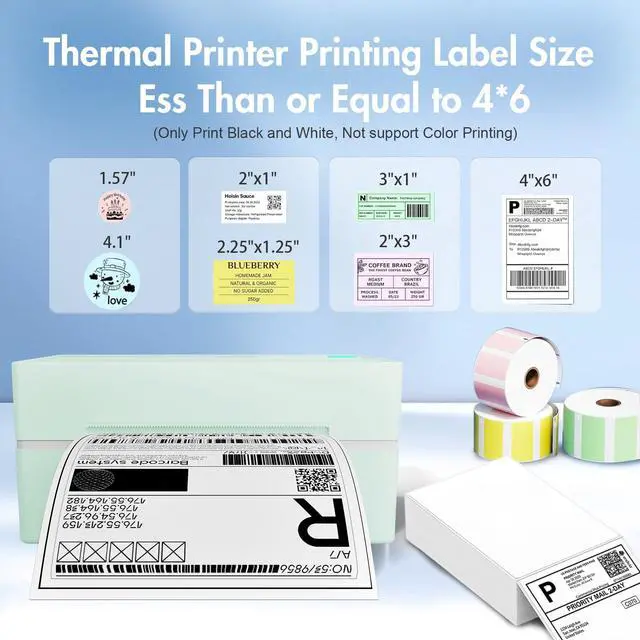
Paper Wide Compatibility | 1.57 to 4.3 inch wide | 1.57 to 4.3 inch wide | 1.57 to 4.3 inch wide | 1.57 to 4.3 inch wide | 8.5 x 11 US Letter, A4 and A5 | 4x6 inch Shipping Labels |
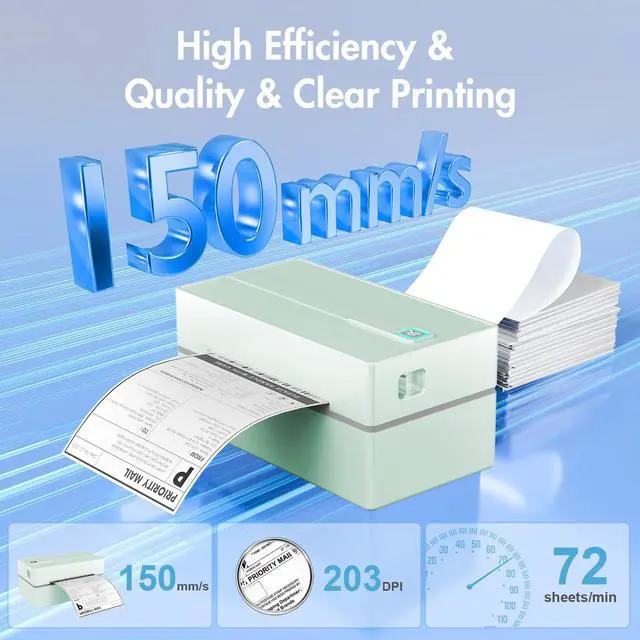
Print Speed | 72 labels/min | 72 labels/min | 72 labels/min | 72 labels/min | 2 pages/min | — |
Color | Black | Green | Pink | White | Black | — |


Why am I printing blank labels?
"1.Use thermal labels.
2.Ensure labels are placed with the printed side facing"
Why is the label print faint/unscannable?
"For light barcodes: Print as PDF (avoid PNG/JPG).
If text is unclear: Increase density and reduce speed.
If issues persist Clean the printhead with alcohol wipes."
Why isn't the printer working after I installed the driver?
For US priting Make sue he priters uned on and Ccornected toyou computer before nstallg he drver If vant y uninslingthe drer nd installng with the prite propery comected
Why can't I connect via Bluetooth?
For mobile phones: Download the latest Flashlabel Pro application from the app store and connect to Bluetooth. For PC: Connect to Bluetooth through downloaded drivers.Note:Bluetooth must be connected through an app or application!
Why does Bluetooth show "Driver Unavailable" on Windows?
This normal notification occurs because USB/Bluetooth handle print jobs differently. No action required.
Shipping Label Printer | Shipping Label Printer | Shipping Label Printer | Shipping Label Printer | Tattoo Stencil Printer | Thermal Shipping Labels |
|---|---|---|---|---|---|
| Customer Reviews | |||||
| — | — | — | — | — | — |
| Price | |||||
| — | — | — | — | — | — |
| Connectivity | |||||
| Bluetooth & USB | Bluetooth & USB | Bluetooth & USB | Bluetooth & USB | Bluetooth & USB | — |
| Printing Technology | |||||
| Thermal Printing | Thermal Printing | Thermal Printing | Thermal Printing | Thermal Printing | Thermal Printing |
| Paper Wide Compatibility | |||||
| 1.57 to 4.3 inch wide | 1.57 to 4.3 inch wide | 1.57 to 4.3 inch wide | 1.57 to 4.3 inch wide | 8.5 x 11 US Letter, A4 and A5 | 4x6 inch Shipping Labels |
| Print Speed | |||||
| 72 labels/min | 72 labels/min | 72 labels/min | 72 labels/min | 2 pages/min | — |
| Color | |||||
| Black | Green | Pink | White | Black | — |


