Your Browsing History
Meet Your Seller
Wireless CarPlay Adapter for iPhone, 2-in-1 CarPlay & Android Auto Adapter, Converts Factory Wired CarPlay and Android Auto to Wireless, Auto Reconnect, USB-A Plug with USB-C Adapter, Si
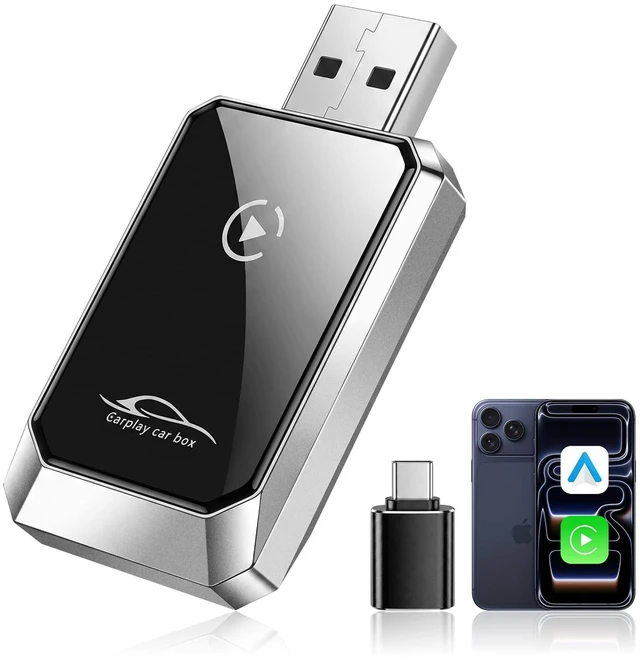
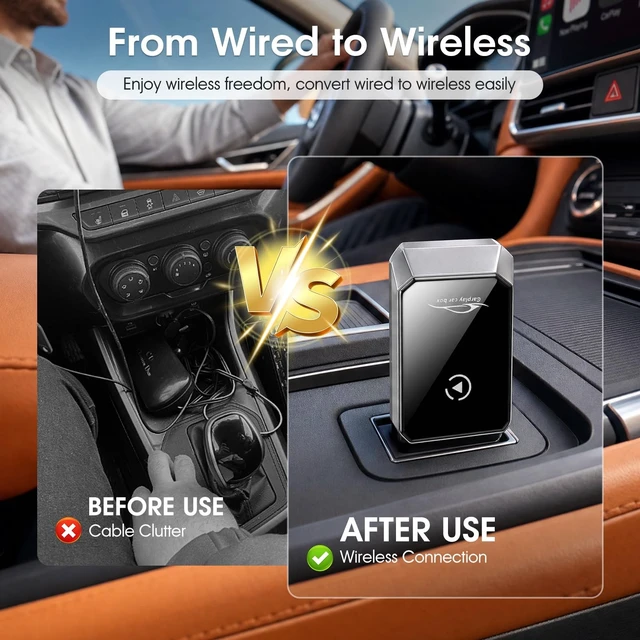
- Leave the Phone Cable Behind This 2-in-1 wireless CarPlay adapter converts a compatible factory wired system to wireless. It also works as an Android Auto wireless adapter for supported Android phones. Use maps, music, calls and messages on the original vehicle display while keeping your phone in a pocket, bag or charging areaand the center console clear of loose cables
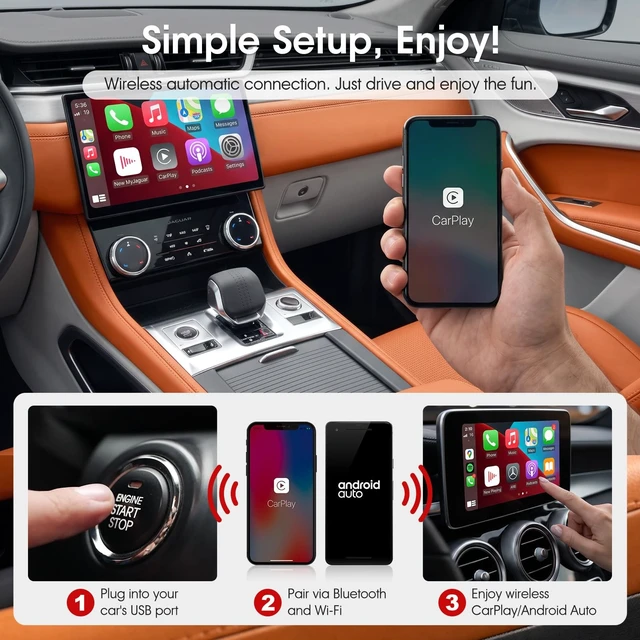
- Pair Once, Auto Reconnect Plug the adapter into the vehicles USB data port, complete the first Bluetooth and WiFi pairing, and open CarPlay or Android Auto on the factory screen. On later drives, the adapter reconnects when the vehicle starts. No app to download, no extra display to install and no repeated setup before each trip
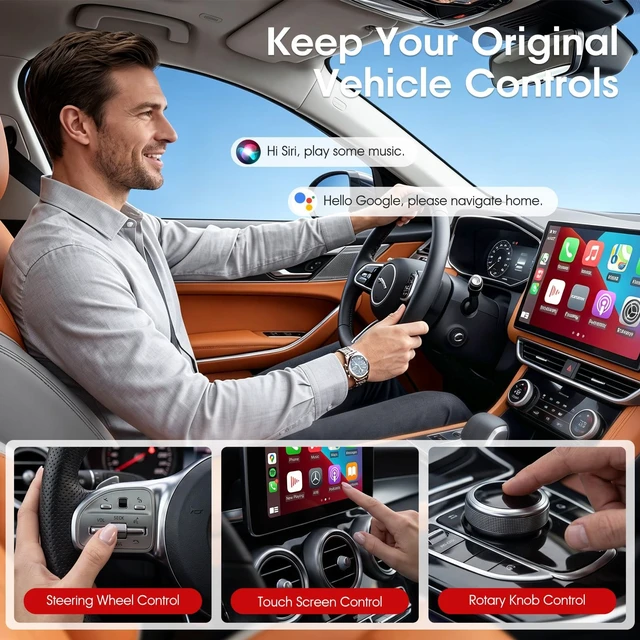
- Keep the Factory Screen and Controls The original infotainment system stays in place, so there is no new interface to learn. Use supported touchscreen controls, steering-wheel buttons, rotary knob, in-car microphone and voice commands for directions, calls, messages an
+
+
Overview
Specs
Reviews
Any questions? Our AI mode will help you find out quickly.
Try me now
Upgrade Factory Wired CarPlay and Android Auto to WirelessTurn a compatible factory wired system into a wireless connection with this compact 2-in-1 wireless CarPlay adapter. Use CarPlay or Android Auto on the original vehicle display without plugging your phone in before every drive. Keep the phone in your pocket, bag or charging area while accessing maps, music, calls and messages. Pair Once, Reconnect When You StartPlug the adapter into the vehicles USB data port and complete the first Bluetooth and WiFi pairing on the factory screen. After setup, the adapter is designed to reconnect when the vehicle starts.
No app download, extra display or dashboard modification is required. Keep the Original Vehicle ExperienceThe factory infotainment system stays in place, so you can continue using supported touchscreen controls, steering-wheel buttons, rotary knob, in-car microphone and voice commands. Available controls depend on the vehicles original CarPlay or Android Auto system. Bluetooth 5.0 and Dual-Band WiFiBluetooth 5.0 supports the initial phone pairing, while 2.4GH z/ 5.8GH z WiFi carries the wireless connection between the phone and vehicle. The adapter supports everyday navigation, music streaming, hands-free calls and messaging through the original vehicle interface.
Compact USB-A DesignThe adapter measures approximately 43 28 10.5 mm and plugs directly into the vehicle USB port without a long extension cable. The product body has a USB-A male plug. For vehicles with a compatible USB-C data port, use the included USB-A to USB-C adapter. Check Compatibility Before OrderingThis wireless CarPlay and Android Auto adapter is made for vehicles that already support factory wired CarPlay or wired Android Auto through a USB data port. It cannot add CarPlay or Android Auto to a vehicle that does not already have the wired function.
Compatible phone systems: iPhone 6 or lateriOS 10 or laterAndroid phones running Android 11 or laterBefore ordering, connect your phone to the original vehicle USB port with a data cable. If wired CarPlay or Android Auto opens on the factory screen, the vehicle has the required wired function.
Product SpecificationsFunction: Converts factory wired CarPlay and
Android Auto to wirelessBluetooth: Bluetooth
5.0W iFi: 2.4GH z / 5.8GH zProduct interface: USB-A
male plugIncluded converter: USB-A to
USB-CInput voltage:
5VSize: 43 28 10.5 mmPackage Includes1 Wireless CarPlay and Android Auto Adapter1 USB-A to USB-C Adapter1 User Manual

No app download, extra display or dashboard modification is required. Keep the Original Vehicle ExperienceThe factory infotainment system stays in place, so you can continue using supported touchscreen controls, steering-wheel buttons, rotary knob, in-car microphone and voice commands. Available controls depend on the vehicles original CarPlay or Android Auto system. Bluetooth 5.0 and Dual-Band WiFiBluetooth 5.0 supports the initial phone pairing, while 2.4GH z/ 5.8GH z WiFi carries the wireless connection between the phone and vehicle. The adapter supports everyday navigation, music streaming, hands-free calls and messaging through the original vehicle interface.
Compact USB-A DesignThe adapter measures approximately 43 28 10.5 mm and plugs directly into the vehicle USB port without a long extension cable. The product body has a USB-A male plug. For vehicles with a compatible USB-C data port, use the included USB-A to USB-C adapter. Check Compatibility Before OrderingThis wireless CarPlay and Android Auto adapter is made for vehicles that already support factory wired CarPlay or wired Android Auto through a USB data port. It cannot add CarPlay or Android Auto to a vehicle that does not already have the wired function.
Compatible phone systems: iPhone 6 or lateriOS 10 or laterAndroid phones running Android 11 or laterBefore ordering, connect your phone to the original vehicle USB port with a data cable. If wired CarPlay or Android Auto opens on the factory screen, the vehicle has the required wired function.
Product SpecificationsFunction: Converts factory wired CarPlay and
Android Auto to wirelessBluetooth: Bluetooth
5.0W iFi: 2.4GH z / 5.8GH zProduct interface: USB-A
male plugIncluded converter: USB-A to
USB-CInput voltage:
5VSize: 43 28 10.5 mmPackage Includes1 Wireless CarPlay and Android Auto Adapter1 USB-A to USB-C Adapter1 User Manual
Warranty & Returns
Warranty, Returns, And Additional Information
Warranty
- Please contact the Seller directly for warranty information. Warranty information may also be found on the Manufacturer's website.
- CONTACT
Return Policies
- Return for refund within: 30 days
- Return for replacement within: 30 days
- This item is covered by UsaLogic Return Policy
Manufacturer Contact Info
- For a directory of all our manufacturers, please click below.
- Manufacturers Directory
LOADING...