Your Browsing History
Meet Your Seller
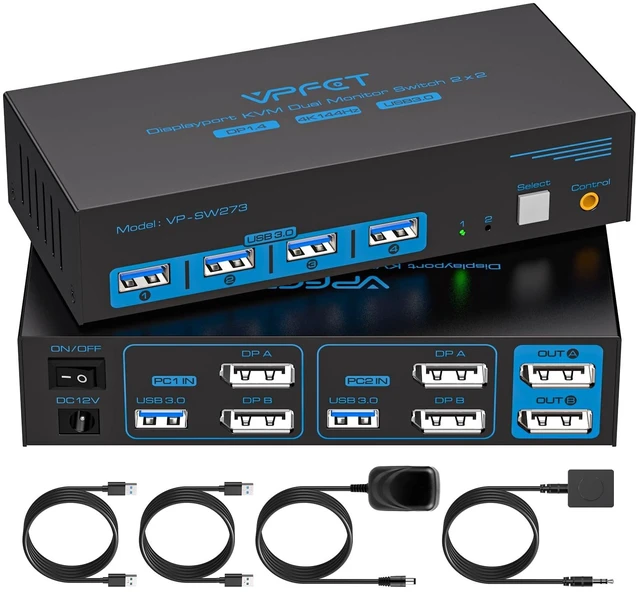
8K DisplayPort KVM Switch 2 Monitors 2 Computers, 4K@144Hz Dual Monitor KVM
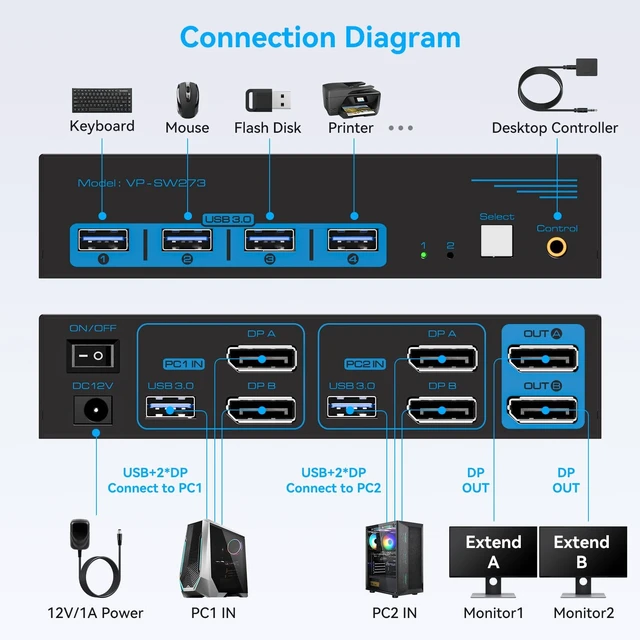
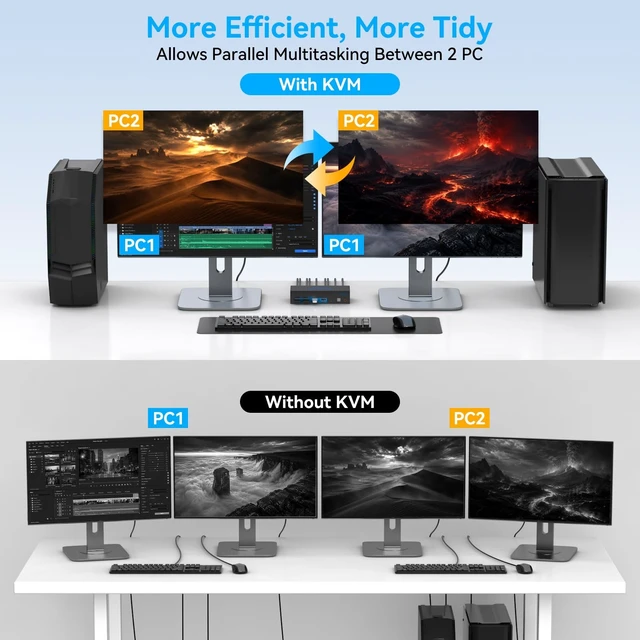
- Dual Monitor KVM Switch DisplayPort 1.4 : Seamlessly switch between 2 PCs while sharing 2 monitors & 4 USB peripherals. Supports Extended & Clone modes for flexible dual-display multitasking. Ideal for home office, trading setups, or creative workstations. Note: For dual monitor functionality, source PC must have 2 DP output ports; connect both DP A & DP B ports to the same computer for proper KVM operation.
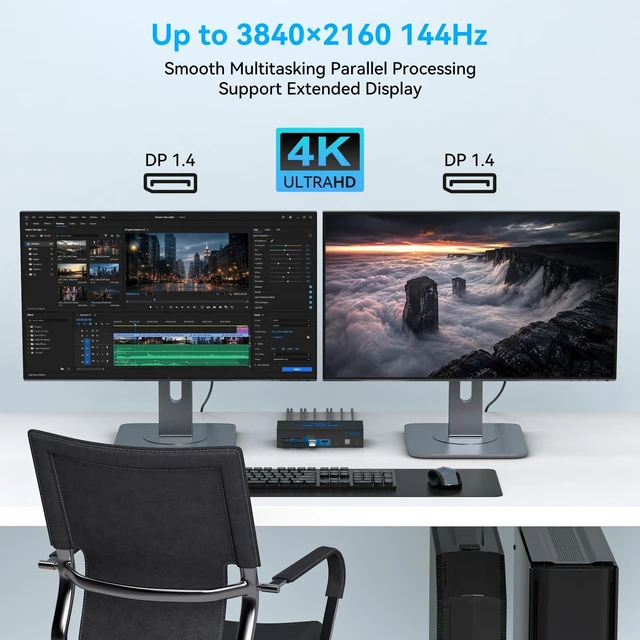
- Ultra HD 4K@144Hz Visuals: Experience stunningly lifelike images and vibrant colors with this DP 1.4 KVM switch, supporting a max resolution of 3840x2160@144Hz and fully backward compatible with DP 1.2. Note: Final resolution depends on your graphics cards, monitors, and cables. To ensure stable operation and effectively avoid black screen or splash screen issues, we highly recommend using high-quality DP 1.4 cables within 3.3ft in length.
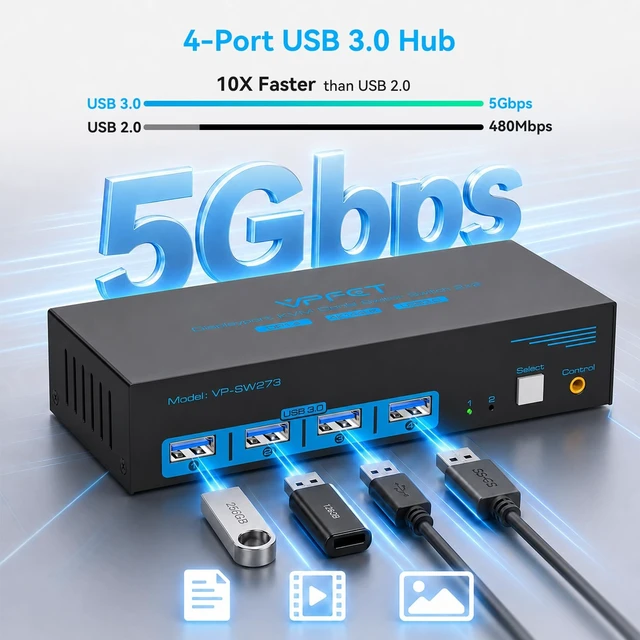
- Dual DisplayPort USB 3.0 KVM Switch: This KVM features 4 high-speed USB 3.0 ports delivering 5Gbps data transfer10x faster than USB 2.0and
+
+
Overview
Specs
Reviews
Any questions? Our AI mode will help you find out quickly.
Try me now
Dual Monitor KVM Switch
DisplayPort 1.4: Seamlessly switch between 2 PCs while sharing 2 monitors & 4 USB peripherals. Supports Extended & Clone modes for flexible dual-display multitasking. Ideal for home office, trading setups, or creative workstations.
Note: For dual monitor functionality, source PC must have 2 DP output ports; connect both DP A & DP B ports to the same computer for proper KVM operation. ^^ Ultra HD 4K@144Hz
Visuals: Experience stunningly lifelike images and vibrant colors with this DP 1.4 KVM switch, supporting a max resolution of 3840x2160@144Hz and fully backward compatible with DP 1.2.
Note: Final resolution depends on your graphics cards, monitors, and cables. To ensure stable operation and effectively avoid black screen or splash screen issues, we highly recommend using high-quality DP 1.4 cables within 3.3 ft in length. ^^ Dual DisplayPort USB 3.0
KVM Switch: This KVM features 4 high-speed USB 3.0 ports delivering 5Gbps data transfer10x faster than USB 2.0 and supports up to 48Gbps video bandwidth for crisp, high-resolution display. Fully backward compatible with USB 2.0 / 1.1, it seamlessly recognizes keyboards, mice, printers, and other USB peripherals.
Pro Tip: Connect a USB 3.0 cable between your PC and KVM to activate all front-panel USB 3.0 ports for reliable, plug-and-play peripheral sharing across computers.
^^ 2 Switching Methods: 2-Port DisplayPort KVM Switch offers plug-and-play, no drivers required.
Switch sources instantly via: front-panel button on the KVM, or included wired desktop controller for convenient desk-side control. Bright LED indicator clearly shows the active PC, eliminating tedious cable plugging/unplugging.
Note: Supports physical button and desktop controller switching only; keyboard hotkey (key combination) switching is not supported. ^^ Packing List and
After-Sales Service: DisplayPort KVM Switch features external 12V DC power design, ensuring stable power supply for connected USB peripherals and reliable switching performance.
Package Includes: KVM switch, wired desktop controller, USB 3.0 cable*2, 12V DC power adapter, user manual, support card.
Note: DisplayPort cables are not included. Email us via Message for a 24-hour responsewe're here to help!

DisplayPort 1.4: Seamlessly switch between 2 PCs while sharing 2 monitors & 4 USB peripherals. Supports Extended & Clone modes for flexible dual-display multitasking. Ideal for home office, trading setups, or creative workstations.
Note: For dual monitor functionality, source PC must have 2 DP output ports; connect both DP A & DP B ports to the same computer for proper KVM operation. ^^ Ultra HD 4K@144Hz
Visuals: Experience stunningly lifelike images and vibrant colors with this DP 1.4 KVM switch, supporting a max resolution of 3840x2160@144Hz and fully backward compatible with DP 1.2.
Note: Final resolution depends on your graphics cards, monitors, and cables. To ensure stable operation and effectively avoid black screen or splash screen issues, we highly recommend using high-quality DP 1.4 cables within 3.3 ft in length. ^^ Dual DisplayPort USB 3.0
KVM Switch: This KVM features 4 high-speed USB 3.0 ports delivering 5Gbps data transfer10x faster than USB 2.0 and supports up to 48Gbps video bandwidth for crisp, high-resolution display. Fully backward compatible with USB 2.0 / 1.1, it seamlessly recognizes keyboards, mice, printers, and other USB peripherals.
Pro Tip: Connect a USB 3.0 cable between your PC and KVM to activate all front-panel USB 3.0 ports for reliable, plug-and-play peripheral sharing across computers.
^^ 2 Switching Methods: 2-Port DisplayPort KVM Switch offers plug-and-play, no drivers required.
Switch sources instantly via: front-panel button on the KVM, or included wired desktop controller for convenient desk-side control. Bright LED indicator clearly shows the active PC, eliminating tedious cable plugging/unplugging.
Note: Supports physical button and desktop controller switching only; keyboard hotkey (key combination) switching is not supported. ^^ Packing List and
After-Sales Service: DisplayPort KVM Switch features external 12V DC power design, ensuring stable power supply for connected USB peripherals and reliable switching performance.
Package Includes: KVM switch, wired desktop controller, USB 3.0 cable*2, 12V DC power adapter, user manual, support card.
Note: DisplayPort cables are not included. Email us via Message for a 24-hour responsewe're here to help!
Warranty & Returns
Warranty, Returns, And Additional Information
Warranty
- Please contact the Seller directly for warranty information. Warranty information may also be found on the Manufacturer's website.
- CONTACT
Return Policies
- Return for refund within: 30 days
- Return for replacement within: 30 days
- This item is covered by Hanbo Supply Store Return Policy
Manufacturer Contact Info
- For a directory of all our manufacturers, please click below.
- Manufacturers Directory
LOADING...