




 here!
here!
I’m your shopping assistant for PC builds, upgrades, and everything tech.
Got questions? Ask away!
Start a conversation
here!
I’m your shopping assistant for PC builds, upgrades, and everything tech.
Got questions? Ask away!
Start a conversation Hot Seller Hot Seller




Any questions? Ask CelesteSM will help you find out quickly.
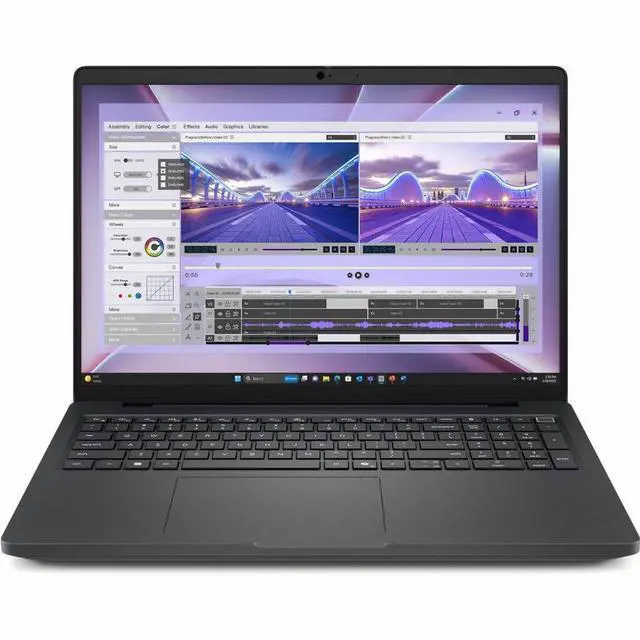
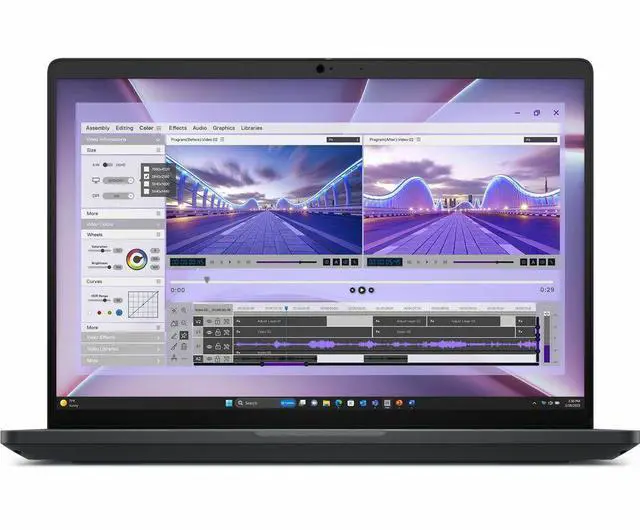
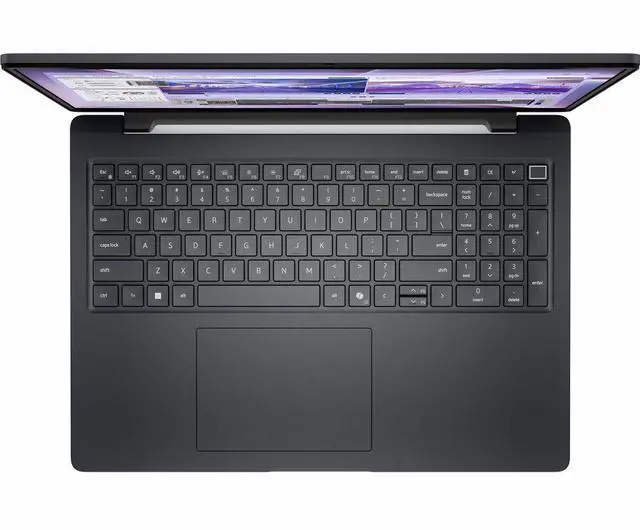
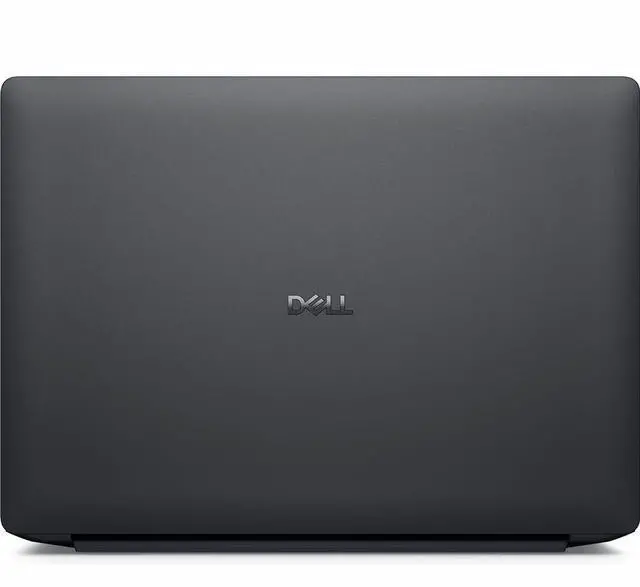
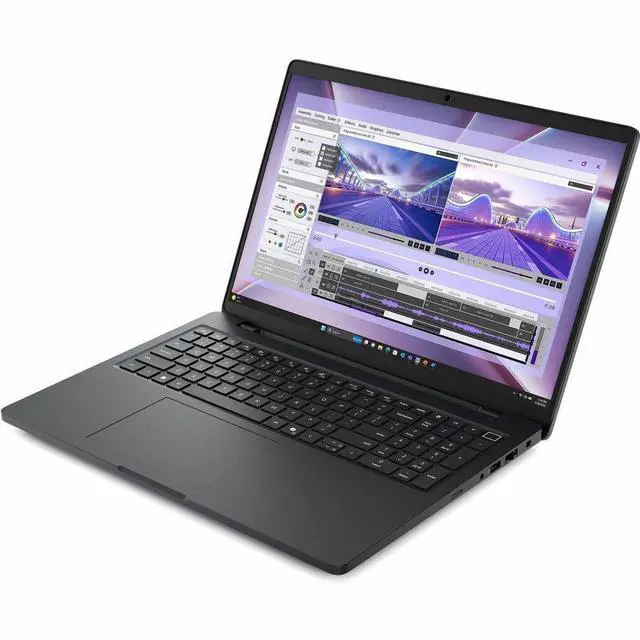
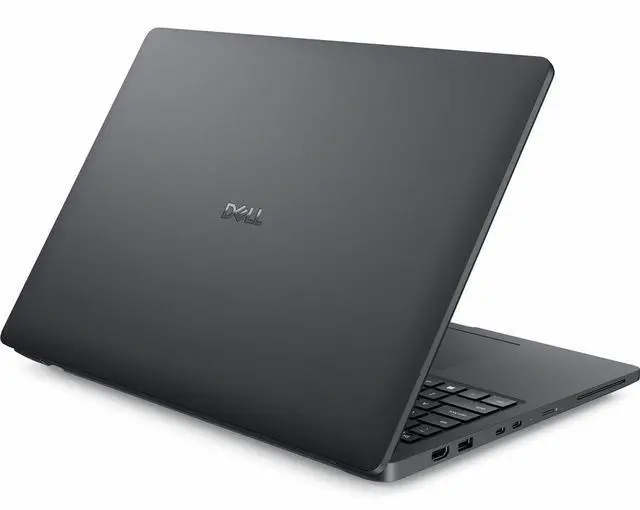
The Dell Pro Max MC16250 is a 16-inch Copilot+ mobile workstation with an Intel Core Ultra 7 255H, Intel Arc Pro 140T graphics, 16GB DDR5, and a 512GB SSD, making it a strong fit for professionals and students who need a business-ready Windows 11 Pro laptop for office work, multitasking, and light workstation workflows.
| Attribute | Value |
|---|---|
| Best For | Mobile workstation users who need a 16.0" Copilot+ PC with an Intel Core Ultra 7 CPU, Intel Arc Pro 140T graphics and Wi‑Fi 7—suited for AI-assisted productivity, professional graphics tasks and on-the-go multi-app workflows |
| Processor And Core Count | Intel Core Ultra 7 255H (Series 2) with up to 5.10 GHz turbo and an AI Boost neural processing unit |
| GPU And VRAM | Intel Arc Pro 140T Graphics for professional mobile workstation graphics |
| Display Spec | 16.0" FHD+ (1920 x 1200) LCD non-touch display with a 60 Hz refresh rate |
| Memory Configuration | 16GB DDR5 |
| Storage And Expansion | 512GB SSD |
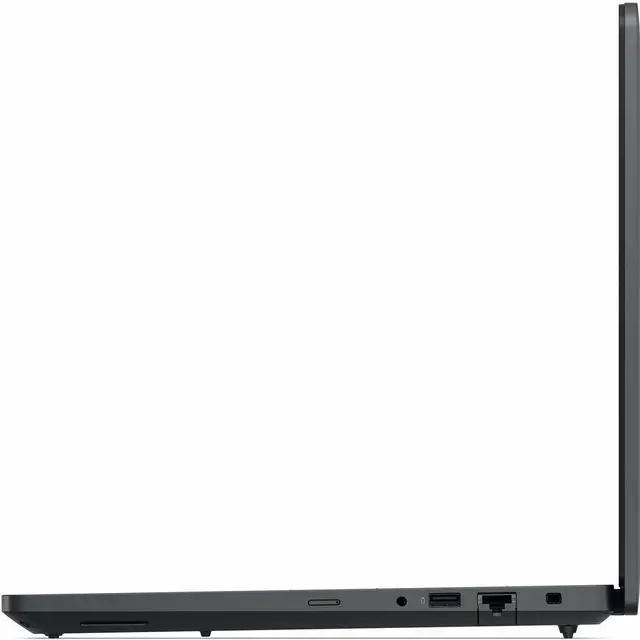
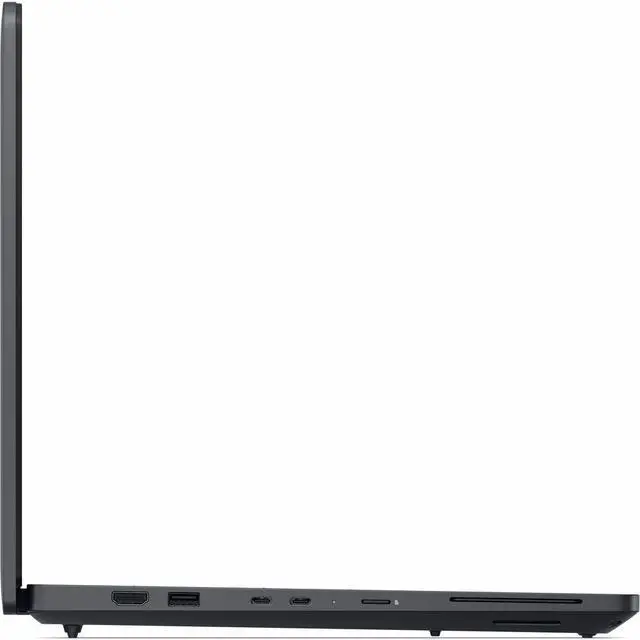
| High Speed I O | 2 x USB 3.2 Gen 1 Type-A, 2 x Thunderbolt 4 and 1 x HDMI for high-speed data, peripherals and external displays or docks |
| Wired And Wireless Networking | Gigabit Ethernet (RJ-45), 802.11be wireless LAN (Wi‑Fi 7) and Bluetooth |
| Battery And Power | 4-cell Lithium Polymer (Li-Polymer) battery |
| Webcam And Privacy | Integrated webcam |
| Physical Dimensions And Weight | 14.1" W x 10.1" D x 1.01" H; 4.85 lb |
| Operating System | Windows 11 Pro |
| Model Identifiers | DELL Pro Max MC16250 (Part 42VDY) in Black |
| Package Content | Pro Max MC16250 mobile workstation, Lithium Polymer battery, AC adapter, E5 power cord (1M for US), Quick Setup Guide |
Q: Should I buy this Dell Pro Max MC16250 or step up to a Dell Pro Max 16 configuration with NVIDIA RTX Pro graphics?
A: Choose this Core Ultra 7 255H / Intel Arc Pro 140T configuration if your work is centered on office apps, coding, light content creation, remote administration, and 2D or lighter 3D professional workflows. Step up to an RTX Pro configuration if you regularly use GPU-accelerated CAD, rendering, simulation, AI, or other heavier 3D workloads. Dell positions the Pro Max 16 family with optional RTX Pro 500, 1000, and 2000 GPUs for users who need more graphics headroom, while independent reviews describe the Arc 140T as a capable integrated GPU that still sits below discrete workstation graphics for demanding professional 3D work.
Q: Is this Dell Pro Max MC16250 worth it over a lower-tier Core Ultra 5 235H configuration?
A: This model is the better fit if you expect longer service life under heavier multitasking, larger spreadsheets, development tools, or sustained workstation-style use. Dell's own Pro Max 16 spec sheet shows that the Core Ultra 7 255H moves up from the Core Ultra 5 235H with more cores, more cache, and a slightly higher boost ceiling, so the upgrade is most useful when CPU load is frequent rather than occasional. If your workload is mainly browser, Office, video calls, and general business use, a Core Ultra 5 version can make more sense as the value-oriented choice.
Q: Should I choose this 16GB/512GB Dell Pro Max or move to a 32GB configuration?
A: Choose this 16GB model if your workload is business-focused and you want a practical entry point into the Pro Max line. Move to 32GB if you expect to keep many applications open, use virtual machines, work with larger datasets, or rely on the integrated Arc graphics more often. On this platform, memory capacity and memory layout matter because the integrated GPU shares system memory; community benchmark comparisons on similar Core Ultra 7 255H systems show noticeably stronger graphics performance with dual-channel memory, which supports the case for higher-memory configurations in graphics-sensitive use.
Q: Is this Dell Pro Max MC16250 a better choice than a thinner 16-inch productivity laptop for travel?
A: Choose this Pro Max if your priority is workstation features such as Ethernet, multiple USB-A ports, Thunderbolt, easier docking, and a chassis built around business deployment rather than minimum weight. Choose a thinner productivity laptop if your main goal is carrying less weight every day and your workload does not benefit from workstation-oriented expandability. At about 4.85 lb with RJ-45, HDMI, USB-A, and Thunderbolt, this model is positioned more as a practical mobile workstation than as an ultra-light travel laptop.
Q: Should I pick this FHD+ Dell Pro Max configuration or wait for a higher-resolution Pro Max 16 display option?
A: Choose this FHD+ 1920x1200 model if battery life, lower cost, and general business readability matter more than panel sharpness or color work. A higher-resolution QHD+ Pro Max 16 configuration is the better fit for users doing more detailed visual work, multitasking across larger canvases, or needing fuller sRGB coverage. Dell's Pro Max 16 spec sheet lists both FHD+ 60Hz panels and QHD+ 2560x1600 120Hz options, so the better choice depends on whether your priority is efficiency or display workspace.
Q: Is this a good fit for office work, video meetings, and everyday business tasks?
A: Yes. This configuration is well suited for office productivity, browser-based work, spreadsheets, presentations, and regular video meetings. The Core Ultra 7 processor, 16GB RAM, 512GB SSD, Windows 11 Pro, and built-in webcam match the hardware profile commonly recommended on retail Q&A pages for business and remote-work use. It is a better fit for professional productivity than for heavy GPU rendering or advanced CAD workloads.
Q: Is it worth buying as a travel work device?
A: It can work well for travel if you want a larger 16-inch screen and full-size business ports, but it is not a light travel-first laptop. At 4.85 lb and about 1.01 inches thick, it is more of a mobile workstation you carry between offices, home, and client sites than an ultra-portable for frequent flights. The trade-off is better connectivity, a larger display, and workstation-style usability versus more bag weight.
Q: Who is this laptop most suitable for?
A: This model is best for business users who want a 16-inch non-touch Windows laptop with professional features such as Windows 11 Pro, Ethernet, Thunderbolt 4, HDMI, Wi-Fi 7, and a built-in webcam. It makes the most sense for office professionals, analysts, IT users, and hybrid workers who value ports and screen space. It is less ideal for users who specifically need pen input, tablet-style note-taking, or high-end discrete graphics performance.
Q: Is this good for note-taking and meetings?
A: It is good for meetings, but only average for note-taking. The webcam, business OS, and 16GB memory make it suitable for video calls and multitasking during meetings. However, the display is non-touch, so it is not the right choice if your note-taking style depends on pen input, handwriting, or tablet-like interaction. Buyers who prioritize annotation and handwritten notes usually look for touchscreen or 2-in-1 models instead.
Q: What are the main trade-offs versus a similar 16-inch workstation with discrete graphics?
A: The main trade-off is graphics headroom versus simplicity and likely lower cost. Compared with similar 16-inch mobile workstations that add an NVIDIA RTX-class GPU, this Dell configuration is better aligned with business productivity, general professional use, and moderate graphics tasks, but it is not the stronger choice for GPU-accelerated 3D work, advanced CAD, or heavier rendering. Buyers choosing between the two should decide whether they need workstation-class GPU performance or mainly want a large-screen business laptop with modern ports and AI-era platform features.
Q: Is the Dell Pro Max MC16250 a good fit for office work, coding, and general business use?
A: Yes, it looks suitable for office productivity, coding, and general business workloads. The Core Ultra 7 255H, 16GB RAM, 512GB SSD, 16-inch 1920x1200 display, Ethernet, Thunderbolt 4, and Windows 11 Pro make it a practical business laptop. The main trade-offs are that this configuration is relatively heavy at 4.85 lb, uses a basic 60 Hz non-touch FHD+ screen, and starts with only 16GB RAM and 512GB storage.
Q: Who should buy this Dell Pro Max MC16250 configuration?
A: This configuration makes the most sense for business users who want a 16-inch work-focused laptop with modern ports, Wi-Fi 7, and a stronger H-series processor, but do not need a premium display or high-end graphics. It fits IT, engineering, spreadsheet-heavy, multitasking, and desk-based work better than ultra-portable travel use. Buyers who need more headroom for large creative projects, VMs, or long-term workstation use may want more than 16GB RAM and 512GB storage.
Q: What are the main trade-offs of this MC16250 model before buying?
A: The main trade-offs are portability, display quality, and entry-level memory/storage for a workstation-class laptop. At 4.85 lb, it is less travel-friendly than lighter 14-inch or thin-and-light models. This specific version also has a non-touch 1920x1200 60 Hz LCD, which is functional but not a premium panel. The 16GB RAM and 512GB SSD are adequate for mainstream work, but they are modest for heavier workstation tasks.
Q: Is this a good choice if I travel a lot or want a simple note-taking laptop?
A: Not really. This model is better suited to desk-to-meeting business use than frequent travel or lightweight note-taking. The 16-inch size, 4.85 lb weight, and non-touch display make it less convenient than smaller or lighter laptops for commuting, flights, or handwritten-style use. It is a better match for users who prioritize ports, screen space, and business features over portability.
Q: Are there any reliability or platform concerns buyers should be aware of?
A: Possibly. Reddit discussion around the MC16250 includes reports from fleet and IT users about stability issues on some configurations, including crashes and driver-related problems. That does not prove every unit is affected, but it is a reasonable caution signal for business buyers. If you are considering this model, it is worth checking BIOS, graphics, and Windows update status before deployment, especially in managed environments.


