





XYBkey Brand Store
XYBkey is born from the persistent pursuit of "safety" and "intelligence". Since its establishment, we have focused on the research and development of vehicle-mounted driving recorders and access control smart devices, just to make every trip safer and smarter. We insist on user experience as the core, integrating cutting-edge technology and humanized design to provide all-weather protection for tens of millions of car owners.
See more

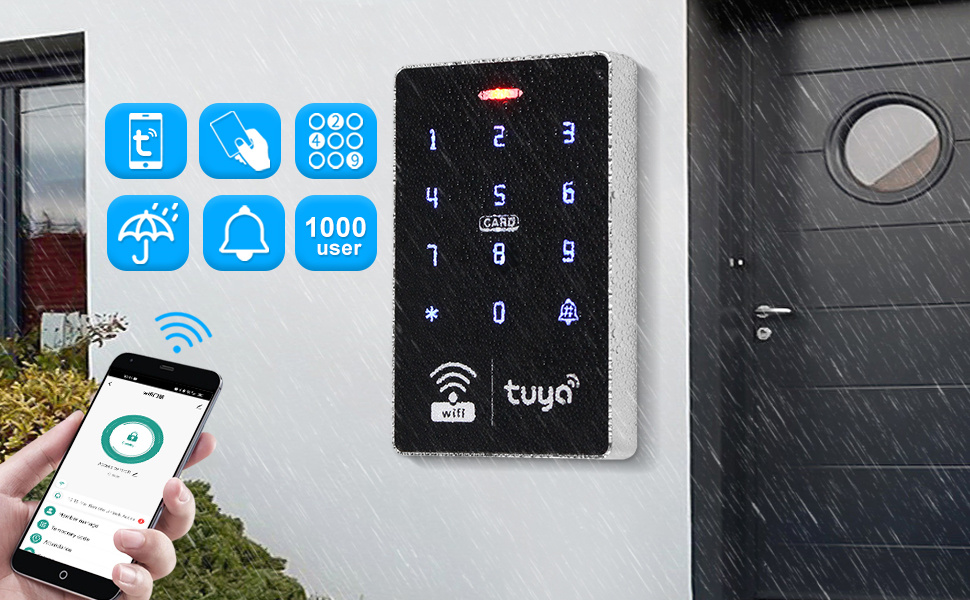
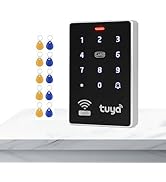
Product specifications:
User capacity: 1000 users
Material: high-quality ABS
Working frequency: 13.56MHz, card reading distance: 0-5CM
Card reading type: supports MF 1K compatible cards
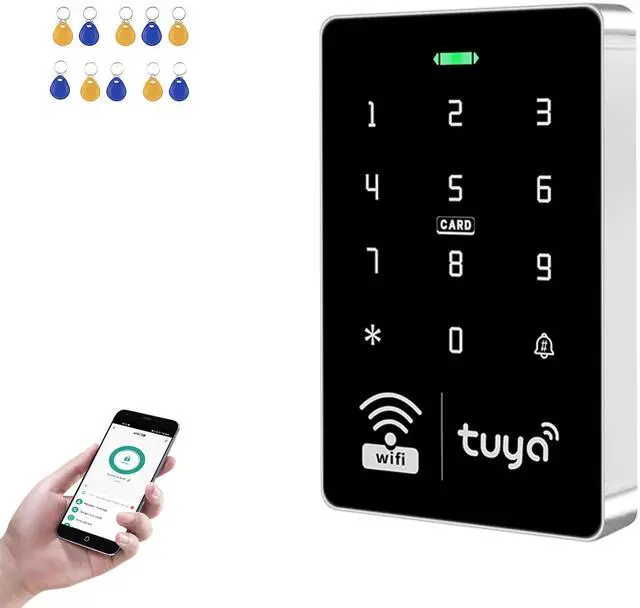
Identification method: RFID card, password, RFID card plus password, Tuya APP remote unlocking.
Recording ability: Tuya APP remotely view the latest unlocking information
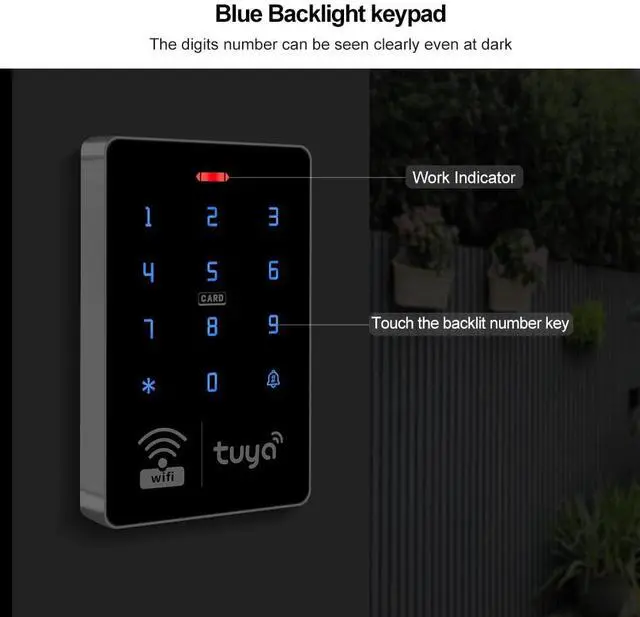
Backlight: blue backlight
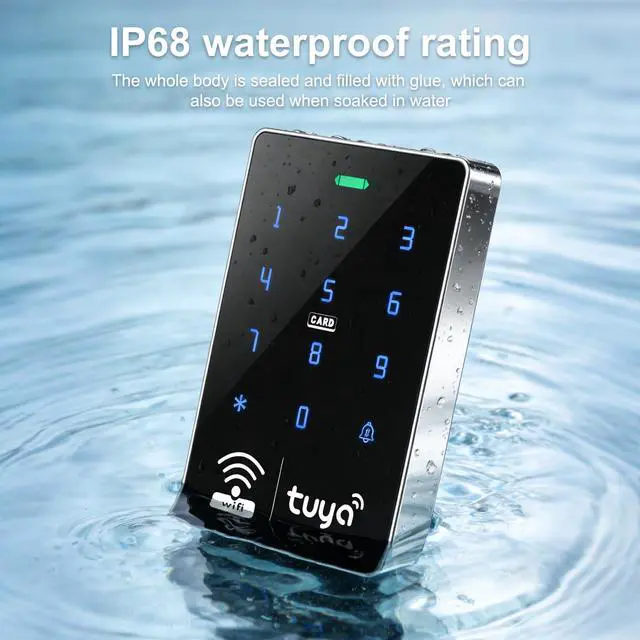
Waterproof function: IP68 waterproof, can be installed outdoors
Doorbell button: supports wired doorbell
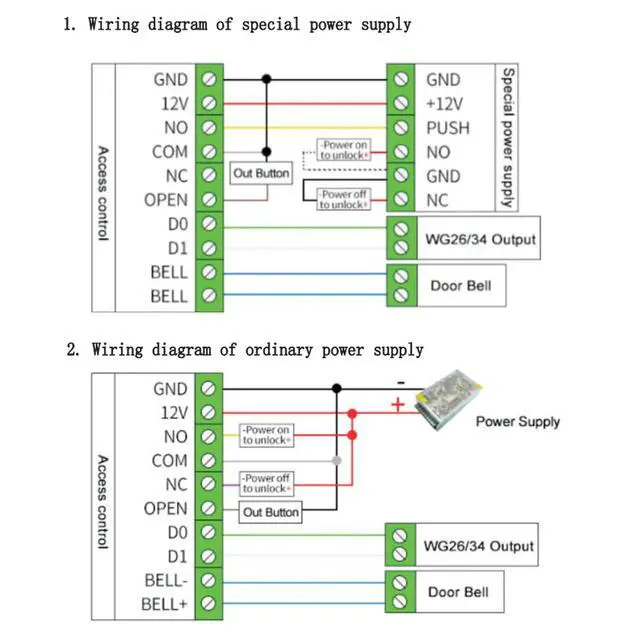
Wiegand signal: WG26/34 output
Working voltage: DC12V, working current: =3A
Opening time: 0~99 seconds, management card can be set: yes
Working temperature: -20~70 degrees Celsius, working humidity: 10%~90%
Product size: 115*72*17mm
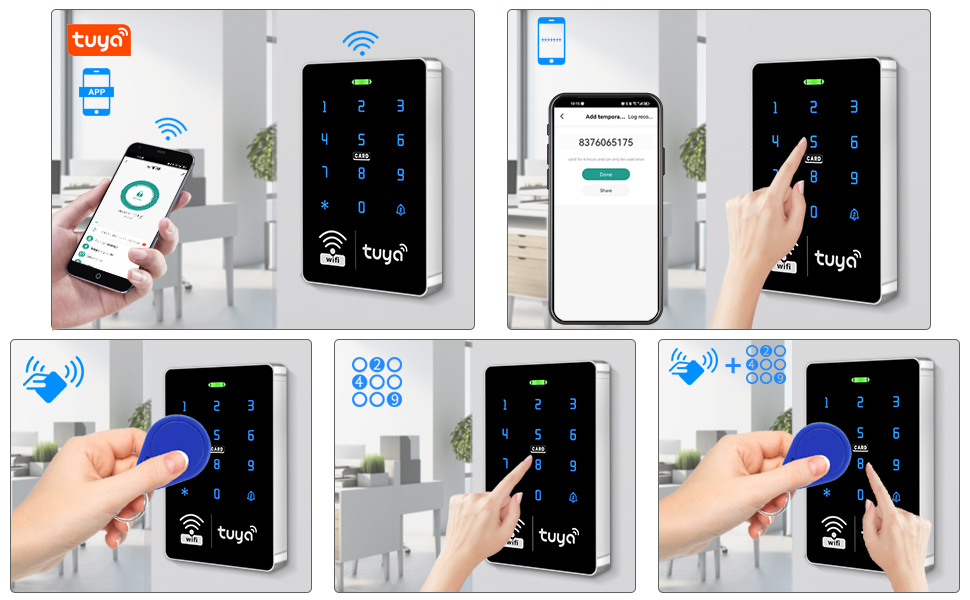
Can set the normally open mode. Frequent entry and exit can be set to normally open mode
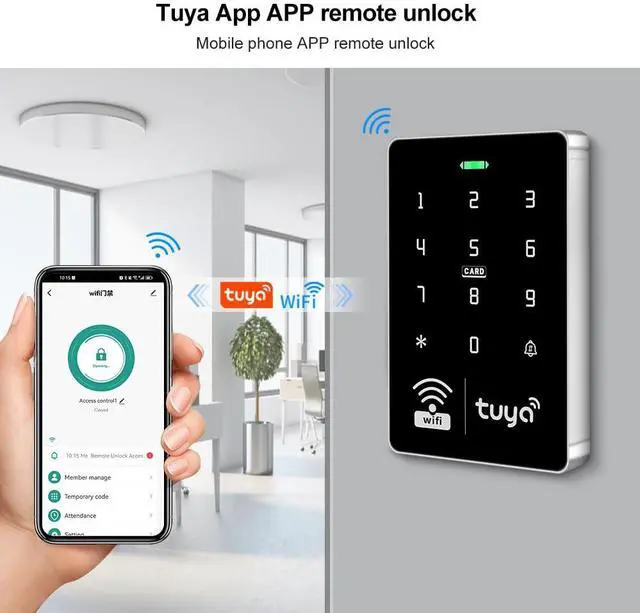
Support remote unlocking via Tuya APP. Long press the unlock icon to open the door.
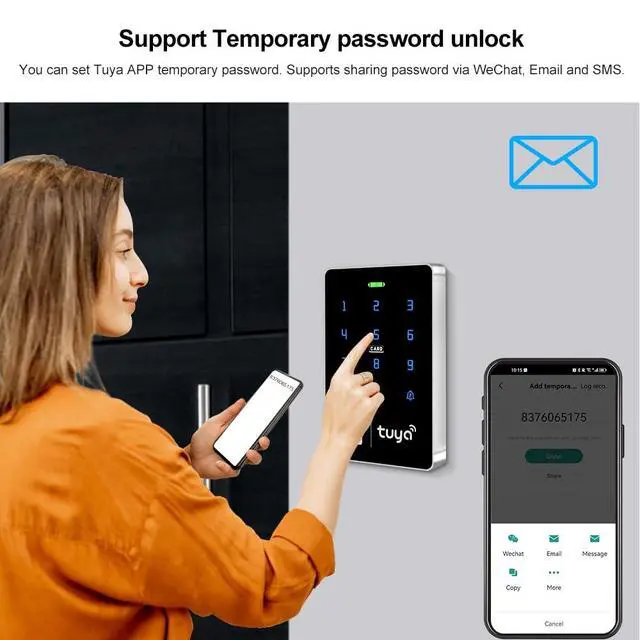
Support temporary password unlocking. You can set a temporary password for Tuya App. Support sharing passwords via WeChat, email, and SMS.
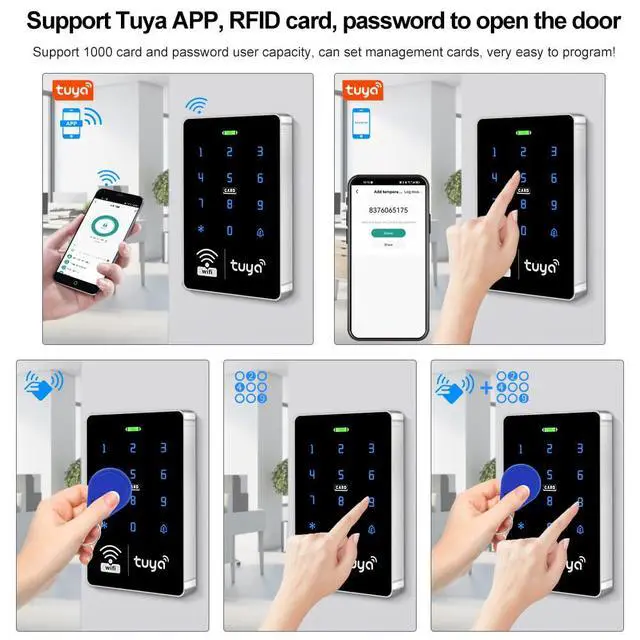
Support RFID card, password, RFID card plus password, and Tuya APP to open the door.
Support 1,000 RFID cards and password user capacity.
Management cards can be set, and programming is very easy. No need to log in to the computer.
The shell is made of ABS flame-retardant material, touch keyboard, and the design is very beautiful.
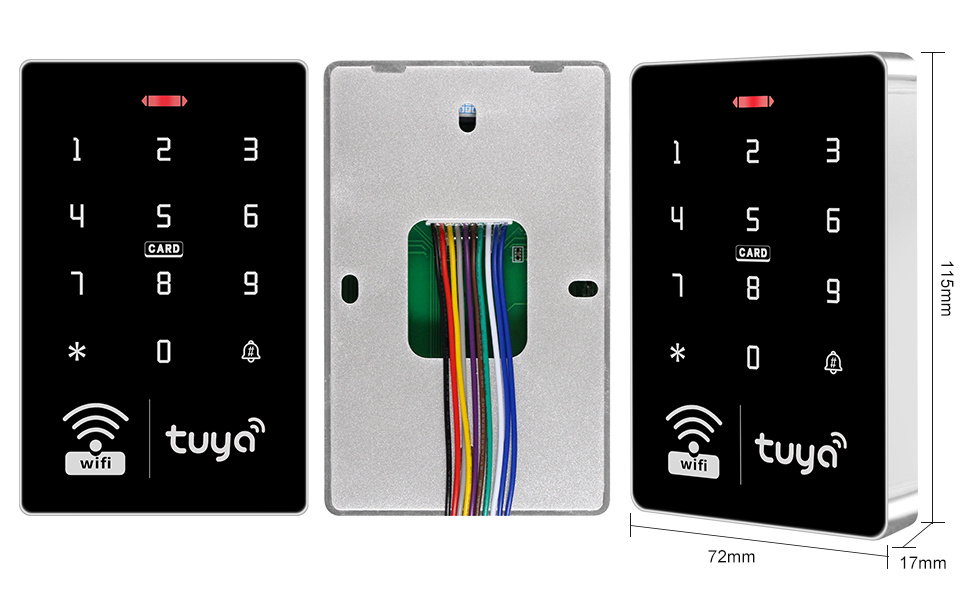
Waterproof IP68. Can be installed outdoors
Blue backlit keyboard, numbers can be clearly seen even in the dark
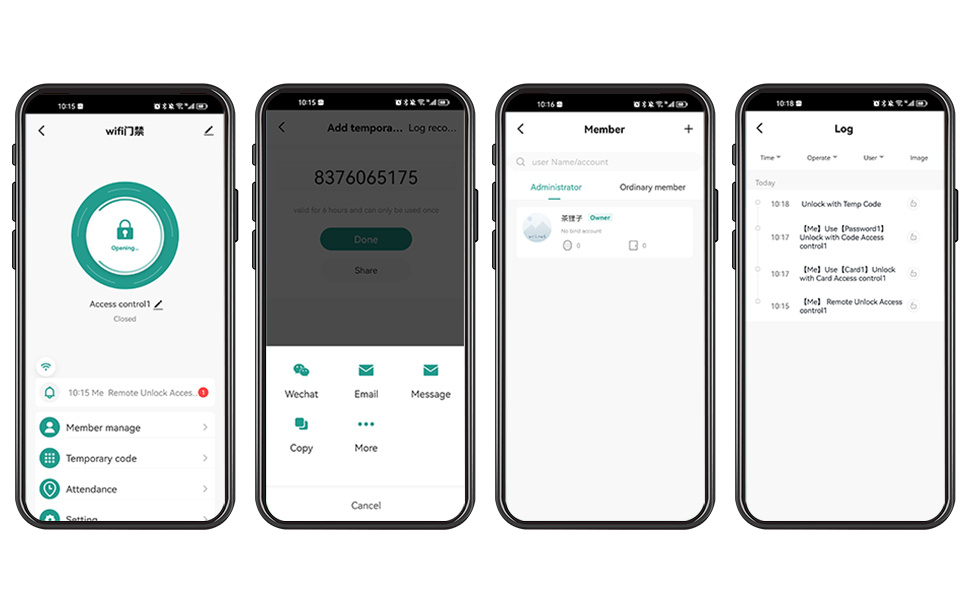
About Tuya App
You can add passwords and RFID cards on the app, which is very convenient.
You can use the Tuya app unlock button or Tuya password to open the door.
You can set a periodic password, which is valid for a certain period of time.
You can also set a one-time password to open the door, which will become invalid after being used once within 6 hours.
Support sharing passwords via WeChat, email, and SMS.
You can view the unlocking record. Click the recall information to view the log.
Tuya App Setup Instructions
1. Scan the image. Download the Tuya app or search for "Tuya" in the App Store.
2. Enter *123456#041# on the access control terminal. Wait 5 seconds for the LED to flash to start pairing with your phone via WiFi.
3. Open the Tuya app and add a new device.
4. Select "Camera" and "Lock," then tap "Lock (WiFi Mode)."
5. Connect to available devices. Select your WiFi and enter your password.
6. Confirm the device indicator flashes and tap "Done."
7. Select Access Point mode.
8. Connect your phone's WiFi to the device's hotspot.
9. Log in. Once added, tap "Done."
10. Tap "Settings" to enable remote unlocking.
11. Select a user, tap "+ Add User," enter a name, tap "Next," and then tap "Add." Enter a 6-digit code or a randomly generated code, enter a code name or card name, and tap "Save." 12. Swipe your card within 60 seconds to successfully add the card. Enter the card name and click "Done."
13. Enter the relevant information and click "Next."
14. To add a temporary code, click "One-time," enter the code name, click "Save code offline," and you're done.
Note: The code is valid for 6 hours and can only be used once.
15. Click "Regular Member" > "Add Regular User."
XYBkey Brand Store
XYBkey is born from the persistent pursuit of "safety" and "intelligence". Since its establishment, we have focused on the research and development of vehicle-mounted driving recorders and access control smart devices, just to make every trip safer and smarter. We insist on user experience as the core, integrating cutting-edge technology and humanized design to provide all-weather protection for tens of millions of car owners.
See more
Product specifications:
User capacity: 1000 users
Material: high-quality ABS
Working frequency: 13.56MHz, card reading distance: 0-5CM
Card reading type: supports MF 1K compatible cards
Identification method: RFID card, password, RFID card plus password, Tuya APP remote unlocking.
Recording ability: Tuya APP remotely view the latest unlocking information
Backlight: blue backlight
Waterproof function: IP68 waterproof, can be installed outdoors
Doorbell button: supports wired doorbell
Wiegand signal: WG26/34 output
Working voltage: DC12V, working current: =3A
Opening time: 0~99 seconds, management card can be set: yes
Working temperature: -20~70 degrees Celsius, working humidity: 10%~90%
Product size: 115*72*17mm
Can set the normally open mode. Frequent entry and exit can be set to normally open mode
Support remote unlocking via Tuya APP. Long press the unlock icon to open the door.
Support temporary password unlocking. You can set a temporary password for Tuya App. Support sharing passwords via WeChat, email, and SMS.
Support RFID card, password, RFID card plus password, and Tuya APP to open the door.
Support 1,000 RFID cards and password user capacity.
Management cards can be set, and programming is very easy. No need to log in to the computer.
The shell is made of ABS flame-retardant material, touch keyboard, and the design is very beautiful.
Waterproof IP68. Can be installed outdoors
Blue backlit keyboard, numbers can be clearly seen even in the dark
About Tuya App
You can add passwords and RFID cards on the app, which is very convenient.
You can use the Tuya app unlock button or Tuya password to open the door.
You can set a periodic password, which is valid for a certain period of time.
You can also set a one-time password to open the door, which will become invalid after being used once within 6 hours.
Support sharing passwords via WeChat, email, and SMS.
You can view the unlocking record. Click the recall information to view the log.
Tuya App Setup Instructions
1. Scan the image. Download the Tuya app or search for "Tuya" in the App Store.
2. Enter *123456#041# on the access control terminal. Wait 5 seconds for the LED to flash to start pairing with your phone via WiFi.
3. Open the Tuya app and add a new device.
4. Select "Camera" and "Lock," then tap "Lock (WiFi Mode)."
5. Connect to available devices. Select your WiFi and enter your password.
6. Confirm the device indicator flashes and tap "Done."
7. Select Access Point mode.
8. Connect your phone's WiFi to the device's hotspot.
9. Log in. Once added, tap "Done."
10. Tap "Settings" to enable remote unlocking.
11. Select a user, tap "+ Add User," enter a name, tap "Next," and then tap "Add." Enter a 6-digit code or a randomly generated code, enter a code name or card name, and tap "Save." 12. Swipe your card within 60 seconds to successfully add the card. Enter the card name and click "Done."
13. Enter the relevant information and click "Next."
14. To add a temporary code, click "One-time," enter the code name, click "Save code offline," and you're done.
Note: The code is valid for 6 hours and can only be used once.
15. Click "Regular Member" > "Add Regular User."