Specifications: Applications: 1. Make sure to move to High Sierra while still on your old drive, so that a newer firmware is installed that can handle NVMe. 2. Do a full backup to your TimeMachine. 3. Create a High Sierra Installer on a bootable USB stick. 4. Open the macbook and disconnect the battery while wsitching out the drive and make sure both adapter and new SSD sit snug. Finally reconnect the battery before closing the shell. 5. Insert the installer USB stick from step2, and press the option key while the machine starts. Once its up you can now go to the disk utils to format.
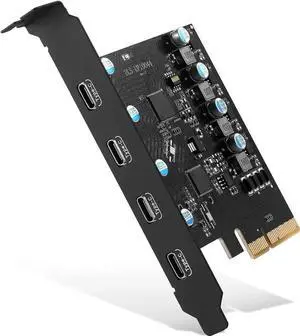
Package Contents: 1x M.2 NVMe SSD Adapter Card for Upgrade of Macbook 2013-2017.
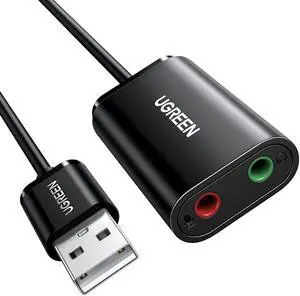
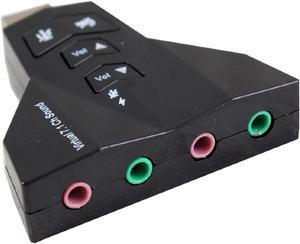
Specifications: USB 2.0 Full-speed (480Mbps) specification USB HID class specification 1.1 USB Audio device class specification 1.0 USB Type A, 2x 3.5mm stereo output jack, 2 x mono microphone input jack connectors Supports: Windows 98se /ME / 2000 / XP / Server 2003 / Vista/Windows 7 and Windows 8 Linux/ MacOS 10/ System Requirement : Desktop or notebook PC with a USB port, Stereo active speakers or stereo earphone
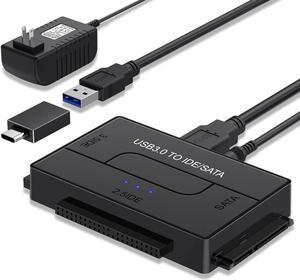
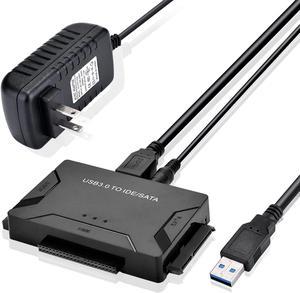
Specifications: All in One Solution to Connect to Different Types of Interface's Hard Drive
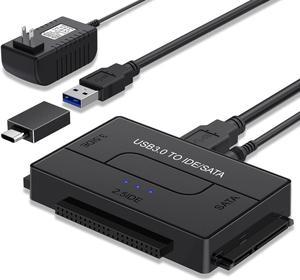
This USB 3.0 to SATA IDE Adapter connects any standard 2.5in or 3.5in SATA or IDE hard drive to a computer through an available USB 3.0 port, also supported DVD-ROM, CD-ROM, CD-RW, DVD-RW, DVD+RW; Backward compatible with USB 2.0/1.1.
Supported Drives: 2.5"/3.5" SATA HDD/SSD; 2.5"/3.5" IDE HDD; DVD-ROM, CD-ROM, CD-RW, DVD-RW, DVD+RW.
Compatible with Windows 10/8/8.1/7/Vista/XP and Mac OS, Linux, and Chrome OS etc.
Data Transfer Rate: up to 5Gb/s (10 times faster than USB 2.0).
Supports drives with a capacity of up to 6TB.
Backward compatible with USB 2.0/1.1.
DC Power Supply 12V included for 3.5" devices.
On/Off Switch for HDD protection.
Pluy & Play, reliable and stable.
Specifications: All in One Solution to Connect to Different Types of Interface's Hard Drive
This USB 3.0 to SATA IDE Adapter connects any standard 2.5in or 3.5in SATA or IDE hard drive to a computer through an available USB 3.0 port, also supported DVD-ROM, CD-ROM, CD-RW, DVD-RW, DVD+RW; Backward compatible with USB 2.0/1.1.
Supported Drives: 2.5"/3.5" SATA HDD/SSD; 2.5"/3.5" IDE HDD; DVD-ROM, CD-ROM, CD-RW, DVD-RW, DVD+RW.
Compatible with Windows 10/8/8.1/7/Vista/XP and Mac OS, Linux, and Chrome OS etc.
Data Transfer Rate: up to 5Gb/s (10 times faster than USB 2.0).
Supports drives with a capacity of up to 6TB.
Backward compatible with USB 2.0/1.1.
DC Power Supply 12V included for 3.5" devices.
On/Off Switch for HDD protection.
Pluy & Play, reliable and stable.





 here!
here!


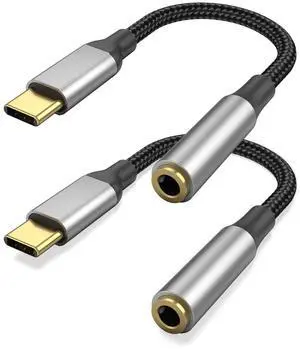
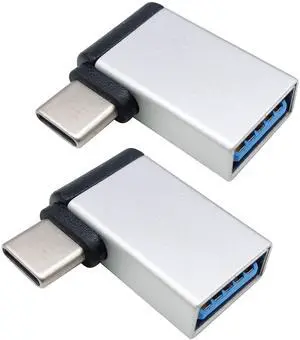
![[2 PACK] USB C Female to USB A Male Adapter 3.1 Gen 2 - True 10Gbps Type C to USB Converter Support Charging, Audio, Data Transfer USB A to USB-C Adapter](https://c1.neweggimages.com/productimage/nb300/AR4TS2211080EKH3ZC9.jpg "[2 PACK] USB C Female to USB A Male Adapter 3.1 Gen 2 - True 10Gbps Type C to USB Converter Support Charging, Audio, Data Transfer USB A to USB-C Adapter")