• In Stock
  • Sold by Newegg
  • Make an Offer
  • New
Department
Show More
Brands
Show More
Price
Show More
All Top Brands
Availability
Condition
Discount
Sold by
Useful Links
Customer Ratings
avatar

Any questions? Our AI beta will help you find out quickly.

Sort By:
View:
Magnasonic 25MP Film Scanner with Large 5" Display & HDMI, Long Tray Slide Film Holders, Converts 35mm/126/110/Super 8 Film & 135/126/110 Slides into Digital Photos, Built-in Memory (FS70ST01)
Quick View
  •  
  • $147.98 
  • Free Shipping
Direct from MAGNASONIC Direct from MAGNASONIC
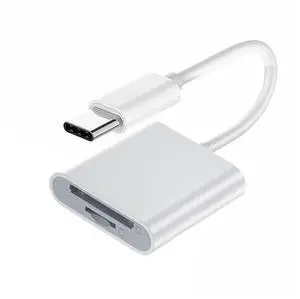
Jimier USB-C Type C / USB 2.0 to NM Nano Memory Card & TF Micro SD Card Reader for Huawei Cell Phone & Laptop UC-361
Quick View
  •  
  • $11.88 
  • Free Shipping
Direct from SHENZHEN JIMIER ELECTRONICS CO,. LTD. Direct from SHENZHEN JIMIER ELECTRONICS CO,. LTD.
  • $9.50 - $11.88
Magnasonic 25MP Film Scanner with Large 5" Display & HDMI and 32GB SanDisk SD Card, Converts 35mm/126/110/Super 8 Film & 135/126/110 Slides into Digital Photos, Built-in Memory
Quick View
Magnasonic 25MP Film Scanner with Large 5" Display & HDMI and 32GB SanDisk SD Card, Converts 35mm/126/110/Super 8 Film & 135/126/110 Slides into Digital Photos, Built-in Memory
  • Part Number: FS70-SDSDB032G-KIT
  • Dimensions: 7.00 in H x 9.00 in W x 6.00 in L
  • Weight: 1.06 lbs
  • Color: Black
  • Model #: FS70-SDSDB032G-KIT
  •  
  • $147.98 
  • Free Shipping
Direct from MAGNASONIC Direct from MAGNASONIC
ENFAIN USB3.1 Type-C USB3.0 Type-A to CF Express Extension Card Reader CFE Type-B Support R5 Z6 Z7 CFB Memory Card
Quick View
  •  
  • $27.18 
  • Free Shipping
Chenyang Cable USB3.1 Type-C & Type-A to CF Express Extension Card Reader for CFE Type-B Support R5 Z6 Z7 Memory Card
Quick View
  •  
  • $25.89 
  • Free Shipping
Direct from ChenYang Direct from ChenYang
Magnasonic All-in-One Super 8/8mm Film Scanner, Converts Film into Digital Video, Scans 3", 5" and 7" Super 8/8mm Film Reels with Bonus 32GB SD Card (FS81)
Quick View
Magnasonic All-in-One Super 8/8mm Film Scanner, Converts Film into Digital Video, Scans 3", 5" and 7" Super 8/8mm Film Reels with Bonus 32GB SD Card (FS81)
  • Part Number: FS81-SDSDB032G-KIT
  • Dimensions: 6.00 in H x 15.00 in W x 10.00 in L
  • Weight: 4.4 lbs
  • Color: Black
  • Model #: FS81-SDSDB032G-KIT
  •  
  • $364.98 
  • Free Shipping
Direct from MAGNASONIC Direct from MAGNASONIC
Xiwai USB-C Type-C to 2.5 Inch SATA SSD HDD External Enclosure Transparent for Laptop & PC
Quick View
  •  
  • $15.90 
  • Free Shipping
Direct from xiwai Direct from xiwai
  • $12.72 - $15.90
Bixolon SRP-350plusIII 3" Direct Thermal Receipt Printer, USB, Serial Interface Card, Ethernet, Auto Cutter, Black - SRP-350PLUSIIICOSG
Quick View
Bixolon SRP-350plusIII 3" Direct Thermal Receipt Printer, USB, Serial Interface Card, Ethernet, Auto Cutter, Black - SRP-350PLUSIIICOSG
  • Color: Black
  • Memory: 64 Mbit SDRAM, 32 Mbit FlashROM
  • Fonts Included: Character Size: Font A: 12 x 24 Font B: 9 x 17 Font C: 9 x 24 KOR, CHN, JPN: 24 x 24 Characters Per Line: Font A: 42 Font B, C: 56 KOR, CHN, JPN: 21 Character Sets: Alphanumeric: 95 Extended Graphics: 128 x 37 page International: 32
  • Cutter: 1.8 Million Cuts
  • Model #: SRP-350PLUSIIICOSG
  •  
  • $249.99 
  • Free Shipping
DYMO LetraTag Plus LT-100H (21455) Direct Thermal LetraTag Plus LT-100H Personal Label Maker
Quick View
DYMO LetraTag Plus LT-100H (21455) Direct Thermal LetraTag Plus LT-100H Personal Label Maker
  • Printer Type: Mobile
  • Memory: 9 labels
  • Cutter: Manual
  • Media Type: Fabric Iron-On, Magnetic, Metallic, Paper, Plastic Tapes
  • Model #: 21455
Xiwai SATA 22Pin to USB 3.0 to CFast Card adapter 2.5 inch Hard Disk Case SSD HDD CFast Card Reader for PC Laptop
Quick View
  •  
  • $25.40 
  • Free Shipping
Direct from xiwai Direct from xiwai
  • $20.32 - $25.40
Brother P-touch PT-D400AD Versatile, Easy-to-Use Label Maker, Thermal Transfer, 180 dpi, 20mm./sec, Up to 5 Print Lines, Manual Cutter, Barcode Printing
Quick View
Brother P-touch PT-D400AD Versatile, Easy-to-Use Label Maker, Thermal Transfer, 180 dpi, 20mm./sec, Up to 5 Print Lines, Manual Cutter, Barcode Printing
  • Printer Type: Desktop
  • Memory: 50 MB
  • Fonts Included: Fonts: Helsinki, Brussels, US, Florida, Belgium, San Diego, Los Angeles, Calgary, Letter Gothic, Adams, Atlanta, Brunei, Germany, Sofia Font Sizes: 6, 9, 12, 18, 24, 36, 42 pt., plus Auto Number of Font Styles: 10 Built-in Symbols: 617 Font Styles: Normal, Bold, Outline, Shadow, Solid, Italic, Italic Bold, Italic Outline, Italic Shadow, Italic Solid, Vertical
  • Barcode Type: 9 kinds (CODE39, ITF 2/5, EAN13, EAN8, UPC-A, UPC-E, CODABAR, GS1-128 (UCC/EAN128), CODE128)
  • Model #: PTD400AD
  •  
  • $91.51 
  • Free Shipping
TSC TTP-2410M Industrial Thermal Transfer Label Printer USB Serial LAN
Quick View
TSC TTP-2410M Industrial Thermal Transfer Label Printer USB Serial LAN
  • Print Technology: Direct Thermal/Thermal Transfer Printer
  • Printer Type: Industrial
  • Max Resolution(B&W): 203 x 203 dpi
  • Interface: Lan / Parallel / Serial / USB
  • Model #: 306174537073
ZHENFU-MEI MX3 Handheld Inkjet Printer - Fast-Drying Genuine Ink - Print Labels, Logos, Dates, Codes on Plastic, Bags & Packaging | LED Touch Screen
Quick View
ZHENFU-MEI MX3 Handheld Inkjet Printer - Fast-Drying Genuine Ink - Print Labels, Logos, Dates, Codes on Plastic, Bags & Packaging | LED Touch Screen
  • Recommended Use: Indoor
  • Black Print Speed: 60 pages_per_minute
  • Black Print Quality: 600 dpi
  • Brand: ZHENFU-MEI
  • Model #: MX3
  •  
  • $189.00 
  • Free Shipping
Direct from ZHENFU-MEI Direct from ZHENFU-MEI
CITIZEN CL-S700-E Industrial Barcode/Label Printers
Quick View
CITIZEN CL-S700-E Industrial Barcode/Label Printers
  • Printer Type: Industrial
  • Memory: RAM: 16.0 Mb (1.0 Mb for user data) Flash RAM (NV): 4.0 Mb (1.0 Mb for user data)
  • Fonts Included: 7 kinds of fixed pitch fonts including OCR-A and OCR-B, Proportional fonts: CG Triumvirate smooth and bold, and True Type Rasterizer
  • Barcode Type: Code3of9, UPC-A, UPC-E, EAN-13(JAN-13), EAN-8(JAN-8), Interleaved 2 of 5, Code128, HIBC, CODABAR(NW-7), Plessey, CASE CODE, UPC2DIG ADD, UPC5DIG ADD, Code 93, Telepan, ZIP, UCC/EAN128, FIM 2-Dimensional: UPS Maxi Code, PDF-417, Data Matrix, QRCode, Aztec, RSS
  • Model #: CL-S700-E
  •  
  • $649.99 
  • Free Shipping
DYMO LabelManager 360D Rechargeable Desktop Label Maker (1754488)
Quick View
DYMO LabelManager 360D Rechargeable Desktop Label Maker (1754488)
  • Printer Type: Desktop
  • Memory: 9-label memory
  • Fonts Included: Number of Styles: 3 fonts Number of Font Sizes: 7
  • Media Type: DYMO D1 labels
  • Model #: 1754488

Choosing the Right Printer for Your Office Needs

When it comes to office solutions, printers and scanners are essential tools for any business. Whether you need to print important documents, scan invoices, or create professional-quality marketing materials, having the right equipment is crucial. In this article, we will explore the different types of printers and scanners available in the market and provide tips on how to choose the best one for your office.

All-in-One Printers: Versatility and Convenience

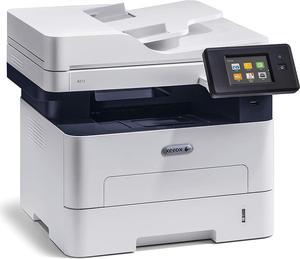
all-in-one printers, also known as multifunction printers, are a popular choice for offices. These devices combine the functionality of a printer, scanner, copier, and sometimes even a fax machine into a single unit. They offer versatility and convenience, allowing you to perform multiple tasks without the need for separate devices. All-in-one printers are available in both inkjet and laser options, catering to different printing needs and budgets.

Specialized Printers for Specific Tasks

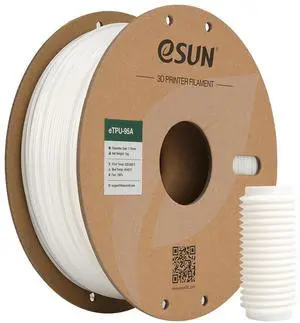
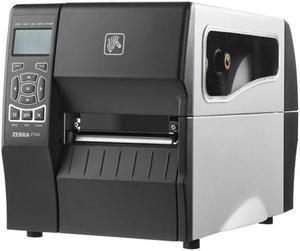
In addition to all-in-one printers, there are specialized printers designed for specific tasks. For example, 3D printers are ideal for creating prototypes or intricate models, while barcode and label printers are perfect for businesses that require efficient inventory management. laser printers are known for their fast printing speeds and high-quality output, making them suitable for offices with high-volume printing needs. inkjet printers, on the other hand, are more cost-effective and can produce vibrant color prints.

Choosing the Right Supplies

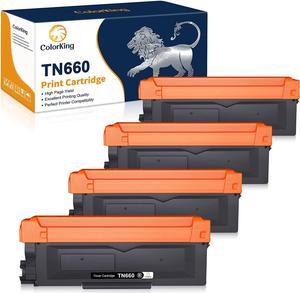
Once you have selected the right printer for your office, it is important to choose the right supplies to ensure optimal performance and longevity. When it comes to inkjet printers, using high-quality ink cartridges is essential to achieve the best print quality and prevent clogging. For laser printers, it is important to choose the right type of toner cartridges that are compatible with your printer model. Additionally, investing in high-quality paper can make a significant difference in the final print results.

FAQs: Common Questions about Printers and Scanners

Q: How often should I replace the ink cartridges?A: The frequency of replacing ink cartridges depends on your printing volume. However, it is recommended to replace them when the print quality starts to degrade.
Q: Can I use third-party ink cartridges with my printer?A: While it is possible to use third-party ink cartridges, it is important to ensure compatibility with your printer model. Using incompatible cartridges may result in poor print quality or damage to the printer.
Q: How do I clean the scanner glass?A: To clean the scanner glass, use a soft, lint-free cloth slightly dampened with glass cleaner. Gently wipe the glass surface to remove any smudges or debris.
Q: What is the difference between optical and interpolated resolution in scanners?A: Optical resolution refers to the actual hardware resolution of the scanner, while interpolated resolution is achieved through software enhancements. Optical resolution provides more accurate and detailed scans.
Q: How can I improve the scanning speed?A: To improve scanning speed, reduce the scanning resolution, use black and white mode instead of color, and ensure that the scanner is connected to a high-speed USB port.