• In Stock
  • Sold by Newegg
  • Make an Offer
SubCategory
Show More
Brands
Show More
Price
Show More
Type
Connector Type
Color
Connector Number
Availability
Current Promotion
Sold by
Useful Links
Customer Ratings
Sort By:
View:
Longer RAY5 Laser Engraver 130W, Higher Accuracy Laser Engraver 20W Output Power, 3.5"Touch Screen APP Offline Control, DIY Engraver Tool for Metal/Glass/Wood, Cutting Area 14.7"x14.7"
Quick View
Longer RAY5 Laser Engraver 130W, Higher Accuracy Laser Engraver 20W Output Power, 3.5"Touch Screen APP Offline Control, DIY Engraver Tool for Metal/Glass/Wood, Cutting Area 14.7"x14.7"
  • Series: Ray5
  • Type: Laser Engraver
  • Body Material: Aluminum Alloy
  • Chassis Material: Wood, glass, metal nameplate, etc.
  • Model #: longer ray5 20w
  • $529.99
  •  
  • $369.99 
  • Save: $160.00 (30%)
  • Free Shipping
Available Direct from LONGER Available Direct from LONGER
Longer RAY5 20W Laser Engraver with Air Assist Kit, 4-in-1 Rotary Roller, 16 Pcs Raiser, Camera Kits and Honeycomb panel 440*440mm, DIY, Cutting Tool for Metal Coloring, Acrylic, Wood, Glass, Leather.
Quick View
  •  
  • $769.99 
  • Free Shipping
Direct from LONGER Direct from LONGER
Brother QL-1110NWB 4" Wide Format, Professional Direct Thermal Label Printer, USB, USB Host, Bluetooth 2.1+EDR, Wireless (b/g/n), Ethernet, WirelessDirect, Auto Cutter - White/Black
Quick View
Brother QL-1110NWB 4" Wide Format, Professional Direct Thermal Label Printer, USB, USB Host, Bluetooth 2.1+EDR, Wireless (b/g/n), Ethernet, WirelessDirect, Auto Cutter - White/Black
  • Printer Type: Desktop
  • Memory: Flash (for label templates): 7.8
  • Fonts Included: Internal fonts: Bitmap fonts: Letter Gothic Bold, Helsinki, Brussels, San Diego, Brougham Font sizes: 24, 32, 48 dots Outline fonts: Letter Gothic Bold, Helsinki, Brussels Font sizes: 33-400 dots (22 sizes)
  • Barcode Type: Barcode symbologies (using P-touch Editor): CODE39, CODE128, UCC/EAN128(GS1-128), ITF(I-2/5), CODABAR(NW-7), UPC-A, UPC-E, EAN13, EAN8, ISBN2(EAN13 AddOn2), ISBN-5(EAN13 AddOn5), Laser Barcode, POSTNET, RSS(RSS14 Standard, RSS14 Truncated, RSS14 Stacked, RSS14 Stacked Omni, RSS Limited, RSS Expanded, RSS Expanded Stacked), PDF417(Standard, Truncate, Micro), QR code(Model1, Model2, Micro), Data Matrix(ECC Square, ECC Rectangular), MaxiCode(Model2, Model3, Model4, Model5) RSS symbols / CODE93 / POSTNET / UPC/EAN EXTENSION / MSI / QR Code (model 1,...
  • Model #: QL-1110NWB
Citizen CL-E321XUBNNA CL-E321 4" Compact Thermal Transfer + Direct Thermal Label Printer, 203 dpi, USB, LAN, Serial - Black
Quick View
Citizen CL-E321XUBNNA CL-E321 4" Compact Thermal Transfer + Direct Thermal Label Printer, 203 dpi, USB, LAN, Serial - Black
  • Printer Type: Desktop
  • Memory: Flash (Non-Volatile Memory): 16 MB total, 4 MB available for user RAM (standard Memory): 32 MB total, 4 MB available for user
  • Barcode Type: UCC/EAN Composit Symb GS1-Databar QR Code PDF 417 CODABAR(NW-7) CODE128 CODE93 CODE39 Codabar, ITF EAN-8(JAN-8), EAN-13 (JAN-13) UPC-E UPC-A Code3of9
  • Cutter: Tear Bar
  • Model #: CL-E321XUBNNA
Console Cable,USB Console Cable, USB to RJ45 Console Cable with FTDI chip Compatible with Cisco, Huawei,HP,Arista,Opengear,Aruba,Juniper Routers/Switches for Laptops in Windows, Mac, Linux 12 ft.
Quick View
  •  
  • $33.29 
  • Free Shipping
Available Direct from BUCIER Available Direct from BUCIER
Vszerda USB 3.0 Front Panel Cable, Motherboard 19/20pin Header Splitter to 2 USB Female Adapter Connector Extension Cable Wire Cord for PC DIY-50CM/1.64FT
Quick View
Vszerda USB 3.0 Front Panel Cable, Motherboard 19/20pin Header Splitter to 2 USB Female Adapter Connector Extension Cable Wire Cord for PC DIY-50CM/1.64FT

Limited time offer, ends 02/03

  • Brand: YARCHONN
  • Type: USB
  • Connector Type: USB Type A
  • Connector Detail: USB Type A
  • Model #: Y50034DL1
  •  
  • $18.99 
  • Free Shipping
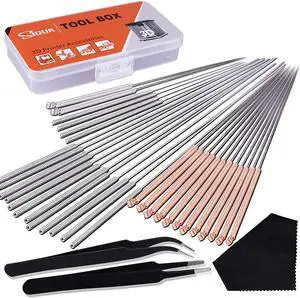
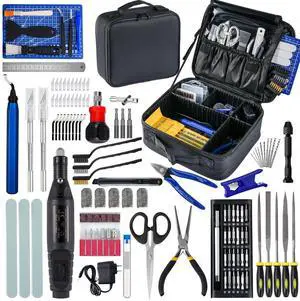
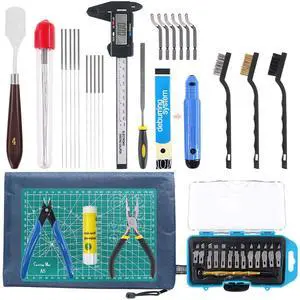
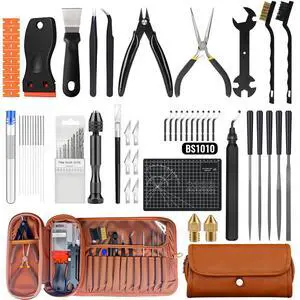
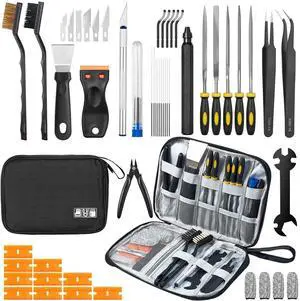
SIQUK 33 Pcs 3D Printer Nozzle Cleaning Tools Kit 30 Pcs 0.15mm, 0.25mm, 0.35mm, 0.4mm, 0.5mm Cleaning Needles 2 Pcs Tweezers and 1 Pc Cleaning Cloth
Quick View
  •  
  • $25.42 
  • Free Shipping
Direct from PISKEKAT Direct from PISKEKAT
Xiwai USB-C Type-C to 2.5 Inch SATA SSD HDD External Enclosure Transparent for Laptop & PC
Quick View
  •  
  • $15.90 
  • Free Shipping
Direct from xiwai Direct from xiwai
  • $12.72 - $15.90
34" SC2 USCutter Vinyl Cutter Sign Shop Starter Kit w/Basket, Vinyl Tape Tools
Quick View
  •  
  • $1,197.99 
  • Free Shipping
Brother QL-1100 4" Wide Format, Professional Direct Thermal Label Printer, USB, USB Host, Auto Cutter - White/Black
Quick View
Brother QL-1100 4" Wide Format, Professional Direct Thermal Label Printer, USB, USB Host, Auto Cutter - White/Black

OUT OF STOCK

  • Printer Type: Desktop
  • Memory: Flash (for label templates): 7.8
  • Fonts Included: Internal fonts: Bitmap fonts: Letter Gothic Bold, Helsinki, Brussels, San Diego, Brougham Font sizes: 24, 32, 48 dots Outline fonts: Letter Gothic Bold, Helsinki, Brussels Font sizes: 33-400 dots (22 sizes)
  • Barcode Type: Barcode symbologies (using P-touch Editor): CODE39, CODE128, UCC/EAN128(GS1-128), ITF(I-2/5), CODABAR(NW-7), UPC-A, UPC-E, EAN13, EAN8, ISBN2(EAN13 AddOn2), ISBN-5(EAN13 AddOn5), Laser Barcode, POSTNET, RSS(RSS14 Standard, RSS14 Truncated, RSS14 Stacked, RSS14 Stacked Omni, RSS Limited, RSS Expanded, RSS Expanded Stacked), PDF417(Standard, Truncate, Micro), QR code(Model1, Model2, Micro), Data Matrix(ECC Square, ECC Rectangular), MaxiCode(Model2, Model3, Model4, Model5) RSS symbols / CODE93 / POSTNET / UPC/EAN EXTENSION / MSI / QR Code (model 1,...
  • Model #: QL-1100

Choosing the Right Printer for Your Office Needs

When it comes to office solutions, printers and scanners are essential tools for any business. Whether you need to print important documents, scan invoices, or create professional-quality marketing materials, having the right equipment is crucial. In this article, we will explore the different types of printers and scanners available in the market and provide tips on how to choose the best one for your office.

All-in-One Printers: Versatility and Convenience

all-in-one printers, also known as multifunction printers, are a popular choice for offices. These devices combine the functionality of a printer, scanner, copier, and sometimes even a fax machine into a single unit. They offer versatility and convenience, allowing you to perform multiple tasks without the need for separate devices. All-in-one printers are available in both inkjet and laser options, catering to different printing needs and budgets.

Specialized Printers for Specific Tasks

In addition to all-in-one printers, there are specialized printers designed for specific tasks. For example, 3D printers are ideal for creating prototypes or intricate models, while barcode and label printers are perfect for businesses that require efficient inventory management. laser printers are known for their fast printing speeds and high-quality output, making them suitable for offices with high-volume printing needs. inkjet printers, on the other hand, are more cost-effective and can produce vibrant color prints.

Choosing the Right Supplies

Once you have selected the right printer for your office, it is important to choose the right supplies to ensure optimal performance and longevity. When it comes to inkjet printers, using high-quality ink cartridges is essential to achieve the best print quality and prevent clogging. For laser printers, it is important to choose the right type of toner cartridges that are compatible with your printer model. Additionally, investing in high-quality paper can make a significant difference in the final print results.

FAQs: Common Questions about Printers and Scanners

Q: How often should I replace the ink cartridges?A: The frequency of replacing ink cartridges depends on your printing volume. However, it is recommended to replace them when the print quality starts to degrade.
Q: Can I use third-party ink cartridges with my printer?A: While it is possible to use third-party ink cartridges, it is important to ensure compatibility with your printer model. Using incompatible cartridges may result in poor print quality or damage to the printer.
Q: How do I clean the scanner glass?A: To clean the scanner glass, use a soft, lint-free cloth slightly dampened with glass cleaner. Gently wipe the glass surface to remove any smudges or debris.
Q: What is the difference between optical and interpolated resolution in scanners?A: Optical resolution refers to the actual hardware resolution of the scanner, while interpolated resolution is achieved through software enhancements. Optical resolution provides more accurate and detailed scans.
Q: How can I improve the scanning speed?A: To improve scanning speed, reduce the scanning resolution, use black and white mode instead of color, and ensure that the scanner is connected to a high-speed USB port.