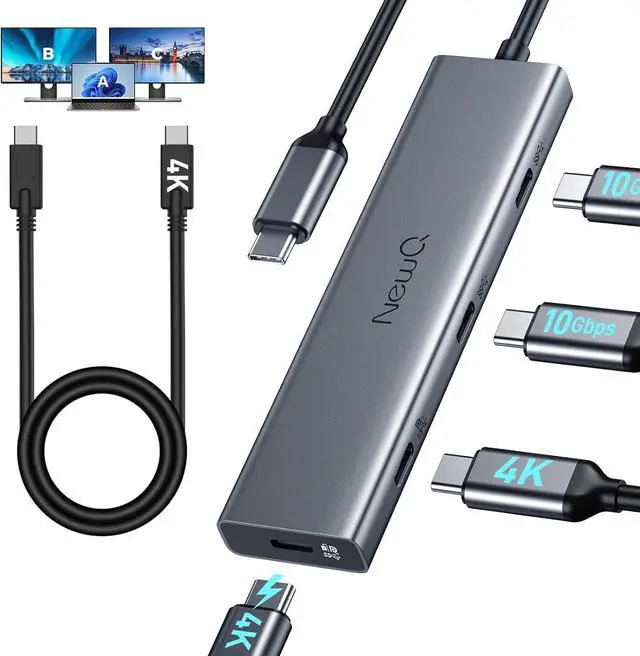
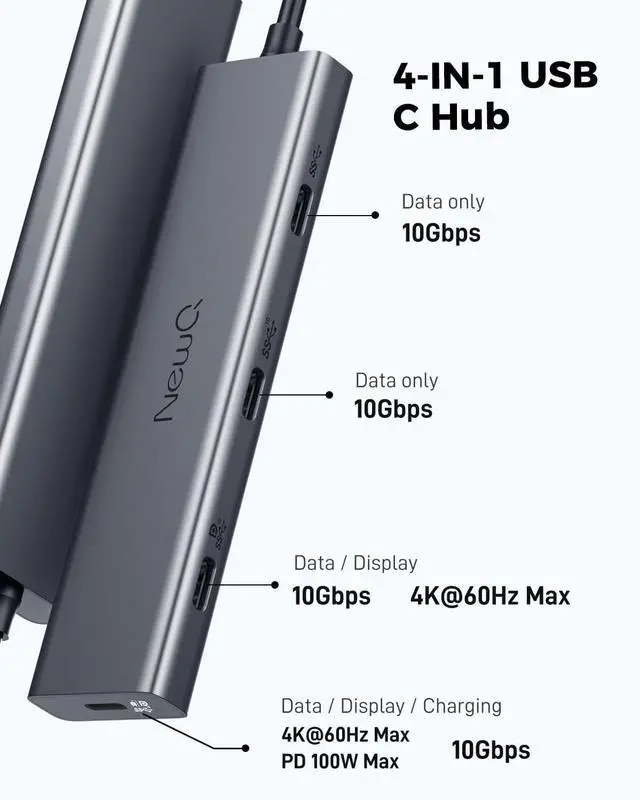
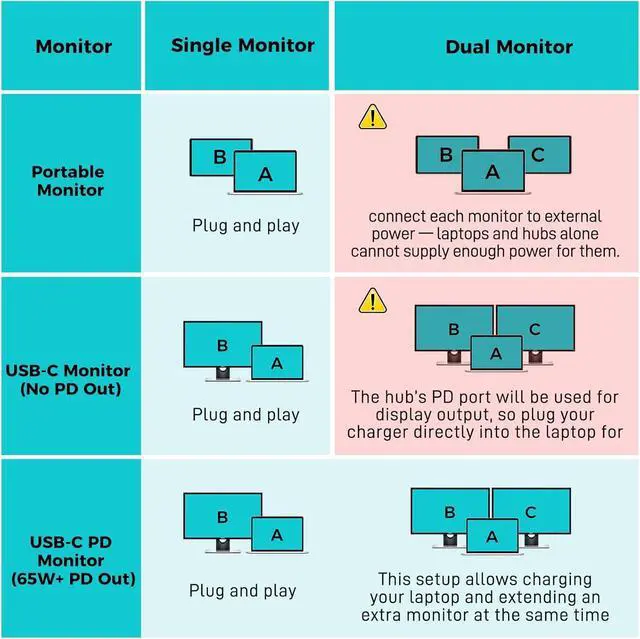
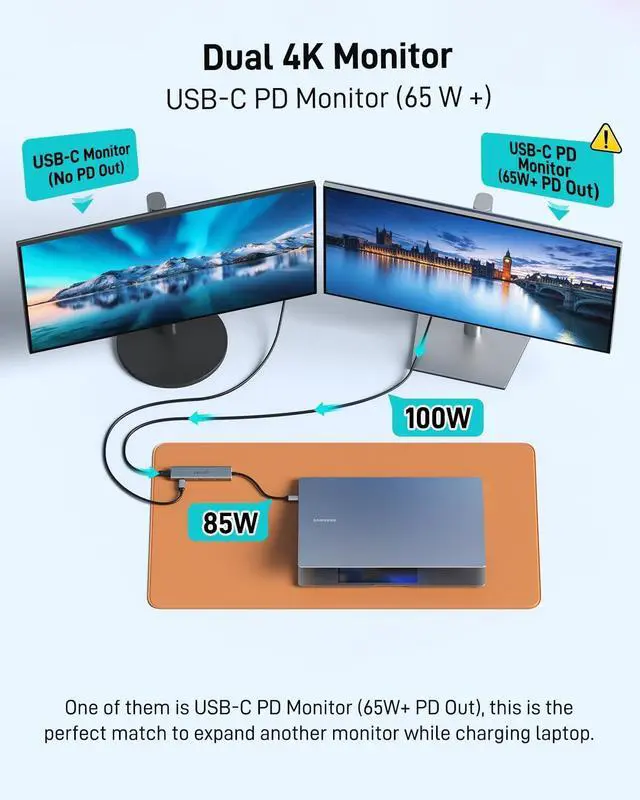
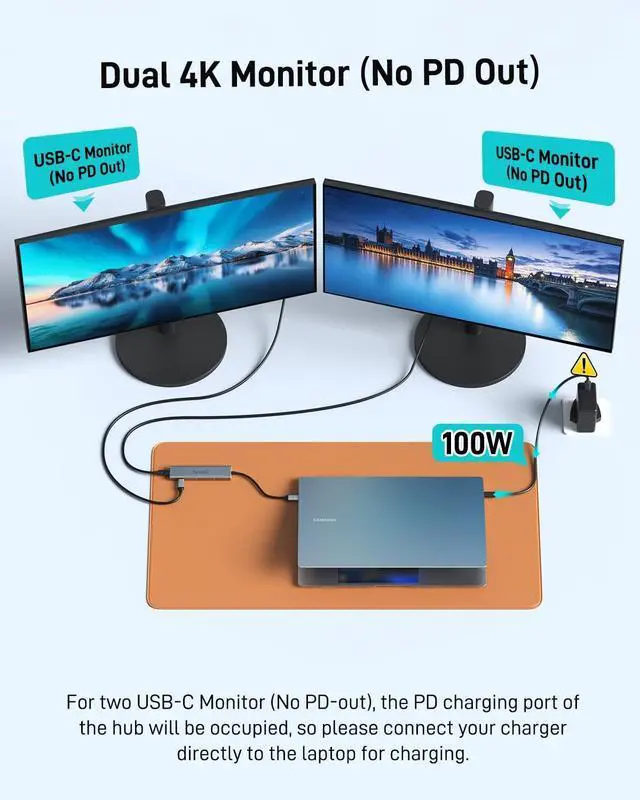
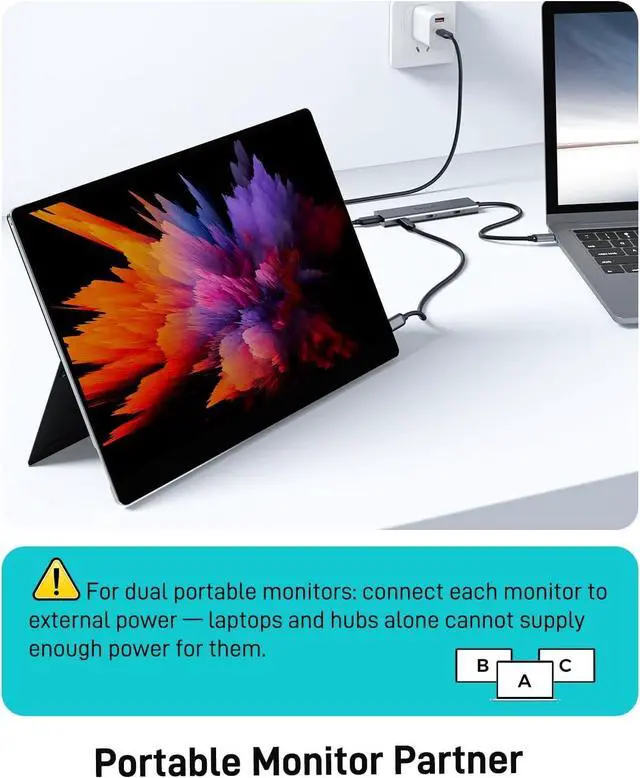
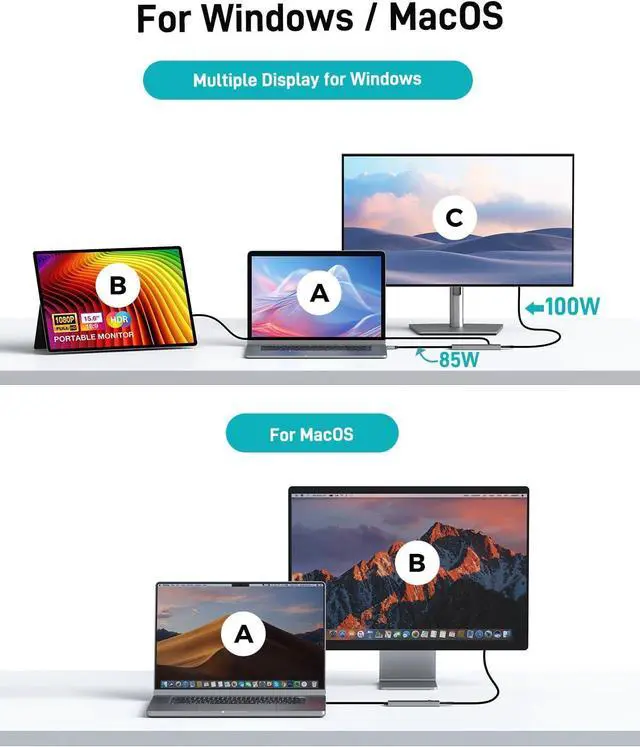
Must read how to achieve dual display without barriers? 1) For dual portable screens please use chargers to power them as laptops and the hub cannot provide sufficient power for both portable screens. 2) For two USB-C Monitor (No PD-out) the PD charging port of the hub will be occupied so please connect your charger directly to the laptop for charging. 3) For USB-C PD Monitor (65W+ PD Out) this is the perfect match to expand another monitor while charging laptop. Dual 4K of Display SupportThe usb c video splitter supports dual 4K@30-60Hz Ideal for DP 1.4 laptops to extend to dual 4K@60Hz displays (Note: MacBook supports only one extended monitor). For Type-C Powered MonitorThe usb c video out hub supports a USB-C reverse-powered monitor. Make sure your type-C monitor itself supports powering laptops; otherwise you'll need to use a PD power adapter such as UltraSharp U2720Q (90W) LG 27UK850-W (60W) BenQ PD3220U (85W ). Support Portable MonitorEquipped with a full-featured cable to replace Mini HDMI and USB cable simplifies connections to portable screens. High-Speed of Data TransferAll four USB-C ports support USB 3.2 gen 2 10gbps ensuring high-speed data transfer for all devices. How to connect HDMI/DP Monitor? If you want to connect an HDMI or DP monitor you can also pair it with a C to HDMI/DP cable. The hub's USB C video interface supports converting to HDMI or DP signals. (HDMI/DP cable not included in the packaging only C to C cable)


 Holiday Shipping Details & Extended Holiday Returns


