

Your Browsing History


Alex P.
Joined on 09/03/06
0
0
product reviews
- 21
no problems yet
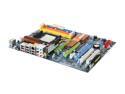
ASRock K10N780SLIX3-WiFi AM2+/AM2 NVIDIA nForce 780a SLI ATX AMD Motherboard
Pros: 125W Phenom 2.6GHz works great, 8GB Corsair DDR2-1066 timing detected correctly. Onboard wireless and everything else has worked as advertised so far.
Cons: relatively new company, as someone mentioned you have to run a SATA cable to the eSATA port (jacks are on opposite corners of the motherboard) - I didn't mind, because I had a long cable already and don't spend any time looking in my case and thinking about how neatly everything is organized.
Overall Review: Asrock website says the max memory is 16GB, and that this board will support AM3 CPUs.
10/15/2008See more detail
warning for linux users
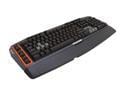
Logitech G710 Plus Mechanical USB Gaming Keyboard
Pros: mechanical switches
Cons: probably doesn't work (without hassle) in linux
Overall Review: I was wondering if I would be able to use the macro keys in linux, i.e. whether they were managed in hardware or software, so I started doing some research. In the process, I found posts in the logitech and arch linux forums stating that plugging in this keyboard gives you a stream of '6's in linux. Some people were able to work around this, and others weren't. Since there was no mention of this in any newegg reviews, I wanted to make sure people were warned. Sure, the description doesn't mention linux support, but when do you need to check that for a *keyboard*? It's a fairly new product, so it's likely that newer linux kernels will resolve the issue. Logitech isn't even pretending to support anything other than Windows with this, though, so maybe not.
2/22/2013See more detail
They work

Rosewill RSV-R26LX - 26" 3-Section Ball-Bearing Sliding Rail Kit for Rackmount Chassis
Pros: Price
Cons: Should include more hardware
Overall Review: These rails come with M5 screws to attach to the rack, but my rack nuts are all M6 (which I think is pretty common). So I had to supply my own M6 screws. Also, the kit includes enough M4 screws only if you follow the directions... unfortunately, you need to use more screws than that if you want to properly secure the rails to the chassis and mounting brackets. Luckily, I had enough of my own M4 and M6 screws to finish the job.
10/2/2014See more detail
didn't work properly with 19.5V/120W Sony laptop
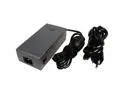
Cables Unlimited PWR-LAP-UD120 120W Universal Laptop Charger with Automatic Voltage Selection & 13 Interchangeable Tips
Pros: Lots of tips. High power rating.
Cons: I have two Sony Vaios that are rated at 19.5V and up to 120W. This 'universal' charger should fit the bill, then. (120W total power, comes with Sony tip(s), and it says that the 19V tip works fine with 19.5V laptops.) However, on both laptops, the touchpad stops working properly when this adapter is plugged in. Weird.
Overall Review: I guess it can be handy to have one of these chargers around, but this one is definitely not as "universal" as the specs lead you to believe.
8/21/2013See more detail
good overall, but beware...
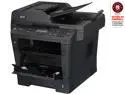
Brother DCP-8155DN High-Speed Laser Multi-Function Copier with Networking and Advanced Duplex Printing
Pros: Fast printing, duplex scan/copy/print, auto document feeder. Scan to thumbdrive. Linux CUPS drivers available.
Cons: 250 sheet input tray, not 500. Does *not* scan to email as you would expect from the specs. (See "Other thoughts".)
Overall Review: This is a network printer that says it supports "scan to email" on the Brother product info page. To my surprise, there was no option on the scanner to do that. It turns out that you need a PC and a USB connection to use that feature; you scan to the PC and then their software emails it. Since I'm using this printer on a network (i.e. not USB), and I don't have a constantly-running Mac/Windows machine nearby to run the software anyway, the "scan to email" feature is not actually available for me. This printer *is* able to send status reports via email over the network, and can scan documents to PDF on a local thumbdrive, so it seems like the firmware is all that's stopping it from being able to directly send an email with a PDF attachment. I guess memory (128MB) would limit you to a certain number of pages, but you would hit the attachment size limit of virtually any mail server first.
11/29/2012See more detail
back up frequently
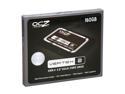
OCZ Vertex 2 2.5" 160GB SATA II MLC Internal Solid State Drive (SSD) OCZSSD2-2VTX160G
Pros: Fast.
Cons: First drive died in a year. The replacement died in 4 months.
Overall Review: I didn't have any issues with customer service getting a replacement the first time. Now that the replacement drive died, as well, I'm not sure what to do... I don't really want to get another replacement if it can't be trusted.
9/7/2012See more detail