


Your Browsing History


Michael G.
Joined on 11/14/01
0
0
product reviews
- 8
Great laptop
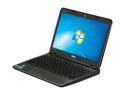
DELL Inspiron 11.6" Intel Core i3-330UM 2GB Memory DDR3 1333 Windows 7 Home Premium 64-Bit iM101z-3980BK
Pros: This laptop is great for the price - it is much faster than my Atom netbook and will easily play HD (1080p) video on its 1366x768 screen, although it can't quite handle it at 1920x1080 on an external monitor. 250 gigabytes is plenty for most people, and if you need more space it's easy to plug in an external hard drive via USB. The Core i3 dual core/hyperthreaded CPU is fast enough to quickly handle all but the most intensive tasks. The laptop isn't overly heavy, and the battery life is good. It includes WiMax support as well as the standard WiFi - I've tested WiMax and it works quite well. No Bluetooth, though. That said, mini-Bluetooth USB adapters are about $5.
Cons: Only comes with 2GB of RAM, not really enough for Win7 - but another 2GB is about $20 and installation is easy No Bluetooth (buy a $5 USB adapter) Removal of the keyboard (to swap the internal hard drive) is involved, but isn't too difficult as long as you are willing to sacrifice a credit card and bend away
Overall Review: For the full WiMax drivers, you want WiMAX_7.0_s64 from Intel's site - CyberSlug wrote it as '264' but I was able to find the correct drivers thanks to him/her. Replacing the HD with an SSD did help boot times noticeably, although in day-long use the SSD doesn't make a huge difference. I do recommend at least 4 GB of RAM for use with Windows 7.
7/19/2012See more detail
Great single player game, semi-good MMO

Star Wars: Old Republic Online PC Game
Pros: In short, SWTOR is fun if you want a single player RPG with some multiplayer thrown in. There are eight different main class-based storylines, so if you don't mind rerunning at least some of the same side quests between them, the game offers up a lot of variety. I had great fun playing through SWTOR on my first character. I had the most fun with the detailed class storyline and also enjoyed the group-based flashpoints and heroic quests. In particular, I enjoyed the Imperial Agent and the Smuggler storylines. The Sith Inquisitor line is good if you like zapping things. The others are good, though not hugely memorable.
Cons: I leveled that first character to max and then started others, but after that I simply became bored. The non-class quests are mostly rather bland (largely involving killing lots and lots of stuff) and so too are some of the class quests. The combat is not very exciting compared to WoW's or GW2's or almost every MMO I've played (it is better than DAOC's). The graphics in general are not amazing and yet they run relatively slowly.
Overall Review: SWTOR is planning on going free to play in November, with free accounts being able to play through all the story, so my suggestion is to wait until then and play it as a single player game with some multiplayer elements. If you like the MMO aspects of SWTOR, then buy all the extra stuff.
10/10/2012See more detail
Excellent no-frills monitor if you only need Dual DVI
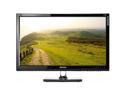
QNIX QX2710 LED Evolution II 27" QHD Samsung PLS Matte Panel PC Monitor
Pros: My monitor arrived with no dead pixels or obvious backlight bleed. 2560x1440@27" resolution is noticeably finer than 1920x1080@24". Viewing angles and colors on this monitor are vastly superior compared to my ASUS VG248. The picture quality on this monitor is excellent. I'm able to overclock it to 85 Hz with no artifacting. I have a GTX980. At higher refresh rates, some areas in the right area of the screen would become corrupted. 85 Hz is very good regardless - VR headsets are using 90 Hz to eliminate nausea, and before that they used 75 (which mostly worked). The monitor has VESA mount screws for using your own stand (you'll probably want to do this). The screen is light, which is fine by me, though I also wouldn't hit it with blunt objects.. but why would you do that anyway? The shipping was very well done, with plenty of foam and even an added outer 'wrapper' of cardboard. The monitor is cheap compared to others, especially when it's on sale.
Cons: Ghosting is definitely worse on this monitor compared to my ASUS VG248. Refresh rate on the QNIX maxes out for me at 'only' 85 Hz, although I don't think I notice any difference compared to 144 Hz (maybe, but it could be my imagination.. need a double blind test). The included stand is basically useless. Maybe some of them at least have adjustable tilt, but mine doesn't and is permanently tilted upwards at about 15 or 20 degrees. Pretty bizarre. If you want to use your own stand, part of the monitor's built-in stand is not removable unless you take apart the case, voiding the warranty. Fortunately, the 3rd party stand I have has enough depth that I can just leave the built-in part in without any issue. The monitor has no onscreen menu at all. The only adjustment is brightness via dedicated buttons. I understand the speakers are horrible, and you can only hook them up with a good ole RCA cable. I don't use monitor speakers so I'm not even going to test them. The only video connector on the monitor is a Dual DVI connector. If your GPU doesn't support Dual DVI (it's basically DVI with all the pins.. 'basic' DVI only uses about half), then this monitor will not work, period.
Overall Review: Overall, I would definitely recommend this monitor to people who want 2560x1440, deep colors, and near-180 degree viewing angles, as long as they know that they must have Dual DVI on their GPU and that the monitor has virtually no user-configurable settings. If you're willing to mess with refresh rate overclocking, you can even get at least 85 Hz out of it. For the twitchiest of the twitch first person shooters, this may not be the best monitor, since ghosting is noticeably stronger compared to TFT monitors (with their horrible viewing angles and relatively mediocre colors). Also, this monitor will display resolutions other than native (2560x1440). Some comments on the Internet had made me wonder, but I bought it anyway, because that's all I'll be running in anyway. Overall, this monitor is a good one, and the low price makes it all the better!
3/18/2016See more detail
Great if you don't want to overclock
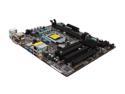
ASRock B75M-GL LGA 1155 Intel B75 USB 3.0 Micro ATX Intel Motherboard
Pros: Inexpensive, yet supports all 1155 CPUs. Small size, easily fits into a multitude of cases, including media-type boxes. Includes Intel's Safe Business tech if you want that.
Cons: Not a lot of external ports. Only one SATA3 port. No USB3 front port connector. Doesn't support overclocking in any meaningful way.
Overall Review: This motherboard is great if you want a basic 1155-supporting board and don't want to overclock.
11/3/2012See more detail
Great cooler, especially for the price
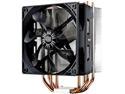
Cooler Master Hyper 212 Evo CPU Cooler, 4 CDC Heatpipes, 120mm PWM Fan, Aluminum Fins for AMD Ryzen/Intel LGA1200/1151
Pros: Relatively inexpensive, yet almost as effective as more expensive coolers, especially with lower levels of overclocking. Rear bracket mounts to motherboard, making it easier to install the main heatsink on top. Includes one fan and has the clips, screws, and rubber isolating pads for another fan if you want a push/pull setup.
Cons: The instructions are very basic, but they do show you what to do. I wasn't sure how the heatsink would stay on the mount at first, but it works. Having three hands would be nice but it's doable once you figure it out :) The heatsink barely clears one of my DDR sticks - if I had tall-heatsink RAM I'd have to move it (it only overhangs one RAM slot). If you had four sticks, you might be stuck. This is on an ASRock Z75 Pro3 motherboard. Similarly if you have a side fan that's up near the CPU, you may need to remove the fan - I have a side fan, but it's positioned lower, so I'm okay.
Overall Review: I was running an Ivy i5-3570K at 4.2GHz (42x) and was getting 65C CPU temps on the stock cooler, in a well-ventilated case (5 fans on low/med). With this cooler, I'm able to run at 40C at 43x at stock voltage. I know I could go higher with more voltage, but I don't like increasing voltage on CPUs. I suggest orienting the heatsink and fan to blow upwards through the heatsink if you have an exhaust fan on top. It's making a difference in my setup. Make sure you install everything else before installing this, and make sure it will fit your case beforehand. In particular, people with four large-heatsinked DDR sticks might want to find another cooler. Overall though, if this cooler fits your system (it should fit the majority), I highly recommend it. It's perfect for anyone who wants to overclock, yet isn't trying to ultra-max their CPU, or for someone who just wants something (much) better than the stock cooler.
11/3/2012See more detail
Great CPU, overclocks easily, relatively cheap
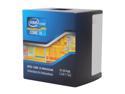
Intel Core i5-3570K - Core i5 3rd Gen Ivy Bridge Quad-Core 3.4GHz (3.8GHz Turbo) LGA 1155 77W Intel HD Graphics 4000 Desktop Processor - BX80637I53570K
Pros: This CPU is the best value for the money from Intel right now. I easily overclocked mine to 4.2GHz (42x) on the stock cooler at stock voltage with no issues, on a low-cost Z75-based motherboard. Ivy Bridge is around 10% faster than Sandy overall.
Cons: The i7 is a bit faster, mostly because it has more cache, and partly because it has Hyperthreading. It also costs more. Ivy Bridge apparently runs hotter than Sandy, but not by much, and with decent cooling, it doesn't matter. For me, the benefits of Ivy (PCI-E 3.0, HD4000, ~10% faster overall) outweigh the small increase in heat.
Overall Review: If you want a chip that is almost as fast as an i7 at 2/3 the price, get this. It easily overclocks about 25% faster on the stock cooler, and will go higher if you get better cooling and/or are willing to overvolt. And even without any OC, it's still fast enough to take any modern game when paired with a high-end video card.
10/30/2012See more detail