

Your Browsing History


Dan N.
Joined on 11/02/02
0
0
product reviews
- 8
Best on the market
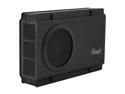
Rosewill RX-358 V2 BLK - Black, 3.5" SATA to USB & eSATA External Enclosure with Internal 80 mm Fan
Pros: Connectivity: both USB2 and eSATA. Easy hard drive installation, relatively high reliability, includes SATA-to-eSATA backplane bracket in box
Cons: Fan is consistently loud across all units--on some units it vibrates making it even louder. LED's sometimes have issues. Would be nice if they'd included little rubber foot pads on base so it's not resting metal on metal. Power and activity LED's (bright blue) are too intense for most tastes.
Overall Review: As an IT tech, we've purchased and implemented somewhere around 150-200 of these units over the past two years. It is consistently the most reliable unit we've used (highest stability, least number of USB disconnects and power-cycle needs). Performance is good with USB but really shines on eSATA. Our only issues with them is that the fans are very loud--predominant whirring noise that's almost always substantially louder than the PC they're sitting upon. On several units, we had flaky LED's (the power light or drive activity wouldn't come on--checked all connections--just a bad board). Overall quality has been very high and we have never needed to replace a single chassis out of 200. Would be nice to see a USB3.0 + eSATA unit (upgrade this one to 3.0, but keep the eSATA connectivity as well). Just our preference: lose the blue LED's. Blue was cool in 2001, but we and most of our clients dislike the intense glare--but that's a nitpick and a very minor issue.
5/8/2011See more detail
Wow, just...terrible

Microsoft Office Home and Business 2013 Product Key Card - 1 PC
Pros: Umm...eventually works kind of. Supports touch on Surface Pro, kind of. Can eventually be installed to your computer, kind of.
Cons: Oh, where to begin? My abbreviated list is as follows: 1. You cannot just download and install the software. You now MUST sign up for a "Live" account. This becomes a HUMONGOUS issue if you ALREADY have a Live Account under a "corporate" version of Office 365, because not all Live accounts are created equal and Office 2013 doesn't install (properly) with the "corporate" accounts. Massive problems with just creating and accessing the account, before even beginning to be able to install the product. 2. Once you can manage to get it to approve your user name and password there are no installation options other than "go". So If I have any system with a 16Gb C: "Boot" partition and "all my stuff" on a big D: partition, I'm out of luck. One out of space C: drive. No options to tell it what I want where. 3. Absolutely HIDEOUS look and feel. Remember Windows 2.0 from 1984? Yeah, that's what the new Office product looks like. Welcome to the "new" look and feel. 4. Dramatic feature reductions/removals from prior Office versions. One example is in Outlook, where "upcoming" appointments are displayed in the "To Do" area. Whereas I could show the next 5 appointments in the old versions, the new version only shows remaining appointments "today". There's no way at 3:00pm to see what my first appointment tomorrow looks like without clicking around. There's much more, but unfortunately, I'm out of time and need to get to other things. Suffice to say, I'm not upgrading to Office 2013 on any (more) of my PC's, and am strongly evaluating competing (and free!) products for our corporate clients. Office has outlived its usefulness.
6/6/2013See more detail
Elegant on the outside, unstable on the inside
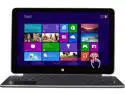
Dell XPS 11 Intel Core i5 4GB 128GB SSD 11.6" QHD Touchscreen 2in1 Ultrabook- Windows 8.1 (XPS11-9091CFB)
Pros: On the surface (pardon the pun) this ultrabook/tablet combo unit appears to be elegantly designed. Sleek lines and smooth carbon fiber panels. The screen is hideously-high-resolution for an 11" display. Windows "apps" like Kindle and Facebook appear bright and clear. Desktop mode apps are expansive, though sometimes blurry when the synthetic scaling is enabled as it is in Windows 8.1 (it can be disabled on an app-by-app basis for those like me who prefer their text small and sharp). The touch screen is relatively smooth and responsive, the 75% of the time it works. It has four positions: Laptop (conventional), Tent (used like a tablet, in an upside-down "V" formation), Stand (used like a tablet, resting on the keyboard), and Tablet, with the screen folded 360-degrees open against the back face of the keyboard. Versatile positioning, and dramatically more comfortable to use when compared to my Surface Pro.
Cons: Keyboard is nothing short of abysmal. I have had 10 desktops, 6 laptops, and probably 8-10 different tablets in my life. I have never yet had a keyboard that could even get near as bad as this unit possesses. It is a rubbery, zero-travel "touch board" that despite all sensitivity settings, loses about 10% of the keystrokes, unless of course you hit the keys hard enough that your hands ache after ten minutes of typing. While this is an "XPS" series (consumer/media division) unit and not really intended for business, I'd struggle to find any kid that could successfully write a three-page homework report on it either. Zero support for active stylus. I love that on my $800 Surface Pro, I can use the pen to take hand-written notes in OneNote, and I have many pages of notes, sketches, drawings, flow-charts, etc. that sync right up to my desktop for further analysis or compilation. No stylus support here. You get to type. System is extremely unstable. It fails to "wake up" from sleep mode roughly 50% of the time, and either black-screens, or displays only a portion of the background bitmap. From day-one, I've had to hard power-off and on the unit no less than three times per day. On at least ten occasions, the screen has lost "touch" capabilities upon resuming from sleep or powering on. While the keyboard and touchpad still worked, the screen itself was unresponsive to touch unless hard-powered off and on. Zero support from Dell. Microsoft Surface Pro, which started out pretty quirky but constantly had firmware updates rolled out to it and over three months of updates became extremely stable, this unit has had ZERO updates from Dell since its 2013 release. No BIOS updates. No driver updates. Zero. It's as if Dell handed this to the world and said "here you go...this is all you get." I finally had to add an external Microsoft Bluetooth keyboard and Wedge Mouse to it, and the system has become usable....for at least 10 minutes at a time until the Bluetooth radio loses communications and has to be disabled and re-enabled. So it can't even hold on to a keyboard for ten minutes.
Overall Review: Despite its MASSIVE shortcomings, I surprisingly still like the unit. A glutton for punishment, I guess, I just put up with the three-times-per-day reboots and occasional touch screen going dead. I'm an IT guy, and spend a LOT of my time remotely accessing client systems, so I need the very high resolution screen (otherwise there are a LOT of cheaper units I would be using). That said, the first company that can produce a unit with a high-res screen that's remotely stable, I'll probably be jumping ship on this one.
7/17/2014See more detail
Blazing fast
Crucial M550 mSATA 256GB Mini-SATA (mSATA) MLC Internal Solid State Drive (SSD) CT256M550SSD3
Pros: Originally bought this as a replacement for an existing mSATA drive that was thought to be failing in a client notebook. It turns out it wasn't, leaving me with the choice of either returning it or using it myself. I chose the latter. We installed this in a Dell Precision Workstation T1700 desktop PC, using an Addonics 4-port RAID mSATA to PCIe x4 adapter. It's set up as our primary boot drive running Windows 8.1. Boot times are like nothing I've ever seen. We see only a flash of the Windows logo (maybe 1 second), and then the desktop appears faster than our monitor can switch modes to show it. Programs load near-instantly--at least as fast as if they were already cached in RAM. With two less (RAID) hard drives spinning, the machine is now whisper silent. I'm floored at how fast this PC is now, simply making the one single change to move the OS to this mSATA drive.
Cons: As with any SSD product, you will pay a higher price-per-Gig when comparing them to conventional hard drives. This is only really a "con" when comparing to cheap mechanical drives.
Overall Review: Moving to SSD, and particularly a PCIe-mounted mSATA such as the Crucial M550 may be the best "bank for the buck" performance dollar you can spend.
5/26/2014See more detail
Works great Win 8 / Surface Pro
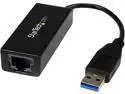
StarTech.com USB 3.0 to Gigabit Ethernet NIC Network Adapter
Pros: Plug and play, literally Very fast
Cons: None that I've seen
Overall Review: Back about 6 months ago I bought a Surface Pro (Microsoft's Windows 8 Pro Tablet) which sadly doesn't have internal Ethernet. As an IT guy, I spend a lot of time supporting other people's networks and needed a way of quickly connecting for tasks like testing, router configuration and troubleshooting. I bought this adapter the same week as my Surface, and I have been extremely pleased with it. It worked "plug and play" right out of the box, which caught me off guard as I had the typical expectation that I would need to spend some time driver hunting (I never use the 3-year-old disk that comes with any new component). I plugged it in, Windows installed the driver (which was clearly included in the OS) and I'm getting 80-90MBytes/sec consistently on large file transfers. It "just works". It's small and convenient to carry around in a small accessory pouch along with power adapters, short network cables and the like. I have not yet tried this on a Mac(book Pro) so I can't speak to Mac compatibility, but I will post an updated review once I've tried it. For me, this has been a great adapter and one I'd recommend to anyone.
10/10/2013See more detail
Recent drives have high failure rates
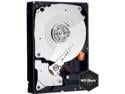
WD Caviar Black WD1002FAEX 1TB 7200 RPM 64MB Cache SATA 6.0Gb/s 3.5" Internal Hard Drive Bare Drive
Pros: Very fast, great hard drive, over 3 years of purchases I've never had a failure UP UNTIL...
Cons: As an IT implementer I go through a lot of hard drive replacements (probably 50-60 a year across the several thousand desktop systems we support). Because of past quality and experience we've settled on the WD Caviar Black series of drives. However, in the past 4 months we've gotten a high number of failures (about 40-50%). Never DOA, but they only seem to last 1-2 months before either developing bad sectors or other issues like spontaneously "disconnecting" (which of course either blue-screens or hangs the system). The symptoms reproduce regardless of whether these are internally mounted via SATA or used in external chassis via USB 2/3. I'm growing concerned that we can no longer rely on these 1Tb WD Black drives--the failure rates are just too high now.
Overall Review: I've never had issues with warranties on the drives---I'm sure WD will take these back and replace them (though they replace them with "refurb" drives instead of new ones). BUT: I expect zero failures. When a drive fails, it has a high cost to the customer and to me: downtime for the customer who "just replaced" his hard drive, and now AGAIN cannot work--and downtime for me and my tech staff (at a high hourly cost which we must cover under our labor warranty) to go out and replace, image, or worst case reinstall operating systems and recover data. The drive may only be worth $90. But the time to fix the problem could cost $500, and this is now the 3-4th time I'm doing this in as many months for brand new WD Caviar Black 1Tb drives. WD really needs to get their act together on this latest batch. I'm seeing the same problems that caused me to jump ship on Seagate 7200.8-11 drives 3-5 years back; maybe it's time to switch back.
2/22/2013See more detail