

Your Browsing History


Michael W.
Joined on 03/10/10
0
0
product reviews
- 46
Second one works!
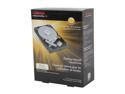
TOSHIBA PH3200U-1I72 2TB 7200 RPM 64MB Cache SATA 6.0Gb/s 3.5" Desktop Internal Hard Drive Retail Kit
Pros: -Faster than old sata 3 hdds -Not DOA -Super quiet -Hold 2tb of data
Cons: -The first one came DOA
Overall Review: The box looked like UPS field goal kicked it, but yet it still worked fine. HDTune results: Min 89.6 Max 187.7 Avg 145.0 Access time 14.9ms Burst 225.8mb cpu usage 3.8%
4/21/2013See more detail
Bad rma service.
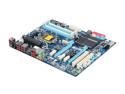
GIGABYTE GA-Z68XP-UD3 LGA 1155 Intel Z68 HDMI USB 3.0 ATX Intel Motherboard
Pros: -When it doesn't crash it's great.
Cons: -Random crashes, see other thoughts -RMA'd and they sent it back saying there was nothing wrong with the board.
Overall Review: I'm pretty sure something failed that handles the memory as crashes way more often with two or more sticks of ram and 2 of the four slots crash more often with a single stick than the others. I first had issues with the boot looping, then the bios update fixed that for the most part. Then came random crashing when I gamed, so after fighting with the board and testing it with dos mem testing (which caused it to freeze with no codes) I just bought a deal for a Biostar board that was used since Biostar carried their warranty over. Needless to say the same components on a new board worked flawlessly, I then moved the same components to another board as I upgraded which was an ASRock and it had no issues either. So I have now lost the cost of shipping on top of having a bad motherboard that's under warranty that the manufacturer won't fix since it doesn't show in 10min of testing. I won't be buying Gigabyte again or listening to tom's hardware review advice.
2/23/2014See more detail
Re-reviewing a few years later
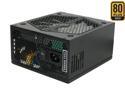
RAIDMAX RX-1200AE 1200 W ATX12V v2.3 / EPS12V SLI Certified CrossFire Ready 80 PLUS GOLD Certified Modular Active PFC Power Supply
Pros: -Bought 3/15/2012 and it's still going strong -I've run this with 3 Radeon 7950 GPUs and it didn't even get toasty. -The rails are rated for 40Amps which means you should be able to run 4 R9 290x's, just can't overclock the "stuff" out of them since you're limited to a total of 1020Watts. -12v rail tolerances are 11.4v to 12.6 and I haven't hit either
Cons: -PSU tester didn't like the slow startup time of this psu but it doesn't hurt anything on newer boards.
Overall Review: 40Amps is 480Watts per rail max, but one 290x card per rail (about 200watts a card) won't hurt anything and with 3 cards you should be able to overclock 3-290x's to your hearts desire. 12v rail tolerances are 11.4v to 12.6, thought I'd reiterate this since someone complained about 11.7v being too much droop.. If you run a 295x2, Titan Z or a 7990 you need to run them on two rails as you'll be hitting a single rails max especially when overclocking. I owed these guys a new review since I didn't read their rebate form properly and gave them a bad initial review
1/30/2015See more detail
Still going strong!
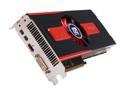
PowerColor AX7950 3GBD5-2DHV4 Radeon HD 7950 Boost State 3GB 384-bit GDDR5 PCI Express 3.0 x16 HDCP Ready CrossFireX Support Video Card
Pros: -Been almost a year and no issues. -Mine overclock fine for the price, 1140core and 1500memory on water it was 1125core and 1350mem before on water. -Drivers have improved significantly a while ago for crossfire especially. -Still fast enough for any fps game I throw at it BF4 and COD Ghosts run max/100+ fps on most maps.
Cons: -They do get hot if you have bad air flow, I mean the heatsink is dinky on these so sandwiching is a nono, I'd say sandwiching any card is a nono when overclocking anyways. -Drivers were bad.
Overall Review: Bought these for $540-$20rebate with 8free games so for about the price of a 770 around the time of purchase (780 now) and more power than the 780ti. When you overclock these a solid chunk you have to disable ULPS and PowerPlay, also increase the power limit since these things will throttle the card.
1/23/2014See more detail
For android devices...
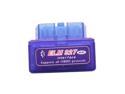
Auto Dragon ELM 327 Compact OBD2 Bluetooth CAN-BUS Auto Diagnostic Scan Tool (Pack of 2)
Pros: It works
Cons: na
1/10/2014See more detail
Fast!
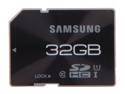
SAMSUNG Pro 32GB Secure Digital High-Capacity (SDHC) Flash Card Model MB-SGBGB/AM
Pros: -It's fast, I just can't post the speed specs since I don't have a USB 3.0 card reader.. The USB 2.0 won't do it justice. -It keeps up with my Cannon t3i
Cons: -None
Overall Review: I was looking for a cheap high speed SD card for the camera I just bought and when I noticed the prices weren't much different from the cheap to the name brand I just spent a few more bucks and went with this one after contemplating between several others in the price range and I'm not looking back.
1/4/2014See more detail