

Your Browsing History


Christopher Q.
Joined on 08/06/05
0
0
product reviews
- 2
Outstanding
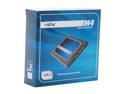
Crucial M4 CT128M4SSD2CCA 2.5" 128GB SATA III MLC Internal Solid State Drive (SSD) with Transfer Kit
Pros: Fast and low power
Cons: none so far
Overall Review: I've owned this drive for almost a year now, and I have to say I am very impressed. I've swapped this drive between 2 laptops (after my first one fried itself) and have had no issues whatsoever. The performance boost I saw was tremendous. I'm sure there are faster SSD's out there, but if you're used to a platters, this drive will impress you right away. What it lacks in speed it makes up for in power savings, which means longer uptime on a laptop. In fact I like this drive so much I just purchased another one for a new desktop build!
10/23/2012See more detail
Very Solid Laptop
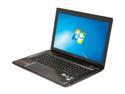
Lenovo IdeaPad 15.6" Intel Core i7-3610QM 8GB Memory DDR3 1600 64GB SSD Windows 7 Home Premium 64-Bit Y580 (20994EU)
Pros: After my last laptop (an HP) died because of heat-related issues, it was a huge relief to find that even when I'm gaming on this laptop, it doesn't get so hot that I could burn myself. The specs are outrageous for the price. Lenovo also seems to go easy on the bloatware, which is a nice surprise. After replacing the hard drive and starting fresh, the driver installation was not troublesome at all.
Cons: Lenovo's "hybrid drive" solution was not as fast as I thought it would be. It uses a 5400rpm platter with a 60GB SSD cache - they are completely seperate drives, controlled by software to look and act as one hard drive (I did not realize this at first). I also had some weird issues with Chrome that I could not solve until I replaced the hard drive and started over from scratch.
Overall Review: To those of you disappointed in the Hybrid Drive, I recommend just replacing the platter drive with an SSD - I have a Crucial M4 in now and it is almost twice as fast. If you have data on the platter drive you need, you have to "unlink" the Hybrid Drive in order to get at it - I did not realize this until I had already installed my SSD and wiped the existing mini-SSD clean. There are instructions from Lenovo on this somewhere in their forums I believe, but I am having trouble finding it again. I'm only giving this 4 stars because if I had a second chance, I'd probably buy a Y580 without the hybrid drive, and either get one with an SSD or one with a regular drive that I end up replacing with an SSD of my choosing. If you are a performance-freak, the hybrid drive will probably disappoint you.
10/23/2012See more detail