




 here!
here!
I’m your shopping assistant for PC builds, upgrades, and everything tech.
Got questions? Ask away!
Start a conversation
here!
I’m your shopping assistant for PC builds, upgrades, and everything tech.
Got questions? Ask away!
Start a conversation

Joined on 03/19/03
Toner Cartridge TN-350
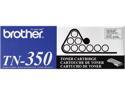
Pros: This is Brother's OEM toner. There is no better toner for your Brother Laser. The price at Newegg is around 30% less than the large office supply chains. Ignore reviews saying this is not the best, since you can't get any better.
Cons: All these reviews for printers? This is for toner. However, the HL-2040 laser that I have is touchy. You must use very thin paper for it to stay happy. No ink jet paper.
Overall Review: If you get a "toner out" light; order your replace here, and then, while you await its arrival, place a small portion of black electrical tape over the small clear "eye" on the side of the "empty" toner. It is easy to find if you look. Give it a good shake, and roll forward to get any toner left to the exit area, and you will get another 100+ pages out of the "empty" one.
Canon SD600
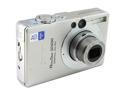
Pros: Super small; the size of two old fashion Zippo lighters next to each other.
Cons: Almost too small. Takes a while to learn to operate the buttons efficiently. Feel like you might drop the camera by losing your grip; neck strap security helps out. Like all compacts, the flash is weak, and will work well up to a distance of about 15' max in a darker situations. First you get dark edges, and then exposure falls off fast as distance gets greater. Unlike a Canon-G series, etc. it has no hotshoe (for mounting a flash), so the enclosed flash is the only possibility.
Overall Review: If you have image files on a PC, and want to move them, a Flash drive would be much easier than using this Canon SD600 (many flash drvies available here at Newegg cheap). Using a digital camera to transport files is a tiny bit ridiculous. Why not just carry the whole PC with you. A digital camera should be used to take photos, and a flash drive, e-mail, CD-R, CD-RW, or DVD, etc. would be a much better plan for tranfering between PC's! It is best to leave your media card in your camera, and avoid messing with it needlessly. No broken camera SD doors, and no corrupt data, etc. Set up your tranfer software (with the camera), and make sure you're running at true USB2.0; everything will fly smooth as silk, and you will save time.
Tremendous Keyboard
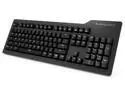
Pros: Nice solid feel with great lighting. The light adj is right on the keyboard. This unit needs no software and uses no cpu cycles like typical RGB keyboards. This unit does have 10key number keys which are missing from many keyboards. I also appreciate a full size Enter and Backspace key. The keyboard has a number of hot keys that work in Win to open menus, put your PC in Sleep mode, or control media playback, etc. The SPACE BAR functions fine. I can not make it not register even w light touch. (Purch Dec 2023) The CherryMX brown switches are not loud at all. You could make as much clack using any laptop.
Cons: This unit, like many monitors has a usb pass through. Like most, it is hidden around the back side. I would prefer a side jack so you can see it before you try to jam a usb plug in. Only real con is the fact that all my other keyboards now feel like junk. I will need to buy a couple more of these and I look forward to it.
Overall Review: Highly Recommended. Unit is very well made. Even w tenkey number keys, it is less wide than many other mechanical keyboards. They did not waste any space.
Dell U2421 UltraSharp
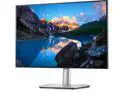
Pros: Very nice unit. So Easy easy easy to set up. Super relaxing on the eyes. I have used it all through the day and never once felt I needed it to be brighter or darker due to reflections of outdoor light. I have used a lot of HD 1920 x 1080 monitors. They are just too short and wide. This monitor's 1920 x 1200 resolution gives a very nice layout and doesn't leave you squinting to read the small stuff. This monitor also has loads of connectivity options and a very tidy cable hider. This unit will certainly be very useful for a long time. I have already found it hand to charge my cell right off the monitor, and to plug in a little usb hub I use for flash drives. No more ugly cables all over. The height is very easy to adjust, and has a lot of range. The internal height mechanism is made of steel, and it is all smooth and well balanced so a very slight push lets to monitor go up or down. The base also has a heavy steel plate inside for stability. These UltraSharp monitors come with a printed test report as these are each individually color calibrated by hand as they come off the assembly line.
Cons: Check your Graphics card or your motherboard's On Board Video specs. If your unit supports 1920 x 1200, I highly recommend this monitor.
Overall Review: This is a lot of Monitor, designed to keep up with the times ahead.
Using USB 3.0, does not make this drive run
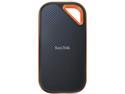
Cons: Very expensive. Runs very hot vs. other ssd portable drives, and the rubber shell makes it impossible to assist the cooling. The speed of this drive over USB 3.0 was considerably slower than other normal portable ssd's costing 1/3 the amount. I bought into the NVMe marketing, since my on-board NVMe drives are very fast (2,000 Mb/s). This drive struggled to write at 200Mb/s, and then choked down to 40Mb/s writes. I have two other ssd's that run at 220 Mb/s for huge writes. I have never had one choke down.
Overall Review: I realize USB 3.0 is not the optimal, but I at least hoped it would perform well vs much older drives. It does not.
Easiest Laptop Upgrade Ever!
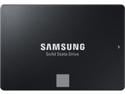
Pros: I upgraded a Dell Latitude e6540. I purchased a simple ssd/usb cable from Newegg, and the used the free Samsung migration software. It copied my entire C:\> drive and full bootable OS onto the new drive in five minutes with one click. it took ten more minutes to remove the Laptop main drive door, slide out the old ssd, and put in this new one. The PC booted right up in 15 seconds (Win 7 pro, not speedy Win10). Easiest Upgrade I ever made. I now have 1TB to record my high speed astro photography on.
Cons: I wasted a lot of money on portable ssd's, hoping they could perform well enough to record to. They max out around 220 Mb/s write speeds on USB 3.0 which is not usable. This new 870 Evo hits 850 Mb/s easily. Don't believe the hype around very expensive so called new NVMe Portable drives. On Board NVMe do crack 2,000 Mb/s easy, but in a portable ssd they are actually slower than a standard portable ssd using USB 3.0 (I got 180-200Mb/s writes using a normal USB 3.2 cable. I have not yet tested one on a USB C cable.)
Overall Review: Tremendous performance for this size drive. If you don't yet have an ssd drive in yourt laptop, this will really make it fly.
Tremendous SSD Drive
This is a great series of SSD Drives from ADAT (SD600Q). I have always had good luck with their SDMC cards lasting forever. The size/cost ratio on this drive is amazing. It has a very small footprint and is very light weight. I use mine to capture high speed video during astrophotography, with the drive velcro'ed to the back of my laptop. It perfoms within 5% of the maximum speed of my much smaller (and much more expensive) internal SSD. With the camera and video recording software running, this drive can record right about 300MB/sec. The drive has a nice rubber shock absorber ring around it, just in case of drop, with thicker rubber at the corners. It is nice to see designers putting real thought in to every aspect to make a really nice durable product. ADATA has always produced high quality stuff at a mid quality price.
Top Quality / Fast Delivery
Very happy to purchase 5 (mercury free) button cell batteries for the cost of 1 at the local bigstore. I love having a watch battery die when I have new spares ready to go. Just keep them cool and dry, and they will last you for many years. (I use an old paper bandaid box that holds a bunch; toss it in my desk drawer).
Tremendous Merchant
Recd. beautiful new watch in under two business days! Top One had models I wanted which no one else had in stock. Packaged like a tank, along w full retail box, US warranty card, etc. Watch works perfectly. Could not be happier w this dealer; will not hesitate to buy from Top One again.


