

Your Browsing History


Brian W.
Joined on 06/15/04
0
0

product reviews
- 66
Here's a product I'm excited about!

Linksys EA6200 Dual Band AC900 Smart Wi-Fi Router
Pros: Right on the box, it says its target amount of wireless device (“Capacity Group C”, 7+ Devices). Kinda a handy good-to-know spec I haven't considered much before. Quick start guide is intuitive and easy to follow for any skill level. SSID and password included on several stickers, and is not a default guess-able password exposing your network during setup. Packaged well, looks very well built, and lots of air circulation on the bottom/sides. Top is solid, so you don't have to worry about spills. AC Adapter is 12V, 2A max, 5ft long (good length!), and standard plug – finding a replacement would be easy if ever needed. The chassis is surprisingly well built. Antennas are located on the front left, front center, and two near the mid-right. The components are higher quality than I expected, and shielding is done very well. Uses a large passive heatsink for cooling. USB connection is mechanically reinforced. Antennas are snap-replacable. There is nothing loose or flimsy about this build – I'm impressed! Setup was intuitive and easy. I enjoy the idea of a guest network, though I don't see myself using it here. Built-in speed-test is a pretty neat feature as well! You can also disable the LED lights, in case you use this router in a low-light area, such as your bedroom. The interface is very flashy and normally I would hate non-standard layouts, and would want to flash the firmware with something like DD-WRT, but all the features I'd do that for are already here and working. As for performance, it seems to perform as advertised. No surprising shortcomings I've found on other routers. For its target audience, and price range, it does very well.
Cons: The feet aren't very rubbery, so it slides around easily – the weight of all my cables hooked onto it pulls it to the back of the desk. The included 3Ft CAT-5 cable is really short, barely enough to reach my modem, but not enough to reach my desktop PC. The big heat-sink in it is there for a reason. It does a great job of keeping the processor cool, but that's assuming the air around it is cool. In an open room at 75degrees Fahrenheit, the area of desk immediately below it rose to 120degrees F after several days of use. This isn't a big deal in an open room, but I would advise against putting this router in any confined area such as a server closet, clustered around other electronic equipment, or near your favorite ice cream. I also wouldn't wall-mount it, as the heat may damage the paint, but should be fine for any plastic, glass, or wood desktop. While I enjoy the FTP access to a connected USB hard drive, I can't find a way to secure access from outside the network using username/password. I can secure the drive using user/password, but that applies for the LAN as well.
Overall Review: I'm very pleased with this device, and it's now my new home router. The Cons I listed are very minor, and the Pros by far outweigh. I've never really felt comfortable with the provided software of a device, and am used to flashing or hacking it to how I see fit, but this time everything just clicked in place. No modifications needed. Everything seems well thought-out, with plenty of reach for advance uses. Well done LinkSys – I didn't think you had it in ya!
8/23/2013See more detail
I like it, but...
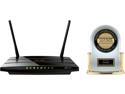
TP-LINK Archer C5 AC1200 Dual Band Wireless AC Gigabit Router, 2.4 GHz 300 Mbps+5 GHz 867 Mbps, 2 USB Ports, IPv6, Guest Network
Pros: This was a nice product to review! To start things off, it had good packaging, complete with resource CD and comprehensive starting guide. The device was a bit larger than expected, and barely fits in the “router” spot on my desk. The LEDs on the front are large, and bright - maybe a bit too bright if you game in the dark. They flash for activity, but not flicker. There’s an actual power switch on the back, which I enjoy (no more dropping the power plug behind the desk!). There’s also a WiFi switch, which I highly recommend turning to OFF for initial setup. The WiFi is on by default, with SSID broadcast, but secured with WEP2 by default (key is printed on the bottom of the router). The configuration page is comprehensive, with all the features I enjoyed in DD-WRT firmware existing in the manufacturer firmware such as MAC cloning, DoS protection, bandwidth control, and diagnostics page. It even re-directs to the new IP address if you change it!
Cons: It has a fairly large wall-wort power adapter, that gets in the way of other plugs (vertical). I was also surprised to see that it’s 2.5amps (matching the router), which seems fairly high to me. It seems to be taking ~1amp on average. More than previous routers I’ve had, but still acceptable. I wasn’t really a fan of the guide referring to a URL to configure it, rather than a standard IP address, but either works to load configuration page. However, it’s default is 192.168.0.1. Just minor gripes. The default login is admin/admin, so there’s no variation or added security there - anyone on your wired LAN to hijack setup before you complete it. There’s no secure way to configure this device - there’s no https option and all configuration data is sent via plain text. But, what ultimately pushed this to lose 1 egg is that the configuration page automatically refreshes (on all browsers) after a few seconds - if you aren’t quick to save your changes, it’ll refresh and lose your fields! Very annoying if you’re looking up routing or MAC tables while entering the data… If they fix this, and perhaps make it one-click to set-up MAC access and routing tables, it’d easily be 4 stars.
Overall Review: USB 2 does perfectly fine for all of my applications, and I’m happy with it for this product. It’s more than sufficient for printers or external HDDs. I delayed some in writing this review, as I seem to have had some problems with my ISP. The WAN connection seems to have dropped twice in the first few days of having this device, and the router never reconnected until I cycled power. But, it’s working fine lately and I can’t be 100% sure this is the router’s fault, so I’m not listing this as a con.
3/5/2015See more detail
Faster than my Motherboard supports!
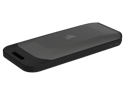
Corsair EX100U 1TB USB 3.2 Gen 2x2 Portable SSD External SSD up to 1,600MB/sec CSSD-EX100U1TB
Pros: This seems to be a quality product from Corsair that's simple, fast, and likely replacing a USB thumb-drive I carry around. It's large and fast enough for me to keep my project files on as I often switch between my desktop and laptop throughout the day (I often use Google Drive to keep things sync'd, but some of my projects the size/amount of lifes/latency isn't feasible). I'm definitely happy with this product and it's built well enough that I'm not worried about needing to replace it anytime soon!
Cons: As you can likely tell in the video, the box was giving me trouble =P I wish I get >1000MB/s speeds on my USB 3 Gen 2 port, but the device does clearly market that it only gets those speeds at USB 3 Gen 2x2 (basically two USB 3 Gen 2 lanes combined together). I'm guessing if it's not the "optimal" dual-lane USB 3.2 Gen 2x2, it instead goes to a backwards compatibility mode which still gets you ~500MB/s for USB 2 ports.
Overall Review: I'll definitely be using this in my day-to-day life and would certainly recommend it to others! Oh, and if you never look at the product images, it may take you a second to realize the end pops off to expose the connector =P
2/17/2023See more detail
Super easy, best powerline networking I've seen, but manage bandwidth expectations
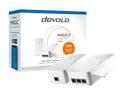
devolo Magic 2 LAN triple Starter Kit
Pros: -Easy plug & play set-up -App was so simple, no sign-in, no fuss, took me off guard thinking oh, this must be a sample network. Nope - was mine! -One device is essentially just a 3-port (technically 4) unmanaged switch, and traffic across the 3 external ports still functions even if its distant end is unplugged. Still, nice to imagine I could plug in my TV, Media Server, and console onto my router without WiFi (but... see the cons) -The form factor was small enough to not completely cover up adjacent sockets -Ability to specify your own encryption password -IPv6 support -Nice identify device button if you have a large network and forgot where things are physically (it flashes the light for 2 minutes) - Automatic firmware updates & ability to upload own firmware files. - Reliable - its getting kinda toasty in the cupboard I put it inside, yet its still has a solid connection! Not sure if its even dropped many packets
Cons: -Only getting ~9Mbps throughput, and was very laggy for my media server. I reverted back to using WiFi for my media server as it was significantly faster, and am instead using in for a camera that doesnt have WiFi. Works like a charm there! -Form factor was still rather large, would prevent other "wall-wart" power supplies from plugging in. -Technically, on a shared circuit (e.g. apartment building) one could sneak a pair in by monitoring for a new device and spoofing as the distant end before youre even able to plug in the other device. However, this is extremely unlikely. You can reset the encryption using the app.
Overall Review: Its the nicest Ethernet-Over-Power device Ive used, and if I had to run a low-bandwidth network across a house without using WiFi, this would be my go-to! However, dont expect the advertised 2000Mbps, which would be a downright miracle. If this were possible, why have Ethernet cabling at all? However, you can still do a lot with just 9Mbps, and I suspect youd get more. - Would've preferred a dongle or corded adapter instead, to prevent it from covering other sockets. Bonus points if it used a standard ATX power cable. - Was kinda hoping I could manage the power-socket and turn it on/off with Google Home or Alexa. No luck! Oh well =P - Would be cool if it let you monitor the power going through it (voltage, amps, watts) and/or displayed the quality of your power (and wiring).
3/20/2022See more detail
Tl;dr: this laptop’s my new spirit animal.
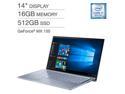
ASUS ZenBook 14 UX431FN-IH74 Ultra-thin and Light 14-inch FHD Laptop, Intel Core i7-8565U, 16 GB RAM, 512 GB PCIE SSD, GeForce MX150, Windows 10, Silver Blue
Pros: I was excited for the opportunity to review this laptop, and it did not disappoint! Everything from opening the box to getting set up to writing this review has been a pleasant little surprise, even if some things are taking a bit of getting used to. My previous laptop was an Acer Aspire 15.4” a515-51g-58gz, which is still fairly new and somewhat comparable to this laptop. Somewhat. When I opened the box, I was first surprised at “how tiny” it was. All my previous laptops have been larger, and I’m shocked by how much difference 1.4 inches makes. I was almost laughing “ha, what’s this dinky little thing?!” but when I touched it, I felt the cool metal casing. Literally - like a cool soda can from being left outside. I picked it up and this guy was light - my dinner plate weighs more, and that’s without the food! With the small size and light weight balanced on my hand, I immediately was invited to not just sit it on my lap but to literally get up and walk around with it. It may not fit in my pocket, but it sure is comfortable in my hand or across my arm. And it still feels solid - there’s no spot I can squeeze to get a plastic creek, the lid is almost too tight and definitely not floppy. Even jabbing the back doesn’t affect the screen at all. If I ever got mad enough to throw it at someone, I’d bet this both the laptop and the person would survive; it’d be like throwing a piece of foam wrapped in foil! It’s not a military grade ToughBook, but it doesn’t need to be. The keyboard was the next surprise. The keys are HUGE, springy, and feel great. I didn’t realize until I started using this on my lap (my “couch computer”), but on my previous laptops my hands were slightly to the left to make room for a number pad. Even the trackpad is large, and I’m comfortable leaving my wireless mouse behind when I go cook in the kitchen or work on a project in the garage. I’ve also noticed everything’s positioned well enough where I don’t accidentally click the trackpad while typing. Also, you may take this for granted, but it has the ability to disable the trackpad through the Function key! You don’t notice simple things like that until it’s gone. The screen may be small, but it’s bright, colorful, and beautiful. I find that I don’t need the font sizes increased to 150% for comfort like my previous laptop of the same resolution (and it even had a bigger screen) - keeping it at 100% gives me so much more working space. You ever put your laptop against your face? Well, I just did. It was like a small warm pet, eager to do my bidding. Something else I noticed: no clicking, rattles, or creeks, or noises other than a fan I didn't hear until just now. It's like this laptop loves being cuddled - doing a direct comparison to my old laptop made it feel like picking up an old disgruntled cat that does not like being picked up - especially one-handed. I’ll grab it for some youtube videos while I cook, or stream a movie in the background while I work in the garage. Going out of the house? Cool! Just grab it and go - no laptop bag or backpack necessary, and it slides under the car seat like a dream. And it certainly has the performance! Heavy browsing, CAD applications, Gimp/Photoshop, home security camera streams, even a game of Factorio running in the background and I’m still able to write this review. This is NOT a gaming laptop, but it sure packs a punch! I’m sure the Core i7-8565U and the 1000+MB/s (according to HDTune) NVMe SSD sure helps. Whenever I want something with more power, I simply stream from my actual gaming PC and never tell the difference (except, y’know, screen size…) - the GeForce MX150 is great for decoding.
Cons: I am a /little/ bothered about it not having an Ethernet port. The WiFi performs pretty well though, so I doubt I’d ever miss it. But, at least I still have a headphone jack and USB ports on either side, even if one of them is only USB2.0.
Overall Review: I’m confident ASUS put the time into actually using the laptop for a while before releasing it. The specs and numbers certainly are there, but unlike some other laptops, the overall comfort and experience makes this more than a budget laptop that’s hurting to check all the boxes. For overall practicality, experience, and potential use, the little bit of extra money is more than worth it!
12/6/2019See more detail

Corsair LL Series CO-9050091-WW LL120 RGB, 120mm Dual Light Loop RGB LED PWM Fan, Single Pack, White.
Pros: - Well built -Quiet and powerful -Looks awesome -Rubber pads -Power and LED control are independent, with very long cables
Cons: - LED Control may be proprietary to Corsair, requiring their own RGB Hub.
Overall Review: Both the power and the LED control (independent cables) reach 23 inches away from the edge of the fan (24 inches if you cut a zip-tie and exit the fan at a rear angle). The cables are 4-wire ribbon cables, black in color with grey striping to differenciate the wiring (on the LED cable, only pin/wire 4 is marked with long 90:10 grey stripes; on the power cable pin/wire 4 has the same long 90:10 stripes, pin/wire 3 0:100, pin/wire 2 is 75:25, and pin/wire 1 is 50:50). The power connector itself has pin 1 indicated, pin 2 is blank, pin 3 as "TKG" and pin 4 as "2510", and no latching mechanism. The LED connector has a latching mechanism, but no further indication of pin-out (but the cable itself has a flag taped to it to indicate it's "TO RGB HUB" so you don't get it mixed up with the power connector). The fan itself is marked "12V DC 0.3A", along with "CO-9050091-WW" (the model) and "M/N: RWF0022" below that in addition to a manufacturing address. There are etched arrow indicators on the side of the fan to indicate the direction of spin, and the direction of airflow. From the hub (center) of the fan, you can see 4 conductors neatly span across one of the chassis spokes to the RGB LED ring (but, they don't seem to be the same conductors from the cable as they are soldered to the hub, visible if you peel off the sticker). Unfortunately, the LED pinouts do not match any common-cathode nor common-anode RGB LED pinouts I know of - I had limited success in switching on the red LED in some cases, all of them in another case, but no other configuration seemed to work (or I damaged it trying to apply 9VDC to other pins or reversing polarity). If I had to guess, the method in which Corsair Fan/controller hub lights up the LEDs in the fan is proprietary. You can definitely use an adapter to plug this fan into the PSU, but it'll be at full blast the entire time. Connecting the power connector to the motherboard does allow PWM to control the fan speed, and it gets perfectly silent at the lower speeds. Unfortunately, without the Corsair RGB LED Fan Hub, there will be no easy way to control the lighting of this fan (even if you're a DIY hobbyist). Overall, the fan seems to be of excellent quality, great build, and probably one of the nicest fans I've had the pleasure of using! I can't really fault it for requiring its own RGB LED Hub, especially since it clearly says it multiple times on the product page. I pretty much just verified they aren't blowing steam (just cool air!) :)
2/11/2019See more detail
seller reviews
- 1
Perfectly happy
Prevent a refurbished motherboard from this company, and it looks and works like new. Arrived in great packaging, all parts and pieces included as far as I can tell. Thanks idyiashop!
On-time
Delivery
Product
Accuracy
Customer Service
Satisfactory
12/11/2017See more detail