Your Browsing History
Meet Your Seller
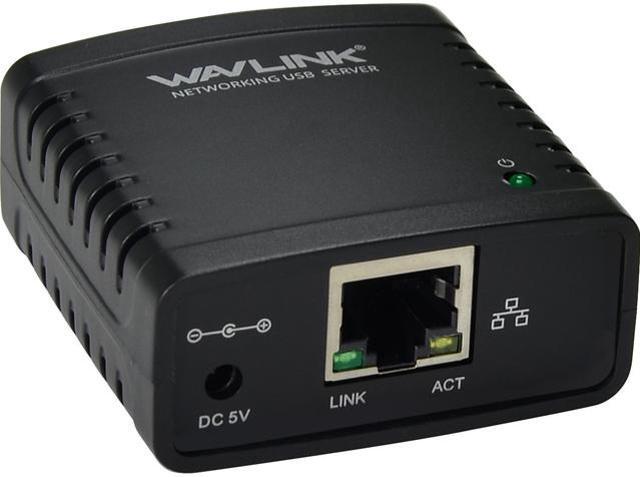
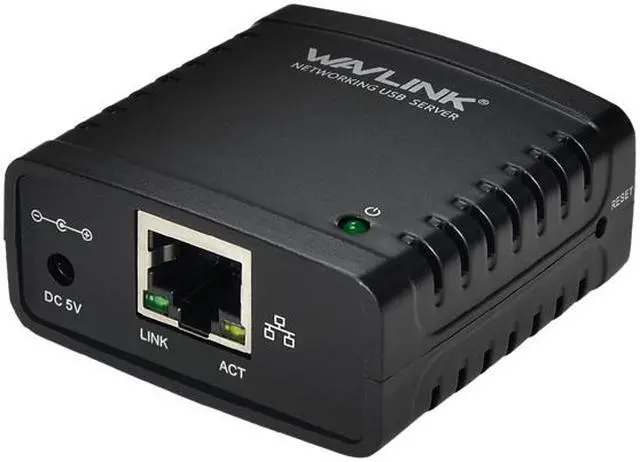
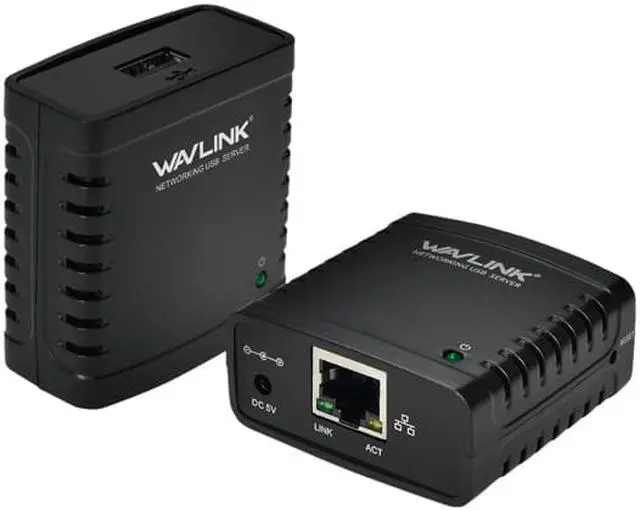
Wavlink 100Mbps Ethernet to USB 2.0 Network LPR Print Server 10/100Mbps Networking USB HUB USB 100Mbps Print Server / Network Print Server / Print Server Adapter
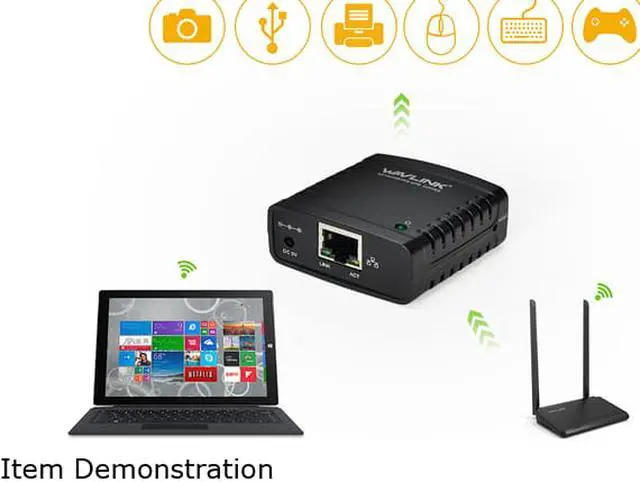
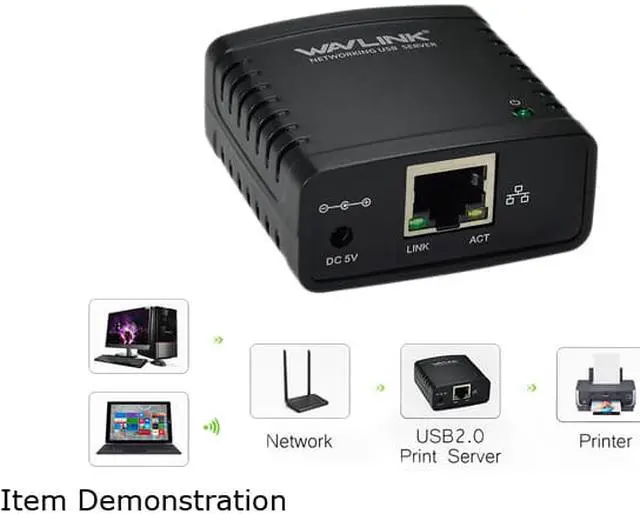
- Share a USB printer with multiple users simultaneously over a wireless network.
- Palm-sized design makes it easy to carry around.
- Easy Installation and network connection.
- Supports LPR Network Printing and Boujour Print Services.
- Adopt low-power and high-integration chips.
Overview
Specs
Reviews (18)
See all Q & A
Any questions? Our AI mode will help you find out quickly.
Try me now
Wavlink Bring Technology to Life Wavlink 100Mbps Print Server USB 2.0 Printer Share LAN Networking Adapter Hub MFP Printer share printers usb devices. ( This print server adapter not the 100Mbps adapter, it is a 10/100Mbps one! Fully meet your expectations )
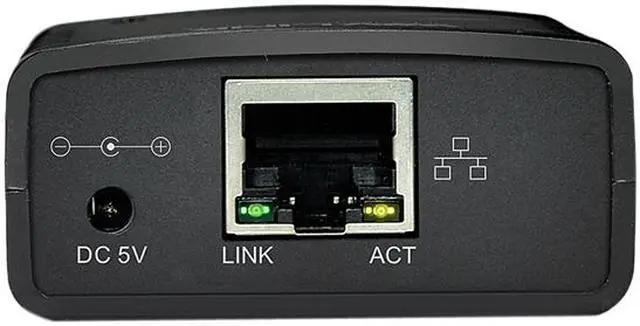
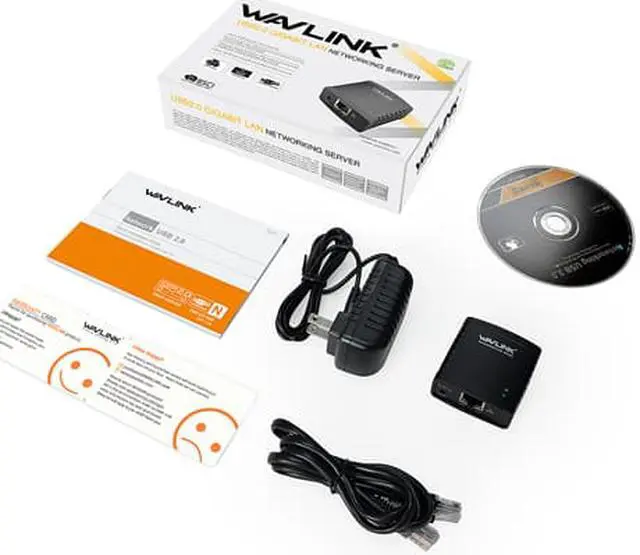
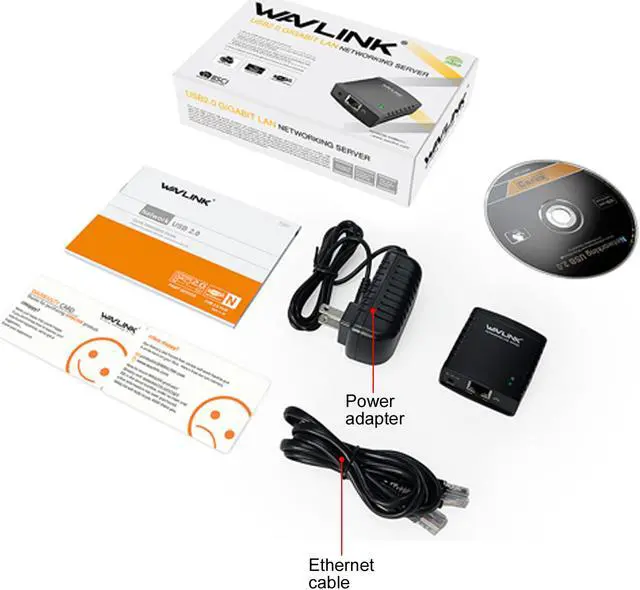
Description: Share a standard USB printer with multiple users simultaneously over an Ethernet network - This palm-sized print server makes it easy to share a USB printer with users on your network. It’s the ideal solution for home or small office networks. Reliable, cost-efficient network printing Enjoy cost-efficient network printing for multiple users. The USB 10/100 Mbps print server lets you share one USB printer with multiple users on your network, instead of having to buy separate printers for each individual workstation. Place your shared printer in a convenient location With web-based management, you can set up and monitor the printer server through a web browser, so you can place your printer at any convenient shared location - there’s no need to put your printer next to your computer. You can send print jobs to another user in your home or office, or even to a printer in another country. Easy to use and install Compact and lightweight, the print server is easy to install with its straightforward installation wizards and remote web-based management. You simply use a USB cable to connect the print server to your printer’s USB port, then use an RJ45 networking cable to connect it to the rest of your network.
Supports LPR network printing and Bonjour Print Services The printer server supports the Line Printer Remote (LPR) protocol which enables Internet printing. It also supports Bonjour Print Services, making it easier to find and configure printers on your network.
Features: The ideal solution for USB printer sharing This palm-sized print server makes it easy to share a USB printer with users on your network. It’s the ideal solution for home or small office networks. Reliable,
cost-efficient network printing Enjoy cost-efficient network printing for multiple users. The USB 10/100 Mbps print server lets you share one USB printer with multiple users on your network, instead of having to buy separate printers for each individual workstation. Place your shared printer in a convenient location With web-based management, you can set up and monitor the printer server through a web browser, so you can place your printer at any convenient shared location - there’s no need to put your printer next to your computer. You can send print jobs to another user in your home or office, or even to a printer in another country. Supports LPR network printing and Bonjour Print Services The printer server supports the Line Printer Remote (LPR) protocol which enables Internet printing. It also supports Bonjour Print Services, making it easier to find and configure printers on your network.
Easy to use and install Compact and lightweight, the print server is easy to install with its straightforward installation wizards and remote web-based management. You simply use a USB cable to connect the print server to your p

Description: Share a standard USB printer with multiple users simultaneously over an Ethernet network - This palm-sized print server makes it easy to share a USB printer with users on your network. It’s the ideal solution for home or small office networks. Reliable, cost-efficient network printing Enjoy cost-efficient network printing for multiple users. The USB 10/100 Mbps print server lets you share one USB printer with multiple users on your network, instead of having to buy separate printers for each individual workstation. Place your shared printer in a convenient location With web-based management, you can set up and monitor the printer server through a web browser, so you can place your printer at any convenient shared location - there’s no need to put your printer next to your computer. You can send print jobs to another user in your home or office, or even to a printer in another country. Easy to use and install Compact and lightweight, the print server is easy to install with its straightforward installation wizards and remote web-based management. You simply use a USB cable to connect the print server to your printer’s USB port, then use an RJ45 networking cable to connect it to the rest of your network.
Supports LPR network printing and Bonjour Print Services The printer server supports the Line Printer Remote (LPR) protocol which enables Internet printing. It also supports Bonjour Print Services, making it easier to find and configure printers on your network.
Features: The ideal solution for USB printer sharing This palm-sized print server makes it easy to share a USB printer with users on your network. It’s the ideal solution for home or small office networks. Reliable,
cost-efficient network printing Enjoy cost-efficient network printing for multiple users. The USB 10/100 Mbps print server lets you share one USB printer with multiple users on your network, instead of having to buy separate printers for each individual workstation. Place your shared printer in a convenient location With web-based management, you can set up and monitor the printer server through a web browser, so you can place your printer at any convenient shared location - there’s no need to put your printer next to your computer. You can send print jobs to another user in your home or office, or even to a printer in another country. Supports LPR network printing and Bonjour Print Services The printer server supports the Line Printer Remote (LPR) protocol which enables Internet printing. It also supports Bonjour Print Services, making it easier to find and configure printers on your network.
Easy to use and install Compact and lightweight, the print server is easy to install with its straightforward installation wizards and remote web-based management. You simply use a USB cable to connect the print server to your p
Warranty & Returns
Warranty, Returns, And Additional Information
Warranty
- Please contact the Seller directly for warranty information. Warranty information may also be found on the Manufacturer's website.
- CONTACT
Return Policies
- Return for refund within: 30 days
- Return for replacement within: 90 days
- This item is covered by Wavlink Technology Return Policy
Manufacturer Contact Info
- For a directory of all our manufacturers, please click below.
- Manufacturers Directory
LOADING...