Newegg.com - A great place to buy computers, computer parts, electronics, software, accessories, and DVDs online. With great prices, fast shipping, and top-rated customer service - once you know, you Newegg.

If you are reading this message, Please click this link to reload this page.(Do not use your browser's "Refresh" button). Please email us if you're running the latest version of your browser and you still see this message.

Newegg.com - Computers, Computer Parts and Electronics

My Account

MyNeweggBrowse Entire SiteShop All BrandsHelp & Info
topNavRowBottom  

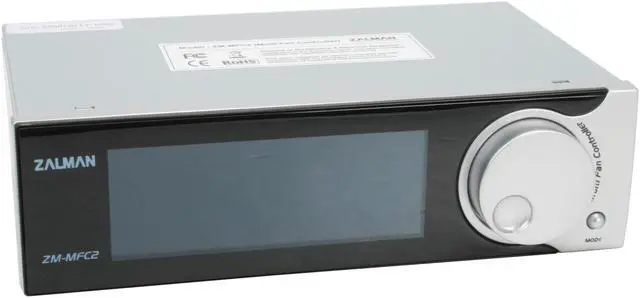
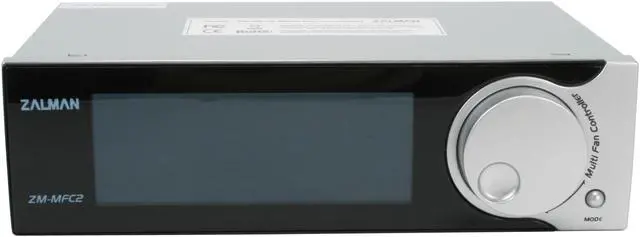
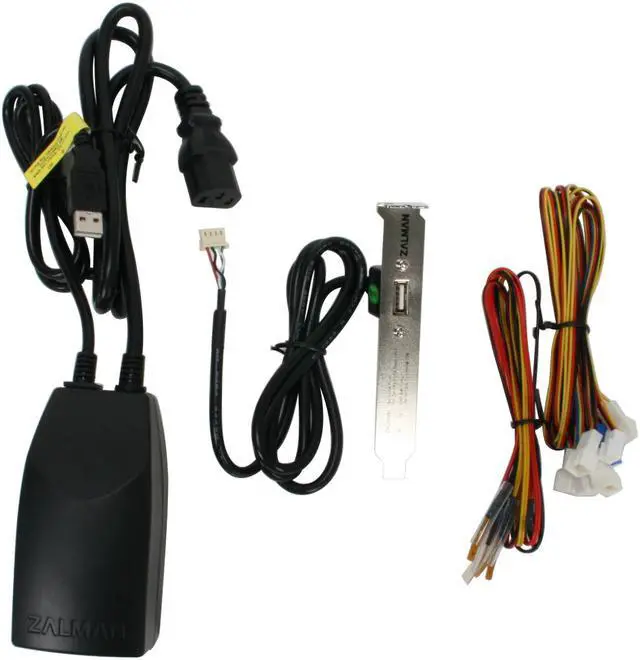
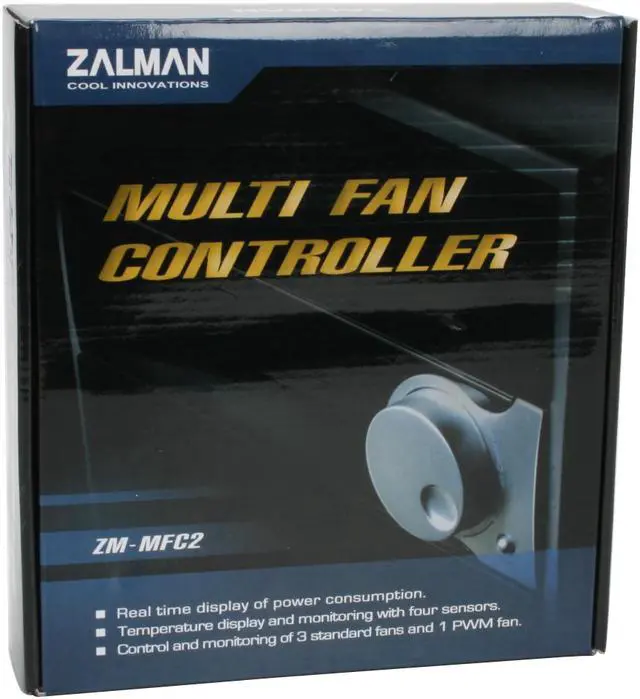
ZALMAN MFC2 Muti Fan Controller

Average Rating

3 out of 5 eggs(79 reviews)

In stock.

Now: $51.99
 Add to Cart
  • Add to WishlistAdd to Wishlist
  • Log In RequiredPrice Alert
  • PrintPrint This Page
  • Email This Page Facebook Twitter Sharethis Share...
Free Shipping (restrictions apply)
Buzz
2 out of 5 eggs
Pretty looking (if you are at the right angle), measures wattage, temps. Its a fan controller...
— ScurvyJ 2/27/2009
i'm dissapointed zalman....
1 out of 5 eggs
it looks nice, the fan controller works, the temp probes are very compact.
— Seclipse 1/31/2009


Quick Info
Manufacturer Warranty


Return Policies

This item is covered by Newegg.com's Standard Return Policy.

  • Return for refund within: 30 days
  • Return for replacement within: 30 days
  • Restocking Fee: Yes
Financing

Model
Brand
ZALMAN
Model
MFC2
Spec
Dimensions
5.78" x 3.42" x 1.65"
Features
Features
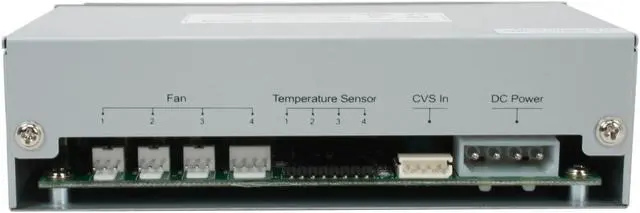
Fan Compatibility:
1 X 4-Pin (Supports fans with PWM function)
3 X 3-Pin (Supports fans with RPM output function)
Fan RPM Control:
60 - 5940 RPM

Real time display of power consumption.
Four sensors for temperature monitoring and display.
Monitoring and control of one PWM fan and three standard fans.
Alarm system to notify non-operation of any of the fans.
Fan's operation status indicated with animated propeller images.
Do you own this product? Write a Review
Filter Results
Go
  • N/A
  • 7/12/2010 12:22:54 AM
  • Tech Level: above average
  • Ownership: more than 1 year
4 out of 5 eggs

Pros: Monitors RPM of fans, heat and power usage.
Warning detection if a fan stops!!! (very loud, annoying beeping)

Cons: Must be at eye level to even read it.
Cables are short.

1 out of 1 people found this review helpful. Did you? Yes No

  • Dansy
  • 5/28/2010 11:58:57 AM
  • Tech Level: above average
  • Ownership: 1 week to 1 month
  • Verified Owner
5 out of 5 eggs

Pros: -Still control and informed me on Fans abnormalities, Temp readout and Watts used also still work.

Cons: none so far

Other Thoughts: -Did some test by unplugging the fans, it work as advertise.

1 out of 1 people found this review helpful. Did you? Yes No

  • Darkslasher
  • 3/3/2010 12:26:45 AM
  • Tech Level: above average
  • Ownership: more than 1 year
  • Verified Owner
1 out of 5 eggsEpic Fail

Pros: It was easy to remove. yeah thats about it

Cons: The cords are too short to hide in a full size case, if you use high speed fans they might now get to their full speed (mine did not.) I won't even mention the screen as it has been mentioned enufe. All in all Speedfan dose a better job and is free....

Other Thoughts: I bought this when it first came out, and well such is the risk being a eairly adopter of tech. but please don't buy this product.

1 out of 4 people found this review helpful. Did you? Yes No

  • DestruktivE
  • 1/30/2010 11:54:51 AM
  • Tech Level: above average
  • Ownership: 1 week to 1 month
  • Verified Owner
4 out of 5 eggsAverage Controller

Pros: Displays wattage, Temp, and fan RPMs.

Cons: Like everyone else says, You have to be at almost eye level to read it correctly. Not so much a con, but i cant figure out how to get it to control the fans, It just wants to read the fans that are hooked up.

Other Thoughts: Overall its a good buy for the money. I bought it mainly for the wattage read-out and the temp sensors. They seem to not read very accuarate tho.

1 out of 2 people found this review helpful. Did you? Yes No

  • Dan
  • 1/20/2010 11:46:41 AM
  • Tech Level: above average
  • Ownership: 1 month to 1 year
  • Verified Owner
2 out of 5 eggsA great Idea badly implemented

Pros: Nice display with vital information, small form factor that will fit even in the smallest cases. Plenty of fan connectors including 4 pin.

Cons: Cannot read the display unless you are directly viewing straight on. Won't work with "silent" fans (fans wont start up correctly) Won't work with fans that require moderate current to start up. RPM values that are displayed are more estimate than accurate.

Other Thoughts: This would be a good unit if 2 things were fixed. 1. fix the display so it could be seen from other angles. 2. either specify fans that are compatible with the unit or increase the current/voltage to work with all fans and have an option switch for the fan type that are used. After having the unit for almost 1 year 1 of the 4 fan circuits are dead.

1 out of 3 people found this review helpful. Did you? Yes No

  • N/A
  • 12/14/2009 5:18:11 PM
  • Tech Level: above average
  • Ownership: 1 month to 1 year
  • Verified Owner
3 out of 5 eggsMeh! it's ok

Pros: The fan controller is a nice addition to my case. it helps alot with cooling and controlling a negative pressure inside the case. Works as intended. This occupies little space by comparison to a lot of other controllers out there.

Cons: I have now owned this for a year. it has done it job properly with little issue. I wish from the start that you didn't have to be at the same level to read it. Also after a year the LCD have begun to fade horribly making it even harder to read. I would not recommend personally. There are better ones out there.

2 out of 3 people found this review helpful. Did you? Yes No

  • kaboodle
  • 6/27/2009 8:10:30 AM
  • Tech Level: above average
  • Ownership: 1 month to 1 year
2 out of 5 eggsA word of caution re: MFC2

Pros: The MFC2 as marketed has a lot of appeal, but in actual use it has some issues. I found that the Wattage display works and it's useful for a quick glance of power use. The temp sensors on my unit all worked just fine and were a nice addition to the product. The display is not an issue if you have it somewhere near eye level, otherwise is not readable and simply colorful. The fan controller...well see the "Cons" section for that part.

Cons: Fan Controller is flaky with certain 3-pin fans. Be aware that some low RPM fans will not operate correctly with the MFC2 and Zalman does not warn you about this issue. If you already have an investment in fans and add the MFC2 product as the controller, you may be in for a big let down when the fans do not function correctly. The RPM settings on the MFC2 are not actual RPM settings, but voltage settings based upon whatever reference-fan Zalman used when they designed the product.

You may find (as I did) that certain low RPM (meaning quiet) fans will not function either at all or correctly with the MFC2. My 3-pin fans would either not spin at all or would intermittently spin. So, just be aware of this potential issue with the MFC2 because Zalman won't tell you or admit it. I would not recommend the MFC2 as a fan controller because of the way they deliver power to the fans. It is not like a rheostat fan controller. Check out other forums and you will find similar issues.

Other Thoughts: If you decide to buy the MFC2, just make sure you can return it for a refund should you encounter the fan issues that I experienced. I spent so much time trying to resolve the issue with Zalman that I went past my return period and basically got left with a product that does not work as a fan controller.

Manufacturer Response:

Dear Valued Customer,

Please note that low RPM fans are considered to be "specialized" fans. These fans are specifically designed to run at low RPM as to not generate noise, and as such, are not generally used with fan controllers. The MFC2 is designed to work with standard 5-12V adjustable fans.

Best Regards,
Zalman USA

8 out of 12 people found this review helpful. Did you? Yes No

  • Spazite
  • 5/3/2009 8:19:31 PM
  • Tech Level: above average
  • Ownership: 1 month to 1 year
2 out of 5 eggsMajor disappointment from Zalman

Pros: -Beautiful Design/Appearance
-Accurate power load readings
-Good fan control
-looks killer while powered on

Cons: In order to read the lcd display, eyes must be directly level with it: No alternate viewing angle
I had 1 temp sensor not work straight out the box

Other Thoughts: I can say that I'm really let down with zalman for releasing this into the market with such a horrid viewing angle. This would probably be the best controller on the market had they made the display viewable at a reasonable angle. I simply cannot give this a passing score for this reason alone!
If you have your tower/case on your desk facing you at eye level, this will fit your needs perfectly. Otherwise I would wait for their next revision/model.
I look on the bright side still-my case does look all that much sharper with this bad boy installed :P

7 out of 8 people found this review helpful. Did you? Yes No

  • ScurvyJ
  • 2/27/2009 12:12:09 AM
  • Tech Level: above average
  • Ownership: 1 month to 1 year
  • Verified Owner
2 out of 5 eggs

Pros: Pretty looking (if you are at the right angle), measures wattage, temps. Its a fan controller...

Cons: If I could rate just the screen, it would get -3 stars. Horrendous viewing angle. Fan 1 animation has already gone out. For this price, or any price, I would have expected a half decent screen but this screen is poor by 1956 LCD standards (if they had them).

No molex fan connector?

The unit doesn't supply extra juice to the included y-cable so the fans only run at half speed.

Other Thoughts: If it wasn't already past my RMA return period, I wouldn't be able to look at this to review it since it would be in the mail.

10 out of 10 people found this review helpful. Did you? Yes No

  • Ian
  • 2/2/2009 12:02:42 PM
  • Tech Level: above average
  • Ownership: 1 day to 1 week
  • Verified Owner
3 out of 5 eggsNice Display

Pros: Works as advertised. Looks decent. But you do have to adjust your eye level in order to read it.

Cons: You have to look directly at the display. Maybe a 10-15 degree viewing angle. Themocouple wires could be a little longer.

Other Thoughts: If this display is at eye level...get it. If your viewing angle is greater than 3 vertical inches (Seriously!) from eye level you wont be able to read it.

3 out of 3 people found this review helpful. Did you? Yes No

Shop by Region: United States | Canada | China
Affiliated Sites:
NeweggBusiness
For Business Needs
EggXpert.com
Newegg Community
|NeweggMall.com
Shop Multiple Retailers
VeriSignReseller RatingsReliability Seal1This site protected by Trustwave's Trusted Commerce programInc500
Policy & Agreement | Privacy Policy  © 2000-2010 Newegg Inc.  All rights reserved.
If the Adobe Reader does not appear when you click on a link for a PDF file, you can download Adobe Reader from the Adobe web site. nassau