

Your Browsing History
About PC Build Showcase
Click here to post a build on the PC Building Showcase. Share your build with the community here!
Make a postFilter
Featured Build

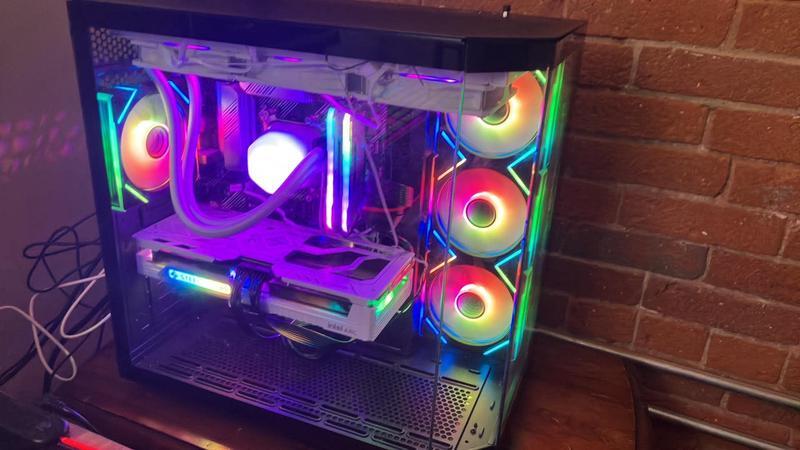
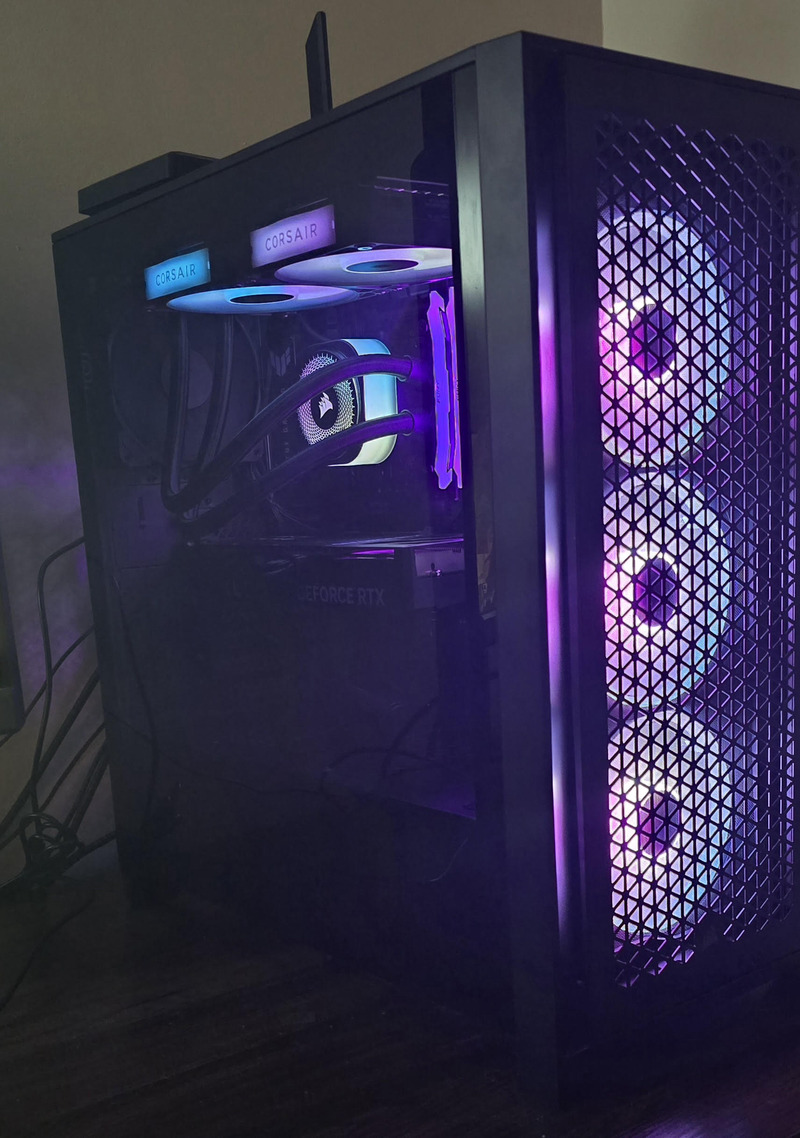

 John Louvaris2 weeks ago
door 2
demon pc
CPU:
Intel Core Ultra 9 285K - Core Ultra 9 (Series 2)
Motherboard:
ASUS ROG STRIX Z890-E GAMING WIFI Intel® Z890 LGA 1851 ATX motherboard
Ram:
Kingston FURY Beast 64GB (4 x 32GB) 288-Pin PC RAM DDR5 6000
GPU:
ASUS ROG Astral GeForce RTX 5090 32GB GDDR7 OC Edition.
Power Supply:
ASUS ROG Strix 1200W Platinum
Storage:
WD_BLACK 4TB SN850X NVMe
AIO:
LIAN LI Galahad II LCD SL-INF
Case Fans:
Lian Li UNI Fan TL LCD 120 Wireless
OS System:
Windows 11
Accessories:
ASUS ROG Strix Gaming Monitor 25"
LIAN LI O11 Dynamic EVO RGB
Lian Li Strimmer
GLOtrends Vertical GPU mount
Phanteks 5.5" LCD Display,
Josh Manahan3 weeks agoFirst Gaming PC
In the process of building my first gaming PC, I have all the parts so far except the GPU. I'm ready to get that last part so I can be done with the buying side of things. Will be starting to build and get software/bios updated and ready to go while waiting for the final piece. I will update the build as I go with photos and issues/comments if I come across anything out of the ordinary.
Isaac Tran4 weeks agoMain Rig
**PC components**
- AMD Ryzen 5 7600X3D - $32.75
- Gigabyte X870 Gaming Wifi 6 - $137.88
- 1x G.Skill Flare X5 16GB DDR5-6000 CL36 - $209.36
- 1x G.Skill Flare X5 16GB DDR5-6000 CL36 - $100
- Thermalright Assassin X120 Refined SE - $24.99
- Gigabyte WindForce Geforce RTX 5070 - $480
- MSI MAG A750GL - $64.99
- Teamgroup T-Force G50 2 TB M.2 2280 NVME PCIe Gen 4x4 - $162.50
- Fractal Design North - $75
- Arctic P12 Pro Reverse - $6.49
**PC cost before taxes and shipping: $1293.96**
**PC cost: $1381.03**
**Peripherals**
- LG 32GN600-B Ultragear 32" QHD 165 Hz - $136.80
- Keychron K2 HE 75% - $80
- VXE Dragonfly R1 SE+ - $28.98
- LG 27GX704A-B 27" UltraGear QHD OLED Gaming Monitor 240Hz - $220
**Total cost before tax and shipping: $1759.74**
**Total cost: $1861.69**
Amber M VenningAugust 24, 2026I'm blue, da-ba-dee, da-ba-di~
This was once a pre-built gaming desktop that I'm steadily upgrading to suit my preferences. Primarily for smoother gameplay in multiplayer games or with high graphic settings in single-player games. My end goal is to have an all-white interior to better match the light blue case.
Timothy DluhosAugust 18, 2026First PC build!
I'll just go through this.
Parts I got brand new: CPU, Motherboard, PSU, CPU Cooler.
Parts I got used/refurbished: Ram, GPU, Case, SSD I took from my old laptop.
This was easily my favorite project I've ever took part in. I remember before I got my original original PC, I wanted to build my own but I was 11, dumb, and my parents thought it took soldering. Now, 5 years later I actually did it, and I'm so happy!! It runs siege (basically one of the only games I play) perfectly on 1080p getting 300 FPS, unlike the 60-100 FPS I was getting on my old laptop lol.
Kxrben thomasAugust 16, 2026AzzA Hurrican 2000 build.
Some dude I helped move was throwing this build away. Almost went to the PC graveyard. The AZZA hurrican 2000 case from 2010. I reused the storage, case, and PSU. Added some stickers:)
Previous build inside:
Mobo: ASUS Maximus Hero VI
GPU: msi 1060 6gb
RAM: 16 gb corsair dominator ddr3 2400mhz
CPU: Intel core i7 4790k
SSD: crucial 500gb
HDD: WD Black 3 TB
PSU: corsair hx1000
CPU cooler: Arctic Freezer 13 co 250w tdp
New Build:
Mobo: MSI MPG Z490 gaming edge
GPU: EVGA XC3 Hybrid 3080
RAM: 16gb Gskill ripjaws 16gb 3600 mhz
CPU: Intel core i5 11600k
SSD: crucial 500gb
HDD: WD Black 3 TB
CPU cooler: Arctic Freezer 13 co 250w tdp
Jacob FosterAugust 09, 2026My do Everything PC Build
Built a PC in 2023 with a Ryzen 5 5600 and a RX 6600, with 16GB's of RAM and 1TB of storage. Upgraded it through the years until how it is now. I use it for anything and everything, Playing Blue Rays, Streaming Movies, and Gaming. It runs fantastically, and its cool and quiet. I'll soon be bringing this PC to College with me, and i couldn't think of a better PC to have while I'm there.
My cable management is lazy. Some items are not present because they are packed away for college.
Keith WatkinsAugust 06, 2026ABS Aeolian Ruby – AI & Trading Rig
This is my ABS Aeolian Ruby prebuilt (AR7800X3D5070TI), purchased as a complete system and recreated here from the exact components listed by ABS and verified on this PC. It has an AMD Ryzen 7 7800X3D, GIGABYTE B850 GAMING WIFI6 motherboard, white GIGABYTE Eagle GeForce RTX 5070 Ti 16GB, Team T-Force Delta RGB 32GB DDR5-6000, KLEVV CRAS C910 2TB NVMe SSD, GAMDIAS CHIONE E4-360 white liquid cooler, and Windows 11 Pro. The actual case is a GAMDIAS TALOS M3 MESH WH, and the actual power supply is a 750W ATX 2.0, 80+ Gold, non-modular unit. Newegg's current Showcase catalog did not list the exact case, and ABS does not identify the PSU brand, so I left those two catalog slots blank instead of inserting false substitutes. I use this machine every day for trading platforms, AI tools, productivity, gaming, and heavy multitasking. It has been fast, stable, and a great all-around workstation.