Skip to: |

Newegg.com - A great place to buy computers, computer parts, electronics, software, accessories, and DVDs online. With great prices, fast shipping, and top-rated customer service - once you know, you Newegg.

If you are reading this message, Please click this link to reload this page.(Do not use your browser's "Refresh" button). Please email us if you're running the latest version of your browser and you still see this message.

Newegg.com - Computer Parts, Laptops, Electronics, HDTVs, Digital Cameras and More!

  • | Wish List
  • Help
Search all
Search

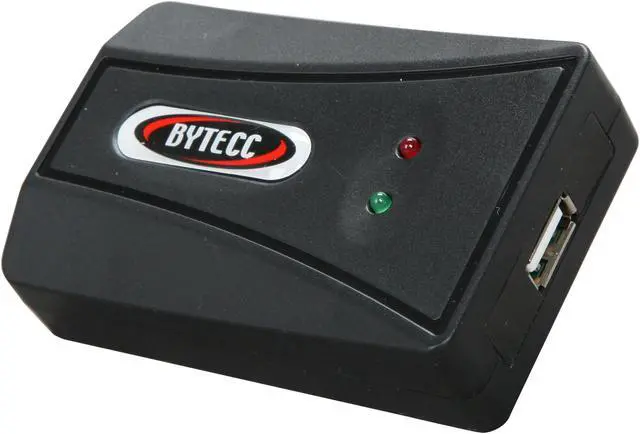
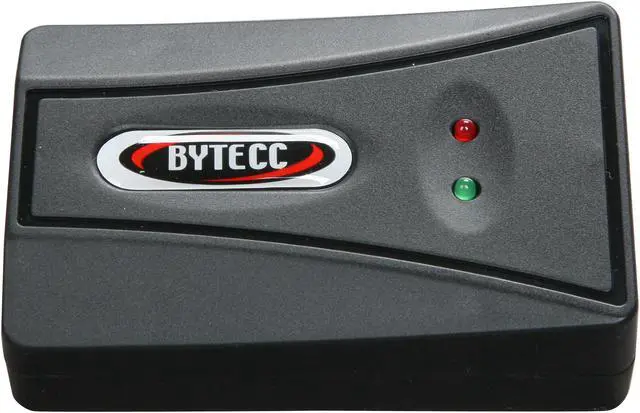
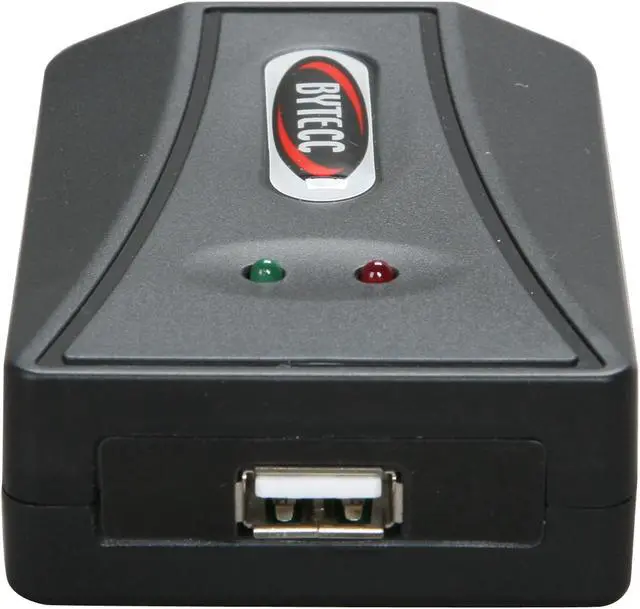
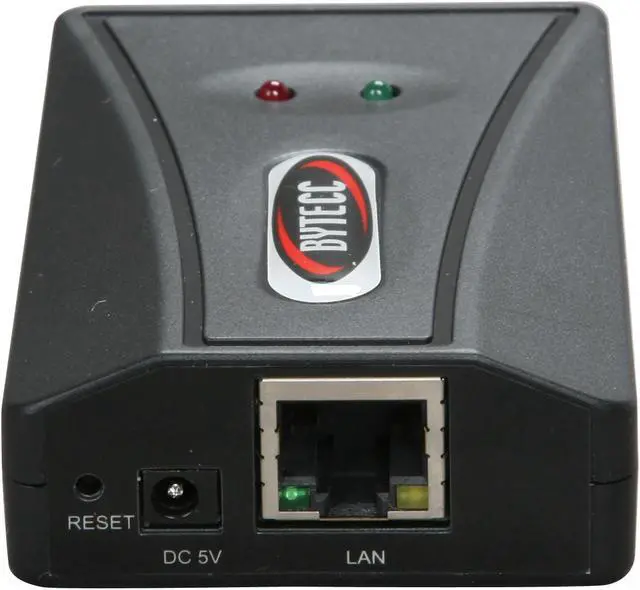
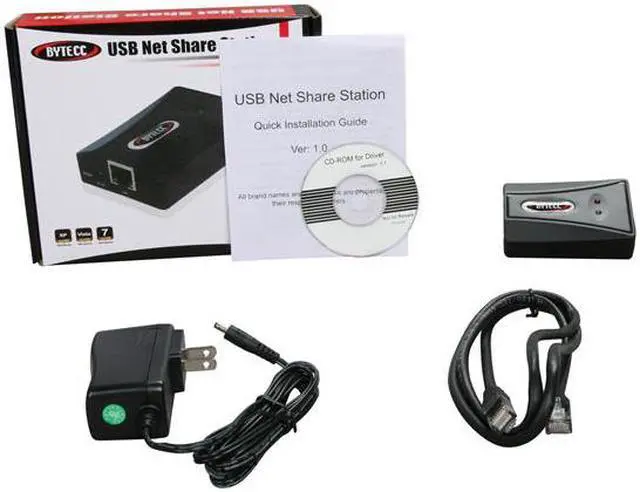
BYTECC BT-UP01 USB Net Share Station

  • Network Protocol: TCP/IP
  • Network Interface: 10/100Mbps RJ45
  • Printer Connection: USB 2.0 / Backward compatible with USB 1.1
  • Standards: IEEE 802.3 10Base-T, IEEE 802.3u 100Base-T, USB 2.0
  • Management
ICON Loading...

Learn more about the BYTECC INC BT-UP01

General

Brand
BYTECC
Model
BT-UP01

Connectors

Specifications
Network Protocol: TCP/IP
Network Interface: 10/100Mbps RJ45
Printer Connection: USB 2.0 / Backward compatible with USB 1.1
Standards: IEEE 802.3 10Base-T, IEEE 802.3u 100Base-T, USB 2.0
Management: Web Interface, Windows Utility
Dimensions: 88.5 x 55 x 23mm

Features

Features
Share your USB devices through your home/office network
Wirelessly share your USB devices through your wireless router
Share an external hard drive, flash drive or memory card reader with multiple users over your network
Share a USB webcam over the network
Enjoy music stored on any networked PC with a USB speaker*
Allow multiple users to share a Multi-function Printer (MFP) over a network to print, scan and fax from any networked computer
Support protocols: LPR/LPD,DHCP,UPnP
Supports USB 2.0 and 1.1 devices
Support Windows Vista Rally Technology
Works with any home/office Ethernet network
Supported devices:
o Printer or Multi-function printer with USB connection
o External USB hard drive
o USB speaker
o USB webcam
o USB flash drive
o USB memory card reader
o USB scanner

*NOTE* Some USB devices require a direct connection for optimum performance

General

Type
USB to Ethernet

Manufacturer Warranty

Parts
1 year limited

Quick Info

Warranty

  • Limited Warranty period (parts): 1 year
  • Limited Warranty period (labor): 0 day


Customer Reviews of the BYTECC INC BT-UP01

Do you own this product? Write a Review

Filter Results

Go
  • Bean
  • 5/31/2013 9:22:18 AM
  • Tech Level: High
  • Ownership: 1 day to 1 week
  • Verified Owner

4 out of 5 eggsWork as described.

Pros: Simple to setup
Works with Brother USB label printer and Trendnet usb to serial converter
Software/driver works with Windows 8

Cons: LAN only

Other Thoughts: The main purpose of buying this device is using USB devices in a Windows Guess OS inside Hyper-V. And it works. I was able to have the Win8 VM talked to the label printer and was able to configure a firewall via the serial console port.
FW console port -> serial to usb adapter -> usb to ip device(this box) -> Win8 VM running putty on COM3 (which is the serial to usb adapter port)

Did you find this review helpful? Yes No

  • Vince
  • 9/7/2012 7:00:43 PM
  • Tech Level: High
  • Ownership: less than 1 day
  • Verified Owner

1 out of 5 eggsPoor Product

Pros: Good price.
Fast delivery.
Easy Return

Cons: Documentation did not match program screens.
Only one PC can be connected at a time. If PC1 is connected, it must disconnect before PC2 can connect.
Program is poorly documented. Program worked on one PC, failed on 2nd, and 2nd then would not shut down.

Other Thoughts: Not much better than a switch box. It is not what printer sharing is commonly understood to be.

Did you find this review helpful? Yes No

  • bithead
  • 8/30/2012 8:12:58 PM
  • Tech Level: Somewhat High
  • Ownership: less than 1 day

3 out of 5 eggsAdd to a wireless network to share usb

Pros: a print server for wireless routers that do not have a print server option. Share usb devices through your wireless router.

Cons: Description is not at all clear. I had to read reviews and description to figure out what it does. Good routers have built in hard drive storage and print servers already on them. If your router has a usb port on it, go to your router's website and do some research.

Other Thoughts: Since good routers have a print server and hard drive storage built in, people with good routers don't need this device. If you're using an old router or a value priced, you may need this device. BUT this is not just a print server/storage server. The UNIQUENESS of this device is that it supports other USB devices. If you have something other than a printer or hard drive you want to share that uses USB, this device would be nice. You have to have the wireless network to which you already connect.

0 out of 1 people found this review helpful. Did you? Yes No

  • N/A
  • 8/17/2012 3:29:17 PM
  • Tech Level: Average
  • Ownership: less than 1 day
  • Verified Owner

2 out of 5 eggsNot what I thought it was

Pros: If it works, it would be very useful for sharing a USB device that is physically close to your router.

Cons: This is a device that shares a USB device over the wifi network by having a hard line into the router. At a glance, I had thought it was a wireless USB adapter. The fault is probably on me for not looking more carefully, but overall this is a counter-intuitive device. Why would I want to share a webcam that is physically attached to my router?

Other Thoughts: A weird device with limited applications like sharing a large external hard drive (which you could easily do with your desktop anyway). Not sure why it exists, and its description was not entirely clear.

Did you find this review helpful? Yes No

  • thisblackgenius
  • 3/22/2012 11:11:56 PM
  • Tech Level: High
  • Ownership: 1 day to 1 week
  • Verified Owner

5 out of 5 eggsWorth It!!!

Pros: Cheaper compared to buying wireless hard drive
Easy installation for basic user (Fast software install)
Compatible w/ (maybe larger but I have only) 1TB hard drive (Western Digital My Book)
All necessary components in package
Small device
Bright indicator light (Pro and Con)
Works behind network firewall
Simple solution

Cons: Depending on size of hard drive takes about 3-5 minutes to show up in your My Computer hard drive attachments
Bright indicator light (Pro and Con)
Instructions speak of some orange icon (I still haven't seen it) but it works just fine without it. I have grey icon.
Must have software installed on every device that you plan on using with server adapter.
Only one attached device at a time, can't pull from same hard drive from different computers simultaneously
It must be close enough your router so that it may connect into its wired port.

Other Thoughts: This is so far exactly what I wanted for the price, nothing fancy just wanted to create some wireless access with my hard drive and didn't want to shell out the clams for another large capacity wireless hard drive. You do need have it close to your router but at least your laptop doesn't have to stay connected to your hip. I would recommend this to any friend.

Did you find this review helpful? Yes No

  • N/A
  • 3/7/2012 9:59:00 AM
  • Tech Level: High
  • Ownership: 1 day to 1 week
  • Verified Owner

5 out of 5 eggsWorked perfectly for Sentinel/Rainbow SuperPro licensing dongle

Pros: P2V'ed a server with Siemens Insight that uses Sentinel/Rainbow SuperPro licensing dongle. The emulation worked perfectly. Client software comes in x86 and x64 flavors.

Cons: The client software has to run in a user session. A Windows service would have been ideal.

Other Thoughts: Buying a second one to store here onsite in case they ever become discontinued.

1 out of 1 people found this review helpful. Did you? Yes No

  • Jeremy
  • 2/15/2012 11:13:16 AM
  • Tech Level: Somewhat High
  • Ownership: 1 week to 1 month
  • Verified Owner

5 out of 5 eggsWorks grat

Pros: We used this to share a MasterCAM Hasp so the software could be used at different computers without moving the usb key between computers or losing it.

Cons: You can ask other users to disconnect so you can use it, but you can't force other users off (if they aren't at the computer)

Other Thoughts: Works great

1 out of 1 people found this review helpful. Did you? Yes No

  • Morjo15
  • 2/13/2012 4:21:09 PM
  • Tech Level: High
  • Ownership: 1 day to 1 week
  • Verified Owner

5 out of 5 eggsWorks great, in VMware too.

Pros: This is a great USB over ip solution. My situation, I needed to p2v a 32 bit xp pro box over to VMware. I use this pc in combination with a 15 year old Epson Scanner and a digital archiving product called Paper Valet. This USB over ip device fits the bill. I installed this device and both pieces of software that comes with it on the physical, tested without issue. Converted the Xp box over to a virtual, and tested again. Since this acts as bridge over the network to the scanner, I'm able to scan documents from the virtual.

Cons: None

Other Thoughts: Also tested with external HDD, Flash Drives, USB Floppy, USB SuperDisk. All work in my situation as if they were physically connected.

1 out of 1 people found this review helpful. Did you? Yes No

  • jb333
  • 5/5/2011 4:00:02 PM
  • Tech Level: Somewhat High
  • Ownership: 1 week to 1 month
  • Verified Owner

1 out of 5 eggsDO NOT BUY

Pros: Has all cables except usb. Lights DO light up. Actually plugs into my Linksys E3000. Did I mention lights light up and are red and green?

Cons: Everything else. I tried five printers. NONE of them printed wireless. Tried these 5 printers in OS's ranging from 2000, XP, Vista, 7 Prem., and 7 Pro., and still no working of any of the printers.

Other Thoughts: Save the ~3x.xx and just buy a wireless printer. This is what I should have done!!! Now I have a paperweight which is too light to actually keep paper on my table with my ceiling fan going at low speed.

0 out of 2 people found this review helpful. Did you? Yes No

  • Phil
  • 2/24/2011 6:51:54 PM
  • Tech Level: High
  • Ownership: 1 day to 1 week
  • Verified Owner

5 out of 5 eggsCan't beat it for the price

Pros: Able to print with Wndows to a USB printer. Software does not have a MAC option though possibly can be configured with some printers manually with MAC though may be unlikely. With my RX580 my scanner also worked hooked to the printer without connecting disconnecting being an All In One

Cons: For the money, there isn't any. It also recognized an Icy Dock enclosure with a 3.5 Sata drive running from afar and almost ran a DVD folder with WinDVD. Divx running should be no problem.

Other Thoughts: Since I got my WimMax device I had a WRT54GL Linksys router laying around because I closed my DSL account with the WiMax faster and movable. I took the WRT54GL Wireless router and the USB printer runs from this. It is plugged in on 1 of the 4 ports not the main in like you would a DSL modem

Did you find this review helpful? Yes No

ICON Loading...
Are you an E-Blast Insider? Subscribe Newegg e-Blast

Buzz

Worked perfectly for Sentinel/Rainbow SuperPro licensing dongle

5 out of 5 eggs
P2V'ed a server with Siemens Insight that uses Sentinel/Rainbow SuperPro licensing dongle. The emulation worked perfectly. ...
— 3/7/2012

Works grat

5 out of 5 eggs
We used this to share a MasterCAM Hasp so the software could be used at different computers without moving the usb key between ...
— Jeremy 2/15/2012


PayPal
Shop without retyping payment details. Secure shopping made faster.
Check out with PayPal.

Financing


LOADING... LOADING...
Shop by Region: United States | Canada | China
VeriSign Click for the BBB Business Review of this Computers - Supplies & Parts in Whittier CAThis site protected by Trustwave's Trusted Commerce program Inc500
Policy & Agreement | Privacy Policy  © 2000-2013 Newegg Inc.  All rights reserved.
If the Adobe Reader does not appear when you click on a link for a PDF file, you can download Adobe Reader from the Adobe web site. nassau