A KVM switch (Keyboard-Video-Mouse) is a major boon to anyone who has to work with more than one computer. The CABLESTOGO 35554 KVM switch features both USB and PS/2 support to let you control two computers with one set of keyboard, mouse and monitor. You can change computers without having to give up the keyboard and monitor you're already using, sometimes via the keyboard itself. Imagine the space and money you'll save, only having to buy one monitor, keyboard, and mouse.
After saying that, KVM switches stop being exciting pretty quickly, so let's look at things to shop for. Will it switch your speakers, too? How about your microphone? Is it USB only, or can it handle older connections? Hardware button, keyboard command control, or both? Does it draw its power from the computer, or does it need a power adapter? How many computers do you need to switch? (Most KVM switches will handle two computers; some can handle more.)
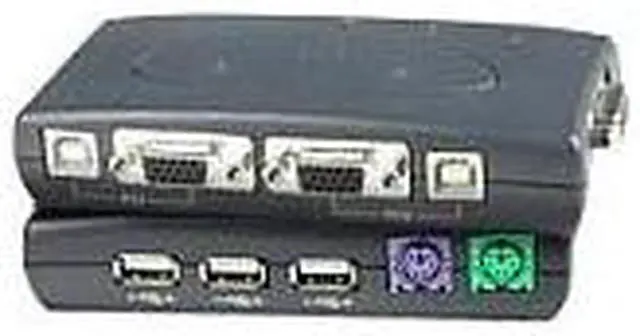
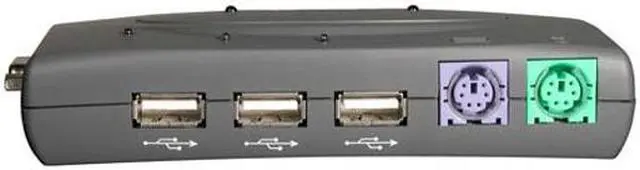
Three USB downstream ports are included for sharing USB keyboards and mice or other USB peripherals. With the plug-and-play feature, connect or remove PCs without powering down the KVM switch or PC. Is this the switch for you? Check it out and see!
A KVM switch (Keyboard-Video-Mouse) is a major boon to anyone who has to work with more than one computer. The CABLESTOGO 35554 KVM switch features both USB and PS/2 support to let you control two computers with one set of keyboard, mouse and monitor. You can change computers without having to give up the keyboard and monitor you're already using, sometimes via the keyboard itself. Imagine the space and money you'll save, only having to buy one monitor, keyboard, and mouse.
After saying that, KVM switches stop being exciting pretty quickly, so let's look at things to shop for. Will it switch your speakers, too? How about your microphone? Is it USB only, or can it handle older connections? Hardware button, keyboard command control, or both? Does it draw its power from the computer, or does it need a power adapter? How many computers do you need to switch? (Most KVM switches will handle two computers; some can handle more.)
Three USB downstream ports are included for sharing USB keyboards and mice or other USB peripherals. With the plug-and-play feature, connect or remove PCs without powering down the KVM switch or PC. Is this the switch for you? Check it out and see!
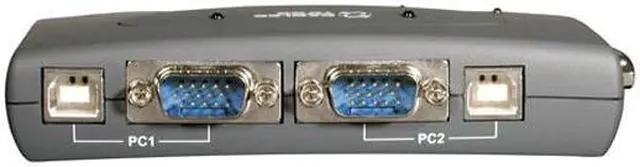
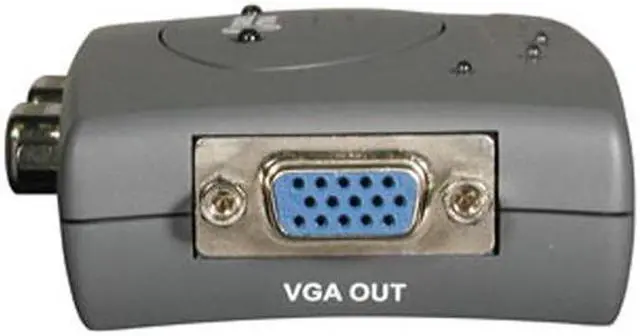
 Control Two PCs via One Monitor, Keyboard and MouseShare one monitor, keyboard and mouse between two USB-compatible computers using the CABLES TO GO 35554 KVM switch. The built-in VGA connector supports monitors with resolutions of up to 2048 x 1536.
 Three USB Downstream PortsThe CABLES TO GO 35554 KVM switch features three USB downstream ports to easily share USB keyboards, mice or other USB peripherals between two computers.
 Easy Switch between PCsEasily switch from a computer to the other with the keyboard hotkeys, hardware push button or on-screen-display (OSD) utility software (for windows).

 Holiday Shipping Details & Extended Holiday Returns


 Control Two PCs via One Monitor, Keyboard and MouseShare one monitor, keyboard and mouse between two USB-compatible computers using the CABLES TO GO 35554 KVM switch. The built-in VGA connector supports monitors with resolutions of up to 2048 x 1536.
 Three USB Downstream PortsThe CABLES TO GO 35554 KVM switch features three USB downstream ports to easily share USB keyboards, mice or other USB peripherals between two computers.
 Easy Switch between PCsEasily switch from a computer to the other with the keyboard hotkeys, hardware push button or on-screen-display (OSD) utility software (for windows).